How I Plan and Organize My YouTube Content PLUS My ENTIRE Content Plan!
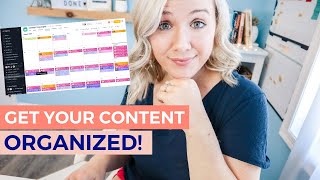
Trina Little walks through her system for planning YouTube videos using Asana and Google Drive, covering idea generation, scripting, recording, editing, and scheduling. She shares her full content plan and workflow for staying organized across multiple platforms.
If you are having a hard time getting consistent on YouTube or getting your content organized in general, I totally know what that feels like. There were times a few years ago when I was literally editing my video minutes before it needed to go live. But I knew it was impossible to keep going at that rate. So I focused on creating a system, a workflow that has really helped me save a whole lot of time and get really organized with my content creation. If you're ready to see how I plan and organize all of my YouTube content, hit that like button and let's dig in. Hey there, my name is Trina. If you are new here, this channel is a place for business, business owners, entrepreneurs and content creators who want to grow organically through online video. And the only way you can grow with online video is if you get organized. Because creating video content can be a lot of work if there is no system in place. So the first thing I want to talk about that I get asked all the time is how do you come up with ideas? Like how do you always have constant ideas to create YouTube content? So one of the first places that I have been loving getting video ideas is you. I will post here on the YouTube community tab asking for your feedback. I will do Instagram stories or post on the Instagram feed. And one thing that we've been really getting better at is actually screenshotting your ideas and saving them in a folder so that when you give us a good idea and we film that video, we can feature you. So if you have any ideas of video content you would like to see from me here on this channel, make sure you drop them down in the comments below because we might just screenshot your comment and feature you in that next video. The other way I get content is research. I will see what people are looking for on YouTube. This is part of my discoverability strategy. This is the way I come up with ideas to get new people to to my channel. So I would just go into YouTube, I will start searching a topic, see what videos are showing up in search, maybe watch a couple of those, check out the comments to see what people are asking about, see what shows up and suggested to really help me figure out what direction I want to take this video. I will also use tubebuddy and I will type it in their keyword explorer. I want to see is this being searched? I want to see what are some other ideas that are popping up on TubeBuddy. Literally TubeBuddy can give you so many different ideas. So I do like looking there too to generate ideas by now you should probably have lots of ideas. But the other two ways I come up with ideas is just talking about something I'm passionate about, like this video. I'm talking about my workflow and how I organize and plan my YouTube content. Because I like talking about this. I like getting organized and I love helping other creators get organized as well. And I update my content. So if there's a video that did really well on my channel and it's starting to die off and not getting as many views, I will take a look at that and say, okay, can I update this? Is there new content for this? Is there like a part 2 to this video? So that's a lot of different ways to come up with ideas. Okay, so you have all these ideas. How in the heck do you keep them organized and remember them? I use project management tool called Asana. This is where I will literally keep all of my ideas. Now I'm going to talk about Asana as my project management tool, but there are a lot of other options out there, like Trello, ClickUp, Airtable. Don't think like Asana is the one you have to be on if you're already using one. You can use this same process on your own project management tool. Don't think you got to scrap everything that you've done. You can use the same process just in your current project management tool. But I literally live in Asana. It keeps me organized every single day. Paper planners are great, but I love being able to move things around in sauna. I like to sit down every single morning and see on my calendar in Asana exactly what I need to do that day. With online school now I have a child at home all day, so it's much more easier for me to see. Okay, if I can't get this done this day, I can simply move it to another day where I can start to see how I can get things done. You can also break down in a sauna specific project. So a few weeks ago I launched my program Video Strategy Academy and there are a lot of moving pieces to a launch. So I had an entire project just dedicated to all the little steps that I needed to do like create webinar slides, create an opt in page, create a landing page, create a sales page, social media promo. I'm able to create all these little tasks and assign them when I need to get them done. And then I just pop in on my desk every morning and see exactly on my calendar which of those tasks need to be done. So I do have a project dedicated just to YouTube content. And in addition, we also have a complete content plan. So while my YouTube content focuses on this YouTube video, we also have another project that, that helps me then repurpose this video into an Instagram TV video, into a Facebook video, into Instagram posts and LinkedIn posts. And I like that on its own project because again, I want it on a calendar and I want to see, okay, Monday we're posting Instagram, Tuesday we're posting on LinkedIn. Wednesday we're posting to YouTube. And it's all very color coded. And I just respond well to color coded and see exactly what's being posted on what platforms. When this is literally how I'm able to keep posting on social platforms and stay consistent is this plan. Without this plan, if I go a week without without updating this plan, I don't post on social media. So if you see a time where I'm not posting on Instagram or on YouTube or on Facebook, it's because I didn't update my content plan. So let's dig into specifically my YouTube content project so you can see exactly how, once I have my ideas, how I then move them through the entire process to get them published on YouTube. So then I can move them to the content calendar project to repurpose them everywhere. So this is a look at my YouTube content project. This is the entire process that I go through. You can see a list of ideas of all the content ideas. You can see I take screenshots of inspiration. So you see Catherine of the content bug. I saw she did a work week in my life. I've been thinking about, you know, how could I do some more vlogs just to test different styles and different ways of doing videos. So I saw that and I thought, maybe that's a potential video idea. I also grab anything that might show up in search or suggested that I see. And again, I'm just taking screenshots and keeping them here in Asana under my ideas list. But what really makes this even more powerful is having this template card. So you see right here, this says duplicate of a template. And inside of here is every single step we do for my YouTube video. So there is a section for prerecord record editing. There's also a section for uploading and scheduling and promoting. So the key here is to make this duplicate every single time you have an idea. So you have all of these steps. There's like 38 different steps. We also keep it organized right up here so that we know exactly. And when I say we, I'm talking about my team. I do have an assistant and an editor, but this can help you individually if you're doing it yourself. Keep organized as well. So I will put a live date here because I might need to assign this to me to be done recording by a different date than the live date. I also may use this as a general idea for the title, but I'm really going to nail down my title right in here. I'm also going to nail down exactly what my call to action is going to be inside my videos. So I don't want to have too many call to actions that you don't take action. I want to know specifically what the purpose of this video is going to be for from there. I'm also planning what the thumbnail is going to look like before I even record my video and what the text should be on that thumbnail and again what kind of photo I want and a link to the Google Drive folder. So in the Google Drive folder I have my script, I have the raw video footage when I'm done and I also have the thumbnail photos as well. So I keep it all organized in Google Drive because my computer just doesn't have the space to keep all of that. So once I've determined on the video and I've decided the title and the thumbnail, then I will start scripting my video. So I will take let's say best editing video editing software. Obviously this was just an idea that popped in my head. I'm going to move it over here to title instead script. So this is when it moves into this pre record phase. So this section right here, I need to do some SEO research and I don't focus a lot of time on here. I'm just really determining the direction of this video, the specific topic. Right. Because this is a general idea. Best editing softwares if you're a beginner, I want to figure out where do I really need to niche down and nail that topic. From there I'm going to create that Google Drive folder. I'm going to decide again, is this an opt in I'm going to pitch at the end of the video? Is it a video that I'm going to get people to watch? At the end of my video I'm going to decide on my title, I'm going to decide on my thumbnail and then I'm writing my script. So this is what a Google Drive folder looks like and how I organize it. See right here I have a script. And the way I create my script is I will have My call to action up here, I have a reminder of all the things that I want to include in my video. And then here is the audio. So this is the A roll. If you're looking at me here, me talking to you, this is A roll. Whereas the screen recording I'm showing you is B roll. So what I do is I will script my content. Specifically the hook. I really want to nail the hook because you've got three to five seconds to get people to keep watching your video. So I really focus on the hook after I've come up with a video title to make sure my title ties into my hook. Now, if there's any B roll or any text that I want to add to this video, I will pop it over in this column right here so that when I'm editing or my editor is editing, she knows exactly what B roll or text that I want to have on my video. So I'll go through the whole way. I will generally kind of just bullet point this. If I try to script it word for word, I really get wrapped up and stress myself out over trying every single word perfectly. So if I just nail it down to, like, key bullet points, I know exactly what I want to say. It saves me time filming my videos, which will then save me time editing the raw footage. It'll also save my editor time editing that raw footage. So here's an example of how I add the B roll. I will upload any gifs that I want to include. I want this as a text. I want an animated like button here. A transition slide with a whoosh photo of my son. Title, slide, text. You see how it gets very specific on what I want. This not only helps my editor, but if you're doing it yourself, you know, if this is B rol to get when you're filming, you know what to get. And so you don't sit down to edit it after you've done your hair and your makeup and you're like, oh, crap, I didn't get that one shot that I wanted. So this is just helping you get as organized as possible to get as much done in that one day that you're filming. So once I've titled and script it, then I'm going to move it over here into the record phase. So obviously, this is the one that I'm recording right now. And I'll go through here. Okay. I did the SEO research. I did the new Google Drive folder. I know what my call to action is going to be here. I decided on the title, the thumbnail And I wrote the script and right now I'm shooting the A roll. I'm also shooting B roll, but there B roll that I want to shoot. So I cannot check this off until I'm done. So I am shooting the recording. I will shoot a Facebook ending in an Instagram TV ending to repurpose this video as well. So once I'm done recording this, I will then move it over here into edit. And the best part about this is if you do have an editor or you have an assistant that is helping you, you can assign that here in Asana to somebody and you can give it a due date. So let's say this video is going out next week, which you're going to be watching this hopefully on August 26th. So I need to have first round of this done by the 21st so that I can review it, see if we need to make any edits or changes. That's also going to give you due date. So if this is specifically assigned to me and I have a due date of Monday, I can then go into my tasks right up here and see on Monday when I sit down and look at my calendar, final video upload is due right here on my calendar. These are the tasks that I need to do this particular day. And right there it is so that I'm always making sure I'm working on things that need to get done. Then once it's finished editing, we're going to move it into the schedule and publish. So we let to get ahead of time on our content. I like to have my videos uploaded and ready to go the Monday before they go live, just in case there's any issues. I just like to have that extra space to give us that leeway. Then once it is published, we'll move it over to promote. And this is when I start adding this to my content plan. So obviously the first places that this will go out the day my video goes live is we will post a blog post, we will post an Instagram post, and we will send a newsletter talking about this video. We're really just giving the YouTube video promotion the next day. Then I will publish it to Facebook, I will publish it to Instagram TV later in the week and I will also publish it to LinkedIn. I don't mind putting my content on other platforms and not getting the YouTube views. For me as a business owner, I just need to get people to see my content, see what kind of content I'm creating, give them valuable content so I can build, know like and trust with them. I'M not here to build a specific platform. I'm here to build a community of people that trust me. Once we then have this to promote, I will go into my content calendar and you can see in August, we were very, very organized. You can see the pink is Instagram stories. The orange is IGTV. The blue is LinkedIn. That's LinkedIn. The purple is Instagram feed. And what we do here is we have a board and we can see exactly what YouTube videos are going live, when what Instagram posts are going live when LinkedIn, Instagram, Instagram stories, the whole way across the board. And when you give them specific due dates, that's how you can see it on your calendar. So that's why it really keeps me organized to see, okay, we did this video. Now are we going to promote it? Where are all the places that we need to repurpose it? You can also start to color code these as well. So you can see these little things right here. This was a test that we were playing around with. We were showing people. But you can use emojis to say, this is YouTube content, or maybe this is editing content, or maybe this is more social media video. So what you can do is you can come in here and say YouTube content, and you can make it a blue dot, or you can do command control space if you're on a Mac to get these emojis and you can use whatever kind of emojis to really start color coding your content. I usually go down here to the bottom. There's where the dots are and that's how I start color coding. So if blue is going to be my YouTube content and let's say white is going to be my editing content, where I talk about editing. So you can easily see am I doing different types of content? Like, am I doing different content buckets throughout the month, or am I just focusing on one content bucket? Editing would be one content bucket. YouTube growth would be one content bucket for me. Workflows and planning would be another content bucket for me. So you can start to get organized here as well. If you would actually like to have my workflow and get training on how to use Asana, you can buy it from me@trina little.com forward slash YouTube workflow. You get my entire YouTube workflow and system, all the little checks. You also get training on Asana. You also get my content calendar set up. What I do daily in my business, what I do weekly in my business, all my business goals, an entire project on my business goals, and also my launch project. So everything that I do in a launch, like I said, if you're interested in purchasing that, head to trina little.com, forward slash workflow. And then I would suggest watching this video that's on your screen right now, where I bring you behind the scenes and show you exactly how I batch all of my content. So how I film four videos in one day, what my setup looks like, kind of like my entire day. So click on that video, and I'll see you over there.
More from Trena







Why Every "Business Guru" Suddenly Went All-In on YouTube (And What NOT to Copy)

