How I Shoot HIGH QUALITY YouTube Videos with MINIMAL Equipment for my Online Business
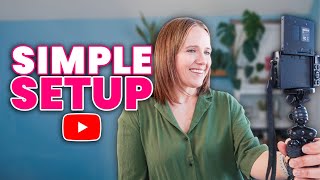
Trena Little shares how to shoot quality YouTube videos for your business without expensive gear. She covers equipment picks, filming techniques, content planning, and ways to keep viewers engaged, all designed to help entrepreneurs stop procrastinating and actually make videos that work.
I want to show you how to get out of your head when it comes to creating YouTube videos for your business. I want to share the setup that I have to make these videos. Easy setup, ideas anyone can do. Even if you feel like you're not good at tech softwares and tools that I've used to speed up my YouTube making process. Tips for filming better videos that I've learned over the course of eight years of making weekly, sometimes three a week YouTube videos and the most important things to think about when creating your videos and it's not worrying about your background. Real quick, I want to share why you've got to get out of your head now and stop procrastinating on YouTube. The sooner you can get videos on YouTube, the sooner you're going to have videos working for you 24 hours a day, seven days a week. Because I want to share with you a case study that we did. In less than 10 days, I was able to grow my email list by 150 new people with less than 1,000 views over two videos. In fact, the total number across two videos was a little over 800 views. And this 150 email growth was all organic. I didn't have to pay a dime for that. What's even better is the conversion rate. That means my views convert at about a 13% conversion rate to email subscribers. Even better. On the back end of that free lead magnet that I had, I had a one time offer to something paid and I was able to make over $1,200 in less than 10 days from these two YouTube videos that are now going to keep sending people to the lead magnet to the one time offer and building my sales in my email list for months to come. And I know this is all true because YouTube is the only platform that I talked about this particular lead magnet and gave the link to this particular lead magnet. So all traffic, all subscribers, all purchases straight from YouTube. So if you've been struggling to grow your email list this year, listen up. Decide right now you're going to take the next step forward in creating videos on YouTube. Because I'm going to show you how to pretty easily make high quality quality videos that will honestly change the direction your business is heading. I first want to talk about how are we going to do this? Because I know you're thinking, Trina, I want to do YouTube. It's just I don't have the time. Where am I going to find the time to do it? So I currently coach one on one about 60 entrepreneurs. I help with their YouTube channel strategy and also business strategy. I also still have two agency clients. So you may have watched this video where I talked about burning down my agency, which I did. But we still had two special clients that we've kept on. I have two kids that get on the bus every day around 8:30 and get off the bus around 3:30. And those are the only hours that I work. And I purposely schedule things on Friday so that I don't work on Fridays just because I built this business to have time, freedom. And if I'm constantly being chained to my desk, what was the purpose of quitting my job? So that's why I purposely scheduled things on Friday. So I'm only working Monday through Thursday, 8:30 to 3:30. And I know what it's like. For those of you that are solo entrepreneurs, maybe you have an assistant. You have a lot of things you've got to do in your business on your own, but you also got to be marketing your business because how else are you getting people aware of who you are and what you do and getting to buy your stuff or getting to work with you? Because without marketing your revenue will dry up. And YouTube has been that way to consistently build my audience one video a week without needing to show up on Instagram so many freaking times and figure out the changes in that algorithm like every other week. So I just wanted to share here, you know, it's time, time to stop procrastinating. I'm going to walk you through the next couple of steps on how you can realistically do this. But if you want to learn more about YouTube strategy, I'm currently in the middle of a YouTube strategy series on my channel and it dives into all the steps that you need to take. So I will link to this playlist for you to watch next because I know you are committed and I know you want to figure out how you're going to implement this. So watch that playlist after this video. So continuing with the how, let's go to setup. Don't overthink this. Your background does not have to be on brand or fancy or high tech. It needs to feel real to you. You need to feel comfortable in it. And like you're talking to any other friend that you would. People today online just want authenticity. And I know that's a buzzword, but really people just want to hear people who are real about what's going on. That's why I started a brand new series on my channel about transparency where I'm just being real about stuff going on and it's not always rainbows and butterflies in business, and that's what people want, the realistic insight to businesses and also the realistic stuff in your house. The bonus is that you're only filming in this square right here. So you don't see the trash bag full of trash that needs to go out. You don't see the piled up books and the papers that need to be filed. You only need to worry about this square right here. So you could easily put yourself into a corner of a room or just, you know, clean up a one wall of a room and that can be where you film your videos. Honestly, it just takes a little bit of cleaning up what's in the frame and you're good to go. Don't overthink it. Now, I want to talk about camera, mic and lighting. This is how you're going to capture video and these are important, but don't overthink this as well. For me, I invested in a good camera that I knew I could sit up, hit record and go. I bought that camera, the Canon C50 M50, I don't even remember probably two years ago. And it was the fancy YouTube camera with the fancy lens and I freaking hated it because I couldn't set it up and just hit record. I needed to get the lens to focus. I need to be far enough away. And the more complicated I made my setup, the less likely I was to film or get frustrated and not do it at all. So I bought the Sony ZV1, which I'm filming on right now. I bought a rode mic that plugs right into this camera and I sit it on a joby tripod that is right here on my desk. So I can literally go up with my desk, down with my desk. However, I need my eyesight in line with the camera. You can also use what you already have. Some of us forget our cell phones are great videos. And I've completed a couple videos directly from my cell phone. In fact, I will link to a video right here where I shot content both on my phone and on my Sony ZV1. If you think you can see the difference, but you can literally film on your cell phone YouTube videos. So while we're talking about cameras, I want to know, what camera are you using to shoot videos? Now go ahead and share in the comments. Or what camera are you thinking about using? And let's talk about, is it good enough? Can you just film on that? Do I think you need to upgrade? So go ahead and drop that below in the comments. I would recommend having good Audio with the cell phone, the audio is a little bit iffy. You need to be close to it to get that better quality audio. But there are different things that you can use now that are pretty cheap. And I will link to some of my favorite equipment in the description box below. That can get you good quality audio from your phone. And then lighting. Lighting will honestly make the difference of your video. It doesn't matter if you have a professional background or not, but lighting will make a difference. And one of the easiest things you can do is sit in front of a window. So I have a window right here and I could honestly shoot my videos like this and get better lighting than what I have right here. But I don't like that side of my office. I set up this side of my office as my background. And so what I need to do is balance the light. Since I have light coming in from this window. I have a softbox light over here to my right. And then just to make all the fine wrinkles and lines on my face look great, I do have a ring light right in front of me. And that is it. I'm not putting like LED lighting behind me or anything above me. I don't over complicate it. I don't want to learn advanced tech. I'm sorry. I just want to create these videos and talk to you and provide you value. And having a super simple camera, camera setup, super simple light setup is all I need to do that. There are also ring lights that you can clip right onto your phone that will work as well for lighting if you're using your phone. So again, don't overthink it. Just think about the importance here. Is the audio pretty good and do you have decent lighting and are you cleaned up behind you? All right, let's jump into the tools and softwares that I use to help me create these videos. I plan out all my videos on a Google Doc. I use a template called my video game plan and that's how I know exactly what I'm going to record when I sit down to record these videos. And I get through filming these videos in 30 minutes or less. It also gives me less content to then edit, so it speeds up my editing process. I'm actually going to be sharing my video game plan in the key parts that should be in every single successful YouTube video and upcoming training that I'm hosting. If you want to know what these key parts to your video game plan are, how to find what content to create for your ready to buy audience, go to trina little.com forward/masterclass to get a seat into this totally free YouTube workshop that I'm hosting. I then keep all, all of my content, all my YouTube content organized inside of Asana. I know where my script is, I know where my video game plan is. I know what the tasks are that need to be done to get this video out. I put my thumbnail pictures in here. We put our final thumbnail pictures in here. And it just keeps things organized in Asana. And if you want to see more about my Asana process, I will link to it right here. There are some tools or softwares specific for YouTube that I have been using to speed up my process. One is Vidiq and specifically the AI coach inside of YouTube. And I'm thinking about doing a video completely on this AI coach. I mentioned in an earlier video and a lot of you said you wanted to see it, but this has allowed me to kind of get out of my head in my content and just type in some ideas about a video and vid IQ pools, data specific for my channel, specific for the people watching my channel and let me know what it thinks, the data on my channel based on that, what my audience would like. And again, it just allows me to speed up my content creation process. It also gives me title ideas to make things quicker when it comes to creating really good videos for you here. As far as tubebuddy, we like to use tubebuddy to analyze our thumbnails because if our marketing package of our video, our title and our thumbnail doesn't hit, y' all aren't going to click on it, you're not clicking on it. YouTube's not going to recommend it to more people. So we've been using that to really make sure we nail the thumbnail. And then we are also doing a B testing of thumbnails as well as the video continues to live on to keep it alive so that that video isn't dead in the water after a week or two. We want that video to live as long as we possibly make it live. When I am editing my videos, I use Final Cut Pro and that is BAS iMovie without the training wheels. I also, when I'm in a pinch, will use Imovie to edit my videos as well. These are all Apple softwares and I've been working with coaching clients get their YouTube channels up and running. And I've been hearing a lot of great things about the editing software, descript. I haven't had the time to check it out yet, but a majority of my clients that come in that need my help with YouTube coaching. That is something that they are using to really speed up their editing process and they seem to love it. I also use Canva to create graphics templates, title screens, so that I can just reuse them over and over again because I'm not starting from scratch for every single video. So if you watch my video on Monday, you will see these title screens or these titles pop up and I'm using Canva to do that. Now let's talk about filming tips. First, you have got to have your video game plan done first to really ensure you have a high quality video. And like I said, if you want to make sure you have all the pieces you need for a high quality YouTube video, sign up for that training at trina little.com forward/masterclass because I'm going to walk you through what those all are. But when you have your video game plan done in advance, it is not going to take you as long as you think to film your videos because you're going to stay on task, which will mean less time to film and less content to edit. So what I do is once I have my camera set up and I'll put some footage on the screen right now of how I have this set up, but I will look directly into the lens of my camera. Now if you are shooting on your phone, you're going to want to look here and you're going to want to film with this camera, not this one, because this does have a better quality camera. But I'm looking directly into my lens and the lens is a little bit more than arm's length away from from me and it is slightly above eye level. We don't want to be looking down because we don't want this looking, you know, double chinny. We want it to feel like they're talking to a friend. And just having it slightly above eye level gives the look I have going right now. Then I will deliver small chunks of content. So I'm going to have my video editor leave in just what I did right there where I paused. I scrolled over on my computer to look at the next chunk of my video because that's what I do. I deliver some content. I pause, I look over here to see what is the next line I want to deliver and then I deliver it to the camera. So I'm going to take a pause right here. Okay. The reason why I don't think you should be memorizing your script or using a teleprompter is because it takes out your personality. We also can usually tell, unless you're really good at teleprompter reading, if you are reading from a teleprompter. And so that's why I encourage you to just remember small chunks. Take a pause, take a break. Don't turn the camera off. You can edit this out. Look over here, see what the next part of your video is and then deliver it to the camera. Don't overthink that. I will say when you are filming, don't get stressed out about the outside world. So I know the garbage truck is going to show up anytime now. Get the garbage, make all of that noise. Maybe you have kids at home screaming. I have shot content with my kids at home screaming. Most of the time we can't even hear it on the camera. Also, if there's people with a lawnmower, you're not going to get away from these distractions. Don't let it hold you up. Because guess what? We all know how life is. We don't expect you to live in a quiet box somewhere in the middle of nowhere. So just accept it and don't let it stop you. More than anything, you want to focus on the quality of the content you're sharing here in the connection you're making with your viewer. Now let's talk about engagement on these videos. Because getting engagement is important. Click through rates, audience retention and screen clickthroughs are really important when it comes to the algorithm determining if your video is quality content. In fact, those things are way more important than your background. But you also want to think how you're getting your viewers to engage with you on this video. That is how you're going to start to build a community and really build this following that will want to buy everything that you offer. So after I do my video game plan, I go through it a second time and figure out where can I add engagement pieces. So you maybe have commented below based on some questions I've asked you. You maybe have clicked to watch or save to watch another video that I recommended to you. These are all types of engagement that I add into my video game plan after my initial right of it. You need to realize just saying like subscribe and comment is not going to get you engagement. Think about questions that they will want to answer, give them a prompt that they will want to answer and have that conversation. Just telling them the comment isn't going to cut it. When people engage in your videos, those are the best type of viewers and YouTube is going to recognize that. And YouTube are going to find more people similar to the people engaging in your videos, and that's the people you want to get in front of. Knowing what I just shared with you, how do you tie it all together? You know how to create these videos and then get the viewers to actually opt in to your email list or buy your course or work with you one on one. Watch the video on your screen right now and I'll walk you through the process of how to start selling your stuff from your YouTube videos every single day. And don't forget to sign up for that free master class that I'm hosting. It's also on your screen right now.
More from Trena







Why Every "Business Guru" Suddenly Went All-In on YouTube (And What NOT to Copy)

