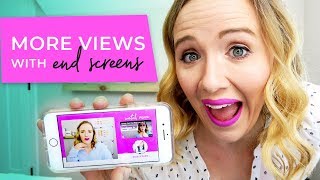
This is a YouTube video titled "How to Add End Screens to Your YouTube Video" created in May 2018 featuring Trena Little explaining the concept and practical steps of using YouTube end cards or end screens to grow a channel. Trena shares tips on timing, content strategy, and technical details for adding these elements to videos to increase viewer engagement and subscriptions.
You may have heard the word YouTube end cards or YouTube end screens. What are they and how do they help you grow your channel? Stick around, because I'm going to give you all the deets on YouTube, end cards or end screens. Hi, I'm Trina and I started this channel to help creative entrepreneurs like you get on YouTube to grow your business. Because as a busy mom of two toddlers and a thriving business, I don't have time to be online 24 hours a day, seven days a week. So I use my YouTube videos as the way I grow my business while I take care of those crazy kids. If you're new to YouTube or you've been here a while, you may have noticed when you get to the end of a video, you see these little cards or these little end screens. So what Those are is YouTube allows you to add elements to the last 20 seconds of your video. Now this is important because your goal with your video is to either get people watching more of your content or or to subscribe to you. The more content people watch of you, the more watch time you're accumulating and the more valuable you look to YouTube. This way, YouTube will start suggesting more of your content in the suggested feature, on the home feature or even in search results. So what I suggest doing is don't just throw these end screens up at the end of the video without a plan. You want to make sure you continue delivering your content up until the last 10 seconds of your video. You want these end screens to pop up 20 seconds prior to the end of your video. So while you're still delivering content, people see these end cards and then they can click on them. So as you're delivering content, you may think you want to wrap it up or summarize. Don't just end your content and then have a call to action to watch your video that you're recommending on the screen right now or to subscribe. But how do you add these cards? Let me show you. When you upload a video, what you want to do is go over to end cards and. And I personally have an end card that I add in my editing phase, which I'll show you here in one second. But you generally want to add either a playlist or a video to your end card because that gets people watching more. And of course, you can add your subscribe button and that's how you add them. Now let me show you how I put my pink end card in the editing process. So I had my graphic designer create this card and what I do is I put it in the last 20 seconds of the video add. After my editor has edited the video, then I just cut this clip and I make it smaller to fit on that graphic. Now when you hit play, that video is recording on that graphic and you can add your end cards in YouTube once you upload them. This is definitely going to help you get more people watching videos, you're going to get more subscribers, and it's going to help you elevate your channel in the eyes of YouTube. You want to continue to make your channel better, make sure you click the playlist on your screen right now. And don't forget to subscribe to my channel for more tips on how to use YouTube video to grow your business. Thank you for watching. Bye.