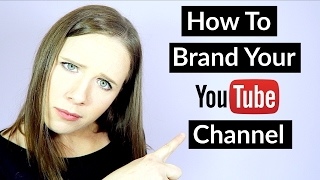
This is a YouTube video titled "How To Brand Your Channel" created in February 2017. The content features Trena Little providing a detailed tutorial and tips on branding a YouTube channel effectively for business owners and personal creators. She covers topics such as channel banners, avatars, watermarks, and thumbnail branding to help viewers create a cohesive and professional YouTube presence. The video is presented primarily by Trena Little with one other speaker providing additional technical instructions on adding watermarks.
Today I'm kicking off a brand new series here on my YouTube channel for how to get started on YouTube. If you're a business owner and you really want to start utilizing YouTube and your business strategy, or you just want to create a personal YouTube channel, today's series is going to start with how to brand your channel. So stick around to get my four tips on how to get started branding your channel. Hey guys, welcome back to another episode of Just the Tips with Trena where I provide online entrepreneurs tips, tips and and tricks on how to create a video content strategy that works for them and their business. If you aren't subscribed to my channel yet, make sure you go ahead and click that red subscribe button down below. Like I said, today is the start of a new series here on my channel. I'm kicking it off by teaching you how to brand your YouTube channel. If you're a business owner, you already have some branding aspects to your business. You want to make sure that it flows into your YouTube channel. You also want to brand your YouTube channel. So if people find you here on YouTube, you look legit. You don't want to have a YouTube channel that's not converting viewers into email subscribers or to potential customers. So you really need to focus on your branding on your channel. Before you even start releasing videos. The first thing that you want to brand is your channel banner. This is what people are going to see when they come to your channel. You really want to make sure that you obviously have your name or your business name on your banner and possibly your upload schedule. If you plan to upload twice a month, once a week, once a day, put that on your channel banner so that when a new person comes to your channel, they instantly know that you create videos consistently. And this is the schedule that you post new videos. You also want to make sure that your channel banner aligns with the rest of your branding. So the same fonts, the same colors, all that jazz. Next, you want to upload a nice avatar. What goes well on YouTube and what really connects with people is actually a photo of you. So instead of uploading your logo, I would definitely try to post a picture of yourself. And what goes well on these avatars or these profile pictures on YouTube is definitely the top half of your body on a plain background. So like a plain color background and just pretty much your head down to maybe your shoulders. These avatars really connect with your audience and potential audiences and they're really the best option when uploading a profile picture or an avatar on YouTube. If you don't have a profile picture of yourself, maybe take a quick selfie against a blank wall or have a friend take a picture of you against a blank wall. That's really going to make you stand out and make your channel look professional. The next thing that you want to do is add a watermark to all your videos when you do upload them. I'm going to show you in this quick little tutorial on how you can add a watermark to your videos, but before you even upload your first video.
So if you want to add a watermark over your videos, whether they are already on YouTube or they plan to be on YouTube, this is how you are going to do it. The first thing that you want to do is go over to Video Manager. From there you'll want to go down to Channel and then down to Branding. From there you can upload whatever file you want, whether that is an image of you or or a logo. Whatever you decide to have as a watermark on your bottom corner of your video, you can have it run for the entire video for a custom time or just the end of the video.
And then the final way I want you to brand your YouTube channel is when you do start uploading your videos, you need to brand all of your thumbnails the same. So whether it's a certain font that you use or a certain style picture that you do, or it's a certain color, you really need to make your thumbnails stand out and make sure that they're on with everything else in your brand. Your thumbnail is your main marketing material when people find you on YouTube, so you really want to make sure you take time in coming up with your thumbnails and branding them to everything else that's going on within your business. Let me know down below what questions you have about branding your YouTube channel. If you want to get started with your video content but you're not sure what you should talk about in your videos, make sure you go ahead and grab my Sprinkle Free script template. I'll link it right up here and down in the description box below. This template just breaks down everything you should say in your videos, how to say it, and how to make it all flow. So make sure you grab that. If you like this type of video and you're excited for this new series on my channel, make sure you give this video a thumbs up and you share it on social media by clicking any of those social share buttons down below like on Twitter, Facebook, Pinterest, and as always, you guys, thank you so much for taking the time to watch my video, and I will catch you next time. Bye.