How to Create a Content Calendar using Trello
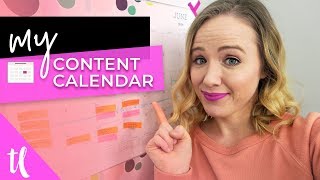
Trina walks through building a content calendar in Trello, from brain-dumping ideas and grouping them into playlists to batching research and filming. Plan at least a month ahead, ideally a quarter, to avoid last-minute stress and reclaim time for clients and life.
Are you somebody that is writing your blog post right before it's supposed to go live, or writing your Instagram captions as you're supposed to post it? Yeah, I've been there. When I first got it started on YouTube, I was filming and editing and trying to post my videos all in the same day. What I quickly came to realize is this does nothing but cause, overwhelm, stress, and can quickly lead to burnout. So today's video, I want to share with you how I plan my content calendar here on YouTube. So. So that I can have videos planned in advance and I can have them scheduled weeks in advance so that I don't have to worry about staying up late to get my video live. Hi, my name is Trina, and on this channel I help creative entrepreneurs like you get on YouTube to grow your business. Because I've used YouTube as my number one platform to grow my business and I love having my videos work as my 247 sales team for me, and I want that for you as well. And so to get consistent videos out there, you really got to have a content calendar and a plan of attack, because otherwise it's just too stressful, trust me. So the first thing that you'll want to do when planning your content or creating your content calendar is to map it all out. I like to just have an absolute brain dump session. I'll check my notes where I came up with video ideas that popped in my head while I was getting groceries or running or exercising. And I like to see what videos do I want to create coming up in the next month. I also like to look at important dates that are coming up. Do I have a launch? Do I have a big collaboration? What are those dates that I need to keep in mind to really create my content around? So for me, at the end of July, I have a launch. So a lot of my content is going to be revolving around my launch coming up. So write down those dates too to help you map out your content. Then I like to group together similar content ideas that I can make a playlist on. Playlists are absolutely my number one thing to do here on YouTube. And it really helps me create a content strategy that's really powerful to grow my channel. So if you want to learn more about playlists, I'll link an entire video about that as well. So I start to put videos together that will fit into a playlist. The next step I do is basically like recon. I go out, I look what people are creating content about, I see what's ranking in Search I see what tags people are using. I really make sure I find the right ideas or make sure I freeze phrase my videos and the way people are actually searching because you can put up any video that you have or give it any title, but you really want to make sure it's going to hit home to your target audience so that they watch your videos. This is really what's going to give you the huge return on investment with your videos if you make sure you're saying the right things and getting in front of the right audience. Now after you do your recon, it's time to plan. And I like to go on paper for my plan. You'll see my calendar back here. Each little post it is a specific piece of content. You will see that the orange pieces are videos that are going to be going live on my channel. That then helps me realize what am I going to write in my newsletter on Wednesday. So you'll see that's the pink. Post it. That's what my newsletter is going to be about because it's going to revolve around that video that I post that week. Also was my Facebook live going to be about that week Again, it's going to revolve around that YouTube video. So. So basically YouTube is my hub of content which filters through what I'm going to talk about on my other platforms. I also like to put these on post its on that calendar because if somebody contacts me and wants to do a collaboration, I can easily move those post its around without having to scribble it or white it out or erase it. So it's much more easier for me to move them around. Or if something happens on YouTube that's a trending topic, I can easily rearrange my ideas if need be. Then I like to get electronic and I like to move all of that information into Trello because I'm not always working in this office. I may be sitting at swim lessons or I may be working at my parents house or I may be working downstairs. So I like to have it in Trello so I can have it electronically wherever I go. Having it in Trello also gets my team in the know. So my video editor knows which videos are coming up, when do they need edited, when do they go live. My graphic designer knows which are the next thumbnails she needs to be working on. So it's just kind of like a hub of information for the team so that we stay on date. Now this is a really important step and it's setting deadlines on those pieces of Content that you want to go live. I generally have two deadlines. The first deadline is the deadline for my team. So when the editor needs to get the video done and when the graphic designer needs to get the thumbnail done, then the other due date is the date it actually goes live. I generally like to have all my videos done at least two days in advance so I can get them scheduled and get my blog post up and fill out the description box and all of the extra stuff you got to do on YouTube. So it's really important to set these deadlines so you actually make them happen. Even if you don't have a team, set those deadlines for yourself. Set a deadline for when you need to have your video edited by Set a deadline for when you need to have your thumbnail done by set a deadline for when you need to hit live on that video. In YouTube. The next important piece of creating a content calendar is doing similar tasks in bulk. So right now for me, I'm sitting here filming videos. It's a video filming day for me. So I'm filming about 12 videos. I already did the research in bulk, I already did the scripting in bulk. Those were on separate days. And now I will sit here and film as many videos as possible. Because for me to set up the lights and to have a quiet space and to be in this video filming zone, it just goes a lot faster if you can do it all in one chunk. So set a date for filming, set a date for research, set a date for editing. Trust me, this is going to be a game changer for you if you're not doing bulk tasks. The next important piece to your content calendar is to have some tools. So one of the tools that I really like to plan my Instagram post is Planoly. I'll link it down below if you're interested in learning more about it. But this allows you to actually see what your feed is going to look like as you upload your images. And and if you do the paid for version, you can actually upload videos. So I will upload my teaser clips to Instagram, do the captions and so I currently in July now have all of my content done till August because I use planoly write the captions out. It's much easier to write captions out on a computer than on your phone. So that's one of the tools I definitely suggest using to really get your content calendar on task. Now what's great with YouTube and Facebook is they allow you to schedule their content. So when you upload a video to YouTube. As long as you upload it as private, you can then go into your video and set it to schedule and schedule the date you want it to go live as. So all my videos go live Monday through Wednesday at 11am Once I upload that video in private, then I'll go in and change the date and time and schedule it so I don't have to be on my computer to set it live. And Facebook does the same thing. Now you can schedule posts on your business page. You can schedule posts in your Facebook group. That has really taken a lot of time off of my hands so that I can just do all of that in bulk as well. So sit down and plan all my Facebook posts, which I currently have all my posts for this month done because I sat down and did it in bulk. The final thing is to plan in a month. You'll notice that I talked about how I have all of July's content done. That's because I got my YouTube content done first for the month and it really filtered through my Instagram strategy, my Facebook strategy, my newsletter strategy. If you can do your content plan a month at a time, my next goal is to do my content plan in a quarter at a time. A quarter is three months. I'm really hoping to get to that point where I have three months worth of content done because that's going to give me so much more time to focus on my clients, focus on my students, and to have time for me right now. If you want to learn more about how you can create a YouTube channel for your business so you can do all the things I just talked about, make sure you click the video that's on your screen right now. And don't forget to subscribe to this channel because I'm constantly helping you here to figure out how to use YouTube to grow your business. Thank you so much for watching and I'll see you in the next video. Bye.
More from Trena







Why Every "Business Guru" Suddenly Went All-In on YouTube (And What NOT to Copy)

