How To Create A Content Calendar [Know What To Post On Social Media and WHEN to post it!]
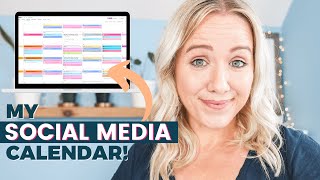
Trina walks through building a content calendar for YouTube and other social platforms. She covers using Asana or Trello to organize posts, repurposing videos across channels, and timing when to publish for maximum reach.
One of the biggest questions I get asked all the time is how do you stay consistent with YouTube content and all the video content that we need to create for our businesses? I mean, video is so hot right now. Everyone's talking about TikTok, reels, video, podcasts, lives. And even with the recent announcement that Instagram is no longer a photo sharing app. We've got to find a way to stay consistent on video. And I know a little bit about staying consistent on video. I've been doing it for over five years. I have over 200 videos on my YouTube channel while raising a four and a six year old. I will tell you it hasn't been easy easy, but I've created a system or a workflow that helps me get this content out weekly without being stressed out. I'm going to show you my entire workflow in this video and a little spoiler alert. The way that I do my YouTube content and the way my workflow works actually takes things off your plate instead of adding something else to your plate. And make sure you stay to the end because I'm going to bring you behind the scenes on how I take this YouTube video and work it across all my social media platforms into other forms of video. So so that Instagram, TikTok, Pinterest all have video content from me, allowing me to rise to the top of the algorithm on those social platforms. Hey everybody, welcome back. My name is Trina. If you're brand new here and on my channel I create videos every single Wednesday to help make your video content creation and yes, YouTube content creation life easier and more importantly, using that video content to help you grow your business. You can show me your support and some love by just tapping that like button and subscribing to my channel so you're notified every every single time I publish a new video just for you. First, before we jump into the content, I wanna do a quick shout out for one of my viewers because if it weren't for each one of your viewers watching my videos, I wouldn't have a reason to show up every week. So lead with Jim. Thank you for commenting on one of my recent videos where I shared my mistakes of launching an online course. And thanks for sharing with me that you're an enneagram7. Now if you wanna shout out in a future video, make sure you take a selfie of yourself watching this video right now and tag me over on Instagram or leave a comment on this video sharing with me your biggest take and make sure you're subscribed and One last thing before I jump into my complete workflow, I wanted to let you know that I do have timestamps below in the description box. So if you want to jump to a specific part in my workflow, you can get exactly the point you need as quick as possible. Now let's dig into how you can start creating more video content for your social media calendar. Now, I want to have a little heart to heart here with you so you don't think I'm pulling the wool over your eyes. Yes, video content does take more work than writing a blog or posting a caption on Instagram. Yes, I know what it's like to needing the balance, getting client work done, creating an online course and creating video content for social media. And yes, I have two children and a husband home all the time. But I'm here to show you and share with you a process that can still work for you. Because if you aren't including video content in your social media calendar, it's really going to be hard for you to get any kind of visibility, any kind of growth on those platforms and ultimately get traffic to your business. And with Facebook as a total dumpster fire these days, organic traffic like YouTube, Google and Instagram are going to be your secret weapon to continue to grow your business. So how do you do that? Well, the very first thing is to start your content with YouTube. My business coach said it best think of YouTube as the start of the waterfall. If you just start with YouTube at the top of the waterfall, all your other content pieces fall into place and it will allow you to actually create more content from that one piece of content that's going to be more organic leverage for your business. Like I said, video content does take longer to create, but it is going to live longer. Think about it. If you go live, if you post a reel, you post a Facebook post, you post an Instagram post, that content is maybe going to live for two to three days. But video content for YouTube will live for weeks, months and sometimes even years because it is showing up in YouTube and and Google, the world's two largest search engines. And while I am going to dive into my YouTube workflow here, I do want you to know there are a lot more tips that I have for you to be successful on YouTube. So I'm going to link to a playlist right up here that dives into exactly what you need to do on YouTube to see the results, to see the growth, to see the increase in traffic to your business. And I want you to watch that playlist next but for right now, let's get that workflow set up. And one last thing before we talk about that workflow is you need to hear this loud and clear. You only need to post one video a week here on YouTube. You do not need a professional sound studio or any type of studio to shoot YouTube content. In fact, you don't even need professional equipment. I've recently been shooting vlogs with just my cell phone. If you want to check out how those are turning out, I will link to one of those vlogs right up here as well and in the description box so you can look and see if you even notice the difference between my professional camera I'm shooting on right now and my cell phone camera. All right, as we move into this second step, your first step, remember, is to start with YouTube at your YouTube content is going to be the first piece of content that you create. Then you need to get digital with your workflow. I love a notebook. I love writing with pen. I love writing on paper. But if you're going to stay consistent and get to the point where you can hire somebody to help you, you need to have a system completely digitalized. Now, there are lots of options here. There's no right or wrong answer. I use Asana, I've used Trello, there's ClickUp, There's Airtable, there's Monday.com and there's probably even more that I don't know about. But the key here is to pick one, learn it, learn everything about it and get your content process organized in it. Let me show you how I organize my YouTube workflow in Asana. This workflow isn't just what I use for my YouTube content and my social media content, but it's also the exact workflow we set up with our agency clients. So we are running multiple clients YouTube content strategy. And this is the exact workflow that we even use with them to keep them organized and to keep our team showing up and getting their work done on time. And if you want to just grab this entire workflow that I'm about to share with you, stick around because I'm going to tell you exactly how you can get it in Asana template and Trello template and in Google Doc template so that you can put it in whatever project management tool that you are using. So this is what my YouTube workflow looks like from the outside. Like I said, this is inside of Asana and you could really break this down two different ways. So we've tried two different ways on my team. This is all just YouTube. You see it says YouTube content, but inside our template you will see that we have a checklist to promote it to these other platforms. So you could just create like a YouTube board in your project management tool and have a checklist for each platform. Or we've also tried doing the content calendar. With the content calendar, we have it all color coded as well. So it still starts with YouTube, but if we look at it in a board format, there's a piece of content for each section or each list. So you'll see what should you say in your YouTube video. And then we may have a carousel over here, here in the post. And so then you get it more of this color coded look. That's another way that you can do it. You can see we've done this a little bit. We've tried to figure out what works best for us. But I think the way moving forward that we are going to do, we're going to just continue with the YouTube content board. Because every YouTube video I do is my pillar content for that week. I take this YouTube video and repurpose it everywhere. I am going to be sharing with what I post when I post it coming up. So stick around. Okay, so this third step is about creating that checklist that I share with you that I have in my asana, that templated card, right? You need to get a checklist of all the things that you have to do to get a piece of content out and published. I don't know about you, maybe it's my mom brain, but I can forget things. I feel like if you're building a business, growing a business and have a life outside of your business, you have a lot going on and it's very easy to drop the ball somewhere along the line. That's why it's so important to make this master checklist. Like I said, YouTube is at the top. We have the entire list of things that we need to do for that one particular YouTube video. Then we make the checklist of all the things we need to do to turn that into Instagram stories, to turn it into an Instagram tv, to turn it into a Facebook post, to turn it into a reel. If I didn't have that checklist, I would forget. I didn't do the Instagram story or I didn't do the Facebook and my whole content creation system would kind of fall apart and I wouldn't have the chance to maximize this particular YouTube video that I'm creating to distribute across as many places as possible. Remember, I want my content creation life to be easy. So why don't we go back into Asana and I can show you what my master checklist looks like for every single video we create. Because I'm telling you, there's no way I can remember each one of these steps for every single video. So again, we're back to my YouTube board and you saw a sneak peek of this. But this is my template. I duplicate this every single time I come up with a new YouTube video idea. So you can see down here are all video ideas that I have and they all have these checklists to them because is everything I need to do to create that YouTube video and then repurpose it to multiple pieces of content. This is why it's so important to make that list. So again, you can come in here, make your templated list, then I just come in here, I duplicate the task, I make sure all the assignees are checked as well, because I do have a team that helps me with this. But this is just great for you to do because you would assign yourself it and then when you come into your tasks right up here, you would see what's due for you each day. Then you'll name it your title ideal. It doesn't have to be a finalized title, you can change it down the road, but you would just make sure you had every single task for each video already done in this template. Okay, you've heard me talking now about this repurposed plan. So this is step four in creating your YouTube workflow. We've done everything that we need to do to get a template and a checklist for the things you've got to do or possibly if you hire a team to help you do, to get that YouTube video published. But we want to maximize our video content on multiple platforms, right? So the first thing that you need to do when creating your repurposed plan is creating templates. So templates for Facebook, igtv, IG stories, Pinterest stories. What I mean by templates is simply going into Canva, since Facebook likes square videos, making sure you make a square template. So we can then put the horizontal YouTube video over top of it. Going into Canva and creating a vertical video template so we can again put the YouTube video just on top of it. And the same thing with stories, right? Once you create these templates in Canva, it's so much easier to cycle out titles and cycle out videos and to start creating repurposed content. I'm going to show you what mine looks like when we are done filming this YouTube video and what our repurposed content looks like. But before we do, I want to address a question I get asked all the time. Do you post the full video on Facebook, Instagram, wherever? Or do you post teaser clips? And kind of a follow up to that question I get asked, won't my audience get angry about seeing the same kind of content on all of my platforms? First of all, if it's easier for you to manage posting the full video on each platform instead of pulling out teaser clips, 100% do that. Remember, your goal as a business owner isn't to get subscribers or followers. Your goal is to get visibility. Your goal is to build, know, like and trust with your viewer. Your goal is to get your content to the top of the algorithm so you can reach more people. I don't necessarily say you need to put teaser clips to get people over to YouTube because I found it's very hard to get somebody who's on Instagram or somebody who's on Facebook over to YouTube. So bring the content to them, build that trust, build that relationship with them on whatever platform that they are on. So if that means putting the full video on Instagram, on Facebook, 100% do that. With that though, it is very important to promote your YouTube video. And if your goal is to grow a YouTube channel, see, the first 24 hours your video goes live is kind of the most important because you want to get as many views to that video as possible. What happens is each person that's watching that video, YouTube's collecting data on those people that are watching in the first 24 hours. Because the algorithm is trying to find more people like the people Who've watched your YouTube videos to put your video in front of. So this helps grow your visibility. This helps increase your impressions. That's why it's really important in that first 24 hours to promote that YouTube video. Again, I will say if your goal is to grow a YouTube channel. Now, for me and for many of my clients in my agency, our goal is to just get eyes on our content and get people over to our funnel, whether that is with a freebie, opt in lead magnet, a webinar, or to get people on our Work with me page. So you really need to find out what is your goal of your content plan before you decide which way to start repurposing and is it smarter for you to put the full videos up or do you need to do some teaser clips to promote that YouTube video? This is something I actually talk about more inside of my program, Video Strategy Academy. I will Link to a wait list below if you're interested in learning more about that. Okay, so does your audience get annoyed by the same content being posted? Unfortunately, guess what? We aren't the center of their universe. People who may be following us on Instagram, Facebook, YouTube, they're not seeing everything that we publish. They honestly are maybe seeing a quarter of what we publish. So when you put a YouTube video up and then you repurpose an Instagram video and then you repurpose the Facebook, they're most likely not seeing all of those videos. Right. They're not going to notice. I've been doing this for years and nobody has said, hey, that is what you posted on YouTube this week. Now let's look at my repurposed content templates. So let me share with you what I post and when I post. So every Wednesday, our YouTube video goes live. So this was July 7th, it was a Wednesday. The minute our YouTube video goes live, we then send a newsletter that same time. And the purpose of that newsletter is to get people over here to watch this video. Video. Then we will do a carousel post on Instagram that same day. So you will see right here is that carousel post that went out on July 7, where we hit the main takeaways. Because I still want people to go over and watch that YouTube video. So I'm using the main takeaways as Instagram content to tell people to go watch the full video over there. I will also do prerecorded stories as well. So I record those stories when I do the video and then you'll see the next day. So this is July 8th, we pull a quote from the video and post it on Instagram. Then on that site Sunday. So whatever that July is, we post the reel here on Instagram, and then the IGTV full version video goes live on Monday. So we have it spaced out a bit. This is Wednesday, this is Thursday, this is Sunday. And this is Monday, so it's spaced out a little bit. Then you will see on Facebook, we post the full version on the 9th. So that was on a Friday as well. And the blog post goes live the day the video goes live too. So that is on Wednesday. You'll see we embed that video. We have the timestamps in here as well, and a brief summary for each step as well as multiple Pinterest images. So you can start to see how we piecemeal or how we start to push this content out on a schedule. I know this does seem like a lot of work to get set up, but what if I told you I have a shortcut for you? I've already done this all. Would you just like to swipe what I have? You can actually get all of this inside my prep system for video success. Don't worry if you're not using Asana or Trello. I've even got it broken down in a Google Doc so you can just. Just copy and paste it into whatever project management tool you're working on. And if you don't even have a project management tool, you can actually try out Asana and Trello for free. And I have training videos on how you can get started on either of those project management tools. In fact, let me show you what it looks like when you get inside of my prep system for video success. So once you enroll in the prep system, everything is housed here inside of teachable and it's all broken up into different sections. So you'll see that you'll want to watch this first. It's a video of me explaining how to get everything that you need. You'll see we have it in a Google Doc template. We also have it in Trello and Asana as well. Whether you've used any of these project management tools or not, I tell you how to do it. So how to upload them into Asana, how to get your free accounts. There's also a complimentary voucher in here as well. If you like to do video content and you want to up your YouTube game, there is a discount to join my program. Video Strategy Academy for all prep students. So that's in there. Then we dive into the video workflow blueprint. So what this blueprint looks like. So I walk you through my exact video creation process. I give you a copy of my content calendar, what my promo plan looks like, how to map out content buckets. So if you're ever not sure what you should be creating and when, plus I'm giving you some bonuses as well, you're going to get video template bundles. So you'll see if we go into here, you'll see a link to all of the templates. So you'll see this green screen template that you can use in Canva. And then you can have this animation all to yourself is that little subscribe animation you see. If we come back here, the subscribe button pops right up. So we have multiple templates for you to grab as a student of the prep system. Plus, like I said, training to use Trello, training to use Asana. You're also going to see my weekly workflow. What that looks like and done for you templates too. So how I manage a team, how I set my business goals, my executive goals, all of that, that's everything inside of the prep system. You go to trinalittle.com forward/prep to get this entire system that I've created for you for just $47 for a limited time. This system has taken me years to perfect and get it to a point where it's saving me hours of time every single week with my social media content. This is the system that helps me sit down one day a month and film all of my video content for that month in just one day. So if you're ready to stop procrastinating with video content, finally get ahead of your social media content planning schedule and not feel so overwhelmed with figuring it all out, head to treanalittle.com prep you'll get my entire system for just $47, but it's only for a limited time. Now, if you're struggling with coming up with video ideas, I also have you covered. Make sure you watch the video that's on your screen right here, where I'll show you how to come up with over 20 video ideas in just 10 minutes.
More from Trena







Why Every "Business Guru" Suddenly Went All-In on YouTube (And What NOT to Copy)

