How to Create a Content Calendar for ALL Your Social Media Needs!
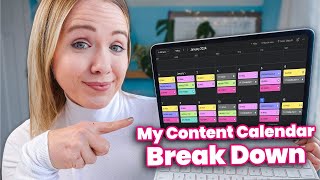
Trena Little walks through building a content calendar in Asana and Google Calendar. She covers planning YouTube as evergreen content, repurposing across platforms, color-coding by type, and timing promotions to keep a consistent posting schedule.
Consistency on any platform is the only way you're going to see results, that is grow your audience. But how are you going to get consistent? Well, you've got to create a plan. I'm going to walk you through exactly how I create a content calendar for my business. Hi, my name is Trina. If you are brand new to my channel and I help course creators and coaches use YouTube as an organic traffic source to drive more leads and sales to their business. This is the third video in a content marketing series, Content marketing trends for 2024 and how to create engaging content. Make sure you check those out next right here. I live and die by my content calendar. So I'm going to show you how I set it up and also how I color code it so I know what content is going out for what platform. And I'm going to show you how to do this in two softwares. First, Asana, which is my favorite project management tool, and then also Google Calendar because that's totally free as well and super EAS to set up. The best way for me to build a content calendar and I think for any of you watching as well, is to figure out what your content hub is going to be, meaning what piece of content are you going to create that is your long form evergreen content I believe is a pillar every business owner needs to have in their content plan. Now this could be YouTube, my favorite. This could be a podcast, this could be a blog. But you need to have something that is going to be searchable on Google or on YouTube so that you have content that lives past a week and potentially for years to come. Once I figure out what my content is going to be for my content hub, then I can use that piece of content and chop it up and use it on other platforms specific to that platform. And I'm going to dive into that, into more detail coming up. My entire content calendar is built based on what I'm going to post here on YouTube first and based on the YouTube strategy that we use here that we see the best results, we build a strategy around a 5 to 6 video playlist to encourage binge watching on my channel or to encourage you that are watching me right now as this video goes live in January to come back and watch another video. This is how you're basically going to see the best results here on YouTube if you create bingeable series. I'm going to be sharing later in this video how you can start to strategically plan your YouTube series like this. But I want to show you how I map out My calendar first. The first step is figuring out what my series is going to be. And so I figure out what my series is going to be basically a month in advance. So last week I figured out what are going to be my five videos in my next series. And this is the week before Christmas that I am filming these videos to go live in January. And I keep track of all of this and all the steps that it takes me to produce a YouTube video inside of my project management tool, Asana. Once I know what my content ideas are and then I turn them into specific titles for the videos, then I need to flesh out what I'm going to actually say in those videos and the strategy for the thumbnails. I have been really enjoying Vid IQ's AI to help me do this a lot quicker. So let me show you how I've been doing that. So once I know my titles and I have alternate versions of my titles and I know what my thumbnail concepts are going to be and I have my script written, I add that all into Asana and start building my color coded calendar. Let me show you how I do that. So inside of it iq, you can go to this tab right here, AI Coach. And it has been super beneficial for me, me to play around in here to get title ideas. So you can see right here that it's going to ask you, you know, based on my channel, what video ideas do you have for me? And it will take the data from your YouTube channel and actually spit out the best video ideas. Whereas something like Chat gtp, it's not going to give something very specific to you. It's, you know, pulling from the Internet. Whereas I like how specific this is to your channel and so you can see it's already pulled out. One deep dive into YouTube metrics. Your audience seems to eng well with content that helps them understand YouTube better. So it's pulling specifically from my channel data. You can see the third video is content calendar tutorial. Wonder where I came up with this video idea. Now once this is done doing its thing, I want to show you how I use this then to come up with my titles and thumbnails because I need my title and thumbnail ideas before I can even move to the next thing in my content calendar. So I just wrote in here, could you please provide me three title ideas for this video Content calendar tutorial? Hit send. So it's also being a little wonky here today and you can see it gave me three title ideas. Now what I want to do, let's say I like this. I don't particularly, but let's say I do, then the kit, I can say I'm asking it to provide me thumbnail ideas. And I've listed these titles and we will see what it spits out. So right here it says, you know, for this, master your schedule, a comprehensive content calendar tutorial. The thumbnail could feature a calendar with a checklist and a clock to set signify scheduling and planning. For this one, a little bit different thumbnail. So that's how I start building out my content calendar. Right? My hub is YouTube. I've determined the title and I've determined the thumbnail. And then I will put this inside of my asana. So this is my YouTube channel board. I have two specific boards for my content calendar. YouTube, since it is my hub, there is a lot more steps to my YouTube process. You can see this video that is about to go up tomorrow as I'm filming this, I have an entire checklist of everything that I do to get this video up. And I want this video to be the best content that I put out because it is my evergreen content. Now for this video that I'm filming right now, you can see I've already done all the prerecorded tasks and I have the thumbnail image that I want. And I've also already scripted this out. So if we pull that up, you can see I've done all of this already. So when I can sit down and record, I can batch more than one video. Now, how this ties into my content calendar, I have a marketing calendar listed right here. And what we already have right now on my marketing calendar is what I will be promoting. I want to also make sure my content calendar aligns with things I am promoting. So if I mention something in my YouTube videos, I know if it's the 17th of January, I am participating in a summit or I have a live workshop on the 30th. Right. So once I have my sales calendar, which is something I do at the end of every year, I plan for the following year so I can ensure my YouTube video has a call to action to that promotion. Now, if we go back to YouTube, we're going to build this together. Okay. This is for January 3rd. What I'm going to do is add this to. We did a new 2024 calendar. So add to Project 2024 marketing schedule. I have the date here. I'm going to go into this one again and I'm going to add project. I'm just going in here to projects. Add a project and adding it to our 2024 marketing calendar. So when we come back, we now have my YouTube videos right here. So I'm basically building this from scratch. I will show you a sneak peek of what our 2023 calendar look like completed. So you're seeing this is a December calendar from 2023. We were promoting a VSA flash sale and then we were promoting CEO day, right? Those were our sales. Then we have everything that starts with YouTube. So every Wednesday I publish a YouTube video and then my email, which is green, is talking about my YouTube video. And then you can see my reels is Talking about my YouTube video that week as well. And we're also tying in promotional reels as well. So this is what I'm ultimately building out and showing you that I'm building out that is color coded. My YouTube videos are red, my email marketing content is green, my reels are pink, and my Instagram Instagram posts are yellow. Once I have my YouTube content planned for the month and you can see I have the whole month of January planned, then I can start adding my micro content from my other platform, like Instagram. Now, if you watch this popular video of mine, apparently from my Elsa era, I talk about all of these platforms that I'm on, including LinkedIn, Pinterest, maybe even TikTok. Well, I do not follow that anymore because if you watch my video on content marketing trends listed right here, I mentioned why it may not be the best strategy for for you to be on multiple platforms. Because realistically, especially if you're a team of one or maybe even have a virtual assistant, it is going to be hard for you to manage two platforms, let alone all of the platforms out there. And even though people may say it, you can't just take YouTube content, splice it up and throw it on other platforms and expect it to get results for you. People want specific types of content on specific platforms and just repurposing the same piece on other platforms is not going to be the best use of your time. So now that I know what my hub content is going to be, I can start creating those other pieces of content. So again, if we go back to my content calendar, we go back to my 2024 one, which is brand new. I like to look at Calendar view. I'm going to come in here, I'm going to click right here. I'm going to add newsletter content marketing trends. I'm going to go ahead and click on this and I've already added tags in here to make it color coded. So what I'm going to do is up to this little dot, going to add a tag, I'm going to type in newsletter and now I have that newsletter due on that day. The other thing that I will probably have go live that day as well is real and content marketing trends overview. So why I'm saying overview is I want to pull multiple pieces of content from that video and turn it into at least three reels for the week. So I'm going to generally do a reel that is an overview and tell them to go watch the video and then I will talk about more specifically specific trends in other reels. So I'm going to come into this one, I'm going to also come up to the dots, I'm going to add a tag. We have IG real right here and I'm going to focus on filling out this content calendar for reels before I move into posts. So the next video, the next day I may do a reel. And I want to talk more specifically about AI content marketing trends. Alright. So I'm going to come in here again, I'm going to color code it and add a tag. The other thing you need to think about when you are doing your content calendar is adding content for selling. You can't just not ask for a sale and expect to get sales. So what we try to do is 50% is pillar one and that is all educational. 30% is sales and 20% is is aspirational inspirational. So what that kind of breaks down to is four content valuable reels, two sales and one aspirational. So on Friday we are going to have a reel and it's going to be a PPV promo reel. Now I'll need to come in here and determine specifically what I want to say in that reel. But I need to ensure that I'm putting content out there that is promoting my paid workshop that I'm hosting every other week. So again I'm going to come in here, I'm going to hit the three dots. I'm also going to add tags and reels. This is just me building out the bones. There are specific things that I do when it comes to reels. If you are interested in me talking more about my reels, leave the word below reels in the comments below so that I know that is a video you would be interested in. So right now you can see I have, you know, my value reel. Value reel sell real. I'll probably do sell reel on Saturday. A value reel here and then aspirational reel here. I like to Go with like Monday motivation that tends to trend on Mondays. But you can see I will go through here and start adding the specific topic that I want for my reel and then my team and I will work on writing the captions. We will use my script for my YouTube video. We will plug it in a chat GTP and get an outline of our caption and then I will add my sprinkles to it and then we will find the audio that works best for it. Now I did want to run through how you could do this super easy in Google Calendar as well. So if you pull up your Google Calendar, you'll want to come in here and make a new calendar and you'll want to create new calendar. You can name it your content calendar. Hit enter, hit create calendar. So now you're on your content calendar and you can basically do exactly what I did in Asana. And what might make it better for you is to publish, publish it or put it on your calendar for the specific time that it's going to go live. So my videos go live on YouTube at 8am every Wednesday. So I may say content marketing trends. I'm going to go to more options. If I want to keep with the red theme, I will do that. And I'd rather just make it like a 15 minutes here. And then what I could do is edit it again and have it repeat weekly on Wednesdays. Now let's make this a little bit bigger so we can see it now every week you have it there. You're just going to need to change the title, right? So we're looking at January. You're just going to need to change the title. If you want to do reels every day as well, you can come in here. Maybe you know your reels do better around a 10am posting. So you're going to add real and this one is going to be content marketing trends. When I add more options. You want to make it pink like I did. That's the closest to pink you're going to get. But I want to make it stand out here and we are going to have it actually repeat daily. That's currently what I'm doing. I'm trying to post every single day on reels to get the most out of reels that I can. And you'll just need to go in and change the topic right now. The other thing that you would want to add is let's do a newsletter. My newsletters go out right around the same time as my YouTube video. So I'll come in here and and write newsletter more options. Let's make it green. Content marketing trends. We're going to just make it a half hour and then we want it to happen weekly on Wednesdays. So then you can come into Google and start to see what you're posting. You can start to add what the video is. Then you can add in here. Okay, this is going to be content marketing trends for AI. This is going to be a selling reel for ppv. This is going to be another education reel. So you start to add these layers into your content calendar. Now, I mentioned about my strategy for YouTube and it is a very specific strategy. I take data that I know my audience is searching and I plug it into vid IQ like I showed you earlier, to pull out the topics that I know my audience is searching for and what is called a keyword harvest. From there, we then build a series of videos. And when I say a series of videos, I'm saying you can usually create an entire year's worth of content through this process. Now I'm sharing this process in my paid workshop, Profit per view. And as of right now, this workshop is still $37 to get a seat inside. But it will not be that for very long. I will show you the exact process that I go through to have a full YouTube strategy that looks like this. Each series with its keywords, with its videos for multiple series. If that sounds like something you need right now. So you can start using YouTube as your pillar evergreen content, grab your seat at trinalittle.com forward/ppv while it is still just $37. Now, once you've built your content calendar out, you have to actually add time in to do your content. And so what I like to do is typically script my content two weeks before the end of the month and then the last week of the month is when I record. So I'm sitting down here around 19th of December because I'm not working between Christmas and New Year's and batching about three to four videos, pretty much my January content. So you have to add that scheduled into your calendar. So for example, what I would do is knowing in January I've got to script the next batch. I would probably go into January 23rd and maybe add from 9 o' clock until probably 12. Scripting. All right? And I want want this to have enough time that I am going to get four videos scripted. So I will probably block off four hours here and then I know the following Tuesday I'm going to be recording. So I'm going to come into that Tuesday and I'm going to say recording. And again, this is probably going to take me three to four hours. But again, that's going to be my month's worth of content. And now I have my production calendar overlaying my content calendar for reels. I batch reels typically every Thursday. I have a meeting with my marketing director on Wednesdays where we map out my content because my video drops on Wednesdays and then I will batch my reels on Thursday. So again, if you want to add this to your content calendar, I would add here Wednesdays I have calls until noon, so I start batching at 1. So and when I mean real batching, this is pretty much just writing the caption. I will get bunch of B roll accumulated like I mentioned in the video where I share how to make engaging content, I will collect a bunch of B roll. So it's not that I am filming these per se, but I'm getting the captions written, I'm getting them uploaded into my drafts, I'm finding the audio and just getting them prepared. So all I have to do each day when the time to publish my reel comes up as I just hit post. So what I'm going to do is add this and it does repeat weekly on Wednesday. Nope, this is going to be on Thursdays. So I do have the date wrong here because I batch on Thursdays. And we're going to save. Let's make it a different color. And again, I'm adding my production calendar to my content calendar so we can see what is going out and when I'm actually creating that content. Now, I've seen my clients make major mistakes as they start to incorporate this calendar into their business, and I want to make sure you don't make these mistakes. So watch the video that is on your screen right now where I will tell you the biggest mistakes that pop up and how you can avoid them so you can get better results from the time you're spending creating this content. Click that video next.
More from Trena







Why Every "Business Guru" Suddenly Went All-In on YouTube (And What NOT to Copy)

