How to Create a Social Media Content Calendar in Asana (FREE TEMPLATE)
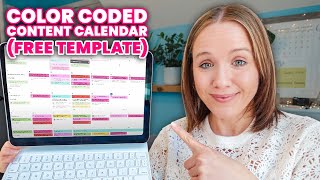
Learn how to build a social media content calendar in Asana with a free template. The tutorial covers organizing YouTube videos, newsletters, Instagram posts, and promotions in one place so you can plan ahead and stay consistent.
You won't be able to have a simple or even more important a sustainable content strategy if you don't have a content plan. There are so many thoughts, so many ideas, so many opinions to content calendars. But I figured in this video I will walk you through exactly how I set up my content calendar inside Asana, which is a project management tool. And once you see the key elements that I use to set up my calendar, you can take those elements and use it on whatever project management tool you want to use. Notion, Trello, ClickUp, Airtable. And if you want to just download the templates for Asana, make sure you stay to the end of the video and I'll show you how to do that. Let's go to my computer. This is my color coded content calendar and it looks like a lot and it takes a bit to set up, but I want to walk you through step by step how you can set this up for your business as well. So you're going to go up and you're going to create a project. Now it's going to be up to you where you want to create this project. I like to keep my project within the team, marketing and sales. So I have my Asana broken down into different teams or different categories. I also have an personal team which is where I put my vacation packing list, books I want to read, movies I want to watch. I also have a clients team where I keep my clients work as well. A courses team where I keep the maintenance and ideas of courses that I have. So when it comes to sales and marketing, anything that I'm doing marketing wise goes into that team. So we're going to go ahead, do a blank project. I'm going to name it Marketing Calendar or Content Calendar. Like I said, I like to keep this in my sales and marketing executive is stuff for me like HR policies and all of those things. Operations includes like links to all of my funnels, all my tools, basically my business binder with all my marketing assets, quick links, everything. So we're going to go ahead and put this in the sales and marketing and I want the default view to eventually be a calendar. So I'm going to start with calendar first and create the project. So we got the calendar up. When you build this out you are going to need to go to the board first and the first section that I like to include is resources. What I would include in resources are any brand guidelines, any links to things that would help people who potentially come in to assist you, like a virtual assistant. So we have training videos that are linked in our resources column. We also have an overview of what we expect our content calendar look like. The next section I would include your primary piece of content that you're creating. What is your evergreen piece of content? What is the content that no matter what, goes out every single week and this isn't Instagram or TikTok and this is longer form content like blogging podcasts, in my case YouTube. Now, I won't end up putting anything specifically here. I have an entire YouTube production board. That is where I keep all the details for that because there are a lot of steps to create a good piece of evergreen content on YouTube. So I will show you that here in a moment and how I can get my YouTube videos to this board without having to create anything from there. What is the next thing that you are going to put out for me? YouTube videos and newsletter. No matter what. YouTube videos newsletter. So this is going to be my newsletter and then I do try to be consistent on Instagram as much as I can. Now I recommend getting a consistent content calendar for a pillar piece of content and your email list because your email list is very important. But for me, I like to include Instagram stories. I also will do reels and we will also do Instagram carousels. I believe these are the three most important things on Instagram. But I'm not coming up with these ideas randomly. I'm going to start with my YouTube video. From there I'm going to take the YouTube video and that's going to be what the newsletter is about. And I'm going to try to break that in to my Instagram content. So I'm going to pop into my YouTube production board and show you how I can add my YouTube videos here. I'm actually filming this video on March 29th. So I'm going to show you how I add this to the marketing calendar. You're going to come up here to add projects and search for it. Marketing calendar. And it's going to add there. Let's go ahead and add the next one as well so we can play with something. So marketing calendar. And then we're going to go to the marketing calendar again. Now these did populate here in the resources, so I'm going to go ahead and move it to YouTube and move it to YouTube. They do have dates on them and because they are tagged as a YouTube channel video, when we go into the calendar, we now can see I'm going to change this from week view to month view that we have the red YouTube videos. All right, so this is the first layer, our pillar piece of content. Now, yes, there are multiple steps for me, 38 steps that it takes for me to get a YouTube video out, because this is my primary piece of content every single week. The next one is my newsletter. So I'm going to add in here, basically copy this YouTube video title and put this in my newsletter. I'm going to come up here to these three dots and color code this as a newsletter. So the way you're going to do that is come down to tags and you can add a tag here and pick the color. So I already have the newsletter here. It is now tagged that we are going to add the date as Wednesday. Now again, if we look at our calendar, we go back to our monthly view. There is the newsletter. The next thing you want to think about is how can you create templates for each piece of content you're going to create. So what I would recommend is if you do a template newsletter and then add what are all the things you need to do to successfully get out a newsletter. So you're going to need to get YouTube video link because that's what the purpose of the newsletter is about. You need to write newsletter subject line because subject lines are super important. Upload to ftf. So that's my funnel system and where I send my newsletters. And then I'm going to schedule it. If these are the steps it takes for you to get a newsletter out, you want to be able to do those every single time. So instead of doing just a plain task here, now you can use this template. We can go up here and we can now come up to these three dots, duplicate this and call this the common mistakes when creating a content calendar. So let's say I'm going to also send newsletters out on Monday. So we're going to move this down here. We're going to go ahead and click on that. The due date is going to be the eighth and you'll want to add that tag for newsletter. Now, something that I forgot to do. If you add that tag to your newsletter template, every time you duplicate this newsletter template, you will have that tag. So that will make your life a whole lot easier. So now Instagram stories, same thing. Let's create a template. And I probably will want to do an Instagram story to promote my Wednesday video. So what I'm going to do, let's add the tag to make it color coded right here. And we have IG stories is pink. All right, so we added the tag. The next thing, what do you need to do to get your Instagram story published. Now, if I'm doing this specifically to promote my YouTube video, I'm going to say come up with main talking points, CTA engagement. I want to put the engagement here. When you're doing stories, it's going to be really important to get people to engage with your story, like getting them to answer a question or a poll or check something because that shows Instagram, there's more engagement. So you can reach more people with your Instagram. So once you come up with your main talking points for this one, I'm going to probably talk about two outdated YouTube tips that I can stand and tell people there are four more that you need to hear on today's YouTube video. And so those are going to be my main talking points. The next thing I'm going to think about engagement. So one thing that I think I could do is who can't stand when people say like subscribe and comment, tell me how bad you hate that. And I could do like a little poll or the little slider, the line slider thing. And then I can say that is one of the things that I hate. And Another piece of YouTube outdated advice is and then I can say I talk about three more that if you're thinking about using YouTube in 2024, you need to make sure you're not doing this. So watch the full YouTube video now. And then I would link to it. So I could write that down here in these comments to take notes on them. But I'm going to need to duplicate task then. The way we get that on our calendar is adding that due date and I will probably want to talk about it the day the video goes live. So that would be Wednesday. If we go to our calendar now and we pull out the month view, we're starting to add things on. Let's go back, let's share one more. Let's say you're going to do a reel and I'm going to tell you my goal for my content calendar is two YouTube videos a week, three reels a week, three stories a week and one carousel. That is all my content calendar entails for right now. I do do those newsletters as well, so I forgot to add that. So let's go ahead and do template reels. And what do we need to add in subtasks? Well, first we need to add it that tag so we have that color coded calendar, Instagram reels. And then what are the things that I need to do? I need to come up with topic, audio Am I going to use trending audio or is it a voiceover concept? So I also want to do text on screen, so I know what the text is going to be on the screen. And then caption and hashtags. I would say those are the key elements to a reel. I'm not so worried about COVID photos anymore on reels. Up to you. But when you determine what are the core elements you need to get a post out, create a template and you're good to go. Now one thing that I will mention with posts is creating a template in Canva and linking to that template in Canva on your templates card. So if you're going to do carousel posts, is there a specific template that you are using for your carousel post created in Canva? And then link that template right here in your marketing or content calendar so you can quickly get to it and make a new one. And I'm realizing this is to be a reel, but hopefully you understand this should have been in the templates here. So if we come in here, my computer has been a little bit wonky for me, but topic, audio, concept, screen, text, caption, hashtags. So now we come up here and we duplicate it. Let's talk about outdated YouTube advice. Now, if we give it a date, I try to space out my Instagram content as much as possible. So if I'm going to talk on stories about my video, I feel like that's one good post for the day on Instagram. So this may be the following day. So I'll come in here and that's going to be the first forth. And I like always coming back to the calendar to see how my week is starting to fill up. Is this doable? Is this possible as you're adding the layers and it's also allowing you to stay consistent with the topic you're talking about. So are you talking about the same content on Instagram as You are on YouTube? And is your newsletter consistent with your Instagram content and your YouTube content? Right. So you start adding these on layers by layers. Now let me give you a little peek of what mine looks like. So you can see kind of the different tasks that we have. So with a reel, when we sit down, we start to fill this out, right? We have the text that we want on the screen, we have the concept, the audio linked directly to the audio on Instagram, the caption and then the hashtags right here. Okay, so we put that all in here. So when I'm sitting down to build out my content calendar, the first thing that I build out are all my YouTube videos. Then the second thing I will build out is what are the newsletters? Now I won't write the newsletters instantly at that point in time. The goal is to map out the YouTube videos first, then put the newsletters on my calendar. I will also put time on my schedule to write those newsletters if I need to. And then if I have time, that's when we then move on to reels because again, YouTube and emails are my do or die. I want to share you the other things that we have incorporated in here as well. So one of our lead generation strategies is a live workshop every other week. And so you can see we have that here listed as well. So that I can see on my content calendar. Did we do any talking about this particular workshop profit preview? You can also see that we have a carousel post as well. We have a little bit of note on what we want to add right here. The other thing that's important to include in your content calendar is what are you promoting? So you can see we start to really push an organic launch to my coaching program. Starting on right here, April 10th. We're going to try to get as many people to that paid workshop as possible because then we are going to promote a live launch of our YouTube coaching experience. So you also want to make sure in your content calendar that we showed you earlier, you also have a column for promotions. So we're going to add promotions. I like to add it at the beginning. Again, if we aren't promoting, we aren't selling. So what is your May promotion? We're going to say YouTube coaching. I can come in here, go to due date, start date, because I'm going to be promoting it. I'm going to have a car open, cart close. The car opens starting May 1st and the cart closes on May 7th. All right. Then to make it color coded, we're going to come up here and add the tag for promotions. Now let's go back up to our calendar. Let's go out again to month view. If we scroll down here, then we can see we're promoting YouTube coaching experience. Are our reels talking about it? Are our stories talking about it? Do our YouTube videos incorporate this as well? This is how you start going to add layers. Now I already have this template done for you if you want it in a more detailed video and how to set this up as well as how I create my reels and my reels production board and more about my promotions calendar. We typically charge over $100 for this, but we are going to be giving it for free for a limited time@trina little.com forward/marketing so if you want to get this in your hands, you want to just upload the template to your asana, or you want to dive into how to incorporate this into Trello or ClickUp or Airtable, grab it right now for free at treanalittle.com forward/marketing now I mentioned in my content calendar how YouTube is my hub piece of content and there's a lot more moving pieces in a YouTube video that I've got to keep organized in a separate asana board. So if you want to see exactly what I do to plan out six months worth of YouTube videos and a YouTube specific Asana board, click the video that's on your screen right now to watch.
More from Trena







Why Every "Business Guru" Suddenly Went All-In on YouTube (And What NOT to Copy)

