How to get 100 subscribers on Youtube
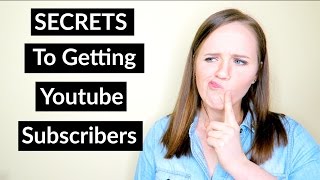
Trena Little walks through five concrete strategies to hit 100 subscribers: pick a niche, research keywords with TubeBuddy before scripting, nail your titles and thumbnails, ask viewers to subscribe, and check YouTube analytics to see what keeps people watching. She also covers channel setup basics like banners and playlists.
Hi, everybody. I think we are live. I am going to double check here, but we are live. And I'm gonna let people know to just hit refresh if they don't see me live. So hold on one second. All right. Hi, everybody, who's joining? I see Katie, I see Jennifer, I see Claire. Hello. Thank you. Also, if you haven't introduced yourself in the chat, it's over to the right of the video. I believe it's. It's called the live chat. Go ahead and let me know who's here. Hi, Conrad. Happy to have you here. And also go ahead and click the little share button, arrow and share this on Twitter. If you have your YouTube link to Twitter so that you can let your viewers know you're watching this and just give it a thumbs up so that I know you guys can see me. All right, and we are good to go to just jump right on into the content. As you see, I broadcast here from my bedroom, office, baby's room, while we are in this small apartment getting our house built. So thanks for dealing with this disorganization. Hi, Emily. Hi, Becky. I'm so excited you all are here. And remember, if you're staying to the end, I am going to give a free channel audit to someone. So I'm gonna go check out their channel, let them know what they can do to, you know, fix it a little bit, just make it look a bit better to get even more subscribers. So let's go ahead and just. Sorry about that. Jump right on in to the content. So today we're talking about how you can get your first 100 or your next 100 YouTube subscribers. So first of all, I want you to know that your first 100, if you don't have 100 yet, is going to be pretty difficult just because you're learning, you're figuring this all out. You might not know a lot at the very beginning, but as you do it more and more you start to realize what works. You start to see where your mistakes are and then you don't make them the next time. So, so don't worry if it takes you a while to get to that first 100, that's okay. It's because you're learning from your mistakes and you're growing so that you can create a better channel. In the end, I just want you to keep doing it. It doesn't matter if you don't have 100 subscribers yet. Just keep doing it because honestly, that is the only way you are going to learn. When I first started my channel, honestly, it took me a good four months before I got my first 100 and I've only just recently been able to double my subscribers over and over because I learned from my mistakes and I restrategize from what I didn't do before to what is working now. So don't get stressed out, don't stop because you don't have your 100 subscribers yet. Just keep doing it because you're going to learn from your mistakes and you're going to get better. So let's jump into the first strategy that you can do to get your subscribers first. You need to have a clear niche, so you need to have that specific audience that you are targeting. You can't be somebody for everybody, so you can't basically please everybody. If you please everybody, eventually nobody is going to subscribe to you because they don't see the value in subscribing to your channel. So you really want to have a value proposition for your channel. So you want to think if you were a viewer coming to your channel, ask yourself, why am I subscribing to this person? Well, if they're lifestyle and if their business and if they're a food blogger, that's too much stuff that just confuses them. People want a very specific niche so that when they do find you, they, they're like, oh my goodness, I am so excited that I found this channel. Where has it been all this time? So you really need to have a clear niche for your channel and don't freak out if you think it's too niche. If you think it's too niche, then you are doing the right thing because those are the types of channels that grow the fastest on YouTube are the ones that are really focused on one specific topic because then that person and those viewers can keep coming back to your channel. Knowing you, you got them covered in that specific area. Let me just check what kind of questions we've got here. Hi Ty. Hi sensibly organized Katherine. Hi love Kristen from Charlotte. More organized Katie. If you watch my Instagram stories you would know what is behind this bed. So don't think I'm more organized, Conrad. It's much easier for me now that I was than even two months ago now. Thanks Becky for sharing. So you guys. Yes, like just like Conrad says, the more you do it, the easier it gets. The more you realize how you should be titling your videos, what you should be putting in the description box. So yes, just keep doing it. Alright, so the first strategy I gave you was to niche down, figure out what Your niche is going to be. And don't worry, you don't have to be pigeonholed into this niche. You want to just have this niche to start out with. As you start building your subscriber base and it starts now, snowballing, then you can start branching out. So don't worry about being stuck in a niche that you don't want to be stuck in for forever. Just start there and then you can build from that. Strategy number two is you need to research your videos before you even start writing your script. This is essential for you to even get in front of any viewers. You need to think about what your content is going to be and then research it. Go to YouTube, type in your idea into YouTube, see if that's being searched, see how many search results are coming back, see what types of videos are coming up for those that search result. Do they have a lot of videos? I mean, do they have a lot of viewers? You need to validate that your idea is good and that people are watching it. So type it in YouTube and see what types of views that idea is getting. I've talked about tubebuddy before, but I use tubebuddy to really validate my ideas. And tubebuddy gives you a keyword score that lets you know if it has a lot of competition and if it has a high search volume. Now if you're just starting out, the high search volume isn't real important. You want to be that big fish in a small pond. So you want to find keywords and phrases that are, you know, medium to lower end search results with low competition. That's essential. Any idea that you come up with that has high competition, it's not going to work out for you. Now you might also be thinking, but it has a high search volume. That's true. But if you are creating videos as a brand new YouTuber or a very small YouTuber and you throw videos out there, there are already videos created on that topic. You're never going to get found because YouTubers who have been on YouTube for a while have their subscriber base, have a bigger following, they've built more authority on YouTube, so they're going to outrank you. So you need to find those niche topics that you can start ranking for. And that's when you go and start doing your research to find, you know, high medium to low search volume and very low competition. That's how you're going to start breaking out and how people are going to start finding you on YouTube and start subscribing to You. Let's see if we got any more questions. Great. Looks like we're looking good. And you guys just remember that if you want to make sure that your channel is set up properly to start attracting more subscribers, I have a link in the description box below. That is my channel checklist. It's everything you need to go through to make sure your channel is set up properly to start attracting your target audience. If you don't have that checklist yet, just go ahead and click that link down below and I'll send that right on over to you. So strategy number two was to research your content ideas before you even create. This was game changing for me. As I mentioned, I started doubling my subscribers in the past couple months and that's because I started doing this strategy. I started researching my ideas before I started creating them and really validating that this is the keywords and phrases people are putting into YouTube and into Google. So on to strategy three. You need to have better titles and better thumbnails. This is a essential for people to click on your videos and to even start watching your content. So this is your main marketing content and nobody is going to watch your videos if they aren't enticed by your title and your thumbnail. It's actually been known that creators, YouTube creators spend a lot more time on their thumbnails than you would even imagine. They really want to make that thumbnail stand out. You do not want to reiterate your video title your thumbnail, because your title is already listed there. You want that space as a place to really grab people's attention. So I've been recently changing up my thumbnails a bit and one of my most recent videos was like three tips for YouTube beginners. It wasn't my most recent one, it was one a couple weeks ago. And then in my thumbnail I just put YouTube secrets. And that has gotten so much traffic because my thumbnail was very enticing because people want to know, oh, what are these YouTube secrets. You don't want to reiterate the title and the thumbnail because then you're just going to make it seem like you think the viewer is stupid because it's in two different places. You really want to use that prime real estate on your thumbnail as a place to be as eye catching as possible because it is your primary marketing material. So make sure you're improving your titles and your thumbnails. As far as titles, you definitely want to be using your, your keyword in that title, but you don't want it to be too robotic. You want it to sound like a human talking so when people read it, they're not like what you want it to flow, as in, like natural conversation, but you want to have those keywords in it as well so that YouTube recognizes what your video is about. So strategy number three was better thumbnails and better titles. So since I said I was going to give you two extra strategies here today, the fourth strategy is ask. Are you asking in your videos, do you have a call to action in your videos that says, please subscribe to my channel if you watch my videos? You know, I ask at the very beginning, after I do my little intro, I say, and don't forget to subscribe to get more content from me every week or whatever the flow is. I remember right now. But ask people aren't going to know what you want them to do if you don't ask. So whether you ask them in the beginning of the video or you wait to the end and you say, don't forget, you guys, please subscribe to my channel. I would really appreciate it, or whatever your call to action is going to be, let them know what it is you want them to do. So strategy number four is plain and simple. Ask people to subscribe. And along that same line, promote your channel in Facebook groups when they have like the social share days. Let your email list know. Tweet it out every so often a week. I know I have like a little promotional graphic that I share out on Twitter a couple times a week, letting people know that I have a YouTube channel. Let your Instagram followers know. Just share it everywhere. Let. If people don't know you have it, they can't subscribe to it. So just share it out. And so tip number five is to use your analytics in your channel. I'm going to jump into that in a little bit more. Just a second. Let me grab a glass of water here and see if there's any questions. Okay, Crystal, can you give an example? I'm sorry, I blew through the question at that time. So could you just ask me what you need an example from? And I will be more than happy to give you an example. Okay? So, yeah, guys, just let me know what you need an example of. So much easier for me now than it. See, Conrad says it's easier. I think I already called him out, so. Okay, tip number five, or strategy number five, whatever. Calling these is your analytics. You need to go into your videos after you've posted them, give it a couple days, and start to see how people are interacting. With your videos. And if you go to the audience retention part of your analytics, you're going to see where people start dropping off. You're going to see a little graph and you're going to see where people start dropping off. You need to take that into consideration and see what did you do at that point when people started dropping off? Is it a different way you started delivering content? Figure out what it was that you were doing right there and then change it up in your next video and see if that fixes it. You want people to watch your content because the more content they watch, the more willing and ready they're going to be to subscribe to your channel. So go into your analytics and really get down to the nitty gritty and figure out what people are liking from you and not liking from you. Also, you can see how many subscribers you drive from one video. So from a video that you post, you can see how many people subscribed after watching that video. So then start creating more content similar to that video because that's what people really liked. Or maybe it was the style that you delivered it. Keep delivering it that style because people are subscribing after they watched it, so they must like it. So really utilize Those analytics that YouTube gives you to your advantage, because it's all free analytics that YouTube gives you and it can really help you strategize how you're going to deliver your content and how and really get people subscribing more if you know what it is that they like. Let me just double check here. Not repeating the title and the thumbnail is a golden nugget of information. Thanks, Claire. An example of the title text. So the title text and thumbnail text. We'll go back to that since there was a question. You don't. If your video is how to create a thumbnail in canva, let's just do that. How to create a thumbnail in Canva. It's a tutorial you have. Maybe on your thumbnail you write easy thumbnail tutorial or easy way to make a thumbnail. Or my thumbnail creation routine or something like that. Something so that it's shorter. Because you also need to remember that your thumbnails are showing up very, very small on mobile devices. A lot of people are watching YouTube videos from their mobile device. So you don't want a lot of content on your thumbnail as it is. So you need to really shorten it down so that you can make the lettering or the font bigger so people can read it even on their mobile device, because I mean, just pull out your phone and look at YouTube and look how tiny those thumbnails are. And some text you can't even read because it's so small. So just kind of simplify it. Try to make it smaller in a creative way so that people want to click on it when they see your thumbnail. Okay, let's see. So I repeat my title and the thumbnail I need to look it. Yeah, Conrad, I mean, and you can always change your thumbnails. You can change your thumbnails without like messing with your video statistics or anything like that. And actually, if you change your thumbnail, you might see new traffic to your video because maybe it was on a ranking page or maybe people were seeing it but browsing through it because the thumbnail didn't really stand out. So you could actually even get more traffic to your video. If you do update your thumbnails. Don't worry if you think you've done your thumbnails wrong, you can fix them. Just go in and upload a new thumbnail and you might actually see more traffic to your web, to your YouTube channel. Those were my five strategies. Let me just recap them really quick. Have a clear niche for your channel. You need to be really specific in what your value proposition is to your viewer. Strategy number two is research your content before you even create it. You need to validate that this is what people are searching on YouTube and Google before you put it out there. Strategy number three was to improve those titles and thumbnails. Those are your primary marketing resource. So you want to make sure that they're very eye catching and make people want to click on them to watch your video. Tip. Strategy number four was ask. Simply have a call to action in your videos to please subscribe to my channel for xyz. This is where your value proposition comes in. If you can tell people, please subscribe to my channel for more tips and tricks on how to create video. Strategy, that's your value proposition. And then strategy number five was use your analytics. This is all free stuff that YouTube gives you in the back end of your channel. And you can study the audience retention to see where people are dropping off. So to fix it so that people aren't dropping off there anymore. So just change the way you create your content to really keep people watching longer. So those were my five strategies. Before I give you the secret link that I promised to help you build your subscriber, I just want to go over what you need to have on your YouTube channel to really start attracting your subscribers. I'm going to double check in on questions again. Use the thumbnail title as support for the other yes, great. Thanks, Katie. Thank you for reiterating that and writing it down for people so that they could just take it in by text as well. Because some people just remember better if they see it in text or as opposed to video. So thanks for writing that down, Katie. So here's what you need to do on your channel to make sure it's set up to attract more subscribers. First, you need to have a channel banner. You if you do not have this channel banner, you're really going to lose subscribers. People aren't going to subscribe because they don't think you're serious. You just have that gray, ugly dark bar that's at the default for YouTube. You definitely need to add a channel banner. And in that channel banner it would be great if you had your channel name. So whether that's your name or your business name, your value proposition or like a short little tagline for what it is you do, I think I have like business tips and tricks or something like that. I will turn my screen around here in a little bit when I give a channel audit and show you how I did it. It's also important to possibly add your upload schedule to your channel banner. That way, if somebody comes to your channel and they see you upload new videos every Tuesday, they realize you're creating new content. If they like the content that you're sharing, that they're going to want to subscribe because they know you're creating new content every Tuesday and they won't want to miss it. So if you do have a schedule and you do upload consistently on the same day, definitely add that to your channel banner. The second thing that you want to do is organize your channel homepage so that people can consume your content better. I get a lot of struggles with this if you can't find your about section. So then you don't have your channel homepage set up. If you go to a YouTube channel and it's just a list of videos and people they subscribe to and like they don't have their channel custom, their channel homepage customized yet. So I'm going to show you guys real quickly how to do that when I do share my screen with you so you can make sure you're setting up your channel so that it's easy for people to consume your content. The more people consume your content, the more willing they're going to be to subscribe to you the more content they're going to watch from you and ultimately the quicker they're going to want to work with you or buy from you because they've created this, develop this relationship with you by watching all of these videos. So the second one was customize your channel homepage, which I'll show you here in a minute. You also want to set up playlists. This is just a great way for people to binge watch your content. People, people typically need like five to seven touches before they buy from you. So if you create a playlist on all one topic that people can watch one after another, they binge watch your content, you could technically hit them five to seven times on that playlist and they'd be ready to work with you or buy from you. As soon as they're done watching that playlist, you'll be building your authority, you'll be creating a relationship with them because they feel like they've got to know you. They just watched, you know, five videos of yours. And, and playlists, if they are optimized properly, can rank in YouTube and Google search results. So it's so important to make sure that you have these playlists for people to consume. And obviously you also just want to make sure your brand is consistent on YouTube as it is on your website, your Instagram and everywhere else that you are promoting yourself. Just keep a consistent brand across all platforms. So let me double check on questions here, and if you want a channel audit, go ahead and type yes, please in the comment section so that I can pick somebody to do a channel audit for right now, live. And feel free to pop in any questions that you're having right now about the strategies that I shared and the ways to set up your channel for success. So don't forget, I have that checklist down below that you can also grab so that you have a checklist to go through to make sure you've done all of this. It's in the link in the description box below. So let's see. Love your videos. Definitely use your tips to reach. Oh, that is awesome. Joy 1000. That's amazing. Don't have any videos on my channel yet, but starting videos. That's great, Emily. All right, we've got some people who are interested, so let's go ahead. Who am I going to pick? Who am I going to pick? Let's pick Joy. Let's go ahead and check out Joy's channel. Joy Michelle Photography. So I'm going to go ahead and flip my screen around here for all of you to see. You guys make sure also if you haven't shared this out, to share it out. Let people know the awesomeness that you're learning. Right? Are you learning some awesomeness right now? There we go. Share my screen. There are my. My notes. Making sure that I covered everything. Pull up. Anybody else have messy, unorganized desktop like this? And I'm trying to get my screen up here. Here we go. All right, let's go to YouTube. I'm gonna go ahead and show you guys my channel first so that I can show you how you customize your channel homepage. Okay, so see, I have like a video here, what to watch next. And then I have these different sections. This is a playlist. So I create a playlist for people if they just find fall on my channel, they can start here and watch my content through also popular uploads. And then it breaks it down into tips on how to make videos, how to start a YouTube channel. So these are all playlists that I've created to kind of throw videos into different buckets. So to set up your channel, to customize it, you want to go up here right beside your subscriber box and click on this gear. From here, you want to make sure customize the layout of your channel is on. So you want to make sure it's blue. So if I turn this off, let me show you what it looks like so that you know the difference between the two. So this is what it looks like if you do not have it customized. So make sure you go up to this gear icon. When you go to your vid, you can go to your channel and and turn on your customized layout of your channel. All right, so I am going to actually test Joy and see if I can find her in the search. Joy Michelle. Oh, look at that. Pops right up and there is her channel. Let me turn this on silent. Okay, so, Joy, great channel banner. And you have all of your links set up here. Love it. I also see that you have channel keywords, which are great keywords. Joy, you may just want to take off this YouTube channel because they're on YouTube so they know it's a YouTube channel. I would use that prime real estate to maybe use it for your upload schedule or let people know what it is you focus on here on your channel, whether it's wedding photography or if it's, you know, tips for photographers, whatever it is that you want to use. I would maybe put that here. You can also. You also got related channels. That's great. Love that you have your channel trailer I'm not subscribed to you. Just go subscribe to you right now. So you got your channel trailer. That's great. One thing I would do that I haven't updated mine either is I would just leave it your name so that when people search it on search your name on YouTube, that video could pop up. Nobody's going to search channel trailer. So maybe just leave that video, go in there and change the video to just your name or your business name. So when people search it on YouTube, that's the first video that comes up and they can start to learn who you are from your channel trailer. So let's see. Popular uploads. This is great. Joy, let me update this since I am now a subscriber. So this is what it looks like if you aren't a subscriber. If you have a channel trailer, your channel trailer will be the first video for those who aren't subscribed to you. So I'm just going to go through here real quick. Photography tips. Oh, man, you are rocking it, girl. You have it filled out. You've got another playlist. You have that filled out as well. Your thumbnails are perfect. They're so good. You might be getting a little wordy here. As you can see, even here on my desktop, this is kind of hard to read. It's a little bit too light and there's a lot of text going on there. So maybe thinking of a way to limit some of the text on your thumbnails. I would try that for improving. And I want to see where's your Most recent video 23 hours ago. Let's see if you rank anywhere. So I have a plugin from Vidiq here that's going to show me if she ranks. Oh my goodness, Joy, you are awesome. Look at this. How to organize camera bag is number 5. Organize gear case 18. Girl, you are on your way to YouTube success, let me tell you. And then this has only been released in less than 24 hours. You're getting eight views per hour. Your SEO score is 68 out of 100. Oh, girl, just let me see one thing I do. Okay, this person commented like 17 hours. I would just make sure that you're commenting on all of the comments that you get. Just respond to all of them. Another way is to to ask them questions because the more comments you get, the more engagement you have on your videos, which YouTube values so that it will see your video more valuable, the more engagement that you get. So girl, you got this. You got your watermark. You Have a clear definition of your branding. No Wonder you have 1300 subscribers. Great job. I'm so happy that you've been taking my tips and. And using them. One other thing I would suggest is maybe this first link would be an opt in to your email list. Maybe Instagram is your primary platform, social media platform. But if you really want to grow your list from YouTube, I would definitely have your opt in link right here. Whether it's a checklist or cheat sheet or a how to guide, whatever it is, I would change that as your link there. Other than that, awesome. So that was fun. I'm gonna find somebody else. Who else? Let's see. Love, Marie. Let's see if yours comes up in the search. Love Marie. Okay, yours comes up. Let's see. Right there. I take it. Are you the first one? I hope this is you. Otherwise I'm gonna give some random person a channel trailer, a channel audit here. So let's see. I would definitely add your value proposition. So what are you talking about here? On your channel, your upload channel, your upload schedule. I would add some related channels over here as well. You can do that in that little icon, that gear icon as well. Let's see, you got some channel keywords, which is great. I would maybe add some more channel keywords like how tos or more specifically what you focus on. So it looks like you focus on makeup for dark skin. So maybe you add that as your value proposition. On the second one. Let me make sure. Oh, this one. Let me make sure I got this one right. Then you are the second one. I hope this is the right one now. So you. It's very hard to read this up here. You might want to make this more of a solid banner instead of a bunch of pictures so people can actually read the text. And again, add your value proposition. You have featured channels, which is great. You also have your channel customized layout. You have some. I don't think you have any. Oh, here are your playlists. So you can add playlists as well to show up on your. On your channel. I can show you how to do that online. I can't show it right here. You definitely want to focus on branding your theme so it doesn't look like you have many thumbnails here. So you want to start branding your thumbnails and having customized thumbnails for each single video. I like that you do have an introduction video. Maybe you take the tip that I gave earlier on making it your name or your business name so that people, when they search you, that's what comes up as well. So those are the tips that I have for you. Let's go ahead. Let's do a second one, Joy. Let me go back to my channel and show Joy how she can change the organization of her links up here. So if you go to your about section right here and you go to edit your links right here, you can. I'm not sure if you can move them, but this first one right here will be the first link on your channel banner. And so you can add whatever it is you wanted to say for that first link. So it's the very first one, Joy, for you to go in and correct so that you can make that. Okay, let's do. Let's make it an even three. I'm gonna go ahead. Not sure how to pronounce your name, but I'm gonna say Anya's makeup box. Okay, let's see. Here we are. You have one video. You don't have a channel. Channel banner. I would definitely get this as a thumbnail. I'd also get an optimized title as well, instead of my first video on YouTube, because nobody is searching that particular video. So I would write whatever it is about. Research your idea. And yeah, you just need to focus a little bit more on this. Update some of the tips that I had gone over with other people's channels as well. So with that being said, are there any other questions? Do you all have any questions? Question? I do have a Facebook group that I share tips and tricks, and I do channel. I'm going to start doing channel audits every month in that. In that group. So if you just search Facebook for video. What is it? Video for biz crew. Let me go ahead and. Oh, oh, oh, you guys, I haven't given you the secret subscription link. What the what? Let me go in here. I had it up, but I guess it's not showing up right now. So this right here is your secret link formula. So when people click on this link, they're going to be asked to subscribe to your channel before they watch your content. So what you want to do is take this link and take out this highlighted section right here and add your channel name. If you don't have a channel name yet, then you want to take. Let's just go here to. Let me show you. Let me see if Joy has a channel name yet. It will be like a number. So this would be her channel name right here. You can see this guy right here, these letters, numbers, and all of that. If we put that in here from Joy's channel. Let me show you guys. I replaced the tips, put in that. Now I copy this.
More from Trena







Why Every "Business Guru" Suddenly Went All-In on YouTube (And What NOT to Copy)

