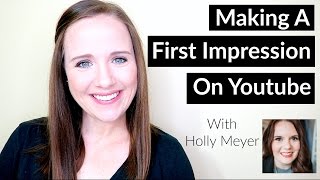
This is a YouTube video titled "How To Grow A Youtube Channel" recorded in 2017, featuring Trina Little and Holly Meyer. The content is a live training session where Trina, a video content strategist, and Holly, a branding expert, discuss strategies for creating effective YouTube branding, thumbnails, and content ideas. They cover practical tips on SEO, video planning, and consistency to help entrepreneurs grow their YouTube channels. The session includes interactive elements with live viewers and promotional information about their courses and masterclasses.
Hey, guys. My name is Trina Little. I'm a video content strategist and I help online entrepreneurs figure out a video content strategy that works for them and their business. In this training, we are going to be talking about how to make a great first impression on YouTube through your branding and your content. So we're going to talk about coming up with templates for your thumbnails, how to create an eye catching channel banner, and also how to come up with a year's worth of video ideas and how to make sure you're getting ranked on the front page of those YouTube search results. So we are actually going to just chat a little bit while people get on. If you want to jump straight to the content, I'll put the timestamp in the description box below where you can just skip to where we're jumping right into the content. But for now, we're just going to talk and get to know some people that are on here live. So I'm going to introduce Holly of Holly Meyer Design and she's going to be our branding expert expert here today.
Hey everyone. I'm super excited.
I'm excited to have you here too, Holly. I've been loving your channel and it's been growing. Amazing.
Well, thank you. Yeah, so I've been at it for about three months now and I'm starting to become more comfortable with filming my video and editing and all of that fun stuff. And I've been noticing an increase in my audience and even a couple weeks ago I got my first design inquiry because of a YouTube video that I shared.
That's amazing. And for anybody who doesn't know, Holly just started her YouTube channel this year. So for already being able to grow her subscribers, she's consistently being ranked for her keywords and now she has gotten her first inquiry just by using YouTube. That's amazing.
Yeah, I'd say I was really inspired because I don't see any other brand designers really taking advantage of YouTube. So I saw it as an opportunity for me to become more of an authority figure in my industry. So I can't really say enough about using YouTube for your business.
And have you found it difficult to get started? I know a lot of people are concerned about the time it takes and the editing. How has that really, how have you really been able to incorporate video into your current business, you know, routine and finding the time to do that? Yeah.
So one thing was helpful was working with you, Trina. Thank you. But as far as finding time to like write my video scripts and film my Videos and edit. I sometimes I would film on the weekend because I didn't have anything else going on. So I would use that time to work on YouTube. And really I'll film a couple of videos at least at a time so I can edit throughout the week and have those videos ready to publish when I want them to go live.
That's great. Yeah, I know a lot of people sometimes tend to overthink video. I'm a mom with two kids under the age of three and I still get my video content out there. You just need to be strategic about it, like you said, and you really need to know what it is that your audience is searching and not what you think they want to see. Right.
I would say because we worked together, you had helped me create titles for my videos and that alone has just helped me tremendously because I knew, like, which day I wanted to teach about a certain title. I already had that ready to go. I just had to write the content for that video, film it and edit. And yeah, it made it so much easier.
I'm actually going to talk about that here in this training today about how I do come up with video ideas for my clients so that they have that title that's search engine optimized specifically for YouTube because it may not be what you think you want to title it based on how you've been writing your blogs. Right. I know you've been in more blog writing longer than I have because when I started out over a year ago, I started straight on YouTube. So I never really researched like SEO for blog posts and stuff. I just know SEO for YouTube.
I haven't really paid attention to SEO before I had started my YouTube channel. So I just wrote my blog post on what I thought people wanted to read or what I felt like writing, which honestly wasn't the most strategic for my business.
Right. So if anybody is on live, I know we have a couple viewers. Go ahead and let us know who you are and what you do so that we can help, you know, create some content on here today to specifically help your industry. Maybe you have a specific niche that you would like us to talk on. While I'm, you know, helping you come up with video ideas, Maybe I can use your niche as an example and maybe Holly can give you some tips for branding for your niche. So if you are on, make sure you let us know in the comments below. We would love to hear who is all here. So I think we got. It is like five more minutes left until we're gonna officially kick off here Sounds perfect. It's rainy here today, but I love a good rainy day. I just wish I could be watching Netflix.
Oh, my gosh. I know. It's really cloudy here too. I have a couple of lamps on in my room so that my. My screen won't be too dark.
Yeah, my lighting is actually kind of perfect today since it is cloudy because usually the sun comes straight into this window and I typically look a lot more whiter than I normally am. So I have good lighting today, thanks to the rain and no kids in the house.
That's awesome. I have my door closed. I told my family I'm gonna be on a call, so don't come barging in.
Yeah, you're out for the next couple hours and no cats, right?
I have my security against my door so that they can't try to come in and open the door because the door doesn't click shut. So they can easily push the door open.
Yeah, yeah. We're currently in a temporary apartment and so we don't have our cats here. They're at my parents house. Otherwise mine would probably be pushing in or trying to jump on the desk or just trying to be a pain in the butt. But since we're in this temporary apartment, no cats. So what has been great.
We may hear some meowing because one cat hates it when she's locked out of the room.
One of my cats hates that too. Yeah, my parents are finding that out if they shut the door when they go to bed, the cat's not very happy. Okay, I know.
Life with pets.
Life with pets and then life with kids. It's like a completely different life than without either. I know the email went out with the link and I did share it on my Facebook page. I mean, on my YouTube. I shared it across the different platforms. So we can go ahead, we can get started. I will share my screen and we'll just do a little intro so you guys can all get to know who we are. So you're not like, who are these people and why are they telling me what to do? So let me go ahead and get this started. Holly, do you see the slide?
Yeah. Yes, I can see it.
Okay, great. So like we said today, we're going to teach you how to make the best first impression with your YouTube channel. My name is Trina. And then Holly is also on the call here to help teach you how to get started. I know a lot of people struggle with wanting to make that perfect channel before they put anything out there. And so we want to help you today. Kind of get the idea of what you need to do to create that perfect channel. Okay. Like I said, my name is Trina. You can find me@trina little.com and also here on my YouTube channel. We are actually live on my YouTube channel where I share all my free tips and tricks on how to create a video content strategy. And if you ever want to find me, you can just search YouTube for tips with Trina. I'm a video and a YouTube strategist. So what I do is I help my clients come up with video content ideas that are going to get found on YouTube. So YouTube is a little bit of a beast in that you need to figure out what they want on their platform. So you need to make sure you're titling it and tagging it and all the SEO stuff to make sure you get ranked on YouTube. And that's what I help my clients do. I have two YouTube channels, the one that you are on right now. And I also have a mom lifestyle channel too. That's kind of my hobby where I just share, you know, my journeys of being a mom. I started it about two and a half years ago now when I became a mom and didn't really have that outlet or those friends that had other kids. So I just started my own community on YouTube. And then one of my tricks or secrets for YouTube is my favorite YouTube tool is TubeBuddy. So if you haven't heard of Tubebuddy, I definitely go check them out. They really help me come up with the perfect tags to find, you know, where I can really find my niche in YouTube. And that is a little bit about me. So we'll move to Holly. Uh, oh, Holly, I can't hear you.
I had my mic muted while you were talking. So. Hey guys, if we haven't met yet, I am Holly Meyer. I am a brand and web designer over at hollymyer Design Calm and I help online business owners define design and develop their brand so they can captivate their dream audience and stand out in their industry. And I do this through my signature one on one design packages for branding and web design. And then also I share brand tips and design tutorials on my YouTube channel, which I started back earlier this year as we had mentioned earlier. And if I had to choose a favorite design program, it's like choosing a favorite fur baby a little bit difficult. But if I had to choose one, it would be Photoshop. It's the first design program that I learned to use way back over 10 years ago. And it's something that I use every day in my business to create my social media graphics and marketing graphics for not only myself, but also my design clients as well.
And so now I'm going to actually stop sharing and let Holly take the wheel of this training here and she's going to walk you through all the graphics that you need to really create that first impression on YouTube. So go ahead, Holly.
Awesome. So let's see if I can figure out how to screen share my computer. Okay. It says I'm screen sharing.
Yep.
Okay. I hope everyone else can see my screen as well.
I see it. I'm good. I'm going to put myself on mute so that I don't pop up like this during your training.
Okay, perfect. So, yeah, I, as a designer, I really love figuring out how to brand a new platform and, and YouTube was definitely new for me once I started my channel. So there is actually a link below this live video where you can download these templates that I'm about to go over. There's going to be a template for the channel banner that you see here and a template for the video thumbnail that you see down here. This is my. This is my channel, as you can tell. And so first I'm going to talk about the channel banner and things that you can think about when you are creating your graphic for your channel banner. So the best advice that I give to anyone who is designing their own graphics who doesn't already have a design background is simple. Goes a long way. You really don't want to go about cluttering up any of your graphics if you aren't that comfortable with what you are doing. So my advice would be with your channel banner, stick to the most important information that you want your visitors to know. And for me, I decided that was my business name. A synopsis of what my channel is about, what my visitors can expect when they watch my videos and my website because I wanted to reiterate where people can find out more about me and what I do. So I am going to go into Photoshop and I'll walk you through the template that I have added. Again, the link is below this video so you can grab that for yourself. And I've created this template for myself because I wanted to see how my profile photo was going to come into play with my banner. I wanted to see how the social icons would come into play with my banner as well. So you'll see this is fairly simple. I've laid everything out for you already. And YouTube, the correct size for your channel banner is actually a really awkward size. It's 2048 pixels wide by 1152 pixels tall. And this is because your banner is going to be visible on mobile devices such as smartphones and tablets. So this helps the, this helps YouTube resize the banner for the different devices. But really you're only going to see this area right here. So in my Photoshop template, I've created guidelines that you can turn on and off in the Layers panel right here. And you'll be able to see the area that you'll only, that will only be visible on your actual banner once you upload it to YouTube. So really quick, I will go over how you can add a color background to your template. So in your Layers panel here, you will see a black and white icon and you can add a solid color with your brand colors. And easy. Oh, I had it on top of a different layer. So you can select your color from this window. You can enter in your RGB color or your hex value. You can also import an image background. Here's my image that I want to add that I already have open in Photoshop and I'm going to copy this into my template. So you can see that I'm hitting command A and I command A and then command C to copy the image. Then I can paste that into my template as well. And I have this overlay that I already added to my banner. And you can update your text on the text layer. You'll just double click on the T icon and you can rename your channel name. You can select a new, a new font, whatever you want to add to your text you'll find in the character panel. And you can see that my profile photo isn't going to be affected. My social media icons aren't going to be affected. So I'm going to hop in and see if there are any comments. I don't see any comments yet. I know I'm going through this pretty fast. So if you're watching or you catch this on the replay, just drop a comment and let me know if there's anything, anything else that I, I need to cover or go over again with this template. And I would be happy to, to go over that again or answer your question.
I really love that template, Holly. YouTube, you know, has a template, but they don't have it with the little like where your icons gonna be or like your social media share buttons are gonna be. I love your template and I think I'm gonna go download your template to update my channel banner.
Oh, thank you. Oh, and one more Note that I want to add is I don't know if you can still. I don't know if you can still see my screen. There we go. I had both screens going on at the same time and the YouTube screen is a little bit delet delayed from the live version. Yeah, sorry about that. I got a little bit confused. But so I wanted to show you one more thing. In this template, once you have everything designed and looking the way that you want, you can turn off the guidelines, turn off your profile photo, and then you will save your image as a PNG file. And the reason you want to save as a PNG file is because your image has text on it and you don't want to lose any of that resolution with your text. For some reason, the JPEG compresses your image and you lose a little bit of that resolution and we don't want that to happen for your channel banner. Awesome. So Trina, are you able to hear me?
Yep. I just put myself on mute though, so that I don't pop up on screen like this.
Awesome. So, yeah, so that covers it for the channel banner. I can go into the thumbnail template. Yeah.
And I want people to know that one of the most important things you need to have when you upload a video is thumbnail. Because this is basically your main marketing material and it's why people are going to click on your video when it shows up on search results. So you can do all the optimizing back end with SEO and everything that you want, but if your video doesn't look exciting to watch or clickable to watch with your thumbnail on that search page, you're going to get no views. And now all the work that you did, creating your content, filming, editing, optimizing, it's going to go to waste just because you didn't create a custom thumbnail. And I know creating custom thumbnails can get kind of tedious, but I love the idea that Holly is going to show us how to create a template. So it's just kind of like a plug and play for each new video that you do.
Yes, yes. So again, looking on my channel, this is what my, my thumbnail looks like. And as Trina mentioned, I do have a template. I've added a blank template for you to create your own thumbnails with. And real quick, I will show you what that will look like. So here's the blank template that you will use. And here is what my YouTube template looks like that I've saved. You'll see that I have all of my images in here. For all of my videos, I have different title layers depending on what the title of my video is. So again, you can add a solid color to your channel, you can import your image. And a really cool trick I want to show you. Since we just went over the channel banner, you can actually view two windows in Photoshop at one time. I am going to find my template and you can drag your text layer between Photoshop windows. So after you situate all of your channel text, your brand fonts and your font size and all of that fun stuff, you can drag the text layer into your thumbnail and then you can, you can edit everything in your thumbnail template. So I will show you really quick with, with my, with my channel banner in my thumbnail template.
Let's see.
I have so many windows open right now, it's kind of a mess. So here we go. Here is my text that I really love and I love saying like, how to really drawing that text out. How to. So my title is how to create a Photoshop template. Really simple. My text is good to go and I can move that around, position it however I want to, and then I can add my photo in the background, save this as a PNG file. So going back over to my channel again, as I mentioned earlier, my best advice is the simpler the better. Especially on YouTube. It seems that a lot of people like to cram in a lot of information at one time and so the thumbnails tend to look a little bit busy. But if you keep it really simple, you'll find that your thumbnail is going to draw the visitor when they are searching for a specific topic. So, for example, I will show you all. I had been looking around on YouTube earlier and I know that this is one that I am showing up in. How to build a Brand on Instagram. You will see that there are a lot of thumbnails that are edited a little bit more dark and have a bit more information on the thumbnail. But then when my thumbnail comes up, you can see there's a little bit more room for the eye to rest. And this thumbnail is going to stand out a little bit more than these others. So, Trina, do you have anything else to add about thumbnail graphics?
No, I think that's great. I would definitely make sure that you add the least amount of text possible just because, you know, if people are watching on mobile, which is pretty much the trend nowadays, your thumbnail is going to end up being pretty small on mobile. So just be aware of the text that you're using, make sure it's readable, it's big enough to be read and branded. So use the template that Holly gave you. You want to make sure that all your templates have a similarity between them all. So if you are, somebody is like scrolling through YouTube and they see your thumbnail, they instantly realize, oh, that's a Holly Meyer video. I love her videos. I'm going to watch that one. So just being able to stay consistent with your branding on your thumbnail so that people know who you are and keeping those thumbnails as simple as possible. And then another tip that I don't really talk about is trying not to use the same text in your thumbnail that is on your title because your title is already showing up there. So use the text on your thumbnail to really grab a person's attention. Now, I don't want you to be clickbait, where you put something on your thumbnail that just gets people to click on you and you don't even really talk about it. Like say you put half naked chicks on your thumbnail. That's clickbaity. You just want to kind of entice them or tease them on what the information is about to make them want to click on your video because they already see the title beside it. Those are the three extra tips that I have.
Those are great tips. Awesome. So I don't. Okay, so I see a question in the chat box. Claire says, do you recommend adding a photo or a logo for the channel icon? That is a good question. I would say it depends on if you are the face of the brand. I would recommend adding your headshot. But if you are not the face of your brand, I would say you can use your logo and I would try to use like maybe a submark of your logo. So a submark would be kind of like an icon that represents your brand. Because your image, your profile photo is only going to be so big. There's really only so much information you can add there. So, Claire, I hope that answers your question.
Yeah, and be aware that people do connect a lot quicker with a person than a logo and also that YouTube is a community. And so if you are commenting on other videos, and that's a great way to really get your channel out there too, that your icon is showing up in your comment on other videos. So you, you want people to be able to connect with you as quick as possible so that they want to learn more about you and actually watch your content. So I definitely suggest putting a profile picture of yourself A headshot, like Holly said, and making sure it stays consistent across all your social media. So whether you're also on Facebook and Twitter, Instagram, I would definitely use the same icon across all. All of that so that you have that consistent branding. And if somebody finds you on one platform, they recognize you on other platforms.
Yes, definitely. Awesome. So it looks like maybe I can stop sharing my screen now.
Yeah, sure.
Yeah.
There's a question. What's all over your wall? It's mapping out something's program potential this summer. So that's what that is. Like I said, since we moved into a temporary apartment, this room right here is not only my master bedroom, it's also my son's nursery and my office. So that's what's going on back there. It's a little bit of planning for something that I haven't yet announced or I've been teasing a little bit about that. So that's what's going on back there. Just a heads up. So I'm going to go ahead and show you guys how you can come up with a year's worth of video ideas for content that is going to be searched on YouTube. So I do this a lot with my clients. I did this with Holly. I came up with 52 video ideas for her. I owe her another 52 video ideas since she's committed to doing two videos every week. So I'm going to share my screen here and show you what it is that I do to come up with these video ideas.
Let's see.
Okay, so let's go into my channel here. And one of the biggest assets or one of the best tools that I found for YouTube is TubeBuddy, which I talked a little bit in the beginning. And it is a Google Chrome plugin that you can download and have in your Google Chrome window right up here. It's the TubeBuddy app. And so what I do when I'm coming up with video ideas is click on TubeBuddy and I go down here to tag Explorer. And if you don't pay for this, you get up to 3 tags recommended for you. So let's say Holly is a brand designer. So when thinking about a video idea, I'm going to search how to create a brand and I'm going to explore. And this is going to show me what are the most used tags in YouTube for this particular keyword phrase. You'll see these are the top three that will show up. If you have the free version, it's not going to be too helpful because you want to find the sub categories or the smaller search keywords that you can start ranking for. Because these keywords are going to have people ranking that are heavy hitters that already have tens of thousands of subscribers. They are getting ranked for these keywords and phrases. So you want to find smaller long tail keywords. And what I mean by long tail is like how to create a great photography brand or how to create successful wedding planning brand. Those are long tail keywords. Tubebuddy can also show you the score of this keyword right here and you'll see the search volume is average. It's going to tell you it's average but the competition is high. So it's going to tell you it's not a good keyword because your target is so competitive. So what I do is I'll scroll through here. Here's a longer tail keyword. Let me see how well this one does. And let's see, it's not very good either. So then you can also go to auto suggested here and it will show you some YouTube suggested tags and some Google suggested phrases. So let me see. Let's do how to build your personal brand on Facebook and then let's go over to summary. We can see what the keyword score is going to be for this particular keyword phrase. And you'll see it's average so it's not competitive, but it's also not searched too often. So it makes a good average keyword to target. Now why it's so important to start ranking any videos that you have, even if it's for very niche topics, is because the more you rank videos, the more authority you build within the YouTube platform. And building your authority within the YouTube platform platform tells YouTube you're creating great content and it's ultimately going to start ranking you higher for all your keywords and phrases. So you want to start finding video ideas that you can start ranking for that aren't competitive and have an average search volume. So since I came up with that tag how to build your personal brand on Facebook, there's also a tag here. 5 tips on building your personal brand there's another topic you could think about creating a video on, especially if your niche is branding. Although it's a bad overall keyword, I just go through here and search. You know what is working? What are types of keywords and phrases I can use? I always go over here to auto suggest. Maybe you have gotten a question from your audience, whether on Facebook or on Instagram on how to create a brand on Instagram stories. We can see where this keyword and phrase is ranking. You can see it's pretty competitive already and not that great of a search volume. And then you can go in here. How to increase Instagram followers, how to make money. These are all video ideas that you can start adding to your list of video ideas, your content ideas, and then just tweaking the actual title of your video to a tag that is average searched and has a lower competition. And that's how you can start creating your video ideas, just getting on YouTube or TubeBuddy and start searching. In addition to tubebuddy, you can easily just go to YouTube search. So I do a lot of video marketing and video content ideas. So I can always go to YouTube and search video ideas here. So let's say YouTube for business. So this is what is being searched in YouTube. YouTube is going to pop up the most searched phrases on their platform right up here in the search result. So you'll see YouTube for business is one of the first ones that pop up. YouTube channel for business. There's a video idea that I could do. YouTube, YouTube for small business, YouTube business model, YouTube for business online video marketing. See these are all video ideas that you can create to target specific keywords and phrases that are ranking in YouTube. So we can also try. I know I have a student in my program that does canning and I was helping her figure out how to come up with canning video idea. So I search how to can food. So let's see, there's how to can food in mason jars, how to can food for beginners, how to can food with a pressure cooker without a pressure cooker. Right there you have four video ideas that could be an entire month's worth of content already done for you. Because this is what's being searched. Then you can click on one of these and see what types of videos are out there. And with Holly talking about thumbnails, you can see how easily your video could stand out if you had a custom thumbnail. Because these are not custom thumbnails. These are probably thumbnails that YouTube is generating for you. And people are just clicking on that and they're not creating that eye catching thumbnail. They're not taking that extra step to really draw people's attention. So if you could get ranking for how to canned food for beginners and you have that eye catching thumbnail, you're going to start getting more views to your YouTube channel, more traffic, more subscribers. And if you have a canning class like she does, ultimately you could start funneling these views into your sales Funnel that eventually pitches your course. So that's how you can come up with video ideas to start getting ranked in YouTube and start creating attraction of subscribers and viewers. The next thing I want to talk about is how do you rank? What do you need to do? I'm going to show you the back end of my YouTube channel. This is basically the search engine optimization stuff of YouTube. The three biggest parts of getting your YouTube channel ranked is your title, your thumbnail. No, your title, your description box, and your tags. You can see right here. I optimized this title by doing my research before I even created the content. So I actually research my content before I even write it, film it or anything. Because you really need to know what it is that people want to see and what it is that they are searching. Thanks to Tubebuddy, My plugin that I have, it's showing me where I'm ranking for specific keywords. So you can see my title of my video is starting a YouTube channel with zero subscribers. I'm ranking number one for that particular keyword. So if we go into YouTube and search that, we're going to be the first one that pops up. So how to start a YouTube channel with zero? Boom. Right there. I am. So TubeBuddy's a little bit behind. I'm not number one, but I am right there in the top five. Is that five? One, two? Yeah, top five. And the reason why I am ranking is because I did that research. I found the specific keywords and phrases that people are looking for. So you want to make sure that you have that title researched and then you want to make sure you use that title in your description box and in your tags. So that's the key ways to get rent. This is a plugin I have. It's called Vidiq. It's also free. And it lets me see what my SEO score is. It gives me a little checklist. It shows me, you know, are my keywords, which are here in my tags, also in the description. So I have five for five. And you can typically get about, I would suggest around 10 tags in your YouTube, 10 tags, and then using those tags in your description box. So what I do is I create a little mini blog right here in my description using these keywords and phrases so that any metadata that I can give YouTube to help me rank, to help them know what my video is all about, is going to get me ranked. Those are the three biggest places you can start out. And the bonus place is your thumbnail. If you do get ranked, it's Important to have that image of you or your video for people to click on because you can do all the back end SEO research, but if your thumbnail isn't clickable, nobody is going to watch it. So those are basically my tips and tricks on how to come up with video content. Like I said, I will just sit down at YouTube Search and come up with 20 video ideas for myself in like an hour. And then I have my blog content done for the next two months or whatever, how many videos I decide to use. So I want to know if there are any questions. Questions I'm gonna go ahead and stop sharing and ask Holly. What. What do you. What did you find anything helpful?
I loved you showing us the TubeBuddy because I haven't taken a look at that before, so I thought that was helpful.
Yeah, TubeBuddy is my new best friend. I just started using it in the past couple weeks and it's really made a difference in my ranking. I had filmed a lot of content before I had my baby in December, and so all I had to do was just plug and play my videos. And I started using TubeBuddy in January. And I've seen the biggest growth in my channel in the past three months, then all of last year thanks to TubeBuddy. Just doing that research and making sure you're creating that content that you can slide into those, you know, average search keywords and phrases but have low competition.
Mm, I love that.
Yeah.
And I, I found too, because I did take a short hiatus on YouTube last month and I think YouTube has docked me because I was like consistently ranking when I was publishing my videos. But now I'm struggling a little bit more because I did have that break. So I would encourage you all to be consistent in posting your videos and sharing as well.
Yeah, and I mean, it's not. I know it can seem daunting to stay consistent, but I tell people to batch film. So sitting down on YouTube, coming up with those video ideas like I showed you, coming up with like 20 and then just start crafting your content after that. And once you have like a script or your content decided on film, at least four videos at once. I know Holly is working up to four videos. I know it can take some time, practice. And that's really what matters, is just practicing and doing it. Because I'm sure Holly can attest it does get easier.
It does. So I'm three months in and actually Sunday, I filmed three videos at once because I know I'm going to be gone next weekend and I wanted to at least get one video ready for next week, too. So getting up there to my goal.
Yeah. So, I mean, yeah, it's just like learning to ride a bike. I know we were all probably pretty small when we learned how to ride a bike, but I'm sure our parents made us just keep getting back on to figure out how to do it. That's pretty much what video is. You slowly get more comfortable on video. You start to figure out your routine. You start to get into a groove. Your editing skills get better. So editing doesn't take as long once you do it multiple times. Uploading and optimizing. I'm sure you're starting to realize, Holly, everything that goes in is starting to become easier. It doesn't probably take you as much time from point A to point point Z. You know, the whole process is probably a lot quicker for you now. Yeah.
So I would say it probably takes me about half the time to film and edit and publish my video than it did when I first started my channel, which is really exciting.
Yeah. And it's all just doing it. Right. Like, do you think about if only you would have started your channel sooner?
Oh, my goodness, yes. I'm grateful that I. That I've started it when I did, because, like I said, I don't really see any other designers on YouTube. And more business owners are becoming aware of what YouTube can do for their business. So I think now is the time to join, if you want to, before everyone else starts joining as well. And you can really stand out in your industry for being one of the first people to use YouTube for your business.
Yeah. I mean, I think I saw a statistic that was in 2016, only 8 or 9% of small businesses are even on YouTube. And I don't want you to get scared thinking, well, my market is already saturated on YouTube. My market is saturated on YouTube. There's a lot of YouTube videos on YouTube teaching you how to use YouTube. But I've figured out my niche. I know I'm helping women who, you know, are a little scared to put themselves out on video. I'm focusing on the creative entrepreneur because I love the connection. I love working with women, building their confidence, letting them see that it can be easier to film and get content up there. And that's where my niche comes into play. I'm not, you know, focusing on real estate agents or photographers. I'm focusing on women photographers or wedding photographers. Female women. Let me get this. Female wedding photographer. So even if you think your niche or your industry is saturated on YouTube, you can still make a splash. You can still start getting ranked. You saw on one of those videos that I posted, Roberto Blake and Darrell Evans are hugh huge influencers in the YouTube niche market and I'm right there behind them. I was, you know, right after Daryl Evans and Roberto Blake. That's because I'm targeting completely different audience than they are. So don't get, you know, overwhelmed by thinking, you know, YouTube is already saturated. How will you ever make it? I know I wish I would have started Facebook earlier, but I didn't. I'm here on YouTube, so I don't want you guys thinking I should have started YouTube earlier. So there aren't any questions. I think Holly and I are going to let you guys know what we are up to. Holly, do you want to tell them what you're up to?
Sure. Awesome. Do you have that slide?
Yep. I will pop it back up. Present. Oh, there we go. Yay.
All right, so I am hosting. So I don't see it on YouTube. Maybe there's a delay.
Yeah, it should be a delay.
So I am hosting a live Masterclass on Tuesday, April 11th on how you can be your own designer by learning how to use Adobe Photoshop. And this will be for you. If you are a beginner in Adobe Photoshop, you've never opened up the program or maybe you've dabbled with it a little bit, but you still aren't feeling comfortable and confident in Photoshop. So I would love for you to join me. We'll go more in depth into what I did, what I went into in today's livestream. You'll be able to create your own custom visual brand templates to use on social media that you can use to market your business. And the reason why I chose Adobe Photoshop for this masterclass is because you can do so much more with Adobe Photoshop than you can do with the free design software that you may have heard of, like Canva and Picmonkey Gimp over all of those free things. They're really great, especially if you're just starting out in your business. But if you really want to kick it up a notch and learn how to use the same software that professional designers are using, then you want to join me for the Be youe Own Designer Photoshop Essentials Masterclass. You can get in now at the early bird price of $79. I will increase that to 97 next week. So you'll have you have a few days to join in at the early bird price and you can find out More information@hollymeyerdesign.com Masterclasses that is a great.
Course because I know how Photoshop can be so overwhelming to people. There's so much it can do that if you aren't trained in it and you don't know what it can actually do for you, you're totally missing out on the value of Photoshop.
Yes, that's so true.
So I love that masterclass that you're hosting, and it did take me a little bit to get that slide up, but I do have it up. And if you guys want the link specifically just to click a link, go down into the description box. I believe it's all listed down there in the description box for you to click. Click over to Holly's things and there will be links set in emails shortly after this video. And then for me, you guys, I do have a course, YouTube for Business 101. If you are interested in really using YouTube for your business, this is a little mini course that will show you everything you need from how to set up your channel, you know, optimizing your entire channel, learning the back end of YouTube, more tips for how to get ranked as opposed. I showed you guys the title, the description and the tags. There are other things that you can do within YouTube to ensure you are getting ranked and providing YouTube with as much metadata as possible to get ranked. And then also one of the biggest successes you can have in YouTube is by promoting your videos properly. So getting your video out there, creating additional backlinks to other platforms. And I show you how to do all that in my YouTube for Business 101 course. And I believe there will be a promo code sent to you in an email if you signed up for this course, that you can grab this course for a flat $100. Because I am pulling this course down soon, revamping it, and if you grab it now, you'll get all the updates for free. So we just want to let you guys know what we're up to so that if you want more photoshop information, more YouTube information, and you like what we shared, you can just click on one of our links and check it out. And I believe that is all that Holly and I have for you guys today. Yeah, thank you guys for joining.
I do see we do have one more comment from Nanny Diaries.
I wanted to make videos to help my fellow nannies or au pairs. While I'm not really a business, I want to grow my. Aw, thanks for the help.
Great.
I'm glad you could help. And I'm sure nanny videos are definitely a great niche that's probably not being targeted on YouTube. I know there's a lot of kid videos or mom videos, but if you can really niche yourself down into how to get started doing nannies or how to become an au pair or those types of videos, and you start to research, you know, what are the keywords and phrases people are searching on YouTube, I think that's a great niche for you to start on. So, yeah, I think Holly and I are going to sign off. We don't want to keep you guys if you haven't finished your lunch yet, maybe go grab some lunch. Thank you, Holly, for being here today.
Thank you for having me.
And the replay will be sent out on email. And more information about what we're offering is also in that email. So thank you guys, so much for watching. Bye.
Bye.
More from Trena







Why Every "Business Guru" Suddenly Went All-In on YouTube (And What NOT to Copy)

