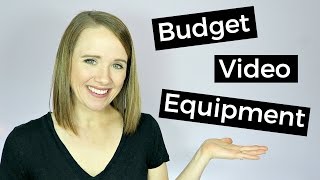
This is a short (one-minute) YouTube tip from Trena Little explaining how to start creating video content on a shoestring budget using a smartphone. Key practical points: hold or mount the phone horizontally (not vertical), use a tripod or stack of books, record voiceovers with the Voice Memo app and transfer for editing, prioritize good (preferably natural) lighting, and consult linked blog/video for detailed DIY lighting and recommended affordable gear. The clip ends with CTAs to subscribe and leave comments.
Hello and welcome to Just the Tips with Trena where I give you my business tips in one minute while sipping on some coffee or wine. Just depending on how the day is going, isn't there a way that they can just put the caffeine straight to your veins? That kind of day? Today's tips are all about what you really need to start creating video content. If the pricey equipment for video is holding you back, don't wet it anymore. Because guess what, your phone is your best friend. It can pretty much do everything. For you to use your phone, make sure you are holding it or you have it on your tripod or a stack of books. The right way. When you are filming, you want your phone to film this way, not this way. When you're holding your phone up and down in vertical position, that is when you see those black bars on the sides of videos, which is a big no, no. This is the way you want to film it so that the video fills up the entire screen when somebody is watching it. You can also use your phone to do voiceovers. You can use the Voice Memo app and then you can email it to yourself from your phone to your computer if that's where you plan on doing your editing. The best thing that you can do to really make your video pop and look professional is to have good lighting. I suggest using natural light. If you're just starting out and I did a whole video and a blog post on how to DIY your lighting for your videos if you're just starting out. So go ahead and click right up here. I will link that video and blog post right there for you. If you want more details on how to start creating video content on a shoestring budget, go check out the blog post I did over on my website. I will link it right here and I go into detail on what I invested in, what I didn't invest in, what products I think are essential and what things I think you really don't need to start out with. And I also go into detail on mics. If you like seeing these one minute tip videos from me, make sure you go ahead and click the subscribe button so you know when I post a new one. And if you have any questions or if there's any tips you want to see me talk about, go ahead and leave them in the comments section below. Thanks for watching guys. Bye.