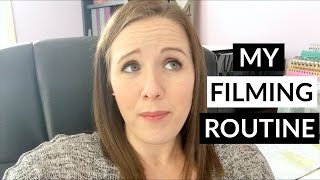
This is a YouTube video titled "How To Make Youtube Videos - Filming Tips" created on March 15, 2017. It features Trena Little sharing a detailed walkthrough of her video content creation process, including planning, filming, and editing tips, aimed at helping online entrepreneurs develop their own video content strategies. The video is presented in a personal and instructional style, with Trena explaining her setup, equipment, and workflow while preparing for a filming day during her pregnancy.
Hey, guys. So today I've done a little bit different video for you all. As you can see, I'm not set up in my spot. Hair isn't done, makeup's not done. But I want to take you along my day of filming so you can see exactly what I do, how I do it, so you can see if you can start implementing it into your business strategy and your business day to day life. It's now lunchtime for me. I take the morning to research my content. So I'm going to show you how I do that here in a minute and I'm just going to bring you along with me the rest of the afternoon so that you can see how I create my video content. If you're new to my channel, my name is Trena. Thank you for watching. I'm a video content strategist and I provide tips and tricks for online entrepreneurs on how to create a video content strategy for their business. And you caught me on a great video because I'm going to show you my exact process today. So now I'm in my office and I spent the morning researching keywords and phrases for video ideas that I had. I have created about three months worth of video ideas since I'm currently eight months pregnant. And we know I'm going to be a little bit on hiatus here in a couple weeks, but I wanted to have content planned and scheduled for for you. I came up with a plan for content, came up with some ideas, and then I wanted to verify that my ideas were good ideas. I spent the morning researching them, coming up with keywords and phrases that are highly searched in YouTube and on Google and then just kind of bullet pointing my content that I want to share in these videos. So let me show you what that exactly looks like. The first thing I did is I get this post it note and I just start writing down keywords and phrases and once I get an idea of what direction my content is going in, then I start writing down the points that I want to cover in the video. So as you can see, today I'm filming about six videos. I'm filming six videos every day for the next three weeks so that I have enough content to last. Want to have a baby? So if you're just creating content, one video a week for, for a month, you only have to create four videos in one day, in one month. So the reason why I'm doing this, like I said, I'm just building up that library so that I don't have to worry about fitting in a filming day. When I have a newborn, voila. And I'm done. If you want to know exactly what I do for makeup and all that jazz, I did do an entire video on that, so I'll link it right up here. You can check that out to see exactly what products I use and how I use them to do my makeup. So now that makeup's done, clothes are on, I can go set up my equipment. And since I am planning to do six videos today, I did grab a couple extra shirts, so I have them right here. And I honestly don't really think about what I'm wearing, because right now, I am eight months pregnant. I'm pretty limited on what I can wear. I don't really put a lot of thought into what I wear. As long as it's presentable, you know, I'm not hanging out anywhere, and it looks decent and it fits. That's what I'll wear. And I'll wear the same shirt for, like, two videos. Nobody ever says anything. I don't really care. If you want to point out that I'm wearing the same shirt and multiple videos, by all means. You waste your time doing that. But grabbed a couple shirts ready to set up. So here's the extent of my equipment that I use. This is my light set. It all fits right in here. My light bulbs, the light stands, and then I have my tripod right here. I'm gonna go ahead and pull them out and start setting up. So one of the biggest things I tell people when they're going to batch content is to make sure you have camera cards ready, you have your battery charge, all of that stuff. But when your light kit decides to break on the day you want to film six videos, ain't much you can do. So I'm going to show you a legit DIY filming studio right here in my office that I had to set up after my light kit broke. So that guy right there, the inside is broke for some reason. This came out. It won't work. So I grabbed a lamp down in the basement, threw in the light bulb. I got the other light that's working, my camera set up on my tripod, my mic set up on a clothes basket and a few boxes, and then I have a light in the back to just eliminate any shadows. This is proof you do not need a fancy sun setup. Trust me, this is gonna work. You're not gonna know any difference that my light kit is broken. Don't think that you need to wait to film videos till you have the perfect equipment, because guess What? Even if you get the perfect equipment, it can break just like it did for me today. So I'm gonna get my videos content ready and I'm gonna show you how I get set up to actually start filming. Since I have an external mic set up, I have my blue Yeti mic set up. I. I have it plugged in directly to my computer and I use QuickTime to record the audio. So let me show you how I just get that set up. Go ahead and open QuickTime Player, go to file. New audio recording pops up right here. Hit record. And now my audio is recording. I have my notes right here, ready to go for all six of my videos, my camera, my list of videos, so I know what's coming next. And my camera is all set up. So let's do this. I'm currently two videos done, four more to go. And filming these videos went a lot quicker when I wasn't eight months pregnant. Yeah, if you can batch film, trust me, it's so much easier to just do it and get it done with. You don't have to worry about setting everything up. And if I can do it eight months pregnant, I know you can do it. Right now, I'm just taking a little breather. Like I said, I got two videos done. I'm just gonna change my shirt, not even gonna worry about makeup. When I first started doing videos, I worried about changing my makeup for every single video. So I would wash my face off and do completely different makeup for every single video. But let's be honest, nobody's gonna notice that. I'm gonna change my shirt and hop right into the next two videos and change my shirt for the last two videos and hopefully get this all done before the husband and the toddler come home. And then, you know, can't get much work done after that. So wish me luck. Okay, so I just got done filming my six videos for the day. Now it took me, I started at one and it's now three o', clock, so it took me about two hours. It generally takes me about 10 minutes to film one video. So for six videos, it's about an hour, sometimes an hour and 15 minutes. Honestly, you could create a month's worth of video in one hour. I just wanted to bring you along and show you, you know, what I exactly do on filming day. One of the things I do do is when I'm done filming all of my videos, I will stand in front of the camera and pose and then I will take screenshots of those videos and use for my thumbnails because I really want my thumbnails to be a picture of me. People connect more with photos of people, so when they see your thumbnail pop up in a YouTube search result, they're more likely to click a video with your photo than just like, you know, a solid background with text on it or a stock image or something like that. So I do do that as soon as I'm done filming just to make sure that I have all my thumbnails for my videos. And that's basically what I do. Next, I will block time off to edit. I believe tomorrow morning is an editing morning for me, so I'm gonna edit as many videos as I can in the morning to get scheduled on YouTube so that while I am off with the baby, they will go live automatically. If you have any questions on you know, how to create a video content strategy or how I do it, let me know in the comments section below. I would love to answer any of the questions that you have. And if you want to start creating video content, remember I do have a free script template and it's the exact script that I use for all of my videos. So it breaks it down into five main parts to every video that you need to have for your video to be as successful as possible and to convert your viewers into a loyal audience and into email subscribers. So if you want to grab that download, there'll be a card popping up right here for you to click. Also be down in the description box for you to click too to sign up for to get that free download. Thank you so much for coming along with me today to see how I create my videos and I will see you next time. Bye.