4:51
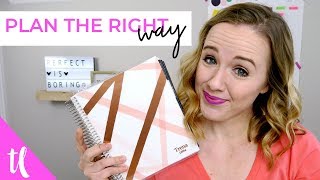
Trina walks through her method for organizing a month using a paper planner, Google Calendar, and Trello. She covers how to schedule client work, content creation, and personal tasks so nothing falls through the cracks.
Trina walks through her method for organizing a month using a paper planner, Google Calendar, and Trello. She covers how to schedule client work, content creation, and personal tasks so nothing falls through the cracks.
You want to know what my secret is to getting more done in a week? It's planning it all out. Like every single little to do. And personally, for me, planning my entire month at once has been game changing. Because let's face it, if you're juggling clients, if you're juggling growing your business, if you're juggling launching and kids and husbands, there's a lot you've got to fit into a month. So in this video, I'm going to share with you how I use a paper planner to plan my entire month. Hi, my name is Trina and I started this channel to help creative entrepreneurs like you get on YouTube to grow. Now, if you're new here and you have not subscribed, just make sure you hit that subscribe button down below and hit that little bell because that's going to notify you every single time I upload a new video to help you. Now, you know I love myself some Google Calendar and some Trello and all things electronic, right? But I also love my Erin Condren planner. And I've been using one of these for about three or four years now. There's this time when I need to be creative or write things out and see things on paper as opposed to electronic. And that's what happens when I plan my month in my calendar. Now, before I switch the scene up on you here and show you how I plan in my planner, I want you to know that I don't get fancy in here. I don't have the time to put nice little stickers and draw pretty little hearts and make it look pretty. I really use my planner as functional as possible. So that means it's not the prettiest. There's scribbles, there is white out. There's no real color coordination. Even though I try really hard, I just know that I've got to get all the big things written down so I can see if I have time to maybe add an extra client call or maybe have a coffee date here or just add some extra things into my calendar by writing it all on a paper planner. I basically use my paper planner as a rough draft before I put it into my love Google Calendar and Trello. Okay, let's see how I do this. This is my Erin Condren planner. I did personalize it with my name and these are the pens that I use. There's a bunch of different colors here and I'll link where I got these. They're from Amazon. I'll link them down below. So, so how I like to plan my month is I will go to the Erin Condren month view. All right. And then the first thing I'll do is map out all of my video ideas. So all of my content, which is all in the black pen. And so that's how I get a general idea of how my content is going to fall throughout the month. So then that helps me plan my Facebook lives, my newsletters, and everything else that I work on. Instagram and anything else. Then I'm going to add in specific client work so I can make sure that I get certain client work done. For Mondays and Thursdays, it's always the same client. I spend most of my time on him, so I don't really have to put that down here, but I will put in specific projects that need to be done on due dates so I can see that in advance. And then I like to do Tuesdays to take all of the business tasks that I want to get done that month and find where they fit on Tuesday, since that is my business day. So once I have my month in, a glance of everything that I need to do, then I can go to the week view. You'll see this was last week. I even sometimes grab a post it note and break down hour by hour what I need to do just to make sure I have enough time in that day to get done. I will generally use this top row for client stuff or calls or just to remind myself things I need to do. And then this is generally my business stuff. So I wanted to film, I did film 15 videos. And then down here will be more or less my tasks, whether it's a doctor's appointment, dentist appointment, birthday parties, dentists, you know, that kind of thing. So then how I kind of break this down. So for this week, I like to use this little ruler right here to mark my week. I will brain dump everything I want to get done this week and then plot it in throughout this week so that I can then put it into Trello so I don't have to carry this around. And maybe there were some ideas that I had a couple weeks ago that is in my Trello board that I can fit in here as well. So if you want to make sure that you're using your Trello with your planner, make sure you check out that video. I'll link it up above and that's basically how I plan my month to make sure that I get everything done. I do have a link to this planner if you're interested in buying it. And it is an affiliate link. So if you do buy from me, I get a little bit of money from it. I'll put it down in the description box below and I want to hear what your favorite planner is. Erin Condren Simplify Planner Passion Planner I know I'm missing so many. Let me know what your favorite planner is down in the comments. Now if you have not done so, make sure you click that subscribe button. Give this video a like if you enjoyed it and watch that video that I have suggested on the screen right now. Thank you so much for watching and I'll see you in the next video. Bye.

Why Every "Business Guru" Suddenly Went All-In on YouTube (And What NOT to Copy)






