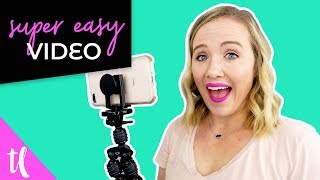
This is a YouTube video titled "How You Can Make Easy YouTube Videos with Your Phone" created in September 2018. The content features a single speaker named Trena who provides practical tips and advice on creating professional-looking video content using just an iPhone and minimal equipment, aimed at helping creative entrepreneurs grow their business through YouTube. The video covers lighting, audio, camera setup, background, and editing techniques.
If you are avoiding creating video content for your business because you don't have the fancy camera or the fancy light or the perfect background, I'm doing something a little differently in this video, and I'm filming it completely from my iPhone to show you how easily you can create video content with the things you already have. Hi, my name is Trena, and on this channel, I help creative entrepreneurs just like you get on YouTube to help you grow your business. How? And so many business owners that I know are avoiding video content because they don't have the fancy camera or the lights or the perfect backdrop. So I'm going to show you a few tips and tricks on how you can use the equipment you already have to make your videos look good and make it easy on you. All right, so tip number one is to just use natural light. Right now, I don't have any of my lighting equipment on. I turned it off, and I'm basically just standing in front of a window here in my office. Now, obviously, if I was going to be making sure my video looked professional and a lot better, I would move this light stand, maybe move those post its, but those post its might even look kind of cool in my background. But you can get started by just picking a day when the sun is out, not blasting your face and standing in front of your window. The next tip that I have for you is to put your phone on a tripod. Or right now I have a little flexible tripod that I could wrap around anything to set it up, but I'm holding it right now because I'm shooting a second camera to show you exactly what I'm doing. If you don't have a tripod, you could totally sit it on the windowsill, which is what I'm doing on this camera right over here. And it works, it's stable, it looks professional, and you don't have to buy any fancy equipment. The third thing to do is to buy a cheap little mic. This mic is under $100. It clips right onto my shirt, and it plugs right into my phone. So now my video and audio file are just one file. I don't have to worry about syncing up the audio with the video. It's all together to edit. Something that you might not realize is if you have hardwood floors or a tile floor where you are filming, you could get a lot of echo. So one thing that I do to fix this is I simply put blankets down on the floor. It's as easy as that. Nothing professional. I'm just grabbing extra blankets and Comforters that we have, throwing them on the floor, film to really make my audio sound better and not having it echo off the floor and the wall. So it sounds bad. So now a couple do's and don'ts with filming with your phone. I am actually shooting with the selfie camera right now. What? But that's because I have really good lighting coming into this window right now. If you don't have great lighting, you'll want to use the forward facing camera or get some lighting. I will put a link to a couple cheaper pieces of lighting that you could get to really help you get this better quality video. But honestly the quality of your video on your phone is going to come from the amount of light that you're getting. I think this should come without saying, but you should definitely be looking at the little eye thing on your phone, like the little camera and not looking at yourself. If I was looking at myself right now, that'd look kind of weird. I'm not really talking to you. Make sure you're looking at the camera on your phone and and also make sure your camera is facing this way. So I'm going to show here on this camera. It's this way and not this way. This is probably going to totally mess up for my editor, but I want you shooting this way so that you avoid having to add those black bars on your videos. Another thing to think about is your background. Now you don't have to get super professional. Like I said, I would probably move that light kit there and maybe I would stand more this way. So that looks kind of cool, me talking right here and having those post its over there. It just gives it a little more visually pleasing background. See if I go over here, I got lights and different things going on. That's where I normally film, right over there. This is just an opposite wall. So just check out what's behind you, what you can do to make it a little bit visually pleasing. That's just post its and something that I'm planning out. That's all you really have to do. Now what's great about filming on your iPhone or your iPad is now you can use imovie to edit edits. All you have to do is just import this video into imovie. Just clip out those parts where you took a breath or you were catching your thoughts and then export it to YouTube. That's really all you need to do to make video quality look professional with what you already have. Like I said, I'm using natural light. I have no lights on. I'm using my iPhone. I have a less than a $100 microphone and that's it. I'm standing in my office, got post its in the background and I didn't really put any money into this setup. If you want to continue to learn how to use YouTube strategically in your business, make sure you click that video that's on your screen right now. And don't forget to subscribe to this channel for new videos every Monday and Wednesday to help you strategically use YouTube in your business. Thanks for watching and I'll see you next time. Bye.