Launch a Successful YouTube Channel in 2019: Step by Step For Beginners
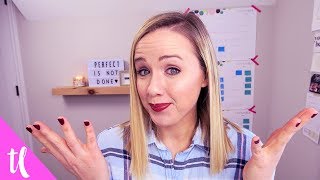
This is a YouTube video titled "Launch a Successful YouTube Channel in 2019: Step by Step For Beginners" created in January 2019. The content features Trena Little providing a detailed, step-by-step guide on how to launch, relaunch, or fix a YouTube channel effectively. She covers topics such as defining a value proposition, branding, creating a channel trailer, channel setup, video strategy, research, scripting, batch filming and editing, uploading, optimizing, and promoting videos to grow a channel and convert viewers into customers.
All right, let's talk about how you can launch, relaunch, or fix a stagnant or dying YouTube channel in 2019 with 10 easy to follow steps. Welcome back. My name is Trena. If you are new here and on this channel, I focus on helping creative entrepreneurs use YouTube to grow their business. Now, with 2019 here and so many people talking about starting a YouTube channel and goals to do video content content, let's talk about how you can do it the right way so you actually start getting views and subscribers on your channel. They'll then turn into paying clients or customers. Now, this is a part of my YouTube launch roadmap workbook. So if you want to grab that workbook, make sure you click the link that is on your screen right now or down in the description box. You can get that. Start filling in the blanks as we go through this video so that you have it all on paper and you can start working on it as speed as this video is over. So the first step that you need to do is determine your value proposition. I talk about this a lot here on my channel. I like to use the phrase, you can't be something for everyone or you'll end up being no one for everyone. Okay, you need to determine what value is your channel going to be for somebody. Are you going to bring value on how to use Instagram to grow your business? Are you going to be helping overwhelmed moms for figure out how to meal plan that's not stressful? Are you going to show tech reviews for people who don't get tech? Are you going to be teaching beauty tutorials for people who have red hair? So you see all of these different niches, have a specific person in mind. And when that person finds your channel, they're going to be loyal followers, they're going to subscribe, they're going to come back and watch every single video that you create because it feels like you're creating a video specifically for them. You'll be able to address their pain points. You'll be able to help them through that pain point. So knowing specifically who you're speaking to and the value that your channel is going to bring to them is the first step. Then the second step is branding. And I don't just mean the visual branding like the channel banner, thumbnails, branded graphic intro, those are all pieces of it. But also thinking about how you can brand yourself and your videos. Is there a style of video that you create? Is there a specific outro that you do? Do you say certain words or phrases in your video that make people who watch your video know that's you, or if they hear somebody saying that out in public, they know that they're a follower of yours as well. One of the great books I recommend for really understanding branding on a deeper level than just visually is this book, Primal Branding by Patrick Hanlon. I'll put it down in the description box, but it actually walks through a lot of the key elements to branding. I did a video too, so I'll link that as well. But a lot of the YouTube channels you see that are growing significantly and fast are using a lot of these primal branding elements. The next step I want you to do when launching, relaunching, or fixing your YouTube channel is shoot a channel trailer. When people come to your YouTube channel who aren't subscribed to you yet, that video is going to play automatically. This is your key spot to get people to know who you are and what value you bring to them. And so once you know your value proposition and you have your branding figured out, create that channel trailer to add to your YouTube channel to help get people knowing who you are and ultimately subscribing and coming back for more. Now we're going to move on to the actual channel setup. Now if you want to learn how to actually do the channel setup, I have a tutorial that walks you through that. I will just link an entire playlist that goes through a lot of these. On a deeper level down below, setting up your homepage so that it looks like legit, right? You want to have playlist features in your sections of your homepage, really highlighting the topics you're going to be talking about. For me, I'm talking about how to start a YouTube channel, how to grow a YouTube channel, video ideas, how to grow an email list with YouTube. Those are kind of the topics that I talk about here on YouTube, so I want to make sure they're highlighted in my sections on my channel. So if someone brand new comes, watches my channel trailer, then starts skimming through my channel, they can really get an instant look at the topics that I'm going to be talking about. And that would work for you as well. Think about those high level topics that you're going to be talking about and use those as sections for your homepage. This also includes setting up your about section so you want to write who you are and that value proposition again, using keywords that are going to describe your niche so that YouTube has a better idea of what you're about as well. Next is the fun part and it's coming up with a video strategy and I really like to plan my content. Thinking about series. Alright, so if I'm thinking about a series on how to grow your YouTube channel, I'm thinking about videos that will fit into that so somebody can find that playlist and Netflix style binge it. So if it's how to grow a YouTube channel, I want to do how to make better YouTube videos, how to get people to watch your videos, maybe how to edit your videos. What are some videos that sequentially go in order that people would want to watch right after another? This is going to help you get more views, more watch time, and ultimately YouTube's going to start recommending more of your content because you're proving you have this valuable content that people watch multiple videos at once. In this step, I want you to start just brain dumping all your ideas and seeing if you can start grouping them into steps, series or playlists. Now that you have your ideas done, we're going to move on over to that next step in your roadmap and it's doing some research. This is really key. You've got to make sure people are actually looking for your content or wording it, how you're going to title it. You want to focus on coming up with your title in this part of your roadmap and making sure it's a title people are going to click on. So, so let's say you're like, I got this really awesome title. It's going to be titled how to run so fast you don't run out of your shoes. I don't know, I'm just making something up. Right, but you're thinking about a video that you want to teach people how they can run faster, but you want to make that title interesting. But are people going to be searching or looking for how to run faster without running out of your shoes? So you've got to kind of marry up these ideas by doing your research. Look at titles that people are currently using for that keyword phrase, look at their thumbnails and think how you can start really making your title and thumbnail unique enough so that stands out, but enough so that somebody who sees your video in search and YouTube knows as well what that video is going to be about. This can tend to be kind of the more difficult part, but once you get this down, your videos are golden. Alright, now that you've determined your title of those videos, now you're going to start scripting it. And yes, I suggest you script because there's a certain format you want to follow here on YouTube, and if you can follow it, people are going to watch your videos longer. And so YouTube is going to recommend more of your content if people are watching your videos longer. So I have a script template that I walk through the hook, the intro, the content, and the outro. That's kind of the loose format that works here on YouTube. So before you even shoot your content, at least have a game plan going into filming. Because not only is it going to help you stay on track when you're shooting and, and it's going to make more sense to people who are watching, but it's going to cut down on your filming time and your editing time. All right, we're getting so close to launching this YouTube channel. Your next step after scripting is to prepare for a batch filming day. So that's what I'm actually doing right now. I'm filming about six to eight videos. Sometimes I'll film up to 12 in one day. And why I tell you to do this is because, first of all, you're going to get all your equipment set up, or you're going to get your phone set up or whatever you're using to shoot. And you're not going to want to do that every single day to shoot video or every single week. You're also, if you're anything like me, not going to want to do your hair and makeup and put on actual nice clothes. A lot of the times I like to work from my sweatshirt. And so when I do my hair and makeup and I put on lipstick, I want to get as many videos done as possible. That's why I really suggest if you can start out maybe shooting two or three videos in a day. Ideally, if you're going to post four videos a month, so one every single week, your goal should be to shoot those four videos in one day. So you have all that content done for the month. Then once you've shot your videos, now it's time to sit down and edit. And I also suggest batch editing, because what I find is when I edit a video and then I take some time away from editing, I tend to forget some of the shortcuts and things that I did on that last video. So it takes me a little bit of time to catch back up with my editing skills. So if you're able to edit multiple videos back to back, you're going to save a lot more time because you're already in the editing zone and you've done it a couple times. So it's going to make it a lot quicker. So then you're going to want to plan that editing batch day. All right? Your videos are shot, they're edited. Now your next step is to upload them and optimize them. So add that thumbnail, add those keywords, write the description box, and post it. If you're ahead of your content, you could have up to 4 video score scheduled for the month. So now they're done. You don't have to worry about them. But my little bonus step now is that when you post that video, promote that sucker as much as possible. If you have an email list, tell them. If you have a Facebook page or you have a Facebook account, tell your followers. If you have Instagram, if you have Pinterest, tell as many people as possible. The more views you can get on that video when it is live, the more valuable it's going to look to YouTube. Now, again, if you want to grab this roadmap, you click the link that is on your screen right now. I'll shoot you the workbook so you can start writing it down. And don't forget to subscribe to this channel. And you can also watch the playlist that's on your screen right now. It's going to break down these steps into more detailed videos. Thank you so much for watching and I will see you in the next video. Bye.
More from Trena







Why Every "Business Guru" Suddenly Went All-In on YouTube (And What NOT to Copy)

