Life changing productivity system!
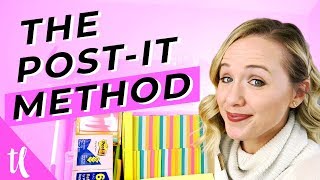
Trena walks through her productivity system using post-its, paper planners, Google Calendar, and Asana. She covers batching, calendar blocking, and routine setting to help business owners and content creators manage their workload.
Can you do it all? No. Unless you have a system in place, I'm about to break down a system for you that's going to change your life. So let's break out the post its and get started. Hi, welcome back. My name is Trena. If you are new here and on this channel, I help you find the confidence to get on YouTube. If you're a business owner, you need that confidence to know the time you're putting into YouTube is time well spent. So I want to stop wasting your time right now and show you how you can start getting organized with your day to day activities so you can crush your to do list and have more time to focus on YouTube. If you don't have this particular system in place that I'm about to show you, you're going to be constantly paralyzed with overwhelm and stress about this massive to do list and not actually having a game plan on how to tackle that. And that's what you're going to get at the end of this video. Having a game plan of knowing what to do's you're going to do when so that you can get them all done. So. So like I said, I want you to go ahead and grab your post its. Yes, this is a treasure box of post its that I bought over two or three years ago and I'm still working through this. But this was a game changer for me. We bought this on Black Friday super cheap. For all the post its. I recommend getting a bunch of post its because we're about to use a lot. Some of the other tools I want you to have handy while we're going through this video is a paper planner. So I like to use the simplified planner. You can use Erin Condren, you can use a bullet, journal, whatever paper planner you want. But reason being, I just like to be able to break my daily to do list on a paper planner, having it by my desk so I don't get distracted by so many other things. You also want to have a Google calendar in place which I'm going to show you how to use as well and a project management system. For me I'm currently using Asana. This could be Trello for you. This could be Monday.com, there's a lot of options out there, but I'm going to show you how I specifically use Asana. So. So now that we have all of our tools in place, let's start breaking down this system. Now when I am planning, I am planning sometimes for three months at a time for this Particular video. I'm just going to walk you through how to do a month at a time. Yes, a month. Because this is critical to saving you time. You don't want to do this every single week. You want to do this just once a month. But once you start getting better at this, you could do three months at a time and maybe even six months at a time. Now, when you get as far out as six months, obviously you need to have a little bit of space. Space and leeway for things to change. But the same theory could work for six months out. Now hang with me. You may already be getting overwhelmed by thinking six months out, but this system will work, trust me. So the first thing that I like to do is get a wall calendar. So you see mine over here. And sometimes I will just make my own with these big post it papers. I'll just write the month and add the dates in there so that I can see a lot of time at a glance. And what I'm doing first is grabbing the red post its. What I'm doing is blocking off those days that I know I am not working. Because usually I'm planning out my work days. I work Monday through Thursday and so I'm making sure I have enough time in my schedule to get everything done in work. This isn't necessarily my personal life stuff. It's predominantly business stuff. So I'm taking these red post its and I'm sticking them on either holidays, vacation days or days. I know that the babysitter isn't watching the kids day days that I know I cannot get work things done. This is also where your Google Calendar comes into play because I keep all of these on my Google calendar. If I have a babysitter saying they're gone this day or if I have an appointment for kids on this particular day, I can see on my Google Calendar. So as I'm putting up these red post its, I'm also just skimming through my Google Calendar to see what is there. It's also a calendar that my husband shares as well. So if he's going to be working from home a certain day or, or he has to work late or out of town, I can see it on the Google Calendar. All right, now that you have certain days blocked off. And also I block all Fridays off so I do not work on Friday. So there's a red post it on every single Friday on my calendar as well. The next thing you need to do is figure out how you're going to start batching your work. Now you've Heard me talk about batching before. And I will link a video where I talk about calendar blocking, where I talk about batching as well. Right up above. But it's going to be crazy critical for you to bash together certain tasks that are similar. This is literally going to change the way you do things because it's going to help you get more done. So I want you to pull up your Google Calendar again and see how you can start blocking certain days for certain tasks. For example, Tuesdays for me, every single week is an internal business day. I block this off. I have no calls that day. I know that if I have to shoot videos, if I have to write copy for my business, if I have to write an email funnel or set up a funnel or film a webinar, that is what Tuesdays are going to be for. Wednesdays are editing days. These are the days that I focus on just editing for clients. So again, I'm not going to add different things like podcast episodes on that day or interviews or client calls, because Wednesdays are for editing. When you're able to block these tasks into certain days, it's going to help you get more done. Because on Tuesdays I wake up and know, okay, I'm in my business today I Wednesdays I wake up and say, okay, I'm editing. I'm not wasting time writing a to do list and figuring out holy crap, how am I going to get everything done. I already know what needs to be done and I can get to work on it right away. So now that leaves Monday and Thursdays for client days. Thursdays I don't have kids in my house, so I open those days for phone calls. I have my YouTube for Creatives group coaching call every Thursday. I usually try to schedule podcast episodes that day as well. Whereas on Monday I know I can work inside of my clients businesses. So do I need schedule their videos? Do I need to plan their strategy? So knowing what days are for what tasks are really going to help you start putting tasks on the best days for you. So now that you're starting to have a structure for your week, now it's time to start getting all those to dos out of your head and onto paper. Now I want you to just go ahead and list every single thing that's on your head right now. Trust me, this will be such a stress reliever to get everything on paper. But then we're going to go through this to do list and look at all the things you put and see if they're really to do's that you need to get done. Specifically, we're looking at a one month time frame. Like I said, sometimes I will do three months at a time. And why I'm looking at three months is maybe I have a plan to launch my program YouTube for Creatives at month three. So I know I need to start backing up different things that I need to get done before that launch date. Let's say I'm launching that January 28th and I need to back up. Okay. I need to have all the social media done for it by January 15th. Maybe I need to have all the updates to the the program done by January 8th. And so that's why I tend to do a larger time frame if I know I have something coming up in my business. So for you in this video, let's just focus on one particular month. Now there are things that you will need to do every single month. And another key to getting more done on your to do list besides batching and calendar blocking is routine. That's why I asked you to start getting certain days for for certain tasks. Because routine is really going to help you avoid that space in your mind, stressing and overwhelming about what you're going to get done and already knowing what you're going to get done as soon as you wake up. So in that to do list, ideally you have the list of all the things that you need to do in your business or in your life if you're planning out your outside of work life. And you also have the list of things you need to get done for your clients. Because if you have a business, you either have students and clients that that you need to get things done, or maybe it's a list of all the things you need to do for your YouTube channel. All right, let's skim this list. I want you to be lethal with this list. I don't want this list to have wish things on it. I want them to have things that you have to actually get done. So for example, if you wrote organize my garage, which is something I would love to have on my to do list, it is not critical for this particular month. I don't want to add extra things to my list that are going to stress me out to get the things that I need to have done done. So go through your list. Are there any wish list items in there that you need to take off? Because remember, we're focusing on getting everything done that absolutely needs to get done. If there's time at the end of your month, at the end of your week, we can go back to this wish list and add that in with that extra time. But I really want you to get the things done that you have to get done first. Okay. Did you scratch out all those wish list things? I know, I know. I really want to get my garage organized too, but it will happen when it happens. Okay, now I need you to go through that list again and see if there are similar categories popping up. For example, I have client content that needs to go live, whether it's their social media posts or their YouTube videos. That is one particular category for me. Another category for me is YouTube for Creatives work. So updating their course content, getting on calls with them, responding to their questions, that's another bucket of to dos that I need to do. I generally have about five categories when I go through my to do list. So you heard me mention client posting. YouTube for creatives. I also have my filming and my internal business to do's like the admin stuff and then client business stuff. So any additional things that doesn't involve posting to social media, this is what's worked for me. You can play around with these, you can change these. These aren't set in stone, but I just want you to think about how can you start breaking these down into buckets so that you can start placing them in the right days so you can set up routines and calendar blocking. Okay. Did you highlight them? Now it's time to get out your post its. So for the tasks, I like to use these little guys because I can easily move them around. One thing about planning you have to be accepting of is things are going to change. You need to be flexible. So with these little guys, I can actually just pull them and move them as I need to. One thing that really helps is video ideas. So when I have my video idea written here, the title, I will put it on the calendar where it needs to go. But sometimes another video comes up or I'm working with another collaboration video and I need to move them around. So doing that on a calendar is game changing. It's super easy to move. I also like to try to move these tasks around. So selfishly, I don't have to do my hair and makeup every day of the week. So anytime that I'm gonna be on a call or that I need to be on camera, I try to move all those tasks in one day or two days so I don't have to do this every single week. Okay, so now I want you to go ahead and start putting those little post its on your calendar and figuring out where they group Together, what works best. And again, the reason why I'm using these post its are so that you can move them around. If you're like, wow, there's a lot on this, not as much on that day. Now that I see it on the calendar, you can start moving them around. Now we're getting to the electronic part. And as much as I love a planner, it's really critical for you to keep things online because what if you are at the grocery store or you're picking a kid up and something pops into your head? You don't have your planner with you. It's important to have some kind of electronic system that works. So I like to use asana. I set up this my week board or my week list. That way every single time I log into asana, I can organize my tasks tasks by the day. And if you have an assistant or you have someone working with you, you can share that with them to see if they can take some of your workload off. So for example, I may assign this to Aaron and be like, hey, Erin, I'm really struggling this week. Do you think you could take this off my list? And then she can check that off. Who doesn't love checking things off? And then you can see your tasks start going away throughout the week until you have a clear board. So ideally, this step, you're taking everything that was on post its and putting it into a sauna for the full month. Okay, so you want to have the entire month here in asana. Now we're going to move into your planner. And this is something that I do once a week. And the reason why I wanted to do the big plan for the month is because I don't want you to spend a whole heck of a lot of time figuring out what you're going to do every single week. So since you have your calendar and you have your asana every Sunday before you start your week, if that's the start of your week, sit down and look at your calendar and your sauna board. Then start writing them into your planner. I love being able to have checklists here to know each day what I'm going through. I know I have certain appointments here on the time and then at the end of the week, if I didn't get something done, I just write it down here and put the next week. Also you'll notice that if I did not get something done on a day, which totally happens because sometimes some tasks actually take longer than you planned or you, you get a kid throwing up in your hair one morning unexpectedly. And so you just didn't get as much done that day. So I just put a little line and an arrow through it and try to move it to that next day. Also, when I'm sitting down on Sunday and planning out every single day's checklist, I'm also adding in the workouts I'm gonna do that week because again, I don't wanna spend time that day thinking about, hmm, what workout am I gonna do? What do I feel like doing? I wanna already know. I wanna have all decisions made so I can get more done. I'm also writing down all my meals for that week as well so that I know I'm going to the grocery store later to get everything that I need. And then again, I'm not thinking on Tuesday, what am I going to have for lunch? And spending that brain space thinking about what I'm going to eat for lunch. I already know. It's already written down and ideally it's already made. So what do you think? Is it possible to plan your entire month? Are you going to get more done on your to do list now? If you want that in depth tutorial on how I calendar block and batch, click the video that's on your screen right now. And if you're liking these productivity videos, make sure you subscribe to this channel and give it a like and I'll see you in that next video.
More from Trena







Why Every "Business Guru" Suddenly Went All-In on YouTube (And What NOT to Copy)

