My EXACT Strategy for Planning YouTube Videos
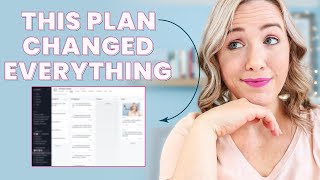
This is a YouTube video titled "My EXACT Strategy for Planning YouTube Videos" created in March 2021. The content features Trena Little sharing her detailed approach to planning and producing YouTube videos efficiently, including tips on consistency, research, competitor analysis, scripting, and working with a video editor. The video is instructional and aimed at helping creators grow their channels by focusing on content strategy and audience engagement.
So if you are trying to grow a YouTube channel in 2021, the best way to do that and the quickest way you're going to see results is by being consistent. When I say consistent, I'm not saying multiple videos a week. I'm just saying be consistent with one video every single week. And if you're finding that really hard to do, it's probably because you don't have a plan in place to do that. Look, without a plan, as a mom of two kids who totally mess up my schedule every single day, I typically get just two days a month to to shoot these YouTube videos for you. So if I'm not planning them the right way so I can maximize the time that I do have to shoot these videos to stay consistent, I'm going to fall behind and my consistency totally disappears. And look, not only am I planning my own content to stay consistent, within my agency, my team and I are responsible for keeping eight other YouTube channel creators, entrepreneurs consistent on YouTube as well. That means giving them the video so that film editing and uploading them. So when I say I live off of a plan, it is a plan that not only works for me to stay consistent, but for me to also help eight other channels stay consistent as well. If you're excited to hear my exact Strategy for planning YouTube videos, I want to know you're excited. So make sure you hit that like button right now and if you have not subscribed and hit that little bell beside it, because that's going to let you know when my new video comes out, you're going to want to. Because in the next couple of weeks, I'm going to be diving into the best ways to grow your YouTube channel to. That also helps you make more money in your business and on your YouTube channel. So make sure you go hit subscribe and the little bell. The first piece of your plan is to have ideas, good ideas. And sometimes that can be the hardest part. So your first step is to do your research. I'll actually link to a video. I forget on which side it pops up up here. But it's a video where I go into detail on all the different ways you can find video ideas. So if you don't have any ideas just yet, make sure you bookmark that video and watch it right after this one. But in the research phase, this is where I'm digging into things like tags, SEO. What am I going to title my video? What is my thumbnail going to look like? Hear me loud and clear, because the biggest mistake you can make in this research phase is spending too much time on tags and SEO research. While, yes, it is very important to do research about your video to find out, first, is there actual search for that topic? Meaning are people using the words that you're using to look for that topic? The second thing is, is that topic highly competitive? Because if there's a lot of people putting content on around the same topic, it can be hard for a newer or smaller channel to break out. So how can you put your unique spin on it so you can break out? And the third thing that this research phase does is really clarify the direction you're going to take your video so you can break out amongst all the competition that may be out there. Do not spend hours going down the rabbit hole looking for the best tags and the best way to SEO your video. Recently, TubeBuddy posted this on their Instagram and I love it. It says content is greater than tags. And you need to remember this when you're starting to create really good content here on YouTube that you want to help grow your channel. It's 2021 on YouTube and the robot, the algorithm, whatever you want to call it behind YouTube is getting really smart. So you aren't going to be able to grow your channel on tags and optimizing your description box alone. So my biggest recommendation, in fact, if you learn anything from my video here, is to take the time you would be spending on tags and put it more into this next step that I'm going to share with you. And that step is analyzing your competitors and what's working for you. Now, I don't enjoy calling people in your niche that are doing the same content as competitors. I've heard somebody call them niche neighbors. But the key in this phase is to figure out what your target audience is watching, what what they are enjoying, and what's currently out there performing well. This is the piece where I start screenshotting and collecting data inside of my project management tool, Asana. Every time I start working on my YouTube content and I start planning it out, I go into my Asana board and I have this template mapped out where I have every single step that I do to create this video. And it also links to my video editor and my designer as well, since we have this full team. So I will come in here, I will duplicate this task so that everything goes into a new car, and I will put a title idea that I'm thinking about. Let's just say how to make good thumbnails. All right, we're just making that one up. I Also make sure I check assignees because I have my video editor assigned to her tasks, and so on and so forth. So we'll create that new task. If you're interested in getting this complete workflow, including many of my other business workflows, I do have it available for you to purchase. I will link to it down below in the description box so you can seriously swipe this and use it as your own. Now we have this how to make Good Thumbnails. We're going to move it over here to the title and script phase, and I'm going to start researching. So if we go back to YouTube and we type in how to Make Good Thumbnails, what I'm going to do is I'm actually looking at videos that have more views than that channel has subscribers, because that means people are watching it and YouTube's recommending it to more people than just that channel subscribers. Obviously, Video Influencers has a great video. I'm also, when I'm looking at this, looking at the thumbnails, and I know, okay, this is not my target audience, really, as mostly female entrepreneurs, my audience is going to be more attracted to something like this. So I may take a screenshot of Catherine's thumbnail as a thumbnail inspiration and then save it into this particular card in my asana board to remind myself that was kind of the thumbnail direction that I had. How can I put my own spin on it and brand it for my own custom brand? I'm also looking at titles and how people are titling them. So how to make a custom thumbnail, how to make YouTube thumbnails amazing again, I want to see what my audience is likely to click on. Maybe even Sean's how to make a YouTube custom thumbnail tutorial. So I'm also keeping that in mind. And I may even come in here and start writing title ideas for this video. And I want to come up with, you know, five possible titles because. Because I want to make sure it's the best title that I can come up with. And honestly, if you can put more time into this piece, that's where you're going to see faster results than going down the tag rabbit hole. Now, let me show you my secret tactic for really figuring out what I should talk about in my videos. And yes, this is my secret, so don't tell anybody about it. I will go into these videos and I will read the comments. So let's go into Catherine's, for example, her audience and my audience kind of overlap. She talks a little bit more towards Hobby YouTubers. And I talk a little bit more towards business owners. They're could be some similar questions in here. I would rather spend more time in here than trying to figure out the best SEO. So do we need to brighten our thumbnails? I think Katherine added that one in there. It's going to take some time to comb through this, but it's really going to help you figure out what your audience is looking for. But hear me loud and clear here. You are not copying this video. You have your own process of doing things. You have your own perspective on things. You're not going to watch this video or any video that you're researching and copy it step by step. Right? You're just getting a general direction and you're wanting to make sure you're answering questions that people have and you are not copying this person's video. You want to be your own self and share your own insights and inspiration. Okay? Get that clear. Now, if you have a YouTube channel, you can get some really interesting data. So if we go up in here and we go to YouTube studio and then we go over to analytics and you want to click on the audience tab, you're going to actually see what kind of content and what creators YouTube is grouping you with. So YouTube says somebody that watches this particular video or this particular channel is probably going to be likely to watch my video. So you can come down here, the audience tab, and right here, other channels your audience wants. Right there. I have three pages listed. I also have other videos that your audience watch too. So I could, if I have my own thoughts or my own opinion or my own process for any of these videos, that's what my audience is also watching. And so that's what's going to help me come up with content that I know is going to perform well for me. But you do need a certain amount of views and watch time to get this data. So if it's not in your audience tab yet, stay consistent, keep putting videos up so you can get this very valuable information. So the key takeaway here is to really understand what is working on your YouTube channel and what isn't. Once you have that figured out, that's going to really help you create great content that's going to attract more views and more subscribers. So again, use the data you have to your advantage. This is the video that I was talking about, and you can see it's performing really well. It's performing above average. It's got me almost 50 new subscribers. So I want to analyze what I can do better with this video. I'm going to go into see more and I want to see what topics people are searching for that are driving traffic to this video. So I'm going to come up here and I'm going to click since upload lifetime and the next thing I want to do is go to traffic source and I want to look at the YouTube search traffic again. I'm looking for the terms people are searching on YouTube that are then watching this video. So for example, people are searching content, planning how to plan YouTube content, how I plan my YouTube videos, and then watching this video. So those are probably tags that I'm going to incorporate. And I know this is the direction I'm going to take this video. I'm taking it into the direction of how to plan my YouTube content. The last thing I'm also going to look at is the audience retention and I want to see how I open this video so I can make the hook of this video better. I also see here are some spikes in audience retention and I want to see what caused those spikes so I can do more of that. And in this video and also I want to see, you know, what are these drops? Why are you leaving this video? So I can incorporate things to keep you more engaged. To increase my audience retention from data that I have on an older video. Once you know the direction you're going to take your video or your content and hear me loud and clear, you know the title of your video, then you can move on to step four and that's creating your video game plan. Some people may also call this your video script, but I have found through teaching hundreds of students inside of my program Video Strategy Academy, calling it a script kind of creates these mindset blocks that my students think they need to have word for word exactly what to say. And then when it comes time to actually shoot the video, they get so wrapped up in that script that they can't deliver the content feeling like themselves. They become more robotic. So I really named it a video game plan to help them have a game plan for shooting their video so that it follows the right format and that you still keep it engaging and entertaining for your viewers. Like I said inside of my program, video Strategy Academy 2.0, I go into an entire section of the program talking about creating your video game plan because this is the part that's going to help you create more engaging videos that people want to actually watch to the end. And remember, the best way to see success on YouTube is creating videos people are going to watch. To the end. So if you're not focusing on improving your audience retention and doing whatever you can in the planning phase of your video game plan to keep people engaged and to drop in, you know, text call outs or sound effects or B roll, that's why it's going to take you probably a little bit longer to grow your channel because you need to create great content. This video game plan has also been a game changer for my video editor. And if you are ever wanting to get to the point where you want to outsource your video editing, having a game plan to clearly communicate to your editor what you want, when you want it, what you want to pop up is going to make their life so much easier and it's really going to save you a lot of time. In fact, inside my agency, all of my clients are required to follow this video game plan so that we can create a video that they know what to expect and that they are happy about. And it really saves us a lot of time so we can turn that video around a lot quicker. So this is a little sneak peek of what my video game plan look like for last week's video that I did all about how much I made in the past three months. I have the title and the thumbnail idea up top here. I'm also writing out my script. For me, it became a little bit easier to write my script out before I filmed so that I could give better direction to my video editor. So that I see, okay, this is linked to a screenshot directly to my Google Drive folder. So all she needs to do is download it there and she knows exactly where I want it. And I also have text call out that I want here, text call out that I want here, and then it goes the whole way down through linking to any specific GIFs. GIFs, however you want to call them. Screenshots. B roll, I will link right in here and I will say like B roll number one and link it to the specific footage that I want or loom video number one and link it to the specific footage that I want because it keeps things super organized and it gets me the video that I ultimately want from my video editor on just one try. So if we go back to Asana for this particular video that I'm sh shooting right now, you can see all the things that I had done before I hit record. I have the call to action that I'm using at the end of this video. I have the thumbnail text that I want for this video at the Google Drive folder. I have the video game plan. So I have everything scripted. I've also taken screenshots of these tags from my analytics that I showed you to know this was the direction of the video that I'm filming. And since I already shot the A roll part and I'm shooting the screen recording part, I already took my thumbnail photos and gave my graphic designer direct on what I want this thumbnail to look like. Everything is in here. Whether I'm a team of one for me to remember all of this, or as you start to bring on more team members to help you get the work out of them that you want because they can't read your mind, the more you can map it out and explain it to them that they can understand. That's where you guys are going to have the best synergy. Once I have that video game plan done, then I'll go back to step one and start planning another video and start the process all over. I will generally do this about three or four videos in one day. That way at the end of a day I have three to four video game plans complete so I can sit down on a day like today and film three to four videos. And I'm not worried about scripting or researching. I'm only worried about showing up here on camera and giving as much energy as possible. By using this particular strategy for planning your YouTube videos, you're really creating a strong overall YouTube strategy because you're focusing on the things that YouTube promotes and what YouTube is going to push content that people will actually watch to the end. You're also probably improving your click through rate because you're going to spend more time on focusing on your thumbnail and your title than you were on Tags. The YouTube strategy in 2021 is all about creating a binge worthy YouTube channel. How can you get people to land on your video? Watch to the end and watch another one. Watch that to the end. Watch another one. Watch that to the end. You get it. If you can do that, YouTube's going to do all the hard work for you and push your videos to more of the right people that are going to continue binging your channel even if you don't have all the perfect tags. Now like I said, this is the entire process that I do before filming my YouTube videos. If you want to see my filming process and how I film in one day, leave me a comment below saying please share your filming process. And if you want to swipe my actual workflow so you don't have to create it, you can buy it at this link right here. I've also got some other goodies included in that workflow that's really going to help you get more systemized and organized with your content. And if you don't have your YouTube channel set up yet, or you're not sure if it's even set up right, make sure you watch the video that is on your screen right now, because I'm going to walk you through every single step you need to do to see success on YouTube. Click that video. I'll see you over there.
More from Trena







Why Every "Business Guru" Suddenly Went All-In on YouTube (And What NOT to Copy)

