My YouTube Content Calendar Setup For 2024!
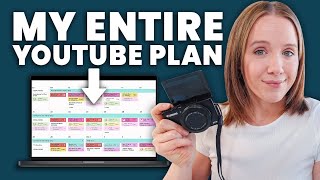
A creator walks through their 2024 content calendar system using project management software, Vidiq, and Google Docs. They explain batching content creation, aligning videos with promotions, and staying consistent across the year.
Coming up with video ideas every week and then scripting it and then filming it and editing is honestly the absolute worst way to stay consistent on YouTube. It's also not the best way to be strategic here on YouTube, I. E. If you want to grow on YouTube, you probably don't want to be following that calendar or that routine. This video is going to be perfect for you. If you feel like it's so freaking frustrating to stay consistent on YouTube and you wonder, how do people even do it, I'm sharing you the secret here today before I lay out what exactly we're going to need to be consistent on YouTube. The very first thing that you need is a YouTube content calendar. And it needs to be built very specifically, strategically, if you want to get ROI on the videos that you're creating every single week or that you're publishing every single week. So I'm going to dive into what that content calendar looks like and what that strategy means for the content you're creating later in this video. So let's first talk about the tools you're going to need to set up this YouTube content calendar and actually stick to publishing weekly videos. First, you're going to need your YouTube strategy playbook. Now, you may not know what this is yet, but I will be talking about it later. In this video. You're going to need a project management tool. And I do prefer something outside of a notebook because I've tried notebooks. Things can get messy. I like to use Asana, but you can use anything that you're using, like Trello, ClickUp, Monday Notion. I just think it's really important to have some type of software project management tool to get your YouTube content calendar set up. You're going to need a calendar as well, because you're going to need to block off time in your calendar on your schedule. To actually create these YouTube videos. You're going to need Vidiq, which is a tool made specifically for YouTube search purposes. I'll explain more about it coming up. But this tool has honestly been game changer, not only for coming up with content ideas, but also speaking speeding up my entire YouTube workflow process. And fifth, you're going to need Google Docs or some type of Word document digitally because this is where you're going to start to map out your video game plan. I'm also going to talk about why I don't call this your script coming up as well. Now that we have the ingredients, so to speak, let's dive into that very first thing that I mentioned, the YouTube strategy playbook. This is something that I have developed and I provide to every single one of my coaching clients that I work with inside the YouTube coaching experience. It is critical that my clients go through this playbook and fill out each tab. Because to have a YouTube content calendar that will actually help you grow your YouTube channel and help you attract more leads and clients from your YouTube videos, you've got to build a strategy, a content strategy for YouTube in advance. This is where your content ideas will come from. So no more last minute, oh, I got to post a YouTube video tomorrow. What should that video be? Okay, I'll do this. You're going to build out at least a 6 to 12 month content strategy based on the definition of your audience and based on strategic YouTube videos that will feed off of each other. So here's a brief walkthrough of what building a YouTube content strategy looks like. In last week's video, I talked about defining who your target audience was or creating a strategy for finding your audience on YouTube. That is because the very first step in your YouTube strategy playbook is defining who your audience is, because that's who you're going to create content for. So if you didn't catch last week's video, I'll link it up here for you to watch. After this, when we bring on a new client, they will spend their first two to three weeks with me, filling out this playbook, sending it to me to review me, giving them feedback as they continue to stack basically these foundation layers in a solid YouTube strategy. Once we go back and forth and we are very clear on who their audience is, the second step in building a YouTube content strategy is determining what are the core topics that your audience is actually looking for on YouTube. Now again, last week's video I talk about building a content strategy around a niche audience, not just a niche topic. So I'm not just going to create videos here around YouTube strategy. I create YouTube videos on sales funnels, I create YouTube videos on Instagram on content calendars. Because my audience, those of you watching, are predominantly business owners and you're interested in more topics to help you grow your business. So once we have these core topics that we really want our channel to be associated with on YouTube, we take those topics, plug them into Vidiq, and create loads of content ideas by looking at related keywords. Now these are keywords, yes, but these are starting points or jumping points, so to speak, for content ideas that all tie back to the core topics that we know our audience is searching for. Now here's where you take a strategy, next level, this third piece. And again, what I help my clients do. Once we have all this information on content we create, we start to build strategic playlists or series of videos. Ideally, these are four to six videos. And the goal of these videos and the strategy on when they come out and what order they're in is based on getting people to binge watch video 1 to 2, to 3 to 4 to 5, and having a strong call to action at the final of that series to work with you, buy from you, sign up from your webinar, whatever it is that you want them to do off the platform because you are feeding the algorithm what it wants. Binge watching content on YouTube. You're also warming up your viewer, getting them to watch multiple videos of you. So you have a much higher conversion rate on somebody who likely watched two to three, maybe four videos of you than somebody who just watched one video of you. The benefit of doing this is when you sit down to do this, you're basically going to have the next five to six weeks of content for your YouTube calendar done. Super easy YouTube content calendar. If you want to actually see more of my simplified process for YouTube and what actually goes into it so that I only spend two hours a week on my YouTube strategy to make it work for my business, I have a free on demand training right now@treanalittle.com workshop. I will also link it in the description box below. But it goes into much more detail into how I kind of map this and plan this all out that you can watch instantly once you go to that page. Once we have that content strategy, which literally you could sit down in a day or two and map out sometimes a year's worth of strategic YouTube videos. We've got to get all of these ideas, plus all the things you need to do for every single video to set it up for maximum success on YouTube in a project management tool. Like I mentioned, I use Asana. And I'm not saying that's the best one to use. In fact, I would love if you would share down in the comments what project management tool you're using so everybody can get an idea of it is fine to use whatever you like, because I know I have clients using Notion and Trello. So just share what you're using down in the comments because what helps you stay consistent on YouTube is finding the tricks that are going to save you time in this process. And setting up a workflow will do just that. So I'm going to walk you through what my workflow looks like. And I really encourage everybody that works with me to set up, to set up their workflow in a way that works best for them. So I outsource to a video editor so she has her part in this process. I also have a content team that takes my YouTube videos and helps us turn it into words. And, and I also have a marketing director who gets my YouTube videos up on YouTube once I've done filming them. One of the first columns that I think is really important to have in your YouTube workflow is a resources column where you can have quick links to important things like the folder in Google where you're housing your videos. A B roll library. This is also where you can start to drop ideas that maybe you get in your head while showering or driving to see if it aligns up with any other strategy strategic videos that you have. And most importantly, having a templated checklist for your workflow. So this is basically my video checklist. Everything that I need to do for my video from A to Z. And for me this is a 37 point checklist including title ideas, thumbnail alterations, blog posting, everything that I need to take my video from ideation to being successful and having as much success as possible on YouTube. So, so let me show you my asana board. So here's my asana board. You can see the columns that I mentioned. My resources which has my template and my 37 point checklist also have my ideas. And then the title script column where these are the ideas but I still need to solidify the title and the script. Since I'm shooting these videos, this is the last thing that I need to do. So they're all recorded and now these are sitting in editing. So again you can kind of see the phases that I pull these videos through. I also like to use the calendar function too. So I can see exactly when these videos are going out. And then if I want to see how these videos fit within any promotional activities that I'm doing, I can go to my overall marketing calendar right here and I'm going to pull up because this is where we were really promoting. And you can see how my videos, which are red, fit into what I am promoting. So right here you can see three reasons why no one finds or watches your YouTube videos. This was all pre launch content to get people ready for the launch that I had right here. This was my spring webinar. So all of these videos I was filming about four to six weeks leading up to this webinar was pre launch content. The goal of the Videos were to get people to sign up for the webinar. Now, as a business owner, I want to make sure my videos are aligning with my promotional efforts because YouTube is the main piece of content that I create every single week. So whatever I'm talking about on my YouTube videos is what I'm going to be talking about anywhere else that I'm at. Email list, Instagram, Snapchat, I don't know. But it all starts with YouTube. So my promotional efforts will need to be tied into YouTube. So if I'm preparing for a launch, I know four to five weeks before my launch, my YouTube content is going to need to skew heavy on pre launch content. So at the beginning of the month I was promoting my CEO Day and my videos were hitting on topics that would align with people that would be interested in my CEO day and then I promoted it within those videos. Now if I was talking about like Instagram and then trying to promote CEO Day on an Instagram video, that wouldn't align. But since I was talking about major pivots in my business and you know, overall business strategy in those videos, those were strategically chosen to help me promote CEO Day. So now that we're starting to get things organized on a project management tool and we know all the steps that we need to do, let's start getting things on a calendar. Listen up here, because this is probably the most important thing you're going to hear in this entire video that a lot of people don't mention when it comes to creating a content calendar. And where most people will fail when it comes to being consistent here on YouTube, they are not dedicating time on their calendar to actually do the things they need to do to create consistent YouTube videos. There are three main chunks of time that you need to put on your calendar that you block off. Like I can't miss appointment. If you're going to commit to YouTube, that first chunk of time is going to be planning your videos. When I'm planning my videos, that is when I'm planning out my video game plans. I'm coming up with title ideas, I'm writing my hook, I'm getting my idea of what the content is that I'm going to share and writing my calls to action. I like to plan at least three videos at a time and about a two hour chunk of time. The second chunk of time that you have got to dedicate on your calendar is filming time. So this morning it is the day before school is out for vacation. So I'm trying to get as Many done as possible. The plan is four. And I have dedicated three hours here today to get four videos done. Now the game plan is already done, so I'm just looking right here to get through the content that I need to share and I can go from video to video to video within three hours. I should get three videos done, if not my ultimate goal four. And then the third chunk of time that you need to dedicate time to is video editing. I'm actually going to be talking more about my video editing process in next week's video, so make sure you're subscribed so you don't miss out. But I'm going to give you a little spoiler alert. I'm going to show you how it's possible to do editing in under an hour. And the good news about YouTube right now is very raw, organic edited videos are kind of the trend. So this means less editing for you, quicker turnaround time for those videos. I also wanted to give you a quick look at my calendar. So I will put in my production time in purple. Now if we take all the other things going on on my calendar, you'll see right here they are. I film videos on May 28. I am putting all my video assets like this B roll in today and then I will be editing a video tomorrow. Then if we look at the following week here, I plan to plan my next set of videos here because I'm batching for the summer. So I will then probably here film videos. I will come in here to more options. I will save it to my content creation calendar. Now I'll block off about three hours here, save and then when we look at it, compared to what's going on on my calendar, we have film videos which is good to go. I have nothing else going on that day. I do have a VIP day with a client, but I should be able to get those videos filmed. And this is my secret sauce to staying consistent here on YouTube is blocking these chunks of time and trying to do at least two to three videos. Because when you're in the zone of planning your content, you're in that zone. When you're in the zone of filming, you're in that zone. And I got my equipment up and I got my makeup done right, you're going to get more done and you're going to be more productive when you batch these tasks together instead of trying to do planning, filming, editing all in one day. And if you want to see like a full behind the scenes video of me batching my content, I'll Link to this video right here, which I do. Just that by this point you should have a content calendar mapped out and most importantly, time blocked out on your calendar to do this. Now let's talk about doing that first step in planning your videos and that is using vidiq. Vidiq has actually been helping me outline my videos a lot quicker. So let me show you how I've been doing that on my screen. So my favorite thing is to go to this coach right here. I will go to the advanced chat. Now I'm working on how to create a YouTube content calendar. Right? So what I will put in here is I'm filming a video called how to create a YouTube content calendar. Provide me an outline of main topics I should in Clue. Now, it's important to understand that vidiq is going to take actual data from your channel and what people actually like watching from your channel. That's why I like this AI compared to doing this on chat GTP because this literally pulls data from your YouTube channel. So I'll hit return. And so what this will do is basically give me a jumping point instead of getting in my head overthinking it. I have. Okay, define goals. All right. Plan your content. Got it. Then I may ask, can you give me three title options for this video? Again, starting points. I'm not going to use these. I also don't like most of these, but we're going to use it as an example. And the other thing we can do as well, what thought designs would complement one of these titles? We can get thumbnail ideas as well right there. Or your thumbnail ideas. Now I am considering doing a more detailed video about how I've been using vidiq. If you're interested in seeing that video, go ahead and type below Vidiq and I will get that on my content calendar. And then Google Doc is where I plug in all of this content. So when I sit down to film my videos, I have my Google Doc right up here. Now, as I mentioned, another piece of this YouTube process that tends to trip most people up is filming these videos and editing them. So in this video on your screen right now, I'm going to break down exactly what I do when it comes to my filming process and my editing process to see, to stay consistent here on YouTube each week. See you on that video.
More from Trena







Why Every "Business Guru" Suddenly Went All-In on YouTube (And What NOT to Copy)

