My YouTube Content Creation Process | Batch create with me!
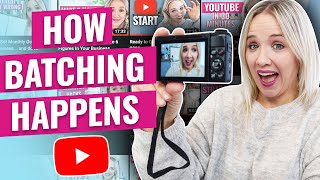
Trena Little walks through her full YouTube workflow from planning to promotion. She shows her lighting setup, filming process, editing, thumbnail creation, and how she batches videos to work more efficiently.
So today I have planned to batch four videos. They're not all for my YouTube channel, but they are four videos that need to get done nonetheless. Now, typically on a Wednesday, I have no children at home. But since my in laws and my parents who both help us with our kids and do childcare for us, both tested positive for you know what, I've got my son at preschool until 12:30. So I have from 9:30 to 12:30 to get these done. And since my daughter's school has 12 virtual days scattered throughout the year and today happens to be one of those, I have her downstairs doing some homework while I get this done. So that's about four hours I have here to try to bang out four videos, maybe a reel or two on mom duty. Now, I've been batching my content on YouTube for at least five years, and I really nailed a process that works for me. And I hope by showing this to you today, it will also allow you to see how batching can work for you. And like I said, I'm not doing my typical batching schedule today. So you just really want to take what I'm sharing with you and figure out how to make it work in your schedule, in your lifestyle, because you don't have to go out and shoot like four, six, eight videos at a time. I'm trying to shoot four today. I'm not even sure if I will get four done. But even if you can shoot more than one video with your hair and makeup done, that is a bonus. Right now that I have my hair and makeup all done, we're going to commute over to my office and get the equipment set up. I keep most of the equipment out since my office and I can shut the door, but I got to get everything set up so I can bang these videos out. So with batching over the past five years, what I've learned is I've got to keep things super, super simple when it comes to batching, especially over the past two years with the C word, never knowing if the kids are going to go to school, if we're going to have child care, if I need to record quickly. So I've kept my setup pretty simple. You see, I lay blankets on the floor to really help with the echoing because this room has like a tile floor. I just have two soft boxes and I've had those for at least three or four years. And I do one ring light. I also don't have them on full blast because I've realized I like my lighting to be a little bit more Natural. I can't get that with this window over here since I'm not facing it directly. So I have to actually shut the curtains to get a better look with my lights. And one thing that I've noticed with some past videos is I really, really have a lot of light. So it was blasted and I didn't like the look of that. The way I like my lighting and how I set up all my stuff takes time and doing it over and over again till you find something that you really like. So I have my daughter set up outside of this office reading some books. We're gonna try to get one video shot right now. I'm shooting the other one right now. This is how you can multitask. I'm shooting a vlog about shooting a YouTub. So the vlog and the YouTube video will be two separate videos, and then I will shoot two more videos. So my next step in batching has already happened. I cannot plan my video and shoot it on the same day. It's just not possible. And so since I don't have childcare this week, I was planning these videos in the evening. So I. I planned this video last night after my husband got off work. And I do all of my planning inside of Asana. Now I will link to some videos and how I plan my YouTube videos. But if you want to ensure you maximize the time you have to record your videos, also not spend so much time recording them and have so much raw footage to edit. It's important to have a plan for your videos before you have a filming day. Another thing that I normally do is change my shirts. So I will have, you know, a couple of shirts set over to the side to change into. But I honestly don't have the time to even think about that right now. So I'm shooting all four of these videos in the same shirt. Call me out if you want to, but guess what? I don't care. So you can think about that. Do you want to change your shirts out? Just honestly swap them out between videos. That's all you've got to do. Now, I do think I'm going to share with you kind of all of my equipment that I am using, but I'm going to share that at the end of the video and walk through everything. So the next thing I want to talk about specifically is what content and what I'm actually saying in these videos. So, like I said, I use Asana to plan this all out, my content plan. And some of my key points that I hit in this plan is Specifically what the title is going to be. So at the top of this asana card, the title is already determined. I know that this video is going to be called my YouTube content creation process. I already have some ideas for thumbnails. You can see the imagery also right there. So having the thumbnail idea already planned, I know what photos I need to get here. Again, not wasting any time, not needing to think about it, just executing for the four hours that I have. So I have the title plan and the thumbnail idea plan. I also have my hook set the beginning of this video. I already had that planned as well. To know exactly what I wanted to say to keep you interested in watching now when it comes to delivering on video and when it comes to planning your script, I really like to avoid the word script. I found when I script personally that I get too wrapped up in saying exactly what I want to say that I wrote down. So instead I tend to lean more towards bullet points or kind of stream of process thoughts when I am planning my video. So for example, one of the things I have written on my plan for this video right now that I want to be talking about is how I approach talking to the camera. What I want to share with you here is I don't shoot this video in one entire stream. I take pauses and I'm going to show you what it actually looks like for me to record a video. You're going to see a clip of the video I'm really shooting today and see that I share chunks of the video at a time. I keep the video camera recording, but I pause. I look at my plan. Am I on track with my plan? I look up again. I continue finishing my content. This allows my editor to make these jump cuts to make my video look like it's much more fast paced than it is. It also allows me to collect my thoughts, make sure I'm not missing anything, and stay on the plan that I created. The whole purpose of my video is to deliver on what I promised you in the title in the hook of this video. Now I'm going to get set up to shoot my. My goal planning video, which is the one that needs to go out before this one. All right, I shifted you over to cell phone footage. You can see that I have my computer up with what I want to say in this particular video for my goals review.
My desk is still messy, but you're.
Not gonna see it on the video. I am gonna turn this a bit. Hopefully we don't have any issues. But I do have a mic on.
Top of my Sony camera.
I've recently switched to this particular camera because I needed things to be easy, like I said earlier. And I love my DSLR camera, but sometimes I fight with it more than I should. And I'm in a time crunch today, so I'm just shooting on this vlog camera.
I'll put the equipment down in the description box. Mic that plugs right into the camera.
So the video file has the audio in it.
But my editor hates me for a.
Couple of reasons, because there's been a few times where there's been no audio.
Or not good audio.
So I have been doing backup audio. I use my blue Yeti mic as an external backup audio. It's plugged right into my computer. I will hit record on my blue Yeti mic as soon as I hit record on my camera.
So we have backup audio. So now what I'm going to do.
Is going to hit record on my camera on the mic, and you're going to see how I literally record my videos.
Mic check, mic check. 1, 2, 1, 2. So you can see I tend to.
Look at my plan a little bit to make sure I stay on track. I was also referencing the title for this video because I want to tie.
That into the reason they're watching it.
Is because the title caused them to click on it. So I do want to make sure the direction of the video stays on course with what I'm promising in the title. And so I'll just continue to go through this video filming it. I will take pauses like I did. I will re repeat myself a few times. I'll probably move the camera just a little bit to get some different angles like I've done in this video, just to keep people engaged and not bore them. I'm also going to have some B roll footage sharing my full focus planner in this video because that's where I'm setting my goals and keeping track of things.
So once we wrap this video up.
I'll tell you what I do at the end of every single YouTube video. All right, I just wrapped up the video. Total raw footage, like filming time was 20 minutes. It's like 1938. And now I'm going to take my thumbnails.
I already have my inspiration over on my asana board.
When I was planning my content, I.
Want my thumbnails to look like they.
Fit in so that people who are interested in watching that content don't, like.
Shy away from my video. But I also want it to stand out and look unique to my branding. So Again, I just get some inspiration.
On what kind of photo that I want.
I have my camera set up on.
Self timer and I'm just going to take some photos of myself sitting right here for my thumbnail. Okay. So that's one photo that I'm going to use.
I may open this up as well.
Also, taking multiple thumbnail photos allows me to pivot the thumbnail image if I.
Need to once I publish my YouTube video.
So we're always watching my YouTube video to see is it performing well, what is the click through rate. If the click through rate isn't doing well, we will either switch out the thumbnail with a new photo or we.
Will change the title. So having these options in advance helps.
Us pivot the video when we need to. So I'm going to do something a little bit differently and maybe hold this up like this. And I always just like to have.
A smiling one as well.
Once I have my photos on this camera, then it gets a little wonky. But I like to use a specific preset for all my photos so they look the same on YouTube. So I will send the image from this camera to my phone and use Lightroom. From Lightroom. There is a preset which I'm showing you right now on your screen. How I do that. It's a preset that I got from Catherine Manning probably a year ago. That's what we will use to submit to a thumbnail agency that we use. So we use custom thumbnails to help us create images for our thumbnails and they're very reasonable. If you're just posting like four videos a month, I think it's a hundred dollars for you to get them to create your thumbnails. And we've just decided to go that direction as an agency because we're creating over 60 videos a month for our clients. So it's just an easier process. You could also use Canva creating templates over in canva, which is a video you all asked me to talk about before. So again, if you want me to talk about Canva more in depth and how you can use it in YouTub and your social media comment below. What specifically in a Canva video you would want to see? So I can make sure I do that video for you in March. But Canva is also a great option for you to create your thumbnails. Now. Once I take those thumbnail photos for that video, the next thing I do is Instagram stories. I'm going to do a few Instagram stories to help promote the video. When it goes live. So this way if like I don't have hair and makeup done, I already have these IG stories done. So what I'll do is I will pull up my Instagram and I have stories ready to go. But all I'm going to do is save these to my phone so I can use them later. So here's an example, one that I will do. Are you setting monthly goals or do you have like a love hate relationship with goals? I have for a very long time as an enneagram3 I set too high.
Of goals and I don't achieve them.
Then I feel like a total failure. Anyone relate Then all I'm going to do is hit save and download that and I'm going to do four more about three or four more to promote that video, then I can put the link sticker on sending people directly to that video to watch and weave some seen actual traffic from Instagram come over to YouTube not only in my channel, but a lot of our clients as well. So I'm going to do the next Instagram story. I'm trying to develop a new relationship with goals and one of the things I'm doing to commit to it is sharing about it. So I just dropped my very first video in a series where I'm sharing what goals I set the month prior to. Was it a bust? How did I do and then what I'm planning or what goals I have set for that next month. Being completely transparent and really sharing with you kind of this entrepreneurial journey and what I'm doing to see success. One pointer that I also suggest is incorporating engagement things, whether it's a poll, whether it's a question, because those tend to do better for some reason on Instagram and people like to engage. Plus you're gonna hear from them. So I'm gonna do a poll question now. Curious. Is this a series that you would be interested in watching for the next couple of months? Follow along with me on my goal journey. Let me know if that's something you are actually interested in watching.
I have all of this in a.
Checklist in my asana to make sure I'm doing it all. So the next thing on my checklist is uploading the video files. So what I'll do is I'll take the camera card out of this camera, stick it into my computer and upload the raw footage to Google Drive. That is where my video editor then grabs it. We save it on Google Drive. I also have an external hard drive called a Lacie. I will pop it up right here. What I have realized is I don't actually keep a lot of my raw footage for YouTube videos. I get them edited. They are saved on YouTube. For now, I should probably have a backup process, but I'm just being completely transparent with you. That's kind of the process that we have. One thing that I have shifted away from when I was video editing, though, is that I don't edit through my computer. I would plug in my external hard drive, and all my libraries for Imovie and Final Cut Pro were always on my Lacie hard drive because that took up a lot of space, and I was killing a lot of my computer with that space. When you are creating, when you are batching like this, it's really important to stay organized too. And that's why asana is something that I use to keep me organized. So I want to just walk you through what my asana setup looks like. So you can see how we keep everything organized for one video. So it's much easier to refer back to and know what's going up, when, and all of that stuff. So this is our asana board. And you can see this is January 31st video.
This is our entire checklist of things that I do. I have recordings for Facebook endings, which I don't really do anymore, but Instagram story clips, thumbnail. And then upload, upload it to Google Drive. I have my Google Drive folder typically right here. We were in a time crunch this month, still figuring out the two videos a month. But usually my Google Drive folder is linked right here for my video editor to have quick access.
You can see now that Latasha from.
Uncanny Content is adding her content Doc here is also gold. But we keep everything right here so that when you come down here, all of the conversations, all of the thumbnails are right here. Easy access. This was the game plan that I had. You can see I have, you know.
Bullet points, what I want.
I've uploaded the edited videos here so that Erica, my lead strategist, can then send them over to custom thumbnail. You can see Latasha is in here asking us feedback about content. There are the two thumbnails that we created to test out. This is the carousel post that we have. Honestly, you make as much content as you can make. Like, you don't stress about it. You do what you can. So in this one, we did have the Pinterest images right here. Latasha has actually added the blog link. So if we click here, you can see all of the content that she's turned our video into social media content. Pinterest titles 3 different social media content. The email that we can send out now that Latasha is creating for us, and then that blog post. But again, keeping everything here on one card makes life so much easier and so much more organized. Once we are done with all of these, you'll see that they go into promote.
A lot of ours are still here.
Into promote because we haven't added blogs to them. So once blogs have been added to those, we will put them under published or we will put them maybe in a new column. But again, we want to be reminded the videos that we haven't blogged yet to get blogs on them. One other thing that we create from these videos is that our video editor has created Facebook templates and Instagram TV templates. She keeps them in a Dropbox folder for us. We should be downloading these and saving them on our own. It's a process that we are currently looking into. I need to get better organized and that's what I'm going to be focusing on in March and April, like internal business organizations. But she sends these all to us and then we can upload them to Facebook, to Instagram. And now that let's Latasha is helping us with social media writing. Can just copy and paste those right now.
And I don't say this like you.
Need to do all of this.
I just really want to show you.
What my batch day encompasses and how I keep this all organized.
You get to pick and choose what you want to do.
Like I said earlier, I'm purely focusing on right now YouTube and Instagram and that's it. And the last thing I want to.
Talk about here is posting.
I don't use a scheduler. What I have been doing is just giving myself a due date. Put a date here, upload and schedule IGTV version and that's going to be a due date for me. That's going to be the day that I post it. The same thing with the newsletter. That's the day I send the newsletter out. Same thing with Pinterest or Instagram. I'm going to be putting these tasks in here for me to post it because I've not been using anything like later or hootsuite. I've just personally been uploading it and posting it to Instagram. With YouTube we can schedule out within YouTube but again we're not using any fancy scheduling app.
Like I said earlier, I'm thinking about doing this Canva video because you've all been so interested in it, whether it's wanting to know how to make carousels or wanting to know how to make Pinterest. Let me know down in the comments exactly what you want to see in that that Canva video so I can pinpoint and create exactly what you need from me. Now, once you have your YouTube video recorded and edited, then it's obviously time to upload and I've done an entire video where I share with you my complete uploading routine and this is the routine that we use with over 60 videos a month. I will link to that video on your screen right now so that you can watch that and see exactly how we upload our videos to see success on YouTube. And you want to make sure you're subscribed because next video is all about my 2022 YouTube strategy. I'm giving you all the details, deets, breaking it all down for you. So make sure you're subscribed or if it's currently live, it'll be on your screen right now.
See you in that video.
More from Trena







Why Every "Business Guru" Suddenly Went All-In on YouTube (And What NOT to Copy)

