Starting a YouTube channel in 2021? Everything You Need To Know!
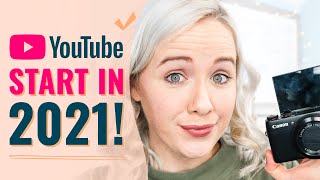
A data-driven, practical tutorial by Trena Little on how to start and grow a YouTube channel in 2021. Covers getting started quickly, defining a focused niche and content pillars, planning video titles/thumbnails and hooks, three types of videos (discoverable/community/sales), the YouTube “trifecta” analytics (click-through rate, audience retention, end-screen CTR), equipment/background advice, and the importance of scheduling and batching content. The video emphasizes action over perfection and uses agency experience across 100+ channels as supporting authority.
Alright. If you've been putting off starting a YouTube channel until now in 2021 and you're like, is it too late for me to get started? If I do get started, what is the right way to do it? The good news for you is there is a lot of free information here on YouTube to help you get started and kind of teach you the way to start a YouTube channel. The bad news is not all the content that you run into, that you watch, that you click on is going to be accurate. I've personally worked with over 100 YouTube channels in the back end of their channel. See all the data. This is also a reason why my channel isn't as big as it could be. Because I spend all of my time strategizing on my clients channels. And in this video I want to show you data driven facts and examples for what you need to do in 2021 to start a YouTube channel. This isn't all theory. I'm going to back it all up with data. Hey there. Welcome back. If you are new to this channel, my name is Trena and this channel is all about helping you plan, organize and create video content that helps you make more money in your business. If you're planning to start your YouTube channel in 2021, the first thing that you need to do is stop worrying about a strategy. You have got to get some videos up on YouTube. You have got to start working that muscle of creating video content. If you haven't created video content before and you have to just start doing it basically just ripping the band aid right off and getting on YouTube. Now what I would recommend for those videos for you to get started with is if you have a blog or if you have an Instagram and there are specific content pieces or there are specific posts that you have that do really that content and turn it into video content. One, that's going to save you a whole lot of time of figuring out what to create. Two, you basically already have your script written and three, you know your audience loves that kind of content from you. So you're kind of baking in that success from the beginning. The next thing that you want to focus on is what your niche is here on YouTube. And hear me out on this because this can be so vague and people say niche and you never really know what does that actually mean? I'm going to break it down for you in easy to understand examples. Okay? I have a client and their whole business model is based around creating funnels, sales funnels. So here's what we did to build Their niche. We thought about what is their channel going to be about their overall channel. This is going to help you when you are adding your channel keywords and when you're writing your channel about section. So what is this umbrella of content that you are going to focus on? So for them they would have content around sales funnel funnel, marketing landing pages, webinar funnels, Facebook ads, sales self liquidating offers. All of that is going to fit under their channel umbrella. And you can see how it's all niche, it's all niche into sales funnels and funnels. But they have a lot of content to talk about within that. So then once we figure out what is the umbrella of content that they're going to create, then we take all of these keywords and we start to break them down into pillars of content to create series. Sales Funnels for Beginners is one of the series that we created. And we talked about all the basic things somebody would need to do as a beginner with sales funnels to get what does that landing page look like, how to create a lead magnet, how to set up an email list. Right. What is all the basic things that that sales funnel beginner needs to know? Then another pillar of content is all about webinar funnels. What do they need to do to host a webinar? What do they need to do to create webinar slides? And this is all tying back into the channel niche, the channel umbrella. All right, so then we have two more pillars of content that feed into that. And when we bring on a client in our agency over here at Trina Little, we, we spend about four to five hours really harvesting these keywords, like doing all the research so that we can create these strong pillars for a strategic YouTube channel. But as you can see, this is where we define this niche and this is why it's important. Because YouTube's gonna start recognizing all this content that is spiderwebbing off of each other. And when somebody watches one of their videos, they're gonna be more likely to serve up another one of those videos in suggested. So that's how we can really start snowballing the viewership, the watch time and the subscribers on their channel. When everything all easily links together and YouTube can instantly see what that viewer wants to watch based on their viewer behavior ship on that client's channel. All right, so now you know what videos you are going to create because you're going to start with the content that's already doing well for you. You know how you're going to niche down on Your channel. The third thing that you need to do is figure out what the heck are you going to say in this video. Now I will link to a video right up here where I break down exactly what you need to in the video. But here's the Cliff Notes version. You really need to figure out what the title of that video is going to be before you even write the script for that video. Because people are going to be clicking on your video because of your title and your thumbnail and you've got to really promise on that title and thumbnail in the first three to five seconds or you are going to lose audience retention. Viewers are going to just click away. So you need to open that video the first three to five seconds. That's really going to grab people's attention, whether that's speaking directly to them. So in this video I mentioned you, I really wanted you to feel like I understood your pain point and I was meeting you where your journey is and so you feel okay, she gets me, she knows me. So you keep watching. Maybe you give an alarming statistic and that's the reason they need to keep coming. Or maybe you give them a really exciting piece of your video if you're doing a vlog or if you're doing entertainment type video that gets them hooked to figure out how did you get to that point. But that hook, that first three to five seconds of your video has really got to be planned to grab people's attention, to keep watching. Then you want to lead into a quick introduction of yourself. Like I said in my video, my name and what this channel is all about. And then you need need to get to that content as quick as possible. You can break this content down in steps, tips, tricks, hacks just make it easy for people to flow through your content so they want to keep learning. Step tip, hack after hack and then the key piece of your video is the end and your call to action. This is where you're going to get people to take that action, to get on your email list, to watch another video, to subscribe to your channel. But you don't want to tell them all three because then your viewer gets confused Again when I am scripting my videos or I'm creating my video game plan which I'm going to be sharing with you next week on this channel. So make sure you subscribe. I know what the goal of my video is before I start writing my video game plan. So I have one strong cut action to ensure I'm getting the most action takers possible. Alright, moving Right along. The number four thing that you need to do is knowing what types of video you're going to be creating. 65% of people go to YouTube looking for an answer. So one of the biggest pieces of your YouTube strategy for your channel is going to be those how to videos, those things that are going to answer your potential viewers questions. So this is what I like to call your discoverable videos. These are meant to be found by new people. These are meant to go viral, so to speak, because they are potentially showing up in search and Google and they're meant to bring people to your channel. Okay, then that next set of videos that you want to be thinking about creating, Remember, we're working our way down this YouTube funnel. Discoverable videos are at the top. Then the next way you're going to funnel them to what you want them to do and is those community videos. So your community videos are meant to make a connection with your audience. This is where I share things like the biggest mistakes that I made behind the scenes of a launch. I did a vlog a couple weeks ago. So I am not creating these videos to necessarily be searchable or to go big. They're meant to connect with my current audience to you that's already subscribed to this channel that is starting to like my content. Now I want you to like me and share more about my story. So I'm working you down this YouTube funnel so that you have this third piece of video content, and that is your sales video. This is where I'm talking to you business owners who are here on YouTube. You have got to create videos specifically for your business. Whether the whole goal of these sales videos are to send people to a webinar, sign up to get people to grab a freebie of yours, or to tell them you have this course and how awesome it is that video's entire goal. That sales video is meant to get those people that found you from discoverable videos who really start to like you and become those loyal fans and followers from your community videos to now purchase that thing that you have because you've created this relationship with them and they're ready to trust you and give you their credit card account to buy what it is that you're selling or to grab that free thing that you have available. So as you're planning out your videos and getting started here on YouTube in 2021, I would also start to think about these three types of videos and how you can start weaving them into your content plan. The fifth thing you need to focus on when you're getting started here on YouTube is the algorithm and your analytics. So one thing that I talk about all the time here on YouTube is the YouTube trifecta. And there are thousands and thousands of algorithms happening every day on YouTube. It's not just one algorithm, there's a lot of algorithms happening. But as of right now, what YouTube is really looking for, for those videos that they are going to serve to the top of search that they're going to put on, suggested that they're going to put on the homepage is three things. This is what I call the YouTube trifecta. First, click through rate. How well your title and your thumbnail grab people's attention and they click on it. Right? You want to think of the YouTube homepage and the search and they suggested as prime real estate. And YouTube is not going to put your video on that prime real estate if people aren't clicking on your video because that is taking up real estate for somebody else's video that's getting clicked on. Because the whole goal of YouTube is to get people to click on videos and watch them because they can serve up ads and make more money. So the one thing that you should really be looking at in your analytics as you post videos is how well are your titles and your thumbnails getting people to click. Now YouTube, if you look at the analytics says anywhere between a 2 to 10% is a good click through rate. I would highly suggest trying to beat yourself every single video that you put out. Personally we struggle with getting about a 5% click through rate, but I have clients that get an 11% click through rate, a 14% click through rate. And so you want to figure out what it is that you can put on your title in your thumbnails that is going to get your audience to click and then you want to track it. Which one of those got a higher click through rate? Why do more of that? That's the first thing in the trifecta. The second thing is your audience retention. Again, YouTube is not going to serve up videos to people if people click on it and don't watch it. That's why I talked about the hook earlier, because the hook is the biggest place you're going to lose audience retention. But YouTube will reward videos that have good audience ret. So as you publish videos and you go back and you look at them, which is key, super important to hear here. If you are Getting started on YouTube in 2021, you need to be looking at these analytics because as you watch your audience retention graphs, you can Figure out how you can create better videos. And if you just keep plugging out videos and plugging out videos without looking at your audience retention to figure out how to make it better, YouTube is not going to serve your content to more people. The longer people watch your video, the more YouTube can put ads on that video and make more money. So that's why this is a crit piece of really studying your videos if you want to grow on YouTube in 2021. And then that third key analytic that I personally study with all of my videos and my clients videos is your end screen click through rate. Now why is this important? Remember, YouTube wants to serve up videos that get people to watch longer. So if somebody sees your video on say the homepage and you did your job by getting a high click through rate, and you did your job by having audience retention and getting people to the end of the video, the next best thing you can do is to get them to watch another video. So clicking on that end sign screen, if one video does that and it gets people to watch another video, you could expect most times for that video to perform pretty well. YouTube is going to see. Okay, in the world of Mario Brothers, right? Collecting all these gold coins. When you go down that green tube in the world of Mario Brothers, you're trying to collect all these gold coins and you just collected them all along the way with that YouTube trifecta. Now there are other things that you can do as well to collect more gold coins to make your videos more valuable to YouTube. But I want to keep this super simple and I want you to focus on the things that you can put your time into to see the maximum results. Moving right along to my next tip for getting started here on YouTube in 2021. Stop focusing on the wrong things that are holding you back from getting started. First things first, let's talk about equipment. You do not need a super fancy camera. You do not need a super fancy ring light or microphone. You need to get started with what you have. In fact, last week, which I'll link to that video right here, I shot an entire video on my cell phone. And if you watch this video and then you watch that video, you probably can't even tell the difference between a Canon EOS like fancy camera and your cell phone. So stop worrying about needing this fancy equipment. I know personally, the fancier I make my equipment, the longer it takes me to get set up, the longer it takes me to film and I just waste a lot of time. So make filming simple so that you will actually do it also, when it comes to your background, do not overthink this. You're literally only in this rectangle right here. And you don't see the empty Coke can on my floor. You don't see the kindergarten class over here. You just need to focus on what is right here. And when you're just getting started, a blank wal is simple enough. All right. You do not need to have a setup back here. I happen to have that because I needed storage. This isn't like a plan setup, but I needed storage for all my equipment. Don't be focusing over the things that you think you need to get started on YouTube. Just get started with what you have already. Then you can start adding layers to it. You can seriously watch my entire journey here on YouTube and how I started adding layers. I started in front of a purple wall, and then we moved to a tiny apartment where I could only shoot in front of this. This yellow wall. Even in this room right here, I've had three different setups where I was on the opposite side of the room with a gray wall and I was on this side of the room with kind of this set up in a gray wall. And then I painted it. So it's a journey and you don't have to have it perfect when you get started. All right, that next tip kind of goes back to that click through rate because you're probably wondering, how do I create good titles and thumbnails? And this is going to be critical for getting started here in 2021, because like I said, if people aren't clicking on your video, YouTube's not going to serve it up. So what practices for a thumbnail? You may wonder, Trina, why do you make those weird faces on YouTube? Well, that's actually what people are clicking on. I was just listening to an episode of Ear Biscuits. It's a podcast that I listened to that Rhett and Link from Good Mythical Morning have, and they were talking about this specific thing, thumbnails. And the reason why they create thumbnails the way they do is because that's what people click on. People want to click on thumbnails where they can see who it is that they are learning from. You need to have text on it so that supplements the title or grabs people's attention. You don't want to be just copying the title of the video on the text. People do not need that repeated. You need to add text that is going to grab people's attention. Read five words max on that thumbnail and you want to be expressing something in that thumbnail, what is that viewer feeling at that point in time? Or what does that viewer want to feel like in that point in time? That's the imagery, that's the photo you're going to want to get for that thumbnail. So what I do every single time I'm done shooting this video, I've already already screenshotted my ideas of thumbnail poses I wanted to do. When I'm done with this video, I will take a couple selfies, I will turn my camera on self timer mode and take a couple photos. Then I have a filter that I use in Lightroom that I will slap on it. My designer has a couple different templates that we use and that's what you've been seeing here on my channel. So that's kind of the best way you want to think about your thumbnail. When it comes to your title, you really want to think about headlines. The same way BuzzFeed has headlines, newspaper headlines. You do want to make it click baity, but not that you're lying. You want to intrigue people to click on your video, but you want to promise a value and deliver on that. And so that's why when I mentioned earlier on, is that I come up with my title and thumbnail concept before I write my video game plan. Because I want to ensure I deliver on the promise of the title so I can come up with more catchy titles or I can come up with more buzzfeedy headlines from my title and then I can ensure that that's what they are going to get from my video because my content all revolves around the title and thumbnail concept. This tip is the biggest tip that I have for you if you are going to get started on YouTube in 2021 and that is plan your videos and put filming on your calendar. So the biggest question that I get from people is how do you find time to film videos? And the truth, the honest answer is you have to make time for it. If you don't put it on your calendar, if you don't make filming videos a pr, it won't be. And for me, videos are my primary marketing material. If I don't create this YouTube video every single week, I don't have content for my blog, I don't have content for my newsletter, I don't have content for Facebook, LinkedIn, Instagram, all of my content is tied to this weekly video. So if I do not put filming on my calendar and I do not try to fill things up or schedule over it, I will not get it done. In addition to putting it on your calendar and filming, the best way to make filming go quicker and smoother is having your video game plan. And so I have already mapped out exactly what my titles are going to be, what thumbnails I need to get, and what I'm saying in these videos. So when I do have two to three hours that I can shoot these videos, I can get through them one after another. In fact, today I'm hoping to get through five to six videos, and that's over three weeks worth of content for me. But again, I would not be able to get through that many videos if I did not have this plan in place. But listen closely. You do not have to be a video batcher to see success here on YouTube in 2021, but you do need to create a system or a schedule so that you can continue to show up here weekly, consistently on YouTube. So if you can't shoot multiple videos in one day, you need to put in a schedule. Maybe every Monday you plan your videos and every Tuesday you film. And then you stick to that. Nothing comes in the way of filming that video so that you can then post it by Thursday. Monday it starts all over. Monday, you plan your video. Tuesday you film it and you post it on Thursday. That is going to be the only way you are going to be able to get started here on YouTube in 2021 if you make planning a process and you stay consistent. Now, if you're like, heck, yes, I'm ready to get started on YouTube in 2021. And you want to level up all of your video skills, you need to grab your free ticket to a online summit that I am hosting called the Video Refrain Summit. Yes, it's 100% free. We have over 13 experts speaking about how to be more confident on camera, what equipment you need to get started, how to even do your video makeup, how to use video on Pinterest and LinkedIn, how to tell better stories on video so people watch your videos longer. So I'm gonna link to the video Reframe Summit right up here and down in the description box. It is happening February 23rd, 24th and 25th, and it's totally free. But you have got to grab your ticket now so that you get access to to these sessions. Once you grab that ticket and you want to see how I film or how I batch, watch the video on your screen right now where I literally bring you along a day of batching my videos. Yep, you're gonna see exactly what it looks behind the scenes. So click on that video and I'll see you over there.
More from Trena







Why Every "Business Guru" Suddenly Went All-In on YouTube (And What NOT to Copy)

