Streamline Your Content Creation with Color-Coding: A Step-by-Step Asana Tutorial
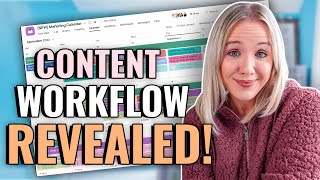
Trena Little walks through organizing a content calendar in Asana using color-coding to manage pillar content and coordinate across YouTube and Instagram. She shows her actual workflow for keeping a content team aligned and productive.
If you have a simple content calendar so you know exactly what you're posting and when you're posting it, content marketing becomes so much easier and a heck of a lot less stressful. And we need to be creating this content system because content is what sells our business. Creating content drives you more traffic to your website, builds your visibility, build your credibility, and gets more eyeballs on your courses, on your services, and basically around your business in general. So I'm going to walk you through the process that we've really nailed down here. Finally been, you know, five years in the making to find a great process that we love for creating our content calendar and a tool that we literally run our business on card Asana. Asana is a project management tool. And I'm going to tell you, I even do personal life organization things inside of this project management tool as well. So I'm going to show you how we finally set up our content calendar in a way that helps me organize putting out this amount of content every single week. One YouTube video, five reels, two to three Instagram feed posts, a blog and a newsletter. Now like I said, I played around with Asana a lot to really nail down this process that works for me and my team. So I'm going to show you exactly what we do, what content we put out, when we put it out, and who's on my team to help me do this. So before you start creating your content calendar from scratch, you do need to ask yourself a few questions. These questions you need to ask because one, you don't want to overwhelm yourself with content creation. You don't need to be doing or that you can't actually handle at this point in time in your business. And two, you really want to zone in on what's going to work for you at this moment in time. So here are the questions you need start asking yourself. What is your pillar content? In which platform is that pillar content going to be on? Now, what is pillar content? Pillar content is going to be your long form content that is evergreen content. What I highly recommend being your pillar content is YouTube videos. Because YouTube videos first is video content. And video content is going to be crucial for any business owner and any marketing plan. And because YouTube is not only accessing that searchability factor, but it's also plays another side into your business as that social media factor because you can create amazing communities here on YouTube. So just because YouTube has this one, two punch right searchability and connection, I really would focus on YouTube as your pillar content reels. My friend are not pillar content reels. Lifespan is maybe 24 hours, if you're lucky, 48 hours. So what's going to happen to you if you focus on reels? Being your pillar of content is you're going to constantly be chasing your tail because you have to create content for the Instagram algorithm every day, single day, because those reels aren't searchable at this moment in time. And Instagram loves newer content. Right? And so that's why I want you to focus on some longer piece of content, something that can live longer for you as opposed to constantly chasing your tail creating reels on Instagram. Once you've created your pillar content, then you want to think about your secondary platform. And yes, I'm only just saying one secondary platform because like I said, it is going to be hard, especially if you are a team of one, or even a team of two to keep up posting your social media content. For me, right now, I'm the sole content creator and then I have Erica, who is my marketing manager, who helps me get that content out on YouTube and Instagram, who helps me facilitate with my video editor as well to get my videos on YouTube. So you need to understand creating one piece of pillar content every single week is a huge undertaking. It's something that needs to be done for any business owner. But you only want to think about maybe one other platform to add to your plate as you're starting to ramp up growing your business. Now, this secondary platform could be Facebook Live. These can be real. So again, if it's not your pillow piece of content, you don't have to be constantly chasing your tail. This could be TikTok, this could be LinkedIn if you have a more professional audience. Could even be your newsletter if you want to focus on that, or Twitter. In my business, we've done a lot of testing to really figure out where we want to focus our efforts. And instead of just like spreading ourselves thin on every single platform and not really creating content for the culture of that platform, we've taken all the data that we've collected so that we can focus on two to three pieces of content every single week that is really focused on what's working on that platform. So this is what our current plan looks like and I'm going to show you it here Inside of Asana YouTube every single week. Right now, it's every single Wednesday. And then we send a newsletter out every single Wednesday as well, sharing what is super valuable in this video and why you would want to watch it and then link from our Newsletter over to our YouTube video. We also have a content writer, she has a contractor, she has a content rating agency, Latasha of Uncanny Content. She then takes our YouTube video and turns it into a blog. She also does the newsletter as well and pulls out social captions for us. And then when I sit down to record my YouTube videos, I also have planned on the back end of my YouTube video what I'm going to record for reels, focusing on the content that I just shared in the YouTube video for Instagram reels specifically. And we could pretty much use that on TikTok as well. And then for our Instagram post, we really focus on doing carousels with very helpful information that you would want to save when you see it on Instagram. With YouTube, we're thinking about value and getting people to the end of this video, whereas Instagram we're thinking about, will people share this? Will people save this? And that's how we're creating our content for the culture of Instagram. Because the more people I reach, the more eyeballs I get to my business, the more eyeballs I get to my offers, the more eyeballs I get to my agency services page. So let's move on over to Asana and I can show you exactly how I set this up now that you're starting to figure out what you're going to be focusing on. So in the comments, share with me, what is your pillar platform going to be and then what is your secondary platform going to be? Like I said, My pillar is YouTube and my secondary is currently Insta. And if we would pick a category on Instagram and be Instagram reels. So you're first seeing right now what our content calendar looks like for the next couple of weeks. Now, before I jump into this, I want to tell you, you can do this all on the free version of Asana. The reason why I have a paid version is because we run literally my entire business on here. Not only do we have our clients in here, but we have our video editors in here, we have our clients assistants in here. So we had to upgrade our Asana to be able to bring all of those people into here. But if you're just a team of one or two or I think prob. Even four, you can totally do all of this for the free version of Asana. And if you're wondering, like, how do I do other things on here, like keep my business organized, keep our clients organized, keep our course launches organized, type in the comments below. Asana video. So I know you want to see More breakdowns of how I've set up my projects inside of Asana. So like I said, keep my business life so much more organized. So when you're looking at this, right now you're looking at the calendar view. This is how I like to see our marketing calendars. So what you'll need to do to start set this up is come over here to your teams and you want to do add team. And then you'll want to name this, whatever you want to name it, Content plan, editorial calendar, right? And this is creating a team within Asana. So now you see it down here you have your content calendar. The next thing you're going to do. This is why it is so important that you were figuring out what your pillar piece of content is and your secondary piece of content is going to be. Because now you're going to come into your team and you're going to create a project. So right here you can add a new project. You'll just want to start with a blank project and you're going to name this your pillar platform. So again, I'm just going to do this test. YouTube. I personally prefer viewing my tasks in a board format. And that's what you're going to see here as I walk you through my YouTube board and my Instagram board. So we're going to continue and we're going to go ahead and start adding tests. So we're going to go to project and now we see these different columns. So the first column that I have for myself are resources. So these are quick links for everything that my team needs. We also have a template which I'm going to show you here in a minute. This is my ideas column, where I can leave all of my ideas for YouTube videos. Because remember, all my content starts at YouTube. Then I have this area where I title and script it. Then I move it to this phase where I record it. This is in the editing phase. This is to schedule, publish, and then this is to promote. So that's kind of the phases our YouTube videos go through. But within each of those phases, there are some subtasks which I'll show you how to set up. But just so you can see, we have a template here. Every single video that I decide to move forward to script gets duplicated from this template. Not only does my YouTube video go through these certain phases, but I have subtasks through each phase. So you can see all of the subtasks that go through in the pre record phase, all of the things that go through in the recording phase. And the editing phase. And then when you come down here to the bottom, all of the things that go through in my promotion phase. So this is every single video has this entire checklist that I need to create. Now you can create a template so that every time you're ready to plan your YouTube video, come into these three little dots and you hit duplicate tasks so that every single idea has all these subtasks. So let me show you how you do this. In your YouTube board, you would type here. Just double click here. Maybe resources. Next, leave a column for your ideas. Leave a column for scripting. We'll do a column for recording, editing. Promote with this. You want to come in here and change this. I like to bracket it as a template because once you create this template, you don't want to touch this. You're just going to duplicate it every single time. You're going to start adding subtasks. Here's an idea of what I've done. Okay, research topic. Then I create a Google Drive folder, my video game plan, and then schedule recording date. Let's say that's all in my scripting or my first phase. Right now if you want to start breaking these up, we have these subtasks, right, with headers. So what you're going to do here is you just click right before the R on that first task and you hit tab and boom, new section. So let's just say this is your pre record. Now let's say you come down here again, tab N and we are going to say this is the record phase. So what I need to record is my A roll, I need to record my B roll, I need to get my thumbnail photo record two reels, right? So you can really start tracking everything that you need to do to get this video published. Now you have a template. The next thing you're going to do is start getting ideas. So when you have an idea for a video, you're going to come to these three dots, you're going to duplicate this task and you're gonna add your idea here. So let's just say I'm gonna do creating thumbnails. That's gonna be my initial video idea. So this is my YouTube board. Now let's look at my Instagram. We have a production board for reels. And I know it may seem like, well, can't we put this all together on one board? This was easier because YouTube, I have a certain process. Reels, I have a certain process. And I'm gonna show you how we marry those together. Same theory, same concept here as YouTube. You wanna create a template card so that you can duplicate and add all the things that you wanna do here. Now this is where we start linking them together. You see this over here? You've created your YouTube board, you've created your Instagram board. Now you're going to create another board right here under your content. You're going to create a new project and this is going to be a blank project. And this is, you know, marketing calendar. This is where everything's going to tie together and you're going to start to see a color coded content calendar. Now again, I like to prefer the board format and I'll show you how you can switch back and forth from board to calendar. If we continue here, go to project the columns you're going to add here are the content that you're creating. So this is going to be YouTube, this is going to be reels, and we don't have to add any tasks because the card you created on the YouTube board and the cards you created on your Instagram board are going to come together here super easy. So now you're going to click creating thumbnails, you're going to come up to these three little dots and you'll want to add to another project. Or you can just click tab P. When you add to another project, this is going to pop up and you'll want to find your overall content calendar project board. Right. So we have right here, we named it our marketing calendar under our test content calendar team. And if you want to make this a certain color, so YouTube is red, we can add a tag to it to start making it color coded. So again we'll click into here, you'll come to three little dots. Again, add tag or just do tab t and do YouTube. So now we have a red color coded YouTube tag. And again if we click back in here, it is connected to our marketing calendar and then you can select which column it goes under. Okay, now you would do this same thing on your reels board or your LinkedIn board or wherever else you are. But when you do this, drop down from your marketing calendar, make sure it's under that column. So if we go to our marketing calendar, right there is your creating thumbnails video. The reason why we created these subtasks are things that you need to put on your calendar leading up to the publish date. So I put the publish date right here. Let's say this is due October 12th. This is the day my video goes live and I'm going to assign it to me So I can see it on my overall calendar. Now here's the fun part. If you come to your marketing calendar, right, and you look up here at calendar, right, There it is. Let's use one of my reels and we'll link it up. Okay, so we're gonna click on this. It's already added to our new marketing calendar, but we're gonna add it to another project. We're gonna add it to that test marketing calendar. See, it says YouTube. We're gonna make sure it is in reels. Now I would want to add a tag to this as well. Reels. Now I'm going to go back to my marketing calendar. Boom. Right there on the calendar form. So this is how you can really start creating your color coded content calendar so that you could get it to a point where it looks like ours. Now, if you want to get better on Asana and really elevate organizing your business, I highly encourage you to sign up for a free training that I am hosting with my friend Louise Henry on October 20th. She's going to show you how using Asana can do much more than your marketing calendar and really get your business organized so you can earn more, work less and grow faster. So I'm going to put the link to this training for you to sign up for. It is a live training. It's going to be down in the description box. I'm going to tell you, Luis, is the only reason why I'm this good in Asana and why my business runs so smoothly and is so organized is because of Louise. So I hope I see you there. Definitely sign up for this free training. One last thing that I wanted to share with you. One of the key parts in this entire content plan, or this marketing plan, whatever you want to call it, it's knowing exactly what you're going to be saying in that pillar piece of content because the rest of your content pools from that pillar piece of content. And in my example, YouTube and what I highly recommend, YouTube. So watch this video that's on your screen right now because I take you through my entire process for scripting my YouTube videos. So you know you're creating videos for the YouTube culture for the YouTube platform to do it its best and you won't have to worry about what you need to say in your next YouTube video. So click that video and I'll see you over there.
More from Trena







Why Every "Business Guru" Suddenly Went All-In on YouTube (And What NOT to Copy)

