The Secret to seeing REAL growth on YouTube (and its not POSTING more videos)
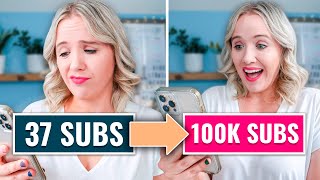
This is a YouTube video titled "The Secret to seeing REAL growth on YouTube (and its not POSTING more videos)" created in September 2022. The content features Trena Little delivering a detailed solo presentation on effective YouTube growth strategies, including audience understanding, topic selection, click-through rate improvement, audience retention, community building, and creating binge-worthy content. The video is instructional and aimed at helping viewers accelerate their YouTube channel growth with actionable tips and examples.
I know you aren't a time waster, right? So I want to cut right to the chase and tell you exactly what you shouldn't be doing if you want to see quick results on your YouTube channel. And that is not focusing all your time on keyword research and finding the best tags and finding the best way to rank on search. Because I know if you want to put your time into YouTube, you want to see momentum on that YouTube channel. You want to see actual views and subscribers coming to that channel quickly. And I'm going to tell you from personal experience, spending all your time on trying to rank in search and making search your number one priority. It is going to be a slow freaking grow for you. I spent the better part of my first five years on YouTube focusing on ranking on search and my channel is dying. My number one traffic source to my channel right now is search and I am hardly growing. And just three months ago we had a client, we started her YouTube channel from scratch and within that three months, not only were we able to grow her past 11,000 subscribers, but she was able to achieve 300,000 views in less than 90 days. And you know what her number one traffic traffic source was? The browse feature, not search. So which trajectory would you want to take? Go ahead and hit that like button if you would rather see 300,000 views in 90 days versus my journey on YouTube and comment below. Stop. If you're ready to stop implementing outdated advice here on YouTube and let's start mapping out an action plan for you so that you can start implementing this strategy as well. I'm going to go over a six part strategy for you to grow on YouTube and action steps for each part. These parts are 1. Know your audience. 2. Pick the right video topics. 3. Get better click through rates. 4. Improve your audience retention. 5. Build a community on YouTube and 6 create binge worthy content. Okay, go ahead and grab a notebook and pen because this is a video full of noteworthy tips you are going to want to write down. The first thing that you need to do to absolutely see results on YouTube is know your audience. You need to really dive in and understand who your audience is watching. What kind of content are they watching on YouTube? Not just the basics, you know, female, ages 25 to 50. You need understand their behavior on YouTube because what YouTube tries to do is cluster your content in with the right audience. It's like when your kid gets on your YouTube account and when you log back into YouTube you're recommended. All this kid stuff, it's because the YouTube algorithm's job is to serve you the best content they think you are going to watch based on what you previously watched. So this is why it's so important to understand who your niche neighbors are. Now, I know this is super important to the YouTube analytics because if you log in into your channel analytics, they literally tell you who your audience is likely to watch if you have enough data. If you have enough views coming in, not only will the analytics tell you what channels your audience is most likely to watch, but they're telling you the exact videos your audience is watching. So if you don't have this data yet on your YouTube channel, how do you start to figure out what your audience is watching? I'm going to show you an example on how to do this on my computer. We're going to use a squarespace expert in this example for this video. So what you're going to do is let's just look up Squarespace Tip 2022. You can filter this by channel and see if you can find any niche neighbors. So right here, Rebecca is a squarespace coding expert. She has over 2,000 subscribers. So maybe that's a channel. Especially if you're just getting started at zero would be a great place to start piggybacking off of. So this is what you're going to do. You're going to dive in and start looking at channels and then you can also come back and if we switch the filter, you can look by videos as well. Now some of these may not be exactly so squarespace designer that they are talking to your audience. Let's just look at Phil for real quick because he's Squarespace tutorial, but let's see what his channel is about. Personal branding, social media and travel. So maybe I know this is exactly what my audience is speaking to. So I'm going to go into his videos, I'm going to sort by most popular and I'm going to look at can I talk about any of these topics? That is a great way to really just start diving in to figure out who are two to three neighbor niches that you're going to be looking at. As you start to build out your channel plan, the other thing that you can do is poll your aud. Start asking your audience if you currently have an email list, if you have an Instagram following, not only see what they are watching on YouTube, like asking them what they're watching on YouTube, but asking them what content they want to hear from you. This research, this piece of your YouTube strategy or your YouTube action plan is really what's going to elevate you a lot faster than diving into keyword research, and this is exactly what we did with our client who hit 300,000 views in 90 days, is we dove into clearly understanding who her audience was watching on YouTube, what type of their content was performing well, and then we spun that content to really highlight her secret sauce in the way she teaches. All right, your action steps here in part one is to find two to three channels that are niche neighbors, whether exactly like your niche or parallel. So they're speaking to the same audience you are. The second action item you want to be doing during this part as well is taking notes of thumbnails and titles of your niche neighbors. Start to see if you can figure out any kind of trends or anything that's reoccurring when it comes to titles and thumbnails, because this is really going to help you. Coming up in part. All right, now part two is all about picking the right topics, because you don't just want to create a video over on YouTube without knowing that topic has a need on YouTube or a demand or YouTube or something that your audience will actually click on. So how do we do that? The first thing that you can do is literally just go to YouTube and start typing in an idea that you have in the search bar. When you look at the results, ideally you're looking for any type of topic that's getting more views than that channel has subscribers, because that signals there's something about this topic that is very interesting to your target audience. Now, you may not always be able to find these when you search, but it takes a little bit of digging, a little bit of shifting some phrases and some words around to really find this. The other way to do this is go to your niche neighbors from part one. You want to go to their videos and sort their videos by most popular. What are the topics that are getting the most views, but also what are the topics getting the most views? And say, the last three to six months, can you take that topic without even watching that video? And you talk on it or you teach on it, give your own spin on that topic. Now, I personally don't even think you have a need to get any fancy tools like TubeBuddy or Vidiq. While I do use those to assist me in planning strategies for our clients, I don't think it's necessarily required as you are getting started on YouTube. It tends to be just one more extra thing to spend time on and sometimes overwhelming confuse most people getting started. And in fact, I go through an entire process inside of my Video Strategy Academy program called Piggybacking, where I walk you through how to really dive in and figure out which channels you should be piggybacking and how to implement that piggybacking plan. Now, if you are interested in joining Video Strategy Academy, not only learning my piggyback strategy, but also learning my firework approach where I teach you not only how to get more views to your videos, but how to actually drive leads and sales to your business as well while making the YouTube algorithm still happy. The doors to my program are opening tomorrow, so if you want me to help you build your YouTube strategy, hold you accountable, have group coaching calls with with me and my team every other week and get you the feedback you need as you build your YouTube strategy. Head to treanalittle.com vsa to get inside during this round. Here's the only actions for this part. Decide on a topic. You want to pick the topic you feel most confident talking about and what aligns most with you. Because if you're confident and you feel really good about this topic, it's going to be a lot easier for you to talk on video. And there is no detailed strategy here. Honestly, just pick a topic that you're like. I feel good with that. I can talk about that and my audience is going to love it. Just pick one right now. All right, moving into part three and this is getting better click through rates. So your click through rate is how well your title and your thumbnail do to get people to actually click on your video. And YouTube isn't going to push videos that aren't getting clicks on them because it's basically wasted space for YouTube. Because if they serve your video to people and it just sits there taking up space and people don't click on it, why would YouTube continue to push it to people? So when it comes to titles first you don't need to stuff it with keywords because when you upload your video, YouTube is already scanning what you are saying and YouTube already knows what your video is about. Just think about how all the vloggers like became so popular and got in front of so many people. They didn't keyword research or keyword stuff their titles right? But what their titles and their thumbnails did was stop the scroll, pique the curiosity of the possible viewer, and then cause that viewer to click on that video. You want to think about your video title and thumbnail the same way. Another tip here is you want to be pretty clear in the title what they're going to actually get out of this video. You want to really show them the benefit or the value of watching your video. You really need to stand out on the homepage. How did we get that client over 300,000 views in 90 days. We really focus on creating titles and thumbnails that people would want to click on. And since people were clicking on it, YouTube continued to put it on the browse feature. Because when they put it on the homepage on the browse feature, people clicked on it and people watched it. And we're going to talk a little bit more about this coming up. But then people watched it, watched another one of her videos and another one of her videos. So because our video got people to stop the scroll, click on it and continue watching, that's why our content got served for that channel all over the place. Now I always get asked, what is a good click through rate? First of all, I always challenge you to compete with yourself to make it even higher. But I would start as like a standard to try to hit at least a 5% click through rate and go up from there. This is something that we've been really working on on my channel. We've almost hit hit that 5% channel average here on my channel. But that's really the metric you want to be looking at because the better your click through rates, the more YouTube will push your content out to more people. Just a little secret on what we've been doing to increase our click through rates is we create at least two or three thumbnails for every single video that we create. And then once a video has been up for a little bit, we try to determine is it hitting the mark or do we need to switch it out. So we may switch out a thumbnail if it's not hitting the mark after about six hours and we continue to watch it. And then a few days later, then we start to a B test with a another thumbnail. All right, your action step for this part is to craft a video title that your audience will be intrigued by and definitely want to click when they are shown it on YouTube. And the second action step is to start to look at thumbnails on YouTube. Find a few thumbnails that you really like, that you enjoy the style that is again part of your niche neighbors. Because your thumbnail should look kind of similar to what your audience is currently watching, but still find a way to stand out. Part number four is to improve your audience retention on your video. Your audience retention is critical for the success of your channel because if people are Clicking on your video, doing everything that I taught you in the last part, but they aren't watching your video again. Why would you want to push that content? So how are you going to improve your audience retention? Well, the first thing you got to do is immediately eliminate any branded intros that you have. Like literally cut it. You need to get people to watch your videos and those branded intros are pretty much seen as a barrier or an ad to your content. The second thing that you need to do to improve your audience retention as well is to deliver on the actual title. They need to know in about five to 10 seconds if you're going to deliver on that promise and that video title. Start with your title first and then craft the hook of your video. But if it's disjointed and it doesn't make sense and you don't get to the point there, they're going to click off, they're going to go to a suggested video. Which leads me to the other thing you shouldn't be doing at the beginning of your videos as well is opening your videos like, hey guys, how are you? It's good, it's raining here. You've got to get to the reason why they want to keep watching your video. And then you can start to sprinkle like little conversations and chats within your video. Now another thing that you want to do when you get to the end of your video is don't signal that the video is about over. Never say in conclusion. In summary, finally the last part, last tip. Because as soon as you say that, they're going to be looking for another video to watch, but instead you want to go from that last piece that you're sharing or the end of your video and immediately stream into what they should do next, which is what I'm going to be talking about coming up in one of the next part so that you can create this bingeable channel, but try very hard to avoid signaling that your video is about to be over. The other thing that I like to do as well as I'm planning my video game plan is to add different ways to create engagement in my video. So I may add gifs in here to connect with you to kind of give a little bit more of my personality because I have a hard time letting my personality shine and not trying to be professional. Trina I also like to add in ways to get people to like, like hit the like button or ways to comment because all of these signals tells YouTube this must be a good video because people are engaging on it. Now, I was thinking about sharing with you how to read your audience retention graphs, but maybe I just leave that for another video so I can really go into detail explaining how to read your audience retention graphs. If you would like to see a video on that comment below. Audience graph, please. I feel like this video is getting pretty big as it is, but if you do want an audience retention graph explained, let me know by commenting below. All right, your action step for this part is to plan out your video. Now, you can only plan your video after you had your title. Okay? So make sure you had your title from part two and then start planning your video. All right? Now I told you this was going to be a detailed video. So I want to know if you are still here because I'm literally giving you a truckload of content here. So type still here. I know you got to at least part way because we're going to be jumping into part five, which is building a community on YouTube. A lot of people look at YouTube as like a search platform, but in reality, not only is YouTube a search platform, it is also a social media platform as well. You can really build a solid community here on YouTube. Just think about it. The Ryan Toy channel. He got such a strong community that he was able to get a deal with Walmart to sell toys. That is the power that YouTube can have because this is the closest people are going to get to you sitting here on video as opposed to like an Instagram post or a blog post. So always make sure that you are in the comments of your videos engaging as much as possible. You also want to really use the community tab as well. So your action step here is to put time in your schedule every single week to engage on YouTube. Absolutely. YouTube takes a heck of a lot of work. But I just got done doing a case study over on Instagram and TikTok where I posted two TikToks, two reels every single day for 30 days. And I'm going to tell you what, the time that I put into YouTube 100% pays off, off more than those Instagrams and TikToks. Because you know what? The videos that I created back in February are still driving leads and sales to my business. Whereas the TikToks and the Reels I created on August 1st are dead. If you are just getting started on YouTube, I do not recommend you do more than one video a week. One video a week is totally doable and you can still see results on YouTube. Now let's jump into part six and this is all about creating binge worthy content. And this is what will take your channel to like, like average good, to exceptional. Now this isn't as easy as saying make longer videos so people watch more of your content. Because you also have to balance that with what we talked about earlier, audience retention. But you gotta really start balancing the time of your video with your audience retention. Personally, for me, I have no idea how long my video is going to be. I think about the title that I created and making sure I'm delivering on that title with like a huge punch. And then however long this ends up being, which I know my video editor is going to probably want to take a break after this video because it's been so long. I just want to really provide valuable information based on the title. You also really need to find what your audience enjoys. So again, that goes back to part one, understanding your audience and what they are watching on YouTube. And the other thing that you need to do with your content to create binge worthy videos is to create videos and to create a Persona here on YouTube that people want to come back and watch every single week. And I'm going to tell you like full transparency, vulnerable moment here. It's so hard for me to do this because I just wanted to show up, give you the information so you can take it and run instead of making a connection with you. And so why that has been so detrimental Also to my YouTube channel growth is because yes, my content is good and people are learning from it, but they're coming for whatever the answer is to their question and peacing out. And that is why for the past year I've been really trying to do this so that I do have more reoccurring viewers coming back and watching every single video. But this is what makes a big binge worthy YouTube channel. And then the easiest one that you can do to create binge worthy content is end screens. So if you can easily have a call to action to go watch that next video and not just like watch the video on your screen right now, but make it purposeful. Think about the video you're creating real time. This one right here. And what video that you already have would it make sense for them to watch next so that they couldn't say no, where they're like, oh yeah, I totally need to watch that video next. All right, your action step here is, number one, figure out a way to make a camera connection. And number two, always determine what the video is going to be that you're going to tell people to watch next. This is critical. Now, I literally walked through the recipe, the exact recipe for success on YouTube, exactly what we did with our client, who went from 0 to 300,000 views in 90 days. But I didn't tell you how we were actually scripting her video. So if you want to see exactly how we plan our videos and how we script not only my videos, but all of our clients videos, click the video that's on your screen right now, because I'm going to walk you through the entire process.
More from Trena







Why Every "Business Guru" Suddenly Went All-In on YouTube (And What NOT to Copy)

