Using Your Branding To Stand Out - Getting Your Channel Started
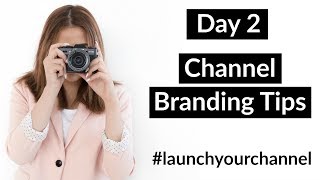
A ~10–15 minute YouTube training from Trena Little (May 30, 2017) teaching entrepreneurs how to brand their YouTube channels so visitors convert to subscribers. Key actionable items: optimize the channel banner (business/name + short tagline/value proposition + preferred upload day), design consistent thumbnails that match site/Instagram branding (example: black background, white text, host face), add a video watermark (Dashboard → Channel → Branding) that can show a subscribe CTA, and use a recognizable channel icon/profile photo. The host also gives live, personalized feedback and practical tips for mobile/TV banner safe areas and how to update thumbnails without deleting videos.
Questions this video answers
She cites a 2016 statistic that only 8% of small businesses were on YouTube.
In YouTube Studio: Dashboard → Channel → Branding (upload watermark image and choose display timing).
Options include showing the watermark for the entire video, a custom start time, or only at the end of the video.
Hello, everybody, and welcome to day two of launch your channel challenge. Today we are talking about branding. So the most important elements to branding your channel, to really make it stand out so that people want to subscribe to your channel, they want to keep watching your videos and ultimately get them on your list. Yesterday we talked about how to get your channel started with value proposition and who you're going to be searching, servicing. So this will definitely help when it comes to branding. My name is Trina Little. If you're new to my channel here, and then my video content strategist and I help online entrepreneurs create a video content strategy that works for them and their business. Because I understand no two business owners are alike and no two businesses are alike. So you need to craft a video strategy that works for you. So today, like I said, we are jumping into brand elements for your channel. I'm just gonna make sure that I have the comments ready to go over here. Oh, I see we have Claire Shooterman, Celeste, Danika Zulu, Moon, Lauren. Hello, everybody. Thank you so much for coming. It's so exciting to have all of you here. I've been loving your feedback in the Facebook group and checking out your channel banners that you were popping in there this morning, giving you some feedback on that as well. So if you aren't in the Facebook channel, Facebook group, just make sure you go over to Facebook and search video for biz crew. I'm giving you feedback, really helping you get through creating all of this content that goes into a YouTube channel. So why don't I just start off first and let's talk about why you need to have branding for your channel. Hi, Sheena. Hi, Hannah. Hi, Beatrice. So back to sorry, I get so distracted. Everybody says hi, and it's so exciting to have everyone here. So why do you need to have branding on your channel? So if you go to your channel homepage, the first thing that you see is basically what people are going to see when they stumble upon your channel. Most of the subscribers you're going to get are people who watch a video of yours and then they click over to check out your channel to see what you're all about, what content you are sharing. So you want to make sure that homepage of your channel is really primed for those subscribers. So we talked about a channel banner in the email that I sent you out this morning. And really optimizing that space, I suggest having your name, if that's your business name or if that's what you're promoting there on your channel or your business name whatever it's going to be. And having some kind of short tagline, like a value proposition. More like, you know, why they should, why they should subscribe to your channel, what, what kind of content that they can expect. So I suggest having a quick little tagline like new videos every Tuesday on how to grow your business with video content. That would be a great one for me if I updated my channel banner. I haven't done so in a while. Or if you're a social media strategist, maybe it's new tips every Thursday for how to incorporate your social media strategy with your business strategy. Something like that, something that people want to know about that they know your channel is providing that content for. Does that make sense? Anybody have questions about that? Like how to have a tagline. And I do suggest having a day that you upload. I personally have a struggle with uploading consistently. My channel banner actually says every Monday and Friday new videos. But I've kind of moved towards Tuesdays and Thursdays. Some days it's Mondays, some days it's Fridays. So I totally get if it's hard to commit today. But if you can commit to a day, you really want to get it solidified in your viewers minds that this is when your new content will be coming out. So they keep coming back to your channel that day to get your video content. So think of it as like when Friends was big earlier in the 90s, early 2000s, everybody knew Thursdays at 8pm A new episode of Friends was going to be on so they tuned in to watch. So if you can just kind of solidify a schedule that you're going to have, that would be great. I understand starting out. It's really hard to do do. So those are the things that I would have in my channel banner. Keep it as simple as possible. Do realize that your channel icon will show up in your channel banner automatically. It's just a YouTube format. So I know I had a question about that in the Facebook group how to fix that. But your channel icon will show up in your channel banner. Let's check all my notes here. Make sure I'm giving you everything that I want to. Just the branding on the front of your homepage. You just really need to make it simple for people to understand why they should be subscribing to you. Whether that's the channel banner or the videos that you have at the top of your channel. You just need to really push out what that value is going to be if they subscribe to you. So let's talk real Quickly, about thumbnails, which is another part of branding your channel. Your thumbnails are your basic marketing material for your videos, and it's how you're going to get people to actually click on your video when they show up in search results. So you want to have a consistent consistency through your YouTube thumbnail, so that if people are searching through YouTube and they see your thumbnail, they instantly realize, oh, that's Trina from Tips. With Trina, I'm going to watch her video because I recognize her thumbnails. So all of my thumbnails have a black background with white writing and my face. So that's how I brand every single one of my videos. Because my brand is more or less black, gray, and a very light pink blush color. That's pretty much my brand color. So it sticks with my branding that I have on my website, and I keep consistently through my Instagram and so forth. So you want to make sure your thumbnails tie in with your channel banner, tie in with your website, your Instagram, just so if anybody finds you on any of those platforms, they instantly recognize you and your branding. Let's see. Wanted a cleaner look. Okay, I'm going to get to questions more in depth here. Once I get through all the content and show you all how to add a watermark to your videos. So thumbnails are important. If you already have videos up on YouTube and you don't have thumbnails yet, that's totally fine. You can create thumbnails and upload them to your video. Don't pull down your videos, don't delete them, because you will lose any views or comments you have on those videos and you won't be able to get them back. So all you have to do is just add a custom thumbnail, and if you have one up there and you don't like it, you can upload a new one as well. So if you do have a channel, I'd start going back through those videos and adding some thumbnails that really emulate your brand and the colors and the font and what you stand for. So those are the key elements of branding you need to focus on on your channel is that channel banner and your thumbnail. So people land on your channel, they instantly recognize you, whether it's Instagram or your website or Facebook, that's the brand that you want to emulate. So I'm going to flip the screen around real quick and show you how you can add custom watermarks on your videos. These watermarks will show up in, like, the Corner, right hand side. I think of your videos and what's great about that, not only do you pretty much copyright your content by having that so nobody can rip off your videos, you have that watermark. But if somebody watching your video hovers over that watermark, instantly, the subscribe button will pop up to the side and you can get subscribers hovering over that and subscribing to your channel. So that's really cool as well. So let me show you how you can go into your YouTube channel and add a custom watermark. Let me flip this screen around. How's everybody today? I just kind of jumped right in. I didn't ask where everybody was from. I know we have some people from South Africa. Where else is everybody from here today? I would love to hear. So if you go into the back end of YouTube, this is your dashboard. And to add a watermark, you want to go down here to. Let me make this bigger for all of you. You want to go down here to channel, and then you want to go down to branding. This is where you can upload a watermark. And you see my watermark is this circle. It says Trina Little right here. So this circle plays on every single one of my videos, the entire length of the video. Now, you can customize it if you want. You can change it to a custom start time, just the end of the video, the entire video, whatever you choose to do, that's how you add a watermark. Now, one other thing I want to show you. Let me go back to my channel. Talk about your channel icon. Your channel icon is basically your profile picture, which is this right here. And it's going to show up on your thumbnail. You don't have a choice. Whatever your channel icon is, that's what will show up and why it's important to have a photo. I definitely suggest having a photo because let me show you where all of this shows up. If somebody searches your name. So say they search my name, my channel comes up and this is the image that pops up. So they'll be able to see me and connect with me a little bit more since it is a video. So now let's go down to. Let's go back to my channel and show you where else this icon shows up and why it's so important. If we go to say, this video right here, somebody finds your video and watches your video right here, your channel icon shows up again. So maybe if you. If an ad is popping up first, they can see you right here instead of a logo. And people are just able to connect quicker with an icon of a person, especially when you are responding to comments down here. So see if you post a comment or you respond to a comment, the your icon again pops up and if you hover over your icon, there it is again. So it's just pretty much your profile picture on YouTube is how people are going to know who you are. And I definitely suggest having it as a picture if possible. And the way you can edit that if you don't like your current one or you don't know how to add one, is go back to your channel and hover over it right here. See this pencil? And it's going to take you into Google because that's where all the changes happen. So you can just go into there and follow the steps. It's easy, pretty, pretty self explanatory to follow the steps and change your icon. Now sometimes it doesn't update instantly. It may take a few minutes for it to update. So do realize that if it's not showing up right away, it's all right. It will come up just may take a few minutes. So that's what I wanted to cover here today. Like I said, keeping this 10 to 15 minutes. And now I'm going to go ahead and jump into questions. Let's see Celeste, I checked out your channel banner and yes it is a little too simple. I suggest definitely having your name, your business name, your business logo on that channel banner and maybe a tagline like why people should subscribe to your channel or what kind of content they can expect following or subscribing your channel. If that makes sense. Let me know. Hi, Beatrice from Quebec, Finland, Chicago. This is so amazing. More South Africa. Okay, so I'm opening, I'm opening up the forum now to questions. What questions do we have? I'm going to make sure that I answered everyone's questions so far. So go ahead, shoot some questions here into the chat box. I want to ask anything you have, what do you recommend using for watermark? Thank you, Valerie. I use a logo so it's not my primary logo. I have a primary logo and a secondary logo and it looks just like a little stamp and I use that on like printables and a couple different places. So if you have a logo for your business, possibly using that or you could create your own image that says click here to subscribe using your brand colors and font. I've seen that also as well because it's still that little square on all of your videos and it's kind of a constant call to Action. If you create your own little watermark that says click here to subscribe. I've seen that, and I think that's pretty cool as well. So, I mean, it's really what you want to do. Do you want it to be a picture of you? Do you want it to be your logo or. Or do you want it to have a call to action like click here to subscribe. Do you have any recommendations in terms of design? So it looks good on mobile as well. So if you go into. If you go to upload a channel banner, YouTube allows you to check it out on mobile, desktop, I think tablet, and TV as well, because people can watch YouTube videos on TV. So I would check all three of those. Remember when you are creating your channel banner to try to keep everything in that small middle portion of your channel banner so that it will look okay on mobile and then just kind of leave the rest of the banner like a solid color. From my other channel, I do have a mom and lifestyle channel. I have that whole thing white with just like my logo and my tagline in the middle so that it looks fine everywhere. And then for this channel right here, it's like that goldish color. And then I just have my logo and name and my tagline very small in the middle. So try to keep it as simple as possible. That will help it look good on multiple different platforms, since you're covering like the whole way from a giant TV down to a tiny little cell phone. So the simpler you can make it, the easier it will be to transition from each platform. I felt embarrassed to ask, but I thought, no, Celeste, we all have to start somewhere. I definitely need like 50 or 60 channel banners, so I figured out which one was right for me. And I definitely learned what was good, what was bad. When I put. First put my channel banner up, it doesn't look like what I have now. I've learned, I've evolved, I've figured it out, I've learned. And so we all have to start somewhere. So no need to feel embarrassed. What text would you suggest I use? Our moto is taking time and making memories. That's great, Mimi. Also taking time to making memories. What specifically on gondola rides in South Africa, and I think it's Durban is the city that you live in. Get a little more specific. Because taking time and making memories could be a photo company, a amusement park, a, you know, it could be so many different things. So kind of hone down in on specifics for that tagline so that when people get to that channel banner and they see it. They. They know what they can expect on your channel. Hope that makes sense. Zulu Moon, Any other questions? I Like I said, I'm not here to keep all of you for forever. I want to make this quick, manageable and actionable. Tomorrow we're going to be talking about video strategies. We're going to get into the nitty gritty of videos, what kinds of videos you should be creating. If you've loved this channel so far, make sure you click that little thumbs up button down below and like this video. So I know you all like this content and you want to see more of this content from me. So give it a thumbs up. Share it on social media so that any of your followers or your business friends know that this content is here and available for them to learn from if they want to learn as well. I just want to get this content out and teach people as easily as possible how to use YouTube because I think it's so important and especially if you're starting on YouTube now, you're really ahead of the game because as video becomes more and more popular, more and more business owners are going to be turning to YouTube for video content. And right now it's not that saturated. I think in 2016 the last statistic I saw was there's only 8% of small businesses were on YouTube. So it's not the saturated market that Instagram and Facebook is yet. So it's really such a great opportunity right now to get in on YouTube. So share with your business besties, don't let them miss out. Can it fit in the banner though? If so, then you can. Okay, what are we talking about? Got it. Make memories on our Durban. Oh yes, Zulu Moon. That is great. Make memories on our Durban. Yes, that one's good, definitely. And I would suggest maybe lightening up the banner a little bit. It's dark so maybe you get a picture of the gondolas when it's sunny out. I think that might be more eye catching to people unless you can get a really high quality picture at night because the one that you post is a little bit grainy and it kind of deters away from the really beautiful picture that is of the gondola rides in Durban. So maybe figure that out as well. Alright, so if you guys have any more questions, make sure you go over to the Facebook group. It's video for Biz crew over on Facebook. Tomorrow morning I will be shooting you your next training on creating a video strategy. And I think this is what you guys really will be interested in and how to come up with video ideas that are really targeting your ideal audience. So that's tomorrow. Make sure you check out the training video that I'm sending you in the morning, and then I'll be back here again at 2pm talking all things video. So I hope you all enjoyed it. I've loved talking to all of you and I'll see you again tomorrow. Bye, guys.
More from Trena







Why Every "Business Guru" Suddenly Went All-In on YouTube (And What NOT to Copy)

