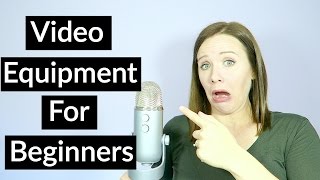
This is a YouTube video titled "Video Equipment For Beginners - DIY Video Equipment" created in September 2016. The content features Trena Little presenting a tutorial aimed at online entrepreneurs, explaining the basic and affordable equipment needed to start creating video content, including cameras, microphones, and lighting options. The video encourages beginners to overcome equipment-related excuses and offers a free guide to help them get started.
So you aren't creating video content because you don't have a fancy camera, you don't have a fancy professional light kit, you don't have a microphone. Let's face it, you don't have the perfect equipment to create video content. So you're just not doing it well. Today I'm going to share with you my three basic tools that I use to create my video content that you probably already have. So so that you can get started creating video content today. Hey guys, welcome back to another episode of Just the Tips with Trena where I help online entrepreneurs figure out a video content strategy that works for their business and helps their business grow. Like I said, today we're going to talk about the basic equipment that you need to get started with video content. If you aren't subscribed to my channel, make sure you go ahead and click this red subscribe button. That way you'll be notified every single time I upload some new free content for you so that it can help you with your video video content. So let's just jump right into the basic equipment you need to get started. So one camera, obviously. So you can start anywhere with a camera. You don't need a fancy DSLR or fancy video recorder, whatever you think you need. Do you have a phone? Do you have a laptop with a camera? Do you have a webcam? Get started there. I will share that I use a Canon G7X. I love it. It's. It wasn't as expensive as a DSLR camera. It flips up. It's multi purpose for what I need in life and business. And I really love my Canon G7X. If you want to check that out, I'll have all the links to the products that I talk about in the description box below so that you can check them out. If you want to buy them or read more about them, go look down in the description box. So number one was a camera, which we all probably have because we all have cell phones nowadays. So equipment number two is a microphone. So your phone has a microphone in it. You can start there. You just want to make sure you test out that mic quality. Maybe you need to speak louder, maybe you need to speak softer, just so the audio sounds good on the video. If you're doing a voiceover, you can easily use headphones that have a mic in them and plug those headphones directly into your computer. And for a mic, what I actually use is this blue Yeti microphone. So it plugs right into my computer as I'm filming these videos and it's actually going to be a separate audio file. So in the editing process, I just need to sync up my video file with my audio file. And I love my blue yeti. It took a little time to get used to it to figure out the settings, but I use it for everything now. Webinars, voiceovers and my video content. And finally, lighting. Guess what? This is the cheapest one there is because it's free. It's the sun sunlight. Natural light is the best light that you can use for your video. So the best way to utilize the natural sunlight is to set your camera up in front of a window. Make sure that you're facing the window like head on. Don't have the window to your side because you really want an even light on your face. If you can't use natural sunlight because your room doesn't really get a lot of lighting or you have to film at night, then daylight Balance Light bulbs My light bulbs that I use are from Cowboy Studio. They are perfect. They really emit a white light so that it's not that typical light bulb yellow light. You can buy these on Amazon for under $26. Again, the link will be down in the description box below. And you can put these light bulbs into any lamp that you have laying around your house and instantly have a professional light kit. And so what I actually use is an umbrella light kit from Cowboy Studios. It has two tall light stands and one small light stand that I put behind me. I don't even use the umbrella, so using a lamp would have probably worked just as good for me. But I do enjoy having these light stands to just move around as I need or move them into another room when I'm filming in a different room. And that's all I really use. So that's a camera, a mic and some light bulbs or the sun. That's all you need to get started with video. So stop letting the fancy equipment excuse hold you back. If you're ready to start creating video content for your business, make sure you download my free Ultimate Guide to Video Content for beginners. It's 30 pages of worksheets and checklists and content to really help you get started creating video content. If you are a beginner, I want to know down in the comments below, are you ready to create video content? What's holding you back? Is the equipment still holding you back? Do you think there's something else that you might need for equipment? Let me know down in the comments below if you have any equipment questions and make sure you share this video to your business friends by clicking any of the share buttons down below. Video is going to continue to grow and be huge in 2017, so it's time to start incorporating video into your business today. Today. As always, guys, thanks for watching. Bye.