Vlog Or Blog - What's the difference?
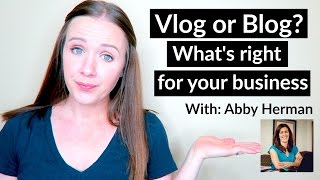
Trena Little and Abby Herman compare vlogs and blogs for online entrepreneurs. They cover batching content, SEO tactics, and tools like TubeBuddy and CoSchedule to help you decide which format works for your audience and business.
Hi, everyone. My name is Trina Little, if you are new to my channel, and I am a video content strategist. So I help online entrepreneurs create a video content strategy that they can use on YouTube that works for them and their business. And today I'm going to be talking about vlog versus blog with my friend Abby Herman. She's going to be focusing a lot on blog content and what it can do for your business. And I'm going to be talking a lot about vlog content and. And between the two of us, we're going to talk about how to create both, but not be repetitive and create content that your consumer will like on both ends so that you have them reading your blog and also your video. So I'm going to go ahead and introduce Abby real quick. Hi, Abby.
Hi. So I am Abby Herman, and I'm with rightsolutions. I am a content strategist, and I work with business owners to get their written content out to their audience in a strategy that helps to grow their business and grow their following.
So Abby and I are pretty much on opposite ends of the spectrum here. She likes to write and avoids video, and I like to do video and avoid writing. So we thought we would marry our two loves and see how we could be able to use both and a good strategy that you could also implement as well in your website and your business. So let's just jump right on into the content that we want to share, and I'm going to kick it off by talking about how I come up with a content strategy for my business. So I'm going to share my screen with you so you can see how I use YouTube and a tool called TubeBuddy to come up with content ideas that I know are being searched on YouTube. So it's essential if you're going to create video for YouTube to validate your video idea so that you're not just creating these videos and nobody is finding them. So I'm going to show you how I do that. But while I'm sharing my screen, why don't you make sure you give this video a thumbs up if you're excited to figure out how to incorporate vlogging and blogging into your business and also share this out to your followers. There's a bunch of social share buttons down below that you can share on. You can even share on Pinterest. You can share on Facebook, you can share on Twitter. So make sure that you click any of those buttons down below to share this video out. And also there's a chat box down there that I'm checking in on you guys, that you can ask us questions, that we are talking to you a little bit on the side as well. So don't forget that. So let me go ahead and share my screen for all of you to see how I validate my video ideas. So the first thing I do is I just go to YouTube and simply type into the search box. So let's. I just did a video today that's going live tomorrow on how to create a course quiz to grow your list. That's an idea I was thinking about and how I validate whether this is a good idea or not. I see that people do have videos up with this similar title and there is 19,000 search results for this particular phrase. And the reason why I'm looking for a smaller search result is because I want to start ranking for smaller search results phrases. Because if I go for those big search phrases like how to grow your list. So let's just type that in and let me show you, for example, how to grow your list. If we look at this, you'll see there's 14 million search results. Now you might be thinking, well Trina, that's where I want to BE that's getting 14 million search results. But the problem is you, if you are just starting out on YouTube and you're just creating video content, you are never going to rank on this first page page for your video. So basically nobody's even going to see your video if you start optimizing your videos for these larger search phrases. So Roberto Blake has over 225,000 YouTube subscribers. He's been on YouTube for years. He's obviously going to outrank you. He has his authority on YouTube. So that's why you need to find those lower search volume keywords. Like I showed you earlier with how to create a quiz how to create a quiz to grow your list. So that's a validated idea. So what I also do is I will copy this and I use a tool called TubeBuddy. It's this guy right here. It's a Google Chrome plugin and you can pay for an upgraded version as well. So what I do here is I go to tag Explorer and I will type in this video idea and then I'll explore it to see how it ranks for a keyword score. So once it comes up, I'm going to show you how exactly to determine whether this would be a good title for your video or not and how you can validate if you should move forward. Obviously this is going to take some time. For some reason it's a little slow for me. So while it's thinking, I will sit down for about an hour or two a day in like the month. Not every day I don't do this. But when I want to create my content strategy, I will sit down for like an hour or two and just start searching YouTube and TubeBuddy and trying to find keywords and phrases that are being that have a good keyword score. So as you see here, this has a lower search volume, which is good because you need to start ranking for those lower search volume keywords to start building your authority and ranking videos. And it has like very low competition. So this would be a great keyword for you to use in your title to start ranking your first video because you don't have a lot of competition. Then I'll also go over here and scan through these most used tags to see what other possible content ideas I can get. So Squeeze pages, maybe I could do a video on squeeze page and we can check the keyword score on that. Then I just kind of go through a rabbit hole of coming up with video ideas by using the TubeBuddy Tag Explorer. And like I said, I will do this for like an hour or two to come up with 12 video ideas so that I have a quarter's worth of content already planned for me. All I have to do is start creating the script. So I'm going to turn the screen back over so that Abby can talk to you about how she plans her her content strategy.
Can I ask you a quick question first?
Sure.
About what you just talked about. So TubeBuddy. So I have, I use TubeBuddy. I haven't quite figured out how to use it with my YouTube channel yet. What version of TubeBuddy do you have?
I just have the STAR license. So it's like the first paid version. I really got TubeBuddy for that tag explorer because it's really been a game changer for my channel to find those keyword scores that getting me those niche topics and getting me ranked. So I didn't do the higher up. I just did the STAR license.
Okay. Just wanted to check to see. You know, I know there's lots of different levels and I haven't quite explored it yet. So. Yeah. So Trina is correct when she says that I video is not my thing. I'm the writer. I have been getting more into video. But when I create my content strategy as a whole, so I look at both my written content and my videos, I take A different approach than Trina does. So what I look at is what do I have going on in my business right now? What are the things that my audience needs to know about or what are they asking me about? What launches do I have coming up, what's on the calendar? And then I build my content strategy around that, and I try to do it by theme. So in the months of May and June, I'm talking a lot about content strategy as a whole and how to align your content strategy with your business goals. So I build, I literally brain dump all the ideas that I can think of, all the topics that I can think of that relate to whatever that big overarching topic is. And then I build out my content from there as far as optimizing the titles and making sure that it's something that's going to rank. So I use something called Costco Headline Analyzer and I use that when I am building out my title. I don't use it every time, but CoSchedule headline analyzer will give you a score on your headline based on the words that you use, how long the headline is, how many characters, how many words, what types of words you're using in the headline. And it's actually a free tool. Even if you are not using CoSchedule to do your social media scheduling. I think it does ask you to enter your email address because you know you've got to get on their list, right? So I use that to kind of weigh, you know, what type of headline I'm going to use and what it's going to look like. So that's kind of my overall planning process of what I do to strategize on what content I'm going to produce for my blog. Oh, I can't hear you. There you go.
So, like I said, I will. Do you do a lot of batch writing? So that's my secret to staying consistent with video is like I said, I sit down and I come up with 12 video ideas. So that's 12 videos a week. I mean, that's one video a week for 12 weeks. And then I will write the content after I come up with that video idea and film as many of these videos as possible in one day. So do you also batch write your content?
I do. So I try to. So it depends on how many weeks I'm writing for. I typically do a month at a time. I try to batch create a month at a time. And that includes my emails, it includes my blog posts, it includes any social posts that go with those And I will sit down and I start with. By outlining everything. And then I'll go through and try to plug in some of the important key points that I want to address on each blog post or each email or whatever I'm creating. And then I go back through and actually fill in the holes and actually do the writing and the polishing up, I guess of it. But yeah, batch creating is like key if you want to create consistent content, which you do for your audience. Batch creating is key because otherwise it's never going to get done right. Like you'll be sitting up at midnight the night before, you know, quickly creating a blog post so that you can get it out, or you have to go put on your hair and makeup so you can do your video for tomorrow, right? Yeah.
I mean, I'm a mom to two under two, so if you're using the excuse that you don't have time to do video, trust me, you do. Because I got two under two. And how I really do it is I plan it out, I come up with those video ideas, and then I get an empty house for an afternoon and I just get those videos done one after another. I have a couple camera cards, I have a backup battery, so if my camera dies, I have that other battery just to plug in so I can get those videos done on a day that I can actually shower and wash my hair and put makeup on. Because otherwise it's not going to happen and I'm not going to be able to stay consistent with video content. And you and I both know how important it is to stay consistent to keep our business growing. Because Google really loves that consistent content. And the more you drop off on consistency, the more you could potentially drop off in Google search results, right?
Yes, absolutely. Yeah. And I agree. For me, it's a matter of treating my business like one of my clients and setting aside that time and literally putting that time on my calendar to make sure that I get it done. And since I'm just kind of diving into video, I record my videos usually on Saturdays. And I'll do same thing as you. I will have them all outlined. I literally sit here in my office with my tripod and my phone and I record my. I go through my outlines, record my video, change my shirt that I have.
Changed my shirt.
So, yeah, I remember there was an insta story you did where you said, you know, I'm just gonna wear black for all of these videos and I don't care.
Ye you want to call me out on wearing the same shirt, go for it.
I did that the same the last time I recorded videos. I was pretty sick of changing my shirt and I thought maybe I should just go with a standard solid color or something. But yeah, and then when creating my own written content, so I'll write my blogs, I write the social posts for those blogs at the same time because then I don't have to go back a month later and reread the blog and say, oh yeah, that's what it was about. And so I already have the content written for that. And then one of my biggest tricks is I have a va actually do all the loading for me because I hate to do it. So I have somebody once the blogs are ready, once the social content's ready, she creates the graphics for me and she loads it to my site for me. And it has been a huge help. I really wanted to be able to write the content myself. And so she's just taking that piece for me and it's saved so much time.
This is a great tip. Now that we told you our secret on batching and how it saves us time and keeps us consistent, let us tell you exactly how we're able to grow our business. Able to get more email subscribers to ultimately funnel through an email sequence or whatever we decide to do is having a clear and concise call to action. People who watch your video or people who read your blog content aren't going to be able to read your mind. They're not going to be able to be a psychic and know what it is you want them to do. So you need to be very clear in your videos and in your blog posts what you want the next step to be in every single one of my videos at the end of the content. As I wrap it up, I let people know. If you want to create a video like this for your business, grab my free script template then in YouTube there is a cards feature that you can plug in the site that your opt in is and the card just pops right out up top in the corner and they can click on that and download that optin. They obviously have to give you their email address to get that opt in. But it's been one of the biggest ways that I've really grown my email list because I focus a lot on YouTube. Most of my content is very heavy on YouTube and so my list has grown from YouTube just by using the cards feature and also telling people that the link to download is also in the description box. If you look below, you can see in our description box that there is a link to our signup that if you did not get our worksheet, if you didn't sign up to this training beforehand and you didn't get the worksheet that we had, or I think it's a tips list from us, if you didn't get that download, you can go to the link in the description box below and we'll send it right on to you. So that's another way that you can get people onto your email list as well for yourself. And so Abby, how do you get people to do what it is that you want them to do?
So it totally depends on what the blog topic is. So typically. So all of my blogs relate to some sort of educational piece, like I'm trying to teach them something, I want them to know how to do something and of course I want them to take action. So I will either have an opt in blog post or I will have a video that's embedded in my blog post that I want them to watch that complem, the content that's on the blog itself, or both. So I'll have them do one or the other. Now obviously the opt in form grows my list. The video helps to increase my rankings on YouTube and hopefully also draws them over to YouTube to see what other content I have. So those are a couple of things that I do occasionally. Well, I link to other blogs. Occasionally I will link to a sales page or some other page on my website, depending on what the content is. But that is pretty rare because the point of creating this free content for people is to educate and inform and to help grow your following and grow the trust factor. And we can't do that if we're always selling.
So one of the insider tips that I will give you about YouTube is YouTube really loves people who keep viewers on the platform. When you're thinking about a call to action specifically for YouTube, you want to think about how it's going to affect the viewer, where it's going to send that viewer. If you send the viewer off the platform, you're really taking down your watch time. Ultimately you want to bring somebody to YouTube and you want them to watch as long as possible and that's going to help you get ranked in YouTube because YouTube sees you're making an effort to bring people to their platform and keep them on your platform because obviously that helps them sell more ads. The more people that are on it, the more people that are watching it longer. So it's hard to think about a call to action with YouTube because you don't really want to push people off the platform. So when you're thinking about your call to action, think about what's a quick thing that you could do to get them to sign up. Now whether that's you have them subscribe to your channel or you have that cards feature, you're not really taking them off the platform, you're having them, you know, go to another link and. But you aren't taking them to your blog where they're going to get sucked into additional content. But that's also a strategy that you have to decide on, on what's right for you. Is it your strategy to build a YouTube channel and build a following on YouTube or is it your strategy to get people to your website? So you need to figure that out before you dive into your video strategy, what it is you ultimately want to grow. So with me, I want to grow my YouTube channel. So I try to keep people on the platform as long as possible. But if you want people to your website and you're just using YouTube as a way to complement your business, then you can push people to your website. Just realize that YouTube really wants you to keep people on their platform. But if YouTube is just a complimentary piece to your business, that's totally fine.
And that's actually, that's exactly what it is for me. It's something to complement the written content that I produce and to get my face out there because it's so easy to be stiff and just like non human when all you're doing is writing. So I'm using video as a way to both on YouTube and on Insta stories to really get my personality out there more so that people can see more of my face rather than just still images that I have on my website.
That's a good story.
I totally agree. So I totally agree with you that yeah, keep them on YouTube if you can. If that's not your strategy, then send them where you need to send them.
So yeah, and I just mentioned that because if you are on YouTube and you're wondering why isn't my channel growing? Why don't I have XYZ amount of subscribers? Why is nobody watching it? Well, it's probably because one, you haven't built your authority yet, two, you might not optimizing it correctly, but you need to be building that watch time that YouTube loves. So if you're pushing people off the platform, that may be a reason why you aren't growing your channel as quickly as you had hoped. So I just say that as kind of like a disclaimer that you need to decide what your strategy is before you go into your call to action, knowing, do you want to grow your channel? Do you want people to your website and realize the pros and cons of both. So with that being said, I'm going to tell you exactly how I use blogging and blogging so that I don't stay repetitive. So I focus, like I said, my content here on YouTube, but I do embed my video onto a blog post. And I create a blog post because the more you can share your link out to the world, the more valuable YouTube sees your video. So especially embedding your video to a blog or a website really helps boost your ranking in YouTube. So I will create a blog post just for my video. I'll even create a Pinterest pretty image for my blog post. Then I'll just do a little summary, a little intro telling people, you know, why I'm talking about this subject or what the subject's all about. And then I will just say watch the video below to learn more and I will embed that video. So not only is it giving my website a boost in SEO by having video, because Google really values video content. So if you have video on your website, you're getting additional boost in SEO. But it also boosts my video in YouTube rankings because I am embedding that to a website. Plus, it's getting my face out there to people. It's allowing people to hear me speak. It's allowing them to get to know me more, to build a relationship with them. Instead of spending time one on one on a call, they can watch a video with me and instantly decide if they want to like me or not. Because let's be honest, people are going to work or buy from people that they like. This is basically just a quick little summary with those keywords to hit Google for SEO. And then the bulk of the content is in that video that I push people to watch. And I know Abby does it a little bit differently.
Yeah, so I always start with my blog post. So I have my outline for my blog post. I write my blog posts. Usually I wish that I could continue writing more, but I know that, you know, eventually there's a limit to what people will read. So I will sometimes I'll either take another look at a topic. So for example, if I write about 10 tips to creating a content strategy, maybe my video will be something about how to create a content strategy on the fly or something like that. Or I will take one of those tips and I'll expand on it in a video. And then I'll take the video and I'll embed it on my blog so that my audience, whoever's reading, will have this bonus content that they can take it a step further or they can learn something new or look at something from a different perspective. So that's usually how I. That's how I do some of my videos and then other videos I do. I do a Wednesday writing tip, which is just a quick 3 minute or less video. I tried to make it 2 minutes or less and I just couldn't. And today's is actually like 3 minutes and 20 seconds. But. And that is something that I do not embed on my website. I do. I share it on Instagram, I share it on Facebook, I shared on Twitter, I share it all over the place. But it's not something I put on my website. That's just kind of like an added bonus writing tip for my audience. So those are kind of the two ways that I. That I incorporate the content with the written content with the videos. And then also on my weekly email that I send out, I will include a link to any videos that I published that week also.
Those are all great ways to just start building that video following and getting people to see your face, right?
Yeah. And I felt like with the shorter tips, with the writing tips, well, with any of it really, it's really helped me even in the short time that I've been creating video, to look back at the first couple videos I did. And now I feel like I'm much more comfortable in front of the camera. And so I feel like at this point I might be able to expand and do a little more than I was before. But I'll always be a writer first.
So I wanted to answer a quick question. Conrad in the comment section asks about Pinterest and how I use Pinterest. So I will create a Pinterest pretty image for my blog and what I do in the first 48 hours. Because YouTube, it's really important to get your video out and as many views as possible. And there's first 48 hours of YouTube. So I will share that pin out on Pinterest with a link directly to YouTube. So that's bringing people from another platform onto YouTube. So that's boosting my video, bringing people to that platform. And I will do that for like the first 48 hours. Then I will go back into my pin and I will share it from my blog so that I ultimately have two of the same pins out there going to two different Places so that some people might be going to my YouTube channel, some people might be going to my blog. And that may not be a great strategy or the perfect strategy or what people would recommend, but I want that first 48 hours of my Pinterest image to get sent to the video as much as possible. And so I have two of those pins I was doing sometimes when I have time, because, let's face it, our to do list is always 1,000 miles long. I was creating a separate pin for just the video, and I would include the thumbnail on that pin. And then I was creating, like, a blog pin just for the blog and sharing those two out at the same time. But I ultimately decided that the two pins for one post was just too much effort. And so I just did one pin the first 48 hours, shared that directly to my YouTube, and then the rest was to my blog again. That goes all back to what your strategy is. Is your strategy to draw traffic to your website, or is your strategy to draw traffic to your YouTube? And since I'm building a YouTube following, my strategy has been to draw traffic to my YouTube in that first 48 hours. That's essential for the growth of a video. So I just wanted to share that.
Conrad asked if you make each of those pin graphics different or do you use the same graphic?
I use the same graphic. Now, I did test out, like, doing two, but like I said, ain't nobody got time for that, right? Making two separate pins for two different links. I'll just use the same pin and just have two different links. The YouTube pin I will upload directly to. I have tail in. I'll upload that pin to tail in and, like, fill it out and tail in from there. And then the blog pin, I will use as a rich pin and blog it and pin it straight from my website. So that's how I. I do the two.
Okay, yeah, nobody got time for that.
So I think. I mean, Abby, do you have anything else to add?
You know, I think that just to plug the blog side a little bit, because we've talked a lot about video, so I feel like I have to plug the blogging. And I know that you can say the same for video, but anybody can do either one. Anybody can start a YouTube channel. Anyone can blog. I feel like blogging was a natural fit for me because. Because I like to write, because I am very introverted, so getting in front of the camera was a little difficult for me at first. I can say things a lot better, you know, with a keyboard than I can by speaking, but there's just. It's such a low entry level financially to be able to start a blog. It's so inexpensive. It's really easy to do. And you know what, no matter if you're blogging or creating video, done is better than perfect is my motto. And it you just. Which is, which is why I look back at my videos from the beginning and I think, oh, my gosh, I even look back at old blog posts and I, you know, would like to, you know, fluff them up. Not fluff them up, but, you know, tweak them up so that they're resonate with my voice a little bit more. But you can. There's such a low entry, entry point for both. You can do it. I mean, I use my iPhone for my YouTube channel and there's all kinds of fancy cameras out there. You don't need it. I mean, you do. Eventually you'll want to.
Yes. Just start with your phone. And I love that you said done is better than perfect because you have to do it to get better. Like you're not going to learn to ride a bike without getting on a bike and testing it out, right?
Yes, exactly. Exactly. So, yeah, just start blogging, get the ideas down, brainstorm ideas that you are seeing people ask about and then start creating blogs and videos for them. Because, you know, Google's not gonna find you if you're not there. Right. And neither is your audience. Your audience isn't gonna find you if you are not out there.
Yeah. So Conrad actually asked, do you suggest focusing on one or the other or doing them both at the same time? So I'm thinking Abby and I might agree on this. We're saying do both.
I would say do both, but I would say it's just like, it's just like social media. Right. You cannot be every place all at the same time, especially not at the beginning. It's really overwhelming. So I would focus on one until you feel comfortable with it and then add the other on and start with whatever you feel the most comfortable with first, maybe practice. So I used instastories to practice video before I started using YouTube because Instastories go away in 24 hours. So I was a lot more comfortable with, you know, putting myself out there that way. But start with one thing and then add on after that. Just like you're not going to do a full blown social media strategy with Facebook, Twitter, Pinterest, Instagram, everything, LinkedIn, all of that all at once, because you'll go crazy. There's not enough time. Ain't nobody got time for that, right? Yeah, there's not enough time in the day.
And make the one more complimentary like we talked about. So focus your effort on one, but use the other one as a complimentary piece. So like Abby was doing quick videos. I actually started my video strategy back when I started my YouTube channel over a year ago doing one minute tips and it really helped me get better at YouTube. It helped me create content because I was keeping them around a minute to a minute and a half. Now obviously my content on YouTube is a little bit longer because I go into a bit more detail that help educate you guys so that you can learn how to do it on your own. And so now my blog is just very minimal. It's just a summary using those keywords. So pick one that you want to focus on like Abby said, and use the other one as a complementary piece as well so that you do have a presence on both platforms but you're not putting the same effort into one because one is more complementary or a lot shorter.
Right. And also too, I think it's important to understand who your audience is and where is your audience, what, what kind of content are they interested in and where are they most likely to find you. So if they are watching videos, then focus on growing the YouTube channel. If they are more of the readers and they want to read the blogs, then focus on that and then use the video as a complement to that.
Yeah. So Spectralight photo asks if you could do ifttt that one multiple posts and yeah, so what I do with my video is I create a promo video. So it's basically my intro to my video. It's like my hook the first 20 to 30 seconds of my video and I will pull that into another video file along with my thumbnail and I will use that as my social media post to Twitter, to Instagram and to Facebook. So I already did the content, I already edited. All I had to do is copy and paste to a new piece and obviously you can post that to Facebook and set up iftt yeah. To go to Twitter and Instagram as well. I don't use that one. I have buffer that I use to plan out my social media strategy and then I just do a lot of copy and pasting the content into this different platforms. I definitely should look into that. But you could totally use that to promote it on several different social media platforms and make it easy. And like I said, I just use the content that I already created. I had a video so I Used a piece of that video to promote it on all the different platforms.
And I just use a thumbnail, which, because I haven't gone the route of doing, you know, pulling that, cutting that extra piece of video out, I just use a thumbnail and I resize it. So I resize it for Insta Stories, for Instagram, for the square piece, I use just the straight thumbnail to post on Facebook. And I just, I create like a little summary, a written summary of what the content is and use that as my social post when I'm sharing it out.
Yeah, so.
So there's lots of different ways you can do it. And you do what works for you. Don't do what somebody else is doing just because that's what they're doing. Do what works for you. And what's easy for you, creating the thumbnail and the graphics. You can use the magic resize in Canva. It's super easy to do. I didn't realize how easy it was until I figured out a few weeks ago. I was like, oh my God. But yeah, do what works for you.
Do you have any tips on how to create a content calendar when life gets a bit crazy? So I have a tip. What I do is I will plan my content by the quarter. So all of my content up until through June was planned for me back in February. So I sat down and I showed you how I did all that content research on YouTube. And then I also put in those net calendar different launch dates or different promo things that I had going on that I wanted to push people to. So then I knew what kind of content I needed to create, what kind of video I needed to post, when I need to post it based on those things I wanted to promote or a launch that I had. And then honestly, the best tip when life gets a bit crazy is to bash it all on the front end. So we're getting close to June, so I'm starting to run out of videos that I've been editing. So I need to sit down and redo my whole content strategy for the next quarter. And honestly, that's the only way I can keep up with it with two K's and a family. And we're going to be moving again in a couple months. And you just have to plan ahead. You just have to. I never did quarterly planning at the beginning of my business, and since I started doing it about half a year ago, it's really helped me stay as consistent as possible. When I was pregnant and then I had my baby, I still had videos going Live every single week because I did the content ahead of time before I had the baby. So it was like I never left because it was scheduled to go. Because YouTube, you can schedule your videos to go live when you want them to. So that's my best advice. Abby.
Yeah, I agree. Planning ahead is key. I plan by month rather than by quarter, but I still plan months in advance. So right now I'm looking at my content in August and starting to plan out what those topics are going to be so that I can start creating the content. And just like, so I know that a lot of people. So I'm pretty structured. I like to have a plan in place. I like everything in neat little boxes. I like everything, you know, I like to put things away because I'm very structured that way. I think a lot of creative entrepreneurs feel like having a content strategy and having a plan puts them into a box that they don't want to be in. But what actually happens? If you plan correctly or if you plan appropriately, you can have this structure and leave yourself some white space in there so that you can create a blog post on the fly if you want to, so that you can jump onto Facebook Live and do a video, or jump onto YouTube and do a video. You can still leave some space in there, but have other content planned out in advance so that when life gets crazy, because we all know it does. I mean, you know, here school's out in two weeks and. Or a week and a half and the kids are coming home. I know it's the last day of school today for a lot of people. If you have little ones, you know, that aren't even in school, plan during their nap time. Get it done ahead of time. It does take a lot of discipline and upfront work ahead of time. But three weeks from now, when someone gets sick, you will be so thankful that you have that done ahead of time. It just leaves yourself more open to freedom and to having that extra time to be more creative.
And another thing I think is come up with series or, like, a theme. You talked about a theme. I know when I first started my channel, every Wednesday was like a contributor video. So I had people contribute their tips every Wednesday. And so I knew that was the content, that it was going to be on Wednesday. And then maybe you think every Friday is a feature Friday. And so you spotlight somebody that you. You have loved following or who has helped you. And maybe Tuesday is tip Tuesday. I know you have writing tip Wednesday. So think of, like, a series that you can do, which would also help you in YouTube because then you could create a playlist and it allows an opportunity for people to binge watch your content, just like binge watching Netflix. And the more they watch your content, the more watch time you get on your channel. Plus the more likely they're going to be willing to sign up for your opt in or to buy whatever it is you're selling or your product or whatever it is. The more they watch you, the more they get to know you, the more they get to like you and so on and so forth. But think about series that you can do as well because that makes it a little bit easier to come up with content ideas.
Yeah. So like if you have, if you have a blog post that's top 10 tips to, you know, whatever, each of those tips could be a separate video in YouTube and then you have 10 videos right there. And they don't have to be long. They can be, you know, one, two minutes. Like Trina said, I find that the more organized I am with my content, the more strategic I am and the more I plan out, the more organized my brain is when I'm trying to work and when I'm working with clients. And I can be a lot more attentive with, you know, to my one on one work that I, that I do with people.
So, yeah, so it's doable.
You can get organized. I promise.
Doable. I had to really sit down and get organized back in November when we decided to move. We sold our house, decided to move, and I was eight months pregnant. So it's possible you can get organized. I, I did it.
Yeah.
So if we don't have any more questions, I don't want to keep you guys on here. I know we're all busy. We all got stuff to do. So if there aren't any questions, this is last call for questions over in the comment section. We're gonna let you all go. This video will stay up if you want to re watch it. You want to catch our tips again and be sure to share it too. If you look down below, there are certain social share buttons to share on Facebook and Twitter. Give it a thumbs up as well if you liked it. And we just really appreciate you taking the time to watch us here today. Talk about, you know, vlog or blog. And if you're watching, I would love to know what are you guys gonna do? Vlog, Blog, both. Did either one of us tip you one or the other way or if you are doing both, let us know that you're doing both down in the Comment section. We would love to know and check out the content that you're creating as well.
Yes. Spectralight photo just asked what brand of headsets we both use. So honestly, these. So these are the ones that came with my Samsung Galaxy that I had like three years ago. That's what I. And I don't even have the phone anymore, so that's what I use. And I think the sound is pretty good. And then I have another pair of cheap, I don't even know what metal head or something headset that I also use.
Mine are earbuds from my iPhone, but I do have a blue Yeti mic sitting off to the side here. So I do have this plugged in for my audio and then I have it the. Yeah through my ears. But I have used the earbud as well. The mic on the earbud is just as good as a blue Yeti too. So if you're starting out, just use what came with your cell phones apparently.
Yeah, that's what. That's what I use. And when I do my videos for my YouTube channel, I just use the microphone that's on my iPhone and it works. Seems to work fine. Although I did just learn that when you use the reverse camera on your iPhone, the quality isn't as good as if you use the regular camera. So you have to plan ahead and get it set up. So in other words, you don't want to look at yourself when you are creating your video. And I did not know that. So for my next round of videos, I will be using the other side. Learn something new every day. Like I said, done is better than perfect, right? I'm not going to go back and redo any videos. That would be silly. So even ones that I haven't posted yet. Just get it done. Yeah.
And you learn, you get better creative. Cricket Channel audit. Let's talk about that on the side. Shoot me an email. Or you can shoot me an email at Trina. We can talk about that on the side. So think that wraps everything up for questions. Abby, thanks for coming on here. Thanks for collaborating with me here on my channel and sharing your tips and thank you all for watching. Like I said, don't forget to share this on the social links down below and we will catch you guys again. Check out Abby's channel. I have it listed in the description box. Go subscribe to her. And I think I'm going to be back here again next next week, so stay tuned. I'm not sure yet. Have a great Wednesday, everybody.
Bye bye.
More from Trena







Why Every "Business Guru" Suddenly Went All-In on YouTube (And What NOT to Copy)

