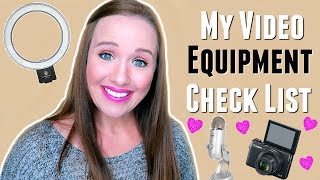
This is a YouTube video titled "What I Use To Film My Video Blogs: Budget Equipment List" created in October 2017. The content features Trena Little providing a detailed tutorial and advice on the essential and budget-friendly equipment needed to start a professional-looking YouTube channel, including cameras, lighting, audio, editing software, and optimization tools. The video is aimed at online business owners and bloggers looking to improve their video content production.
So you know you really want to start a YouTube channel for your blog or your business, but you're worried about the equipment. What do you need to get started to look professional in today's video? I'm going to break down all the equipment you will need to get started with a YouTube channel. And spoiler alert, it's not going to break the bank. Hey guys, my name is Trena and welcome to another episode of Just the Tips on this channel. I provide online business owners tips, tricks, tricks and strategies on how they can use YouTube in their business or their blog. I want to know, if you're struggling with equipment, what do you struggle with most? Do you not know what lighting to buy, what camera to buy? Let me know in the comments section below. What's the biggest piece of equipment that you are totally overwhelmed on? Now let me jump right in to the equipment. I'm going to walk through each category step by step. The first one I want to talk about is a camera. Now I'm going to link all of the things that I use for my setup down in the description box below. So if you hear me talk about something and you want to learn more it just go down there. I'll link it below. Those are affiliate links, so if you do click on them, I will get some money. But I'm telling you exactly what I'm using. So my camera is a Canon G7X and I've been using this for over a year now. And the reason why I decided to invest in this camera is because it was small, compact, it was HD and has a flip up screen. It was also a great camera for me as a mom to be able to throw into my purse and use filming my kids, taking pictures of my kids. Whereas a DSLR is another option for people. But with a DSLR there's a lot of other moving parts and settings that you need to do that I'm no tech guru and I didn't want to deal with. So with my Canon G7X, all I had to do is push start and go. I just use pretty much the standard settings. Another camera that you can use you already have in your pocket, right? It's your phone. Yes, you can start filming videos with your phone. Just make sure you're filming from the front camera and not the back camera. And what's going to make your quality on your camera phone a world of difference is lighting. So let's talk lighting. I'm currently using a diva ring light, but that's not where I started. I first started filming in Front of a window, natural light. That's the best light that you can get. Then I upgraded to some umbrella kits that have daylight balance light bulbs. Now, if you can't do umbrella kits or softbox lighting, which is similar to umbrella kits, just invest in the light bulbs. You can buy these daylight balance light bulbs on Amazon for like $25, pop them into any lamp that you already have, and it's definitely going to give you an upgrade in your lighting and it's going to look this more cool, neutral color than a yellow color that a normal light bulb would have. The next piece of equipment I want to talk about is audio. So I'm currently using a blue Yeti microphone. It's right here, right outside of my frame. And when I use this microphone, it creates a separate audio file from my video file because my video is filming on my Canon G7X. So in the editing process, I have two files. I have my audio file and my video file, and then I sync them up. It's really not as hard as it sounds. Once you do it a couple times, it's pretty easy to do. But that is one option. If you are using the Canon G7X, it does have a pretty relatively decent mic in it. With DSLRs, I know some of them don't even have internal mics, and if they do, they're really not that good. So if you are using a dslr, definitely think about getting an external mic like a blue Yeti or. Another great option is the Rode Lavalier microphone. It's a lapel microphone that you can clip onto your shirt and you can clip it like out of the frame. It's also great because you can plug this right into your phone. So. So if you're filming on your phone, it will just have the audio file right into your video file. You can also use this if you're going live on your phone as well, to really up your audio on your live videos. So I talked a little bit about editing with the audio in the video file and syncing them up. So let's talk a little bit about editing softwares and what your options are. So if you have a Mac, whether it's a laptop, desktop, iPad, iPhone, you can have access to Imovie for free. And this is a great software to start out on. I have used Imovie for the past two years and just recently upgraded to Final Cut Pro. And the reason why I suggest starting with Imovie is because it's basically a beginner software and it's not throwing a lot of options on you so that you get totally overwhelmed. Now if you have used Imovie for a while and you want to upgrade, I upgraded to Final Cut Pro. I just decided to use that. It's similar to Imovie, has a lot of similar features. So I just decided to stay with that. Now, if you are on a PC, the free version that you should have on your computer should be QuickTime and you should be able to edit within QuickTime, the next step up. I've heard Camtasia is a great option. I don't know a lot of great PC software because I don't have a PC so I haven't been able to test a lot of them out. But a software that works for PC and Mac is Adobe. And if you already have the Adobe Creative Suite, so you're paying monthly for certain Adobe softwares, you can go ahead and do the Premiere Pro. That's the editing software from Adobe. I know it is a bit advanced, so if you have time, definitely sit down and take some tutorials to really figure out how to use your editing software, whether it's Imovie or Final Cut Pro or Adobe or really take the time to learn that editing software because it's really going to improve your videos and it's going to make you feel more comfortable and make your editing process a lot quicker if you know your program. Lastly, I want to talk about some tools to help you here on YouTube. So how to find your titles, how to find your tags, really how to optimize your videos. The first tool that I'm going to suggest using is the Google Keyword Planner tool. It's in Google AdSense. If you go to Google AdSense, you sign in, you can create account for free. You can, you will have to set up an ad, but you don't have to spend any money. You'll have to put in your credit card. But then you can use the Google Keyword tool and with this you can type in your video idea to see what the competition looks like. How many searches this video is getting per month. And that's the key number that you want to look at. Your sweet spot As a new YouTuber is to find a phrase or keyword that is getting searched anywhere from 100 to 1,000 times a month. I know this seems low, but as a new YouTuber without a lot authority, you need to find those lower searched video ideas so that you can start ranking for them to build your authority. Because a lot of other YouTubers that have that authority, that have a large following are probably already ranking for some common phrases. So you need to find those niche phrases you can start ranking for. And that's what I use Google Keyword Planner for. Another tool that I love that I have talked about before is Tubebuddy, and it's a Google Chrome plugin. If you want to learn how to get started with TubeBuddy and more about TubeBuddy, you can watch this video right here. I went into depth on how I use it and what Tubebuddy helps me do is really research my video even more. So on top of the Google Keyword Planner, I'm able to use TubeBuddy to research my videos, find some tags and to just get some more data within TubeBuddy. And that's basically all you really need to get started here on YouTube. It doesn't have to be a huge investment. Get started with what you have. You'll get better as time goes and then you'll want to invest in your equipment as you get better. So don't think that you need all of this to get started. Get started with what you have. And if you don't have your YouTube channel set up yet and you want to make sure it's set up properly so it's set up for success, make sure you grab my 10 step YouTube checklist right here. It's going to walk you through the 10 steps that you need to do to ensure your channel is set up properly. Remember, by subscribing to my channel, you're going to get new tips, tricks and strategies every single week, delivered right to your email. So make sure you click that subscribe button right here. It's just a circle picture of me and I will see you in the next video. Bye.