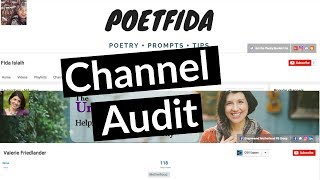
Trina Little, a YouTube strategist, walks through optimizing a channel with specific fixes for thumbnails, descriptions, keywords, and playlists. She answers viewer questions live and covers engagement tactics for online entrepreneurs building their video presence.
Hello everyone. My name is Trina Little and I'm a video and YouTube strategist for online entrepreneurs. And I help them create a video content strategy that works for them and their business. Because let's face it, no two businesses are the same, so no two video strategies should be the same. And today I'm going to be giving a live channel audit. And so with a channel audit, what I do is I walk through the process of somebody's video of somebody's channel and let them know what, what they could do better, what they are doing good and just how they can improve their channel. So while I go ahead and share this out to everybody, if you're watching, go ahead and let me know who you are and where you're watching from in the comment section. If you look on YouTube down to like the right or right below, there is a share button that there is a comments button that you can comment. So go ahead and pull this stuff up real quick so that we can get rolling. So let everybody know in my Facebook group and stuff that we are live. So see if this is coming up today. So how is everybody's Wednesday? I apologize for the dead air. I'm just trying to get this rolling so that I can get the link out to everybody so that they can watch. I appreciate if you are here watching. That is fantastic. I'm excited for you to be here. And this is really going to be actionable content. So whatever I cover, you can actually take it to your channel and do the same thing. So you can double check to see if you're doing what I'm saying and you can really implement the same things that I tell this person's channel to do on your channel as well. So it's really going to be actionable and it's going to be just a great opportunity to learn. So I got this up. Do remember that you can hit the thumbs up button to like this video if you're excited for this channel on it. I do finally have this up so I can see the comments section. Hey everybody. Hi Venus. Hi Spectralight. I am so excited that you're here. We got you from Los Angeles and from Cleveland, so across the country. I'm here in Pennsylvania. I'm really close to Gettysburg, Pennsylvania. It's cloudy yucky. I think it's gonna rain the rest of the week. Like I said, do know that you can share this video out to people so that more people can watch it and I'm just gonna throw it into my Facebook group real quick so people know I AM Live and we are going to get started on the first channel audit. And you guys, I got a surprise. I believe I'm gonna do two channel audits. Yep. I said I was just gonna do one and I am going to do two today. So make sure you stick around while I post this. Okay. And it's posted in my Facebook group also, if you're not a part of my Facebook group, make sure you go over to video for Biz Crew because I'm going to be sharing a lot of content in there in the next couple of days because there is so much, something big coming out over here at the Trina Little headquarters, AKA my bedroom for right now. So you're going to want to be in that Facebook group. That Facebook group is going to be the first people to know everything that's going down and when. Hi Danica, we got someone from Florida go over to Hershey and get a chocolate bar. Well, you know, I do go to Hershey quite frequently and we have been to their spot and they do have very good hot chocolate. So maybe I will just go right over there. And we go to Hershey Chocolate World every Christmas so that we go check out like the lights at Hershey park and ride the Chocolate World tour and all of that stuff. So again, just give this video a thumbs up. Make sure you share it to everybody, your friends. So if they are thinking about a YouTube channel, they're gonna know what they need to do. Alright, so we're gonna get right into this. Hi Conrad. I'm excited that you're here. Hi, Erin. Erin. Actually we realized that we live semi close to each other, so that's pretty cool. Okay, so let's just go ahead, stop the small talk. Right? You want to see a channel audit. So I'm gonna go ahead and share my screen for all of you to see so you can see what I'm actually looking at when I analyze a channel. And so the first one is Valerie. First suggestion I have for Valerie is you need to customize your front page of your channel. And the way you do that is there should be a little gear up here. I can show you here in a minute how you can do it. There's a little gear that you can switch to channel page customization. I think that's what it is and that's what you need to have set up. Because if somebody comes to your channel right now, they're seeing no videos. They're seeing exactly what I'm seeing. But you do have a great channel banner. I think that's amazing. You have your value proposition right there. Helping moms, bringing family, work and self into harmony. You have a great picture of yourself there. I would double check it on mobile, see if it shows up the same on mobile. If it looks as good on mobile as well. I think I maybe pulled up your channel on mobile. I don't think the banner showed up quite as well. So double check mobile because a lot of people are now watching on mobile and you want to make sure your channel looks just as good there as well. I do like that we have our social media links. That's fantastic. And I'm so glad that you're pushing people to your Facebook group. I'm assuming that is your number one push. You want people in your Facebook group. You could also add an opt in here as well to a lead page or a convertkit page or whatever if you wanted to do that. But. But if Facebook is your main target, that's fantastic. You have that linked. So since I can't see any videos here, I will go over to this video tab, I think. Are we working okay? Nope. I want the playlist. All right. So we do have videos. That's great. So you definitely need to get that customized so that your videos will show up as well. I like the theme that you have going on. They all are similar, but if you can see just by looking at this screen, it's hard to read what you have written on your thumbnails. So I would definitely think about, you know, changing that font, maybe making it a little bit bigger. I would try to make the thumbnails a bit brighter. I do like that you're showing your personality in your thumbnails. That's great. Great. It definitely allows people to connect with you on those thumbnails and makes people want to click on you. But we can't really read what the title of the video is on that thumbnail. So I would suggest, you know, going in, revamping those thumbnails. You can always change your thumbnails without any, you know, problem to your videos. Do not pull your videos down. Just change the thumbnail. She'll keep the same views, the same likes and all of that stuff. But like I said that people are going to click on your video based on that thumbnail. And if they. If your video is showing up in a search result, it's really not catching my eyes because I cannot see it. And this is just on desktop. So think about how this thumbnail will look even shrunk down on mobile. People really are not going to be able to read it. So definitely think about changing up those thumbnails. I do like that it's branded. And I mean, you got the heart, the pink heart, the purple background, all of that going on. That's fantastic. Just bigger font. Why don't we go ahead and click on a video here just so I can get an idea of the content you're sharing. So I definitely like that you introduce yourself right off the bat. One suggestion that I do have is maybe throw out a statistic or a question just to get people's attention. You want to get that hook so that people will want to stick around and watch your video for whatever it is you tease them in the beginning. So some people use bloopers, some people ask a question, or some people say, wouldn't it be great if xyz? Well, in today's video, I'm going to teach you to abc. So maybe you have a hook at the beginning. I would definitely cut that dead air that you had at the very beginning, just that couple seconds, because you really only have three to five seconds till somebody decides if they're going to click off your video or not. So definitely utilize that very beginning of your video and don't leave any dead air. It's really easy to edit if you're doing it in imovie. Just clip out that very beginning so there's no dead air and let it start right as you're talking and talk. And the first thing to talk is that hook. What's going to grab their attention as I go down here to the description box? You're really missing out on the opportunity down here in your description box. So YouTube is going to rank your videos based on the content that you give them. And right now you're not giving them any content down here in the description box. You need to figure out what your keywords are going to be. So if your keyword is sustaining a healthy marriage, then you need to make sure you have it written in your description box. And you need to make sure you have it in your video tags because you do not have any tags here as well. This little plugin that I have right here is Vidiq. It's a free plugin for Google Chrome. It's called Vidiq. I download it and I can see the back end of what's going on with your channel. I see that your video has no tags. You really want to make sure that you're using specifically this title, because the title is what you want to rank for assuming that you want to rank in the Search result for people who are searching Sustaining a healthy marriage. So you need to have that in your description box and you need to have that in your video tags. Back to the description box though. So what I suggest doing is writing a little mini blog, maybe like three or four sentences long of a blog of like describing what your video is about and using those keywords and phrases. I definitely suggest that you research that and have 6 to 10 keywords and phrases that you're really trying to target this video for. And so in your description box, not only will you have the tag, but you'll also have like a write up in conversational tone all of the keywords and phrases in that description box. So let me know, guys, does this make sense? Do you understand what I'm talking about or do I need to talk a little bit more about this particular step? Let me know where you're at with this. If you're understanding how to fill out that description box, what you should be putting in there and really focusing on those keywords and phrases, does that make sense? Let me know in the comments section if you're understanding that particular part of optimizing your video because I can talk more on that. I just want to make sure that I'm addressing the questions that you all have. That's why I'm here today to walk through these channel audits and to definitely address all of your questions. So on qualifying tags so you can rank higher. So Conrad, you need to search YouTube to see if you start typing into YouTube a question. So let's type in Sustaining a healthy marriage. Let's see what comes up. Sustaining be healthy. So YouTube really doesn't fill out that phrase for me. So what if we. I'm going to try to type in how to sustain a. I can type. All right, well let's just do how to sustain a healthy marriage. So this has 1.1 million search results and because I have Vidiq, I'm able to see what this top two videos, what their tags are. So you can see kind of what their tags are that you could possibly use for yourself as well. But let's go back. Valerie, was it Valerie? Yes. Valerie had the title Sustaining a healthy Marriage. So let's see Sustaining a Healthy Marriage. For search results, she ranks number one for sustaining a healthy marriage. But it's only has 2,990 search results. So yes, spectralight photo, she should have a link to her website. She should also have some other things in that description box as well. But let me talk right now about These if you're starting on YouTube, you really need to focus on smaller keywords and phrases so that you can start ranking for them to build your authority. So even though Valerie's video title it only has 2,990 search results, since it's a smaller niche, she's already ranking for it and she really didn't do much optimization to it, as you saw. So those are the smaller phrases you want to think about as opposed to how to sustain a healthy marriage where that was 1.1 million search results. And the people that are ranking here are people who have subscribers, 53,000 subscribers, 28,000 subscribers. A lot more subscribers than Valerie, who's just starting out. So it's going to be hard for her to break into this bigger category. But this would potentially be like a secondary keyword and phrase. Conrad, how I use Vidiq? Sure, I don't use Vidiq a whole lot. I use Tubebuddy. As you know, I did a video on that. So that's how you want to find these keywords and phrases and you want to really focus on those smaller, less searched ones. Especially if you are starting out because like I said, Valerie is here number one for that search result. But realize she's not going to get a lot of traffic because it has such a low search result. You got to think on both ends there. Let's go back to description box real quick because spectralight photo brought this up as well. Other things in your description box, a link to your opt in so that in your video you can also tell people to check out the description box below and there should be a link. The very first line should be a link to wherever you want to send people next your social media accounts, you know, make sure they're written out the full link. So it needs to be the whole link needs to be there so that it is click clickable. If you don't fill out the entire link, it won't be clickable. It's just one more step people are going to have to take to do it. So they won't do it. Make it as easy as possible. I also have just a little blurp about myself and my channel. It says like new videos every Monday and Friday on how to use YouTube or something like that using my channel keywords as well. And then you can also add an email if you want people to reach out to you to email and any affiliate links. So if you use certain equipment in your videos and you want to link it to your affiliate links on Amazon or wherever you can also put those in the description box as well. Just make sure you put a disclaimer in that video description box that those are affiliate links. And also if you're using music, make sure it's copyright free music. But even copyright free music sometimes needs you to credit the artist in your description box. So those are also additional things to put in your description box. Thanks. Spectralight photo. I get talking a little bit fast, so forward, slash, forward slash. That's right. Okay, so like I said, some more video tags over here. One video tag I would always include is your name. Because if people are searching you on YouTube, you want your videos to come up, right? So always tag your name and your business name that way. If people are searching your business name, that comes up as well. So I gave you a few things there, Valerie, that you can focus on. Let's go back to her homepage. I wanted to check out her about section. I do know she has her links filled out. She has her about section filled out as well. I maybe would add a little bit more to the about section. Really figure out what your channel keywords are, because with the Vidiq plugin, I can see what your channel keywords are. And I think Valerie's only keyword was motherhood. So really take some time to think about what your channel is about and what those keywords for your channel are going to be and then use them in your about section in your description box as well. So YouTube recognizes what your channel is all about, so they can start ranking you for that. So and then obviously, I mean, we don't have any playlists. I would definitely suggest doing playlists. Those are potentials to get ranked as well. So playlists can get ranked as well. So I would start putting my content into buckets for playlists. All right, and then one more real quick one, because I just wanted this to be a quick training. And we're already at 20 minutes. Fida, she here is a poet and she talks about poetry tips. She has her videos uploaded, but she also does not have her channel set up for customization. So let me show you guys real quick how you can do that. So let me go to my channel and once you sign into your YouTube account and you go to your channel, click this gear icon and you want to make sure this customize the layout of your channel is turned on so you want it to be blue. That way you can add playlists, you can organize your channel homepage, you can have a featured video here. You just really want to have that set up. So it just looks a little more professional. So I definitely suggest, again, thumbnails. You need to have those thumbnails that stand out. Right here we got a thumbnail. But this is kind of hard to read. And this is really hard to read. And I'm looking on a desktop, so on mobile it's really going to be hard to read. So definitely thumbnails. I think you have a great channel banner. This is so perfect. It's simple. It lets you know what you're doing. Maybe you could just add, you know, when you upload, because you really want to be consistent on YouTube as well. She's got her opt in right here. Fantastic. I love it. Let me just click on one of her videos. Okay, so again, I really want when people to click on your video, I want them to see you as the first thing you want them to connect with you. You don't want to give them an opportunity to click off your video. And like I said, you have three to five seconds before they're going to click off of your video. So instead of having that freestanding graphic or whatever you want to call it, make sure it's you that is the first thing they see. That's just how you're going to connect with them faster and get them to watch your video. So that's my suggestion for the beginning there. Like I talked about in the last channel, having a hook. And then again, you're really missing out on description box optimization. You need to add a little bit more information about what your video is about. Maybe add a link down in here. You do have your blog, but as you see, it's not clickable. I can't click it because you don't have the HTTP going on. So add that and add your Twitter and IG account separately and send them directly to the link. Now you can add your social media accounts in your default so that every time you upload a new video, you. You don't have to keep putting the same content in over and over. So if you're going to have a bio about yourself in every video, you're going to have your email address, you're going to have your website link, go to your video defaults and add that to video defaults. So every time you upload a video, it automatically goes into there. So she does have video tags and she is tagging and she is ranking for certain ones, but these are more specific to her. So she has her name, she's ranking number six for her name, which is good. But again, you need to find those Keywords and phrases about poems. So the meaning of. Let's see behind the poem. Let's just. Or let me how to write. See if you start to write how to write poetry. Look at these suggestions that come up. So YouTube is going to suggest phrases that are searched frequently. So right here are great primary keyword phrases. So your primary keyword phrase is going to be your video title. Conrad, this is for you. These would be tags. So how to write poems. Maybe that's going to be your video title or maybe your video title. Back it up. Your video title is going to be how to write poetry for Beginners. That's your primary keyword. Okay. And so then to back up that primary keyword, your secondary keyword might be how to write poems. How to write a poetry rap. If that's what you're going to be talking about. Let's do writing poetry. Writing poetry for beginners instead of how to write poetry. Writing poetry music. So if you were writing a rap poet a rap poem, that is another keyword. Writing poetry book. There would be another secondary keyword. So that's how you come up with these keywords and phrases to use in your description box and in your tags. Now obviously you want to dive a little deeper and see, you know, how many times this is searched. So this is probably a good search result. It's got a medium results, you know, 112,000 search results here. So it's a pretty medium searched phrase and it'd be a great place to start if you're writing poetry, if you teach writing poetry. So you don't just look at those search results. You need to dive a little deeper into it and really find the perfect phrases that you can start ranking for any questions. You guys, I know I'm going off on the tangent and I'm all over the place, but I get questions and I try to answer them as best as possible while here live. So yes, Fida, we would definitely optimize this box, add some more video tags, make sure that you are the first thing people see as well. And you know, guys, what I always do, I always post a comment on my own video just to get people talking because the more comments you can get on your video, the more engagement YouTube sees your video has, so the higher it's going to rank it. So always ask a question in your comments box. Be the first person to post a comment because no one wants to be the first person. So try to get that conversation going in your description box and like your own video, who cares? No one's gonna know if you like your own video. Like your own video, because it's the whole psychology of nobody wants to be the first person to do it. So go ahead and like your own video. As soon as you post it, that's going to show YouTube that your video is promoting engagement. And it ranks videos higher. It gets your video in front of a larger audience, the more engagement your video has. So with that being said, if there aren't any questions, there was your quick little to channel audits. I don't think she has any play. Oh, we do have playlists. So we have poetry prompts. This is a great playlist. Let me check this out. The only problem is with your playlist, you want to fill out everything as possible. So there's a description box for playlists. So write up like a mini blog post like I talked about in your video and use your keywords and phrases to start getting your playlists ranked for your keyword. So poetry prompts. I'm sure this has a good. This has got to be good on YouTube, right? Let's check this out. Poetry. Yes. And look there. Frida already ranks for a video. And so if she did a little bit more optimizing of that playlist. See, there's a playlist right there. Ranking poetry prompts by Lydia Sabrina. So, Vida, I would definitely optimize your playlist because I think you could start ranking again. Here's somebody else for a playlist that's ranking. And what's great is if they find your playlist, it's kind of like a Netflix binge, right? They're going to watch one video and being on a playlist, the next video is automatically going to be yours. So it's going to feed them to your next video until it's through the whole playlist. So definitely take this opportunity and create playlists and optimize them so they can rank on YouTube because look, right, there's proof that a playlist can rank. And the more you can get people to watch you, the more likely they're gonna get on your email list when I buy from you and so on and so forth. So that's a good thing. I checked your playlist, right? And I think that's just about everything. Her about section. I know she has her links filled out. I would fill out a little bit more in your description box. Really write a little bit more about what you're going to be sharing, your value proposition here in using your channel keywords in this description box. But good start. She's already ranking for Certain things. Get those thumbnails up. Great channel banner. Yeah. So anybody got any questions? Questions questions for really any topic you asked me, I'm opening for questions. Let me, I can turn this around so I can talk to you guys. I think I clicked okay. All right. So any questions YouTube related, converting viewers to subscribers. Anything? Give you a couple minutes here to send them. Spectralight gave a great resource for free music is Juke Deck. Thank you very much. Thank you everybody who stopped in. Jess Creatives. She has a great channel here. So if you aren't subscribed to just creatives on YouTube, make sure you head on over and check her out. Thanks Erin, Danica, thanks for stopping by. And Conrad was here as well. That being said, no questions. Head on over to my Facebook group. Don't forget to subscribe, don't forget to follow that. And if you want more in depth training, I'm doing a free challenge next week starting Monday, May 29, the launch your channel challenge. It's five days. I'm going to be sending you daily video tutorials to your email, quick 5 minute tutorial. So it doesn't take a whole lot for you to do along with with a worksheet or a checklist for you to follow along. And then every day next week I'm going to be live here on my channel going more in depth on the training that I sent you in your email. So any questions that you have about that training, you can come here. I'm going to be going a little bit more in depth every day next week. So make sure you join this challenge. The link is down below is bit ly channel challenge. Like I said, five days and in the end of five days you're gonna have enough information that you can successfully launch your YouTube channel and be proud of the channel that you're launching in five days. So if you are wanting to focus more on YouTube, this is definitely a challenge that you are going to want to partake in. And I know we all have 1001 things on our to do list so it doesn't take a whole lot of time. I've broken it up into small enough chunks that you can manage it even with your already huge to do list, right Emily? Yeah, it'll be up here. It'll be on my. There will be a replay. It stays up here on my YouTube channel. So no worries. Just come back here. Probably once I get off here in a couple minutes it will take to process it and I'll be right back up here at the same link. So no Worries. You can watch us again. Spectralight photo. Thank you for signing up, Danica. I'm also new and I would love to know what type of videos is okay to film. Start with how to videos. YouTube loves how to videos. A lot of people find people through how to videos because that's what people are searching. They have a pain point. They want to know how to do something, so they go to YouTube and search how to tie their shoe or whatever it is your niche is. So start with a how to video. If you would prefer not being on camera, just do a quick little intro of yourself, be on video for 30 seconds and then go into your training on your screen. Just make sure you have that opportunity for people to connect with you as an individual and see you instead of just going straight into the video tutorial. So just do 30 seconds of yourself on camera. That's all you need to do. And then you can do like a how to on how to set up asana or how to set up buffer or whatever you teach. And let's see, I think that was all the questions. Like I said, don't forget next week is going to be a huge week here, teaching you all sorts of stuff, getting you ready. I'm going to be going through branding your channel. Some more information on branding your channel. I have a description box framework worksheet that I'll be sending to you, so you'll have that on hand to always look at to make sure your description box is filled out properly. I'm running through all the text, so if you don't think that you have the knowledge to film yourself, edit yourself and get it up on YouTube. I have training on that next week. Oh, man. What else? How to validate your video ideas, which I know a lot of people have problems with. You can't just throw a video up here and expect it to be found. You really need to be strategic on the type of videos you're creating on YouTube. So we're covering that next week. So definitely, if you aren't signed up for this challenge, make sure you jump in and do that. It starts Monday, May 29, and the link to join is Bit Ly Backslash Channel Challenge. Thank you guys for being here and I'll see you next week. Bye.
More from Trena







Why Every "Business Guru" Suddenly Went All-In on YouTube (And What NOT to Copy)

