YouTube Upload "Tricks" that DON'T WORK
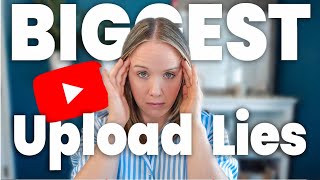
Trena Little debunks common YouTube upload myths and false growth hacks. She covers what doesn't work with tagging, playlists, and video structure, then explains what actually helps creators grow their channels.
I'm going to get a little spicy in this video because I am tired of so called YouTube strategists out there that are taking advantage of those of you who want a YouTube strategy, make you feel like there's a special way or a secret hack or their special formula will magically get you results. And all you need to do is pay them the money and they'll give you the easy button to YouTube success. When in reality they haven't done any work. Studying the algorithm, testing the algorithm, seeing results over and over and over again. Maybe they had one or two successful videos and now they think they're a YouTube strategist. And upload tricks are one of the topics that I see these false strategists mention that are completely untrue and researched to be confirmed false. So this is spicy. Trina. First, the upload trick that has been going around for years and every so often it picks up steam again because somebody decides they're gonna say they have a secret way of making your videos more successful and a secret hack of uploading your videos will magically get you more views. But it has been found false over six years ago. 6. So people who are telling you this upload trick have done no research and validating if this is true or not. In fact, I'll show you my source. This video right here from Derral Eves from six years ago tells you this upload hack is not true. I mean, he has boatloads of gold play buttons. I don't even know how many he has at this point in time. So he actually knows consistently what works to grow a channel. And if he's saying this upload thing doesn't work, it doesn't. So hear me loud and clear. If somebody tells you the way to get more views on your video is to make sure your video file is named something search engine friendly, it is false. They've done no research in validating this and they have no proof that this will work time and time again. Because it's been proven that the video file name that you upload to YouTube has no results or on how your video performs on YouTube. The name of your video file is not going to magically get you more views, is not going to magically categorize you in a YouTube video. It's not going to magically get you shown up on Google More. Maybe this person has done it a few times and maybe seen results a few times, but they cannot prove it links back to the file of their video. And that also goes along with naming Your thumbnail files, something SEO friendly as well. These file names don't go into consideration and how YouTube recommends your content. I'm going to tell you what you actually need to do to upload your videos to ensure you do get views validated by research, testing and proof. But there are a couple more upload, quote unquote tricks that these people tell you that are not going to do anything to help you get more views on your video or make your channel grow faster. I've heard people, gurus say make it unlisted and get a few views on it before you make it public for better results. And I've heard people say if you upload it as unlisted and then make it public, it will hurt the reach and the results of that video. Both are categorically wrong. Now, you're not going to switch back and forth like make it public, then make it unlisted, make it public, make it unlisted. Now that will affect your channel. But if you accidentally upload to unlisted or you upload it as unlisted because you need somebody to review that video before it goes live, that is fine. It is not going to affect the results of that video. And also whether you upload it as unlisted or not is not some secret hack to get the algorithm to get you more views. The best option personally for me when I upload my video is to upload it as private. That allows me time to get the title in there, get my thumbnail in there, write a description box, potentially do chapters, add the tags, and then schedule it out. I like my videos to go out same day, same time, every single week. And so by getting my video, let's say, uploaded on a Tuesday, and I do all the optimization side of it, I can then schedule it to go live every single Wednesday morning like I do. All right, the next upload thing people have talked about is where to add ad breaks. Now, I am not as concerned about the money I make on my YouTube channel from AdSense because I make money in my business and I rely on my business to make money. But there are people out there that'll say, make sure you add your ad breaks in your videos where it makes sense. Because if you let YouTube do it, it'll just put ads in awkward places and make your video less watchable. Why would YouTube do that? YouTube wants people to watch your videos because they can place more ads on your video. So if you let YouTube select where they put the ad breaks, you're actually going to get better results. And get people to watch your videos longer. Because YouTube's goal is to get you to watch more content. So they're not going to place ads in awkward places that cause people to leave your videos. When why would that even make sense for YouTube? Who. We're getting warm here. All right, now let's talk about tags, because this is part of the upload process as well. So we've heard things about tags, right? YouTube has said tags do not matter for your video. They're basically there for you to add misspellings of the topics you're talking about. But if YouTube still asks for it, it's probably still important to some extent. But these tags need to be relevant. So you should not be putting tags to other people's channels, hoping that that gets you to align with that channel. Because that's false. That is not true. If your video is not about somebody else's channel, do not put their name as a tag. Now, the way I teach it in my YouTube coaching experience is creating a structure for your tags where you have a cluster of tags that go on every single video to kind of link all of those videos as your videos, and then a cluster of tags for your series, which kind of links all of the videos within that series together. And then a cluster of tags that define and summarize what your video topic is actually about. This is just to help ensure that the algorithm can see if somebody watches one of your videos and they watched it the whole way through, YouTube algorithm can potentially find other videos that have similar tags. And if you are constantly using the same tags across your entire channel, it increases the possibility that they're recommended more content from your channel. And also if they're watching a particular series and you have the same tags for your channel tags and your series tags, there's a higher chance that they'll be recommended another video as well from that series. It's basically just a system behind the scenes to pretty much interlock all your videos together to increase the chances YouTube will recommend more of your content to somebody who watches one of your videos. Now, on that topic, I want to also address playlists and adding your video to a playlist. When somebody tells you, make sure you add your video to a playlist. It's not just about adding to a playlist. Your playlists need to be strategic. And I talked more about this in my video last week. I will link it right here. About the playlist funnel. If you are just adding videos to a category playlist. So if you are creating a video about social media let's say Instagram and you have an entire playlist on Instagram and, and you just add that video to your Instagram playlist. That's not doing you any good. If you have a playlist over 20 videos, that playlist isn't doing you any good because you have the power to get that playlist ranked in search, shown up on suggested and shown in the homepage. If you use the playlist right. And just adding videos to whatever playlist feels right is not going to maximize your opportunity of reaching more people with playlists. Instead, you need to be using playlists strategically, keeping about four to six videos each in a playlist. Because if you put any more in there, is somebody going to click on a playlist that has 20 some videos in it? No, they're going to be like 20 videos. I don't have time for that. But if you are creating a playlist that is delivering on a problem your audience has and there are about four to five videos in there, that's going to increase the chances people binge watching your channel. Increase that chances because they're not just going to click on a random category. So don't just do add to a playlist. Make sure it's strategic and watch that video I mentioned earlier. So what should you do to actually make a difference and grow your channel faster? The common thread here is to avoid getting bogged down by these hacks people tote to you. Instead, focus on creating quality, valuable content your viewer wants to watch. Here's what truly matters. Content structure. You need to make sure you're following the content structure that performs best here on YouTube. You need to make sure you're opening with a hook and not a hi, welcome to my channel. My name is. You've got to have a solid hook that's going to keep people watching because your audience retention will make or break the success of your YouTube channel. Now, if you're wondering what is the best structure or how do you start creating that structure, I have a mini course called My Video Game Plan that walks you through more detailed how to structure your videos. I also provide you the template of my video game plan that I'm reading off of right now and how to use that. So if you want to grab that, go to trina little.com video plan because there are no secret hacks there. It is facts. I've also mentioned another thing that matters is your title and your thumbnail. Now when you are uploading your videos, you need to make sure you have a title and thumbnail before you upload your video, because trying to figure out what your video title is going to be after your content is shot is not setting you up for success on YouTube. So again, I go through that in my video game plan. But your title and thumbnail in your click through rate from your title and thumbnail is what's going to allow you to get more or less views on your video. And determining that title and thumbnail and spending more time on figuring that out will do more for you than following these gurus or these YouTube strategist hacks. Now that I'm fired up over this, I want to share with you a major mistake 90% of small YouTube channels are making that are hurting their views and hurting their potential to reach more people and their opportunity to grow their channel. And I'm coming from data and case studies. So click that video on your screen right now to see what mistake this is.
More from Trena







Why Every "Business Guru" Suddenly Went All-In on YouTube (And What NOT to Copy)

