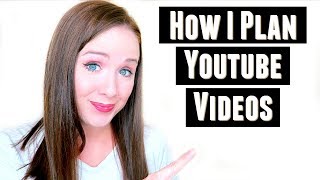
This is a YouTube video titled "Youtube Workflow" created in August 2017, featuring Trena Little sharing her detailed process for planning, scripting, filming, editing, and promoting YouTube videos to maintain consistency. The content is a solo presentation where Trena explains her workflow and offers tips for growing a YouTube channel as part of a business strategy.
One of the biggest questions that I get is how do you stay so consistent on YouTube? In today's video, I'm going to share with you my YouTube workflow and how I plan my videos so I stay consistent. Hey guys, my name is Trena and welcome back to another episode of Just the Tips with Trena. If you want to learn how you can use YouTube in your business strategy, make sure you subscribe to my channel down below so you get my best tips on how you can do this. Now, before I move into how I actually plan out my YouTube workflow, I I want to hear from you. What do you struggle with when it comes to YouTube videos or video content for your business? Is it coming up with the ideas? Is it coming up with time to film or editing? What is your biggest hurdle when it comes to video content? Let me know down in the comments section below so we can discuss and make sure you stay to the end of this video because I'm going to show you my actual YouTube calendar and how I set that up. So step one in my YouTube workflow is writing down all the ideas I have for videos. I get these ideas from things people have sent me an email, talked about on social media, talked about in my Facebook group, or things that I see other people asking on similar channels as mine. The next step is to take those video ideas and research them. Just because somebody says that's the question that they have, you need to validate that's the phrase they're actually using in Google or in YouTube because if you get the wording wrong or the phrasing wrong, nobody's ever going to find your video. You, you need to find what the exact phrases people are typing into search engines to actually get your videos in front of people. I use tools like Google keyword planner, the YouTube search bar, and also Google Trends and Tubebuddy. I will use these tools to figure out what is being searched and what has low competition because I want to stand out. I want to be that missing piece that people aren't able to find content for. And I don't want to compete with a lot of people because I am a smaller channel and I understand that. So I'm trying to find those niche areas that I can really break through and stand out. Once I find my video title then it's time to find some tags. So one of the best ways that I have found to come up with tags is to type in your video title into YouTube search and see what pre populates. These are all phrases that are relevant to your YouTube video. And those are all great ideas for tags. You just want to make sure these tags actually describe what your video is about. Because if it doesn't describe what your video is about, you, YouTube's going to realize that, and you're not going to end up ranking for any tags. Then after I have my title and my tags, I will script my videos. While I'm scripting my videos, I'm making a conscious effort to include those tags and that title that I've researched. The more times I can say those keywords and phrases. So in this video is how I plan videos and my YouTube workflow. The more I can say them in my video, the more YouTube recognizes that this is what my video is actually about. So they'll be more likely to rank my videos for my tags that I used. And then after I script my videos, I plan an entire day to film. I'm a mom of two kids. I can't film every week. I have to set aside a day to film, and I will film anywhere from six to 12 videos. And the reason why I can batch film is because I've prepared for these videos. I have the scripts, I have the content. So all I have to do is get camera ready and turn the camera on and just run through my scripts one after another. This is exactly how I stay consistent. I'm only having to film videos every six weeks, so I'm not worried about, I need to film this week, I need to film that week, and running out of time. I have all those videos in my library that I can easily edit in the middle of the night while the kids are sleeping or while I'm sitting in my pajamas watching Daniel Tiger. So then the next part is editing. And one of the biggest problems I see a lot of business owners having is getting over the editing hurdle. I know you can see a lot of overproduced videos on YouTube and you think you need to have this amazing editing where there's music and flashing lights and words flying in from left and right. But start simple. Don't let this hurdle stop you from creating video content. If you look at Marie Forleo or Shailene Johnson or even Pat Flynn, if you look at their beginning videos, they did not stop in a filming studio. They did not have a group of people editing and producing their videos. They started by just turning a camera on. And that's where you can get started. Just edit your videos out where you make mistakes, do simple jump cuts, and focus on the content you're sharing. The more helpful you are in your content, the more you will grow a following so that you can get to the point where you can start hiring out your editing and hiring out your film producing. So then once I edit my video, I will upload it to YouTube and and while it's uploading to YouTube, I will create my custom thumbnail. I will add the title, the tags, fill out the description box, add cards, transcribe the video and add end screens. These are all things that I can do to let YouTube know what my video is about so that they can rank it better. Now that everything is ready to go on YouTube, I will write a quick little blog post over on my website using some keywords and then I will embed my video to that post. I will also create a Pinterest page, pretty graphic for my blog. So if people find my website and they're reading my blog, they can share that pin onto Pinterest, which gets more traffic to my website seeing my video, which gets more traffic back to my YouTube channel. I also will schedule posts the same day my video goes live. So I will schedule posts through Tailwind and Buffer to get the word out about my video so I can get more people watching my video. So this is what my current YouTube calendar looks like. The yellow stickies are my videos, the purple stickies are collaborations that I'm doing and then the orange stickies are live workshops that I'm going to teach on YouTube live. The reason why I use the post its is because it's just easy to move one and shift it somewhere. So if someone can't give me a video, I can move it down to here. If I didn't get something filmed for this, then I can move it over here. So it just allows me to be able to move things easily and to see at a glance what I have planned for that month. Now, since this is August and I'm doing a vlog every day in August, that's why I have a single video for every single day. Typically my schedule looks more like this, so two videos a week. But since it's SSS data, that's why I have a video for every day in August. If you want to grab my YouTube channel checklist to ensure your channel is set up properly and set up for success, make sure you grab it right here. It's 10 steps that will walk you through exactly what you need to do to get your channel set. If you like this video, go ahead and give it a thumbs up. Share it and leave me a comment down below. Let's have a discussion in the comment section. If you want to continue learning how you can use YouTube in your business strategy, make sure you click the little circle button right here so that you're subscribed to my channel. And thank you so much for watching. I will see you in the next video. Bye.