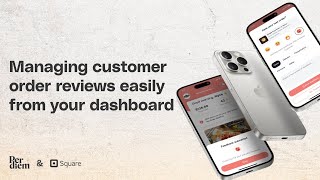
Short tutorial (video transcript) by Michael Eneji / Tripodium demonstrating how to view and manage mobile-app order reviews in the Per Diem Merchant Dashboard. Steps: open Reporting → Order Reviews, filter by rating, read customer comments/tags, see customer/location/timestamp, view associated order details (date, location, order type, items, amounts), and optionally send an immediate push notification to the customer.
Chapters
Foreign. Hi, my name is Michael Eneji from Tripodium.com and today I'm going to be showing you how to view the reviews that you got on your mobile app on the Per DM Merchant Dashboard. So the first thing you want to do when you log into your account is go to the side menu and expand the reporting area and then click on Order Reviews. Once you click on Order Reviews, it's going to take you to the other review page where you're going to see all the ratings and reviews that you've gotten from the mobile app. You can also filter this by each of the points. So if you want to see all the reviews that are only four points or three points or two points, or as the case may be, you can filter those by here. So I'm going to leave it as all ratings and I get to see all the ratings that have come in. Of course it's been shown based on different columns of the table. You get to see the customer, the rating that they gave, if they left a comment, you get to see it here, what they tag as the reason for giving that review, the location that it came from and the time that it came. You also have the opportunity to view the order that this review was being sent for. Once you click on the view order, then you get to see a breakdown of the order. The date the review dates, the location, the type of order it was a pickup order, and then you see the order details so what they bought and how much was spent. At the end of the day. You also get the opportunity to send an immediate push notification to this customer directly if you feel the need to, and it will be sent to just the customer. So that is how you you see your order reviews within the Per DM Merchant Dashboard. Thank you.