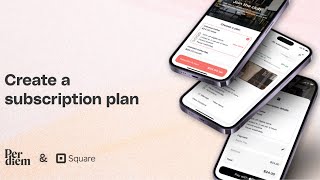
Tomer Molovinsky walks through setting up coffee shop subscriptions in Square's Per Diem app, covering how to create a plan, set pricing and frequency, configure trial periods, add item options, and manage existing subscriber behavior when you edit or delete a plan.
Chapters
Are you looking to increase customer loyalty and create a consistent revenue stream? Setting up subscription plans on your per diem white label mobile app is the perfect solution for square merchants. First log in to your merchant dashboard. On the side menu. Click on Subscription Plans. Now click on Create Subscription Plan. Fill out the required form by entering the name of your plan. A brief description choose the frequency whether it's weekly or monthly. Set your price. Want to offer a trial? You can set a trial period for as many billing cycles as you like to let customers try before fully committing. Add value to your plan by setting up item options which allow you to include free or discounted items. Set quantity limits or limits per day week to manage availability. Choose which of your business locations the plan will be available for. Select a featured image for your plan from your item's images to catch your customers attention. Once you've entered all the details, simply hit the save button to complete the setup. You can also promote your subscription plan by turning on the toggle. Need to make changes easily? Edit, deactivate or delete a plan. If a plan is deleted, existing subscribers will finish their current billing cycle, but the plan will no longer be available for new or returning subscribers. And that's it. Subscriptions are now set up and ready to build loyalty while streamlining your business.