Per Diem Tutorial: Effortless Customer Management for Square Users

26 Jun 2024 · 2 min
1:59

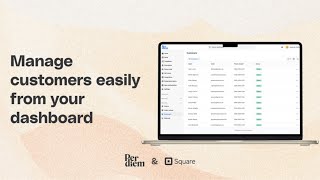
Michael energie walks through the Per Diem Merchant Dashboard to manage customers. You can filter and search customers, view loyalty points, send push notifications, deactivate accounts, and update names and birthdays. You cannot change a customer's email address.

Questions this video answers

First name, last name, and birthday.

No — the email address cannot be changed from the dashboard.

A reason for deactivation must be stated.

View customer, update customer details, send push notification, and deactivate account.

Chapters

More from Tomer

0:24
youtube.com

How Restaurants Can Use Push Notifications to Bring Customers Back

3d ago
1:37
youtube.com

How to Create BOGO Offers in Per Diem - Guide for Square Restaurants

1w ago
0:59
youtube.com

How to Set Up and Manage Service Fees in Per Diem

2w ago
2:24
youtube.com

How to Customize Your Ordering App: Design & Layout Best Practices

3w ago
1:23
youtube.com

How to Set Up Your Sending Domain in Per Diem

4w ago
0:56
youtube.com

Why Isn't My Square Change Showing in the App? | Per Diem Restaurants Guide

4w ago
1:00
youtube.com

How to Set Up Meta Pixel in Per Diem | Guide for Square Restaurants

4w ago
0:57
youtube.com

Why Is Tax Not Showing at Checkout? | Per Diem FAQ

1mo ago
0:56
youtube.com

How to Manage Customers in Per Diem | Customer Profiles, Loyalty & More

1mo ago
1:26
youtube.com

How to Set Up Email Campaigns in Per Diem | Tutorial For Square Restaurants

1mo ago
1:09
youtube.com

How to Send Push Notifications in Per Diem | Square Restaurant Guide

1mo ago
See all content