A step-by-step YouTube tutorial (speaker: Michael from triperdm.com) explaining how merchants—particularly coffee shops—can customize their white-label mobile app via the Per DM Merchant Dashboard. Covers navigating to App Customization, editing Home and Order screens, language selection (English/French), styling (hero background, greetings, brand color, logo via support), onboarding slides, floating buttons, loader copy, fulfillment (pickup/delivery) instructions, layout options, and saving changes.
Chapters
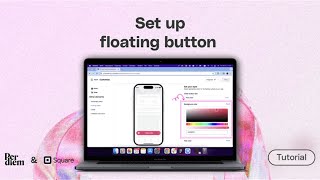
Foreign. Hi, I'm Michael energy from triperdm.com and today I'm going to be showing you how to customize your mobile app within the per DM Merchant Dashboard. So the first thing you want to do when you log into your account is go to your left side menu and click on App Customization. Once you click there, you're going to see the app template that is being applied. So all you have to do is click on customize and it's going to take you to the editor section. So there are two areas here. There's the home and there's the order and then there are other elements that you can customize from your onboarding setup to floating buttons, your loader and then fulfillment instructions. So for the homepage on the right side, you're able to make changes to the blocks and you can also style them differently. But one thing to take note of here is this drop down here, the language selector. So right now it's set to English. You can change this to French. Right now those are the two languages that have been supported. More languages will be added as we go on, but this is where you can make changes to the language within the app. So we're going to leave it as English. Now you have the Hero background, you have the Greetings, you have subscription, you have order it again Favorites gift card and then our community. So those are the different sections within the app. So for the hero background you can set the color to anything and as you make the change, you can see it being changed within the app as well. You can also set the text color and it's also going to make the the change within that area. So I'm just going to reset this and leave it as it is as a solid background. You also have the option to make this an image. So you have the greetings area where you can also make changes to how you want to greet your customers or and it's morning, afternoon, evening and night. So you can actually set all of this here. And then you have the subscriptions area, you can decide to call the subscriber and save something else. So if you offer subscription within the app, this is how it's gonna be displayed on the home page once it is promoted. And then there's the other gate section, this is how you can title those Favorites gift cards and then also our community. So these are all text fields that you can make changes to. Then on the style side you can change your business logo, although for you to be able to do that, you would have to contact support to change your logo for you. And then you can decide what your brand color should be. So I'm gonna set this to blue and then it's going to be shown there as well. All you have to do once you make this change is to hit save. So there are other sections. There's the order section. Here you can decide what the layout for the items should look like, Whether it should be a single column or it can be a double column layout. Right now is set to use the double column layout. You can also style this page, pretty much just changing the brand color as well. The other elements here are the onboarding setup. So now within your app, once a new customer downloads and installs the app and they launch it for the very first time, they will be met with the onboarding flow. So this is how you set up the onboarding area. Now you can choose the business category that your business falls within. Right now it's set to coffee shops, but there are other options here. And based on what is selected, you're going to have default images that are being used that rhymes with your business categories. So the first slide, you can turn it off or on. If you want to apply just a single slide or two slides, or leave it at as three slides. You can actually set it up that way by turning off or on each of the slide that you want to take off or you want to leave. Now you can set the background image and then you can set the title text here and the body text as well. Now you also have the option to reset everything back to the default state. So this is the second slide. As you can see, it has its own image by default based on the business category. But you can also make changes to all of these things here as well. And you can decide to toggle off slide three. And you're going to have only two slides within the within the app at the end of the day. But yeah, the next area is floating buttons. So this is the button text for the place order. And then you can set the background color, the text color and the icon color. So that is how you customize floating button within the app. And you have the loader. There are different types of loaders. So you have the loader within the app, mainly the checkout loader. You can decide to write different copy that you prefer for order calculation and then for payment processing. So these are the current texts that have been imputed here. You can also reset it to the default as well. The final area is the fulfillment instruction. So as you can see here, this is where the instruction for pickup and the instruction for delivery is being displayed, so you have the options to make those changes here. So as you can see, for pickup is set to order confirmed as the heading and the body text is here. And then for delivery, you have delivery on the way, and then this text as the body text being provided within the app. So that is how you customize your app within the Per DM Merchant dashboard. Once you're done with everything, all you have to do is hit save and you are done and good to go. So I'm just going to go back because I don't want to mess anything up, so I'll just leave it up the way it was. And that is how you customize your app. Thank you.