A short Spanish-language YouTube tutorial by Alex (Alex de Producción Online) explaining a simple technique to add natural, organic background atmospheres to music productions in Ableton Live. He recommends placing an ambient/noise audio track (forest, sea, crowd, festival, or vinyl-style noise via Ableton's Vinyl Distortion) to enrich a mix, prefers real recorded ambiences over synthetic vinyl artifacts, and demonstrates using a forest recording in his project. For capturing sounds from YouTube or other online sources he records internal audio using a virtual driver he names (SoundFloweredBet) for Mac and recommends "A Powersoft" as a cross-platform alternative for Windows and Mac. He also links a free basic Ableton Live course in the video description and invites viewer questions in the comments.
Questions this video answers
Alex (Alex de Producción Online).
Vinyl Distortion (AudioFX plugin).
SoundFloweredBet (as spoken in the video).
A Powersoft (mentioned as available for Windows and Mac).
A free basic Ableton Live course (referred to as "curso gratuito de Ableton Life básico").
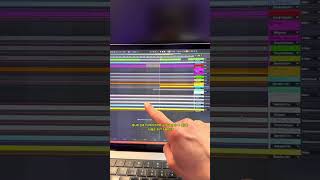
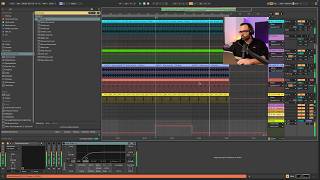
Hola ¿Qué tal? Soy Alex de Producción Online. Com y en este vídeo vamos a ver una técnica que nos va a permitir darle un poquito más de naturalidad, conseguir un sonido más orgánico en nuestras producciones con una técnica muy muy muy fácil. ¿Cómo implementamos esta técnica? Pues es tan fácil como abrir una pista de audio en la que vamos a colocar un sonido ambiente, ruido ambiente. Básicamente podemos trabajar con diferentes tipos de ruidos de la naturaleza, el que podríamos grabar en un bosque, ruidos de mar, ruidos incluso de algún entorno en el que haya gente, haya gente conversando, gente paseando, incluso gente en un festival. Según lo que queramos transmitir con nuestra canción y según el género en el que estemos trabajando y en según qué parte de la canción, podemos trabajar perfectamente con crowd, con gente que esté en un festival cantando y dándolo todo, puede dar una energía diferente a nuestro tema. Incluso mucha gente trabaja con el ruido que nos genera la distorsión de los vinilos en Ableton Live. Esto es muy fácil porque nos venimos aquí a AudioFX, nos venimos al plugin Vinyl Distortion y solamente con subir el volumen conseguimos este ruido y puede ser un background bastante interesante para nuestras producciones. A mí personalmente no me gusta usarlo porque genera unos armónicos en las altas frecuencias que no me acaban de convencer y y realmente prefiero utilizar audios grabados en un entorno físico real. Antes de seguir adelante vamos a entrar en contexto y vamos a escuchar mi proyecto para ver cómo queda esta atmósfera, este sonido de background que yo he colocado. Personalmente he utilizado un sonido de un ambiente natural grabado en un bosque, así que vamos a ver cómo suena ahora solo el audio. Como veis es sonido natural normal. Bien, ¿Y cómo conseguimos este tipo de audios, este tipo de atmósferas? Pues yo personalmente utilizo YouTube, sin más me voy a YouTube, busco algo como Ambient Sounds, Natural Sounds y YouTube tiene un montón de vídeos con audios de este tipo que normalmente la gente utiliza para ir a dormir o para relajarse o para meditar, pero que nosotros podemos utilizarlos perfectamente como backgrounds y atmósferas para nuestras producciones. El único problema es que la mayoría de estos vídeos, si os fijáis, duran 8 horas, 10 horas, porque como os decía, están pensados para ponértelos en la cama, irte a dormir y olvidarte. Entonces lo que yo hago es grabar el audio directamente dentro de una pista de Ableton Live, ya que descargarte un audio de 8 horas puede ser algo bastante complicado. Para ello personalmente yo utilizo un driver que se llama SoundFloweredBet que nos va a permitir rootear la señal de nuestro ordenador como si fuera otra entrada del mismo ordenador, es decir, podemos grabar el sonido interno de nuestro ordenador. Ya que este driver que yo uso personalmente solamente está para Mac y sé que muchos utilizáis Windows, os voy a dejar en la descripción del vídeo un programa que se llama A Powersoft y que está tanto para Windows como para Mac, con el que vais a poder grabar de forma muy sencilla cualquier sonido que vosotros encontréis en YouTube o en soundcloud o en cualquier otra plataforma en la que podáis encontrar sonidos de este tipo o el sonido que vosotros queráis grabar. Así que sin más, hasta aquí el tutorial, es bastante cortito pero creo que es algo bastante interesante y que le puede dar un extra hará la gran mayoría de producciones que nosotros podamos hacer. Si sois nuevos en Ableton Life y queréis profundizar un poquito más, os dejo un enlace en el vídeo a mi curso gratuito de Ableton Life básico y si tenéis cualquier tipo de duda, dejármela en los comentarios, yo os responderé lo antes posible. Nos vemos en el próximo vídeo.