Separar y Samplear VOCALES con Inteligencia Artificial | SPLITBOX
A Spanish-language YouTube tutorial by Alex (Produccional.com) demonstrating Splitbox, a desktop AI tool to extract vocals (acapellas) from songs. Alex explains Splitbox is not yet publicly released (currently only he and David, the web developer, have it), then shows a practical workflow: drag a song into Splitbox, export Vocal and Instrumental files, import into Ableton Live, pick a clean vocal moment (example uses "Holding on to you" by Yoko), and process it with transient shaping, reversed/freeze reverbs, fades, delay sends, grouping, and transposition. Practical tips include choosing sections with fewer overlapping tracks, matching BPM (he uses 130 bpm), reducing reverb tails with Transient/Decay controls or Transitent Shaper/Drumbus, recording Freeze reverbs for reverse effects, and transposing a fifth down (−7 semitones). The video ends with a copyright caution and an invitation to join a pre-launch list for Splitbox.
Questions this video answers
Splitbox
"Holding on to you" by Yoko
Alex (the presenter) and David (the web developer)
130 bpm
7 semitones
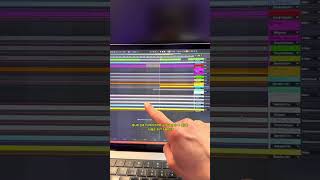
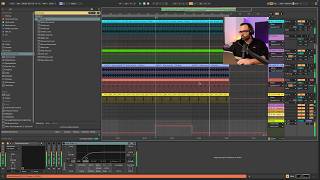
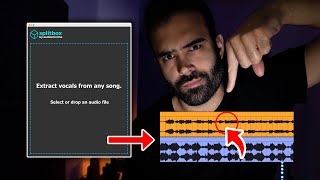
Muy buenas, ¿Cómo estáis? Aquí Alex de Produccional. Com y hoy os quiero enseñar una aplicación con la que vamos a poder extraer vocales o acapelas, llámalo como quieras, de cualquier canción. Esta aplicación se llama Splitbox, es esta pequeña aplicación pero potente que vemos aquí y que seguramente no suene de nada porque es la primera vez que os la enseño aquí en YouTube. ¿Y por qué es la primera vez que la enseño? Pues bueno, básicamente porque todavía no ha sido lanzada, de hecho a día de hoy solamente la tenemos David, el programador web de producción online y y yo mismo, pero si os quedáis conmigo hasta el final del vídeo y os interesa Splitbox os explicaré qué tenéis que hacer para poder tenerlo el mismo día que salga. Para el ejemplo de hoy vamos a trabajar con la canción de Holding on to you de Yoko, que por cierto si no la conocéis echarle un vistazo porque es un temazo, yo no la conocía, me la recomendó un seguidor en Twitch en el anterior directo que hice y la verdad que estoy viciadísimo del tema. Y en este caso la vocal que a mí me interesa pillar es este trocito que vemos aquí. Vamos a escuchar. No vamos ahorro por decir más, por motivos de copyright, ¿Vale? Pero bueno, la cosa está en que una vez que tenemos el tema que queremos ampliar, tanto en MP como en WAV, los dos formatos valen, Lo único que tendremos que hacer es abrir Splitbox y arrastrar la canción a la interfaz, tan fácil como esto. Como estamos viendo es una aplicación 100% de escritorio standalone, es decir, da igual el DAO, el software Ableto en Live Cubase o Logic, da igual lo que utilices que vas a poder utilizarla, simplemente se ejecuta como cualquier programa que instales dentro de tu ordenador, tanto como si tienes Mac como si tienes Windows. Una vez que Splitbox ha hecho su trabajo, se nos abrirá una carpetita como esta en la que veremos dos archivos, Account Payment y Vocals. Account Payment es básicamente la instrumental, es decir, todo el tema sin la vocal, con la vocal extraída. Esto por ejemplo si te dedicas a hacer beats y quieres cantar encima o quieres tú crear vocales, pues puede ser algo bastante interesante para practicar o para hacer los experimentos que tú quieras. Y luego la pista de Vocals que es la que vamos a utilizar en el ejemplo de hoy. Así que vamos a irnos a Ableton Live y vamos a procesar estas vocales. Lo que he hecho en mi proyecto es arrastrar la vocal extraída y también la pista original, la canción al completo, para tener un poco una comparativa de cómo ha trabajado Splitbox, de cómo ha extraído la vocal. En este caso lo que vamos a hacer es irnos a la sección al minuto 240 que os he enseñado al principio del vídeo y vamos a escuchar el trocito que me gustaría samplear. Vamos a escuchar el producto extraído. ¿Vale? Tenemos que tener en cuenta que Splitbox, a pesar de ser una herramienta bastante potente que trabaja con modelos de inteligencia artificial que van aprendiendo, son modelos que van aprendiendo a lo largo del uso, no son máquinas perfectas. Entonces tenemos que intentar facilitarle la faena lo máximo posible. ¿Cómo le podemos facilitar la faena? Pues bien, pues buscando aquellos momentos, aquellos trozos de la canción que queramos ampliar donde la vocal esté colindando con las menos pistas posibles. No va a ser lo mismo extraer una vocal de una mezcla en la que están sonando 10 pistas a la vez, que un momento de la canción en la que la vocal está sonando con a lo mejor dos pistas a la vez. En este caso, si te fijas, la hemos extraído cuando cuando está sonando un pad de fondo y la verdad que lo ha limpiado, lo ha extraído bastante bien, hay una percusión por ahí también. Vamos a volver a escuchar la vocal extra, que al fin y al cabo cualquier opción puede ser buena en función de lo que estés buscando. Esto es más bien una herramienta creativa que está creada para que tú saques ideas, tú pilles recursos de cualquier canción, más que la intención de extraer una vocal totalmente limpia como si la hubieses grabado en un estudio, porque eso es prácticamente imposible a día de hoy con ningún software de este tipo. Bueno, vamos a irnos a la parte que vamos a samplear. En este caso esta me gusta bastante, pero como os comentaba, hay partes en las que podemos encontrar la vocal aún mucho más sola y en este caso es esta de aquí. Al menos a mí, a mi parecer, este fragmento suena un poquito más limpio. Vamos a escucharlo, vamos a quedarnos con este fragmento, pulso Alt, me lo llevo aquí a una pista de audio, por ejemplo esta, y lo que voy a hacer es llevármelo a la zona donde quiero trabajar con esta vocal. Tenemos que tener en cuenta también el tempo de la vocal y de nuestro proyecto. En este caso, tanto la vocal que estamos empleando como nuestro proyecto está a 130 bpm. Ya lo he hecho así para facilitar un poco la faena. Así que en este caso no tendremos ni que tener el warp activado. Lo que sí que vamos a tener que hacer es cuadrar la vocal en el momento exacto para que vaya acompasada con mi proyecto. Tirarla más adelante. Mira, vamos a cortarlo directamente, el now lo vamos a cortar, ¿Vale? ¿Vamos a dejar solamente esta última sílaba que tenemos aquí, es decir, vale? Y una recomendación que os quiero dar, y es que cuando os ampléis vocales de este tipo, normalmente, pues al ser el sampling directamente de la canción original, normalmente están procesadas, vienen con reverb, vienen con delays, y a veces nos gustaría tener un resultado un poquito más seco, más parecido al de estudio totalmente puro. Entonces, algo que se suele utilizar para quitarle esas colas de reverb y de delay son plugins como por ejemplo el Transient Master o el Transient Shaper, que son plugins de pago, pero si no los tenéis y tenéis Ableto A, podéis utilizar el drumbus, que es súper útil, el Drumbus para todos, que lo utilizo un montón. Y es que si os fijáis, el Drumbus tiene estos dos parámetros, llamados Transient y llamados Decay, que nos puede ayudar a cortar esas colas. Vamos a bajar el Decay y vamos a cortar el Transient y vamos a ver cómo queda un resultado un poquito más seco. ¿Veis la diferencia? Vamos a ver. Sin queda un poquito más seco, le quitamos un pelín las colas. No va a ser lo mismo que conseguir esa capela original, pero bueno, podemos ir montándolo poco a poco. Vale, ahora lo que vamos a hacer es agregar varias pistas de audio nuevas porque vamos a crear el típico efecto de reverb inversa que vaya acompañando la vocal, la entrada de la vocal. ¿Cómo vamos a hacer esto? Muy fácil, ya veréis. Vamos primero de todo a pillar un trocito de nuestra vocal, por ejemplo esta, justamente cuando dice la primera sílaba del holding on, por ejemplo ésta, vamos a cuadrarla en el compás para que me vaya a ritmo. Y lo que voy a hacer ahora es meterle un reverb. Y ya que estamos trabajando con Ableton Life 11, os voy a enseñar cositas de Ableton Life 11, como por ejemplo el. El Hybrid Reverb, pero no os preocupéis porque os voy a enseñar también la manera de hacerlo con versiones anteriores a la Belto Live 11, porque es lógico que a día de hoy nadie lo tenga. Así que lo que vamos a hacer ahora es trabajar con la función de Freeze, que nos va a permitir congelar el efecto de Reverb, ¿Vale? Ya veréis, eso va a ser lo que vamos a grabar, ¿Vale? Así que lo que vamos a tener que hacer es abrir una pista de audio nueva, como la que tenemos aquí, y enviarle este producto, ¿Vale? Enviarle este resultado a esta nueva pista y que me la grabe en un audio nuevo. ¿Cómo vamos a hacer esto? Pues nos vamos aquí, pista 17, entrada, y le decimos que entre la pista 16. Activamos el reverb de nuevo y le damos a grabar. Suficiente. Con esto tendríamos de sobra. ¿Que no tenemos el Hybrid Reverb porque no tenemos abierto el iPhone C? No pasa nada, ya os comentaba yo que os iba a enseñar también de todas las maneras posibles, pues utilizando el Reverb normal, ¿Vale? Que esto lo vais a encontrar tanto, tanto en Ableton Live 10, como en la 9, como en la 8. Os venís aquí y activáis la función de Freeze. Ahora no estoy seguro si la función de Freeze está en la 8, pero en la 9 y en la 10 segurísimo. Vale, ya tenemos un recurso por un lado y ahora vamos a hacer lo mismo pero con otro fragmento de la vocal. Vamos a insertar otra pista de audio y lo que voy a hacer es quedarme con esta pequeña cola, que fíjate, ya me viene de forma natural, pillando también el primer Holding y vamos a ponerle lo mismo, vamos a ponerle un Hybrid Reverb, vamos a activarlo y venga, vamos a añadir otra pista de audio que es donde vamos a grabar el efecto. Le vamos a decir, pues lo mismo que antes, que entre la pista anterior, que entre esta, la 16. Armamos grabación, voy a poner únicamente que suenen estas dos pistas y le damos a grabar. Perfecto, de sobras. Una vez que ya tenemos esto, pues ya podemos borrar esta pista y esta pista. Y ahora lo que voy a hacer es venirme aquí y darle a Reverse. Vamos a venirnos aquí, Reverse, para que se le dé la vuelta, y es lo que vamos a utilizar aquí para hacer la entrada de esta vocal. Vamos a decirle que acabe justamente aquí cuando entra mi vocal, ¿Vale? Algo así. También lo que podemos hacer es empezar a trabajar con los fundidos. Por ejemplo, si yo me vengo aquí a un clip de Ableton Live y pulso la letra A, si hago zoom se me van a activar estos dos puntitos que yo veo aquí. Son fundidos, básicamente. Entonces lo que vamos a hacer es decirle que me haga un fundido hasta el final, más o menos hasta aquí. Perfecto. Y lo mismo vamos a hacer con nuestro primer recurso. Vamos a venir aquí, en este caso no hace falta que le demos reverse porque el efecto ya me gusta cómo está sonando. Vamos a hacer lo siguiente, vamos a activar el fundido también y ahora vamos a calibrar los volúmenes que no estén sonando demasiado alto. Suena muy alto, vamos a bajarlo, vamos a abrirle un pelín más. Me mola que estos dos colinden porque es como que le da más énfasis al inicio de la vocal. Vale, y algo que podemos hacer es que este último trocito, este último chop, enviarlo a delay a un canal de retorno mostrar automatización, así. Y luego vamos a venirnos aquí, al canal de retorno B, que es donde está el delay, y vamos a subirle un pelín el feedback ahora para que quede algo así. Vale, y ahora lo que podríamos hacer es seleccionar todo el grupo, lo agrupamos con comando G o control G y podríamos enviarlo todo un poquito a reverb, al canal de retorno A, que es donde tengo el reverb. Vamos a abrirlo un poquito de predelay y dedicate time, Vale, y ahora por último vamos a transponer unos semitonos abajo nuestra vocal para hacerla un pelín más grave. En este caso voy a transponerlo una quinta para asegurarme que sigue estando en armonía con mi proyecto. Y para transponerlo una quinta abajo simplemente Tenemos que bajarle 7 semitonos. Tenemos que tener en cuenta que esto es un sampling entre comillas ilegal. Y digo entre comillas porque es un fragmento muy pequeño y salvo que este tema se hiciera viralísimo, top 1 en ventas, dudo que alguien viniera a buscarnos las cosquillas. No obstante, tenemos que tener en cuenta esto y a más hagamos que suene diferente nuestro sample a la vocal original, vale, o al sample original, pues menos probabilidades tendremos de tener un posible problema de copyright. Bien, y hasta aquí el primer tutorial con Splitbox. Espero que os haya gustado. Esto al final deja ser un ejemplo de mil experimentos que podemos llegar a hacer a medida que vayamos haciendo más cosas, pues ya os iré subiendo vídeos. Así que nada, recordad que si queréis que os avisemos el mismo día que Splitbox vea la luz y además con un descuento muy especial de lanzamiento, apuntaros a la lista de pre lanzamiento que os dejaré abajo en los comentarios y en la descripción del vídeo y os avisaremos el mismo día que salga, que será de aquí muy muy muy poquito. Así que nada, un abrazo y nos vemos en el próximo vídeo. Hasta luego.