SUNO V5: ¿Finalmente calidad PRO? Primeras pruebas y ejemplos de uso
Alvin Ward demonstrates first impressions of Suno version 5Co in a hands-on YouTube walkthrough. He highlights noticeably improved vocals, a revamped Create workflow that supports uploading an audio reference, an "Extend" mode that both adds vocals and completes instrumentation, advanced controls for gender/randomness/similarity, a paid "Get stems" extraction (50 credits), and an internal lyric generator (Remy). He tests generating vocals both from a vocal-containing file and from an instrumental, shows extracting stems to import into a DAW, and notes strengths (harmonic respect, quality synths/percussion, usable separations at times) and limitations (not true multitrack-native generation; some outputs unusable or stylistically off).
Questions this video answers
Version 5Co (Suno v5Co).
50 credits.
Remy.
Suno has just released version 5Co, its latest and most powerful version created to date. In fact, they just announced it a couple of days ago. I've been doing some small tests and I said, listen, I have to do some first impressions and share them with you. In fact, right now, well, right now it's 12:15 at night in my life recording at this time, honestly, it seems to me. But I think it might be worth it. And if you like what you see here, which I think you do, we'll be releasing more videos as I use this new version of Suno on a daily basis. So let's go to the computer and I'll show you.
Okay.
As we can see here, Suno announces a real improvement in vocals. We find an improved system of controls and studio quality results. So come on, let's test especially the vocals, how it works. To do this we're going to go to the create system, well, to the Create tab. And I personally like to work in the following way. And that is using the audio reference and that is I upload a small track, a bass that I've created and from there you can create on top of my own creation.
Okay.
You know that in parallel with all this, we can create people, that is, we can create different styles that relate to the style we are creating in case you have different nicknames, different artistic projects, or we can even create inspiration through a playlist of songs that we have created in the past. Let's leave these tabs aside and go back to the audio upload tab because here what I am going to do is upload a fragment of a real production that I am creating right now. What happens is that we are going to do a test in two different ways. I am going to upload an audio with a small piece of my song which we are going to listen to with vocals. And then I am going to do another test. I am going to upload another demo without vocals to see what voice it generates from scratch. Because be careful. Now we will see that even if you upload a song with vocals, it can create a different voice from the voice that you have given it. Let's do the test and little by little we will see it. Let's listen to everything we are going to upload first which, which is this. Let's upload this version and without the voice. So we see ourselves here, audio, we click upload and we're going to upload the version without the voice first. Here we click save and in this case it's going to tell me if you want me to to do a cover with a different style, take it somewhere else, extend it or save it in the library.
Okay.
To use it later. Well, we're going to click Extend it, which is the option we're going to work with.
Okay.
Once we've loaded our fragment, we'll see that here we have a drop down.
Okay.
Right now the extend option is activated, which means that it can not only add voice, but it's also going to add other instruments. It's going to kind of finish the song. Note that we could also only tell it to add voices. That is, don't touch anything from the bass, although we'll see that it always ends up touching something. But respect the bass and add a vocal, even if it only adds instrumentals. Let's do the normal generic test, the one I always do with extend here. I'm not going to tell it anything in the lyrics and in styles. Let's remove this prom that I have by default, and let's put Afro House. Simple things. Note that if we come here to advanced options, we can tell it to exclude genders. You can tell it that the vowel is feminine or masculine. You can tell it to what degree of randomness I want it to do. Okay, Vanessa is kind of weird, so to speak, and it tells you turn it crazy for unexpected results. Okay, let's leave it at 50%. Let's tell it how much I want it to resemble the style that I've put here. And I can also tell it how much I want it to resemble the audio that I've turned up. In other words, if I'm pretty happy with my production and I want to stay true to it and not go off on tangents, I. Then I'll have to turn it up to this level here. Let's leave everything more or less as it is in the middle, and let's see what it does. Okay, we already have one generated. Let's listen to it. I like how it maintains the harmonies as they are. In other words, the four chords that I've made on the piano are there. It hasn't altered them, which sometimes vary too much at a harmonic level. And it's added this synth that's quite nice. Well, let's see the other one. Hey, how did it go off on tangents? Let's see. It's nice, but it's not usable. It's this typical case of it being cool, but I wouldn't use it. Let's see what else we can do with this, because I've been doing it for a long time doing other tests that I actually like more than I'll show you now. But anyway, let's move on. Well, imagine that there's something about this creation that fits me and something that I like well. There's an option. There's a function that already existed in previous versions, which is get stems.
Okay?
That is for 50 credits, you can now extract all the stems that Suo can extract can get from this creation. And the tests that I've been doing, on some occasions, it works quite well. It's still not a native creation by stms. That is to say, the creation of this song is not generated independently by tracks like we do when we start producing, but rather it's thought of and generated as a whole, because at the same time, the AI learns from complete songs. It doesn't learn from songs by tracks today. But I have to say that on some occasions, in some tests that I've done before, the voice separation, or the separation of tracks, to be more precise, has worked quite well. Notice how it gives us so many options that it's quite likely that we can get a track that we can incorporate into our actual project. And this is this way of personalized sampling that I think can be quite useful for our productions beyond trying to keep the final product that you give yourself. And that's it, which I think today you can't go very far with. Okay, on the one hand, we have the backing vocals. Let's see. What is this? I don't remember. Okay, well, here it's skated. These aren't voices. Let's see the percussion. Other percussion over here. Some skateboards. Nothing. Let's see the bass. The bass doesn't sound very good, but as I said, it respects the chord wheel that I created quite well. So that's a pretty good sign because it didn't even do that before. Sure. Here he's mixed different synths, he's mixed the chords and he's mixed this plucking. Let's see what we have here. This could be sampleable. It could be usable. I don't do the trumpets and I'll pass on the saxophones. Here he's mixed harmonies for us. He's also mixed percussion for us. Maybe some harmonic part could also be used. Let's see what it is down here. BOOT BANGS Wow, wow, wow, wow. The sax came out really well. It's a shame that I didn't stick with the theme and that I'm not going to use it, as you already know, or if you've already used the previous versions. It always gives you two versions. In fact, we could analyze now that it also extracts the tracks from this project. Anyway, I'm not very convinced about what it gave me. I don't think I'm going to get anything here. So out. Let's do a test now by uploading my instrumental without the vocals to see what voice it creates on top. So come on, let's come back here. I'll click upload and upload my version without vocals. Here we have it. Come on, let's click extend and click Continue. We wait for it to upload. While the clip is uploading, we can start creating the vocals.
Okay.
Creating the lyrics to be more precise. So let's come here to this option that I think can help me create lyrics with artificial intelligence. Let's go. Let's say here, describe what you want the lyrics to be about. I'm going to say, well, look, I don't know about finding my purpose in life. Okay, let's get deep here. If we come here, we can choose Remy, which is the new model. They have to create lyrics. So we're going to generate with it and we're going to click on write lyrics. This is pretty good because while your demo is uploading, while your audio file is uploading, you can start generating this. I can do both at the same time. Okay, we'll see that. It's going to create two lyrics for me. Two different options. As a general rule, I tend to stick with the shortest one, the. The one that seems simplest. So. Well, they both seem pretty similar. Let's select this one again in styles. I'm going to put Froho House and we're going to leave this as is. Okay, let's click on create. Nothing but broken promises Got my head in a spin I'm trying to find my purpose if I got a purpose even worse. It's been a while Stuck in the same song A male and a female voice. Of being in the dark I was shining the way and I had a little and all the things I need to change to turn my purpose if I got a purpose Am I even worth it? Am I good enough? Something I can't believe I don't need him I like it because in this case, he respected the bass quite a bit and I told him to extend it. Ah, I didn't really tell him about just add vocals, but he respected the bass quite a bit. It's quite curious that he mixes a male voice and a female voice. I don't really like it, especially the male Part isn't the vibe of my song, but I think I would probably use the female part for this case. Although it's a different vibe from what I was actually producing. Let's see how the other example goes. What a self help song we just made here at 12 at night. Of course, this is very typical of someone who makes all these harmonized vocals like super pop. And of course, depending on the electronic style, you'll do well. Of course this is getting a little too crazy for you, right? But it's still pretty amazing that he's doing this in both. He did this kind of fake drop or bridge with just the kick drum and the bass. Pretty good. Very cool. Very cool. I liked it. Although it sounds quite commercial. I liked how he created the structure, how he made this bridge before the rise, and how he adapted the lyrics. All this because it's not a little piece of a vowel that keeps repeating itself, but it's a complete lyric. Pretty crazy. Really pretty crazy. Before we go to Belton, let me show you some of the examples that I did before a little while ago, before recording this video. Sure. For example, in this case, I didn't put the vowel directly because I don't like it. But this percussion that he makes before the drop and then the percussion that they added on top of the drop, this is a clear. I'll take it. So in these cases, what I would do is come take the stems out again, and I would only get this trap to add it to my project. The good thing is that you can make all the creations you want through your own fragment, through your creation. Only get those tracks or those pieces that really fit into your project. And don't expect that just one creation will give you the final product. Look, here we would have it. Although then we have the rest of the percussions up here on this track. Okay, well, I'm going to take this track and this one too. And just to be curious, I'll quickly show you other examples that it has created for me, such as this one here. This synth is quite elegant. It doesn't really fit the vibe I'm looking for either. But this synth sounds very good in terms of quality. And again, a definition in percussion that I hadn't heard in Suno until now. And be careful because in this case it has created a different voice for me, but similar to the voice of my original project. Pay attention. This does fit much better with the vibe that I'm creating. In fact, the voice falls a little short. But we can always come here and let him Extend it.
Okay.
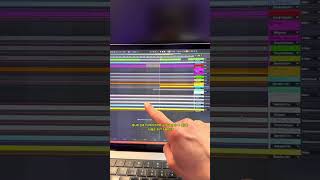
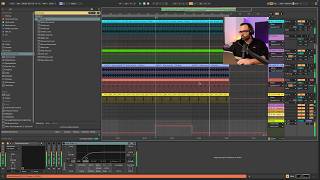
For now we're going to take out the percussions that we just extracted from Suno's creations.
Okay.
And this one here was the drum roll. Perfect. Well, we'll take it over here.
Okay.
Then we're going to match the percussions here. This is sometimes a bit tricky because you have to match them exactly at the moment they come in. Let's see. You do have to look for the kick drum and try to match it even if we deactivate the grid.
Okay.
Don't be afraid to deactivate the grid because in principle it's created at the same bpms, so it should hold up well. And if not, well, that's what we're producers for, to adjust it and trust Alvin's ward.
Okay.
Here I've put the voice that Suno created for me in one of the creations to do like a first round with my voice and a second round with the voice created with Suno, inspired by this one here. Here. It's a bit lame, but.
Okay.
We would have to come up with something. So that's it for these first impressions of Suno. Let me know what you think below. Also let me know if you want me to make more videos investigating Suno and see more applications that we can make. And I'll bring them here on the channel and that's it. Take good care of yourself, produce a lot and I'll see you next time. Bye.