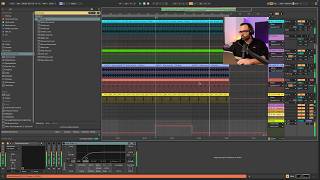
¿Tus Tracks SUENAN VACIOS? ➡️ Prueba esta TÉCNICA

Spanish-language YouTube tutorial by Alex (Produccional.com) teaching a quick method to add backgrounds and textures to electronic tracks using Ableton Live native content. The workflow: select atmospheric one-shot samples from Ableton's library (DroneLab → Textural Unsustained Percussions → GenFX), load several into a single Instrument Rack (one Simpler per chain), enable Slice mode on each Simpler so different notes trigger different sample slices, add Random MIDI effect to vary which slices play, record the result to audio, transpose down (approx. 24 semitones) and tighten transients, then process with Echo/reverb/EQ and Redux (noting Redux behavior from Ableton Live v11). The video also links to Produccional's online academy for project files and further learning.
Muy buenas, ¿Cómo estamos? Bienvenidos a un nuevo vídeo. Yo soy Alex de Produccional. Com y en el tutorial de hoy os voy a enseñar una manera súper sencilla y muy rápida para añadir fondos y texturas a vuestros tracks. Esto nos va a ayudar a que nuestras canciones no suenen tan vacías y tan planitas, que es algo que me encuentro mucho en muchos tracks que me enviáis normalmente, que la idea está bien, suenan guays, pero que les falta algo, suenan un poquito planitos, un poquito vacíos, le falta ese toque sabrosón. Así que vámonos a Belton Live, que vas a aprender a hacerlo en cero coma. Pero antes déjame recordarte que tienes todo lo que necesitas para producir música electrónica de principio a fin desde tu home studio en producción Online. Com, en nuestra academia online, donde encontrarás ya más de 600 clases organizadas en diferentes temáticas, donde cubrirás todos los procesos de la creación de una obra musical, desde la creación de la idea hasta su lanzamiento. Y solamente con una suscripción sin permanencias vas a poder acceder absolutamente todo el contenido. Te dejo enlace abajo en la descripción y en el primer comentario de este vídeo. Y como no, si te gusta este vídeo, pues dale un like bien grande y suscríbete al canal y dale a la campanita si todavía no lo estás para no perderte ninguno de mis próximos tutoriales. Venga, empezamos. Algo que me gusta mucho de este tutorial es que vamos a utilizar sonidos, vamos a utilizar samples de la librería nativa de Ableton Live, así que vais a poder seguir el tutorial absolutamente todos. De verdad os digo, la librería de sonidos de Ableton Live está súper infravalorada. Si os venís aquí a Bugs vais a encontrar un montón de librerías que ya os vienen y packs que podréis descargar aparte, ¿De acuerdo? Ya no solamente sonidos, sino Instrument Racks, Ableton F Racks, movidas para Max for Life, un montón de historias que si investigáis un poquito lo que tenéis aquí os daréis cuenta que no hace falta que descarguéis tantas librerías externas como normalmente hacéis. Para esta ocasión vamos a trabajar con la dronelab, Vamos a entrar aquí dentro, nos vamos a venir aquí a Samples y nos vamos a venir a One Shot. Yo ya la tengo abierta porque lo he preparado antes en el tutorial. Nos vamos a venir aquí a esta carpetita de Textural Unsustained Percussions porque estamos buscando eso, texturas y atmósferas. Si no tenéis esta librería o no queréis utilizar esta librería, pues os recomiendo que utilicéis sonidos parecidos, Glitches os pueden servir también, o sonidos así un poquito más atmosféricos, más texturizados. En este caso yo voy a utilizar esta familia que se llama GenFX. Veis que suena así como sonido más de drone, más texturizado, como comentábamos. Así que lo que voy a hacer es, primero de todo, abrir una pista MIDI nueva, la tengo aquí abajo, y vamos a cargar este sonido aquí, justamente en la cadena. ¿De acuerdo? No en la pista, en la cadena. Fíjate que ahora mismo se me va a abrir con un simpler. Lo que voy a hacer es convertirlo directamente ya en un Ableton Instrument Rack. Vamos a darle botón derecho y vamos a darle aquí a agrupar. Ahora mismo voy a poder abrir la sección de cadenas y veo que este sonido se me ha colocado en una cadena. Pues bien, vamos a cargar el resto de sonidos de la familia. Me voy a venir aquí, voy a pulsar Shift y voy a pulsar hasta el último para cargarlos todos y los voy a arrastrar aquí abajo. Y además voy a añadir el Scale FX. Así que lo vamos a cargar aquí abajo También es importante que entiendas cómo funciona un Audio Frack en Ableton Live y cómo funcionan las cadenas. En este caso, la gracia de tener cada sonido en una cadena es que todos estos sonidos van a sonar de forma paralela. Significa que si yo ahora toco una nota, van a sonar todos estos sonidos a la vez. Pero en parte puedo editar cada uno de estos sonidos y puedo procesar, puedo crear su propia cadena de procesamiento en cada una de estas cadenas. Sin liarnos mucho más, vamos a ir por faena y lo que voy a hacer es convertirlos en slice. Es decir, me voy a ir a cada una de estas cadenas, a cada uno de estos sonidos, y vamos a activar la función Slice del simpler. Esto lo que va a hacer es trocearme este sonido de tal manera que yo cada nota que toque ahora me va a pillar un trocito de este Slice. Estos slice se crean en función de diferentes parámetros. En este caso los está eligiendo en función de la transiente, es decir, en función de estos picos. Pero yo podría cambiar el parámetro a tener en cuenta para crear estos slice y decir, oye, pues házmelo por bit, o házmelo por región o házmelo directamente manual. Y aparte pues le podría decir si quiero que me haga más trocitos o menos trocitos a la función de sensivity. No vamos a entrar mucho en detalle con esto porque ya verás que no te hace falta. Esto es muy sencillo para lo que vamos a hacer ahora y no hace falta entrar en esto. Lo que sí que voy a hacer es entrar en cada uno de los sonidos y hacer la misma función, irme a slice y que me lo corte, que me cree los slices, los trocitos, como Ableton le dé la gana, a mí me da absolutamente igual. Perfecto. Con esto lo que conseguimos es que cuando yo toque una nota, en vez de que todos los sonidos empiecen desde el punto inicial, desde el principio, lo que haga es que cada vez suenen desde un punto diferente y así ir creando combinaciones entre ellos distintas. Esto es súper interesante. ¿Cómo voy a crear estas combinaciones distintas? Pues bien, en función de qué nota de mi teclado toque, si tú tienes un teclado MIDI o entramos dentro del secuenciador de Ableton Live, pues cada nota que yo toque será una secuencia, será una agrupación diferente de todos estos slices dentro de estos sonidos. Parece un poco enrevesado, pero de verdad es muy sencillito y lo vais a acabar de entender al acabar el tutorial. Algo que os recomiendo hacer, ya que estamos, es que el simple me permite randomizar el paneo. ¿Qué significa esto? Que si yo entro aquí dentro de un sonido, me voy a control y me voy a este parámetro aquí que pone run pan, randomizar paneo. Si yo le doy por ejemplo un 30% en un 39% posibilidades irá variando de izquierda a derecha de forma aleatoria. Entonces, pues así ya vamos consiguiendo un poquito de imagen exterior con toda esta agrupación de sonidos. Lo voy a hacer con cada una de las cadenas, con cada uno de los sonidos que hemos cargado. Perfecto, fácil y sencillo y para toda la familia. Lo que voy a hacer ahora es abrir un clip MIDI, que todavía no lo habíamos abierto y ahora mismo pues vamos a acceder al secuenciador de Ableton Live. Lo que estaba yo tocando aquí con mi teclado, o en este caso con mi push, que yo tengo una push ahora mismo, pues lo voy a escribir aquí y lo que voy a hacer ahora es crear una secuencia que vaya pillando diferentes agrupaciones de. De estos sonidos. Venga, perfecto, ya lo tenemos. Yo he hecho esta secuencia, pero podéis investigar y podéis hacer lo que absolutamente os dé la gana. Ahora mismo esto va a sonar así, ¿Vale? Pero podemos ir un poquito más allá y hacer que esto sea un poco más aleatorio. Lo que voy a hacer es venirme aquí a MIDI Effects y vamos a buscar un MIDI Effect que se llama Random y vamos a cargarlo aquí en esta pista. Estos MIDI FX se van a poner delante del instrumento porque lo que va a hacer es que la señal MIDI que le está entrando por aquí, la que le estoy yo mandando desde este MIDI clip o desde mi teclado MIDI, se aleatorice. Se aleatorice, se randomice, ¿Vale? Me explico. Antes habíamos conseguido que con cada nota se me creara una agrupación de slices, de trocitos de cada uno de nuestros sonidos diferente. Ahora mismo con el Random lo que hemos conseguido es que aunque suene todo el rato la misma nota, suena diferente porque hay un 40% posibilidades de que suene distinta. Ese parámetro pues obviamente lo puedo subir o lo puedo bajar. Perfecto. Una vez que ya tengo esto, lo que voy a hacer es abrir el loop que me ocupe todo el fragmento de la canción, del proyecto. Vamos a abrir una pista de audio nueva y lo que vamos a hacer es grabar en audio lo que hemos creado aquí. Me vengo a la entrada y le digo que entre la pista 12, el instrument rack, que es donde acabamos de crear esta secuencia. Armamos grabación y pulsamos grabar. Perfecto, ya lo tenemos. Ahora vamos a ir por partes. Voy a entrar dentro de este audio y lo primero que voy a hacer es bajarle dos octavas. Vamos a bajarlo 24 semitonos, porque estamos buscando una atmósfera algo más bajo, algo más grave, un poco más oscuro. Así que vamos a tender a bajarle tonalidad. Vamos a escucharlo. Me voy a venir aquí dentro de Transients, vamos a dejar el algoritmo en bits y vamos a seleccionar esta flechita que pone hacia la derecha. Esto lo que va a hacer es acortar cada uno de los transientes que nosotros tenemos aquí, es decir, quitarle un poco las colas y hacer que suene más seco, Esto nos ayudará a que cuando le pongamos un delay el resultado sea un poquito más limpio, actúe un poco mejor. Fijaros que sequito es una hora y lo del delay lo vais a entender ahora cuando le ponga un echo. Nos venimos a efectos de audio, nos venimos a delays and loops y cargamos un eco. Voy a dar un poco de reverb, voy a dejarle un poco el derribe, perfecto, importante, vamos a irle poniendo un Equate, voy a cortarle los graves, le podéis meter saturación, le podéis meter el efecto que vosotros queráis, yo en este caso voy a ir por lo simple y vamos a ponerle un Redux, que es este plugin que nos ayuda a degradar el sonido de la señal que estemos procesando, fijaros cómo cambia. Lo que mola del Redux a partir de la versión 11 de Ableton Live es que puedo jugar con el Dry Wet, perfecto, vamos a escucharlo ahora en contexto, a ver cómo suena con nuestro proyecto. Acordaros de mutear la pista anterior, de acuerdo, donde hemos hecho la prueba, donde hemos hecho la investigación de sonidos y listo, ya a partir de aquí podéis hacer lo que os dé la gana, podéis poner un LFO que vaya moviendo el rate del redux, entonces tendríais un efecto así que está bastante guay, o podéis automatizarlo directamente, mostrar automatización y automatizáis un poco este efecto, podéis meterle los procesamientos que os dé la gana y darle la vuelta a este sonido otra vez, es una atmósfera, permite prácticamente todo. Y como siempre pues aquí yo os enseño un punto de partida, porque la gracia es que lo apliques tú en tu estudio y tú mismo vayas desarrollando tu propia manera de procesar esto, que es donde realmente vas a aprender. Bien, ya hasta aquí el tutorial de hoy, espero que os haya gustado, si ha sido así pues dale un like bien grande, suscribiros al canal si todavía no lo estáis, recordad que abajo os dejo enlace a la academia producción online puntocom donde además os subiré para todos los miembros pro de la plataforma este proyecto de Ableton Live para que lo podáis descargar directamente y lo podáis utilizar para vuestro aprendizaje y vuestras producciones. Nos vemos en el próximo tutorial, hasta luego.