Watch Me Fix a SaaS Design (Step by Step)
In this solo video, Charles Postiaux walks viewers through a complete, AI‑augmented redesign of a SaaS dashboard. He begins by scouting several existing products, selects the most promising candidate (a complex sequence‑heavy interface), and outlines the UI inconsistencies he wants to fix (spacing, button hierarchy, navigation overload). He then prompts Claude, an AI design assistant, to generate multiple redesign explorations, evaluates each, and iteratively refines the chosen direction. Throughout the process Charles emphasizes the need for a lightweight design system and a design.md file to give the AI clear style constraints. He demonstrates detailed UI tweaks—icon weight, padding, container vs. spacer usage, tag styling, shortcut keys, and component hierarchy—while constantly providing specific feedback to the AI. After converging on a final layout, he uses Figma’s prototyping features to create a live, interactive prototype, showcasing navigation, search, profile dropdowns, and hover states. The video also includes a sponsorship plug for Design Lab, highlighting their curriculum on AI‑product design. The overall narrative showcases how a designer can harness AI to accelerate exploration, maintain design judgment, and produce a polished, testable prototype.
Chapters
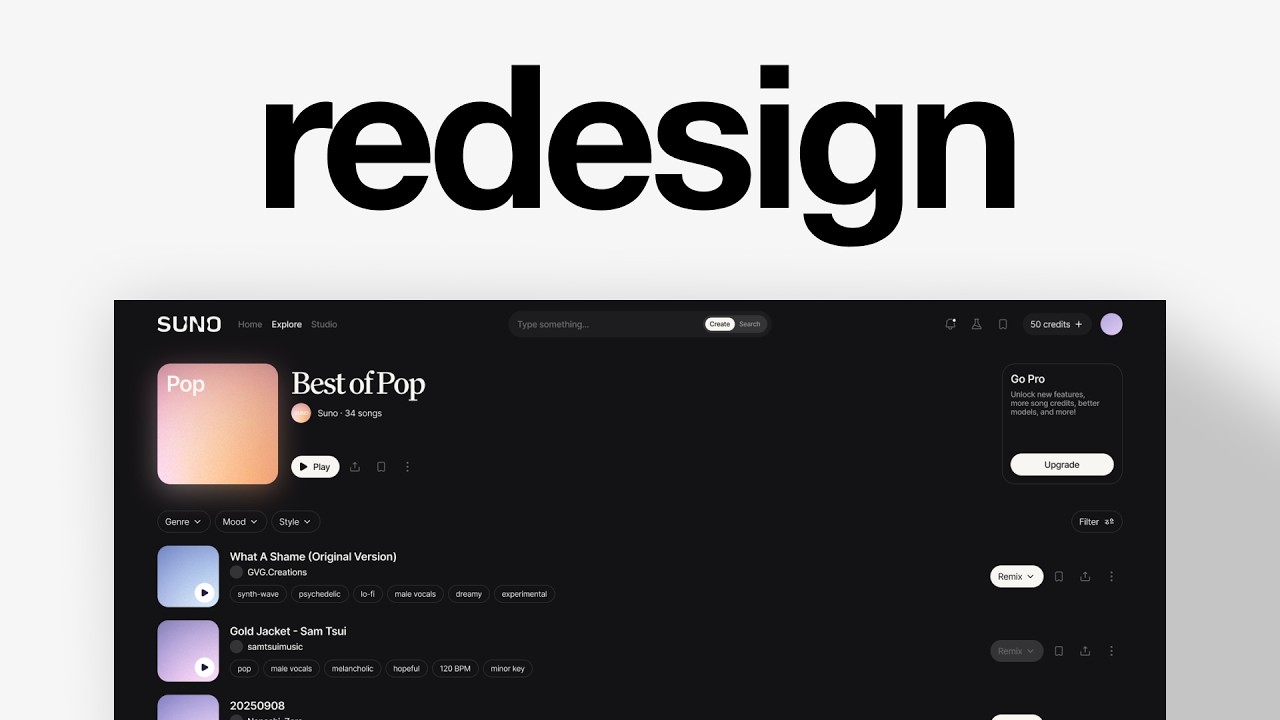
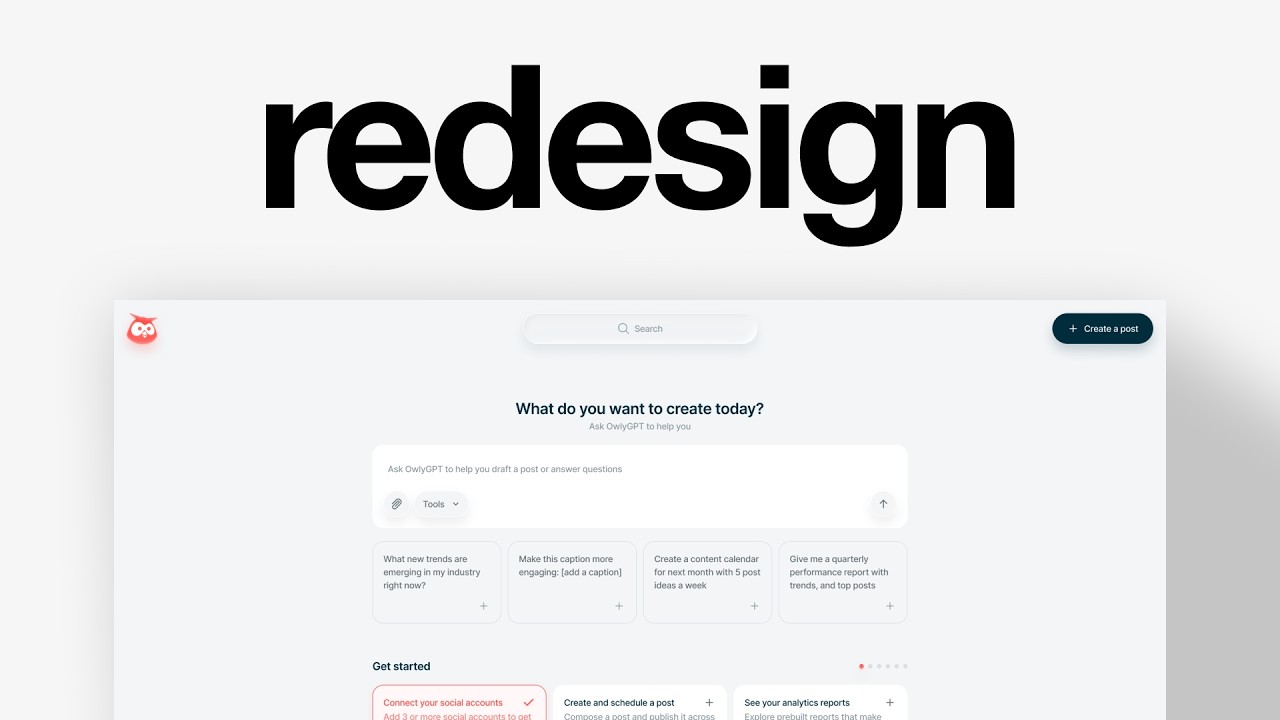
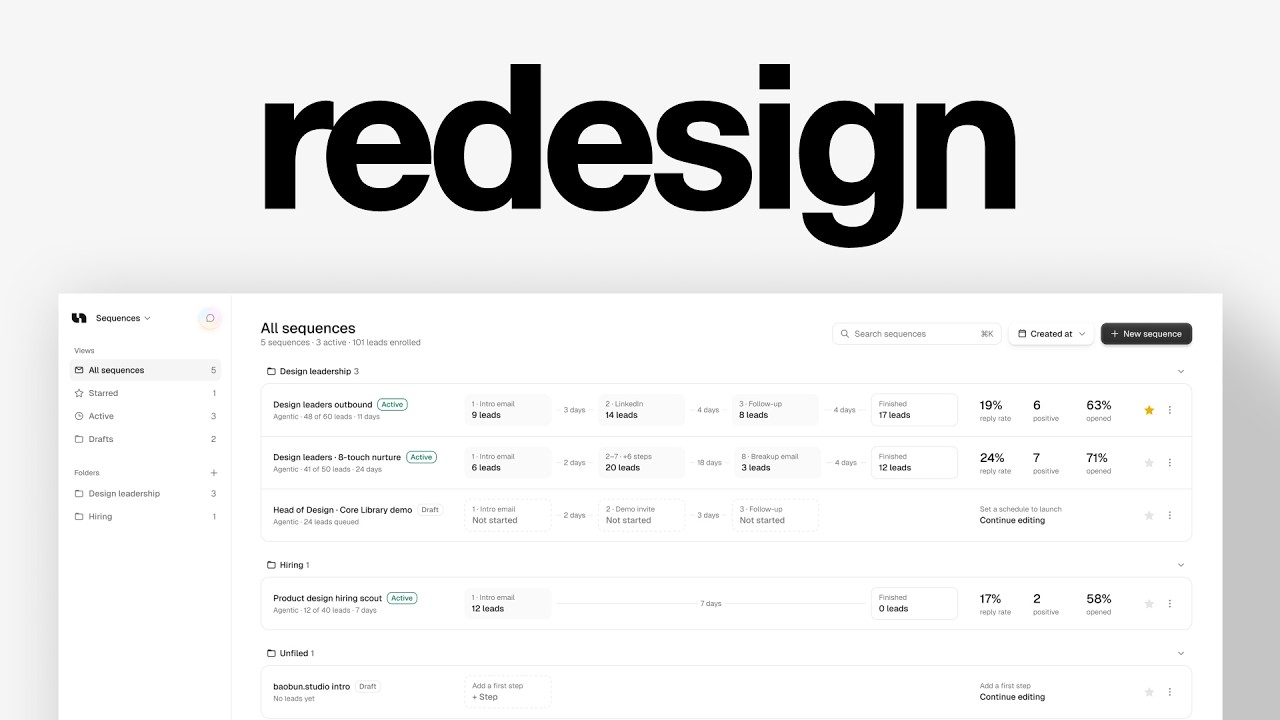
In this video, I'm going to find a random theme online and we're going to redesign it together. And if you don't know who I am, my name is Charles Postiaux. I work with companies worth over $200 billion to help them redesign their products and create better experiences and help them make more money. Let's get started. First, I need to look at some products and see which one might be interesting to redesign. We don't want something too complex. And also, if it already looks cool, well then I don't think we have to redesign it. Replit, for example, I think the design looks really nice. It looks modern and clean. I'm not a big fan of the sidebar, but if it's the only thing that doesn't work, then I don't think it's worth working on. SoundCloud, I think, looks cool as well and unique in its own way. I would probably maybe try to improve a bit the navigation overall. Gumloop could be a cool one. It's simple and interesting. I think there is a lot of work to do, like slight improvements and refinements for like the navigation, for example. There's a lot of different styles that you can see. There's this outline-only button and then a very detailed add more credit, which feels almost out of place, but it seems to be their style overall. So it's interesting. The dashboard could also be nice to try. This one from Unify could also be cool because I really like their idea of navigation. It's simple and straightforward how you progress through the tabs. This could also be an interesting one, an interesting screen to redesign. You can see there's a lot of inconsistencies. What if there is a tag here? How many steps you see? Then there is Browther Base, Which is cool, but I don't really know what the outline is for. I do like the kind of geometric style of it. I'm going to copy the ones that I like and we're going to see which one might be the most interesting to work on. All right, so we have all of the options laid out on Figma. Gumloop might be the, I think the one where it's the easiest to figure out like the little things to improve. Like just some little inconsistency like the paddings here. Like there are no paddings for the tabs, but there are paddings for like the buttons and they're not even equal. Or like a little detail here, but the image frame is bigger than the input field here, right? Like it's very subtle, but I think that improving those could have a really nice and positive impact on the experience of the user. And it's always the small details that ultimately make the experience special. I still think Unify, like this screen is also like really interesting to work on. Because it's just small changes, small details. Like maybe this text here is a little too big compared to the overall card. Maybe you could have like a different layout. Maybe instead of this at the top, it could be like at the bottom, like a dock, right? There are different things that we could also try to work on. This one here I think is just very crowded, and I'm wondering how to— how could we improve that? What I'm not a big fan of, I think the benefit of this specific screen is that You can see that there's a ton of buttons everywhere. There are buttons for the account, then you have buttons for the sequence itself, and then you have a button for sub-actions of the sequence. Then you have filters, and you also have filters again. So you have like a massive amount of actions on the right and a little bit of actions also on the left as well. I think it's okay on the left because this is not really actions. It is actions, but here it's mostly like content. So you only get like 2 lines. You get also like chat here. It's very minimal visually, so it's okay. But here is just a ton of stuff to look at. I think it would be interesting to work on this one. So I've asked Claude to— basically I just told it I have 3 explorations here, 3 possible explorations that could be nice for a redesign. I'm not sure which one would work best. Here are the things that I've spotted about each of them that could be interesting to explore as a redesign. Mm-hmm. Can you help me choose one? And it has picked the sequences, mostly because of what I've highlighted, which is the big amount of actions pretty much everywhere, even here, the navigation on top of it, the chats here. It's a lot of things to digest and to scan. And on top of that, these kind of very chunky, heavy sequence rows, which I don't know what could be a better alternative yet, but that could be interesting to also explore. Now, what I recommend you to do is when you work with AI, is usually to have some sort of design system already in place. For me, it's something that I created in Paper and that I just imported straight up here. And that is already a great starting point. There are no components on this. It's just like pretty much tokens. So it's still very barebone, which is great for me because it helps me to still create and reason and explore a lot of different variations without having to stick into a specific style. But it still gives the foundation, the structure that I want personally as a designer to make beautiful designs. Once I have those foundations in place, it's a lot easier for me as well to iterate and design on stuff, but also for the AI to come in here and jam up some explorations for me. And I still have that very strong structure. And here's the thing about redesigns like this one. I do my best to give you the tips and the behind the scenes so you can do the same. But one of the hardest things to teach through video is judgment. Knowing why this version is better than that one. You don't get that from just watching. You get it from doing the work and having someone better than you tell you where you can improve. Which is what DesignLab is built around. They provide you with structured lectures which also include live sessions taught by working designers, hands-on project work, and weekly small group sessions with people learning with you. They also cover what's moving fast right now. Take designing AI products. 4 weeks with Chris Wriston, who's designed AI products at IBM Watson and eBay. More and more products are adding AI, and companies need designers who can decide how it behaves, how to make users trust it more, and how to keep improving it to stand out in the market. Make sure that designer is you. Over 25,000 people have already been through our program, including people now working at Google, And Shopify. So if you're interested, click the link in the description to learn more, and you will also get $100 off any of their cohorts. Thank you to Design Lab for sponsoring this video. Back to the redesign. All right, so it has done the first exploration, which I think has some interesting points, but like a lot of things are still not looking great. Like this, for example, we could do muted for this. Things could be bigger. This is interesting to have a view here. It kind of reuses what you have for the home and probably like the chats and stuff, but it doesn't have it on the sequences. You can see the chat at the top. So I'm wondering if actually that could be an interesting thing to have. Now the design itself looks very AI vibe coded, which I'm not a big fan of, but otherwise it's pretty interesting. And it's also cool because when you think about the draft here, the thing is that if it's in a draft, you won't need any of that. You only get access to this data when it's live. It's like, how do we make it visible that it's different? Do we even do it? Like, is it worth breaking the pattern and showing something different? Or is it better to keep showing the same thing no matter if it's a draft, no matter if it's active, if it's off? The benefit it has highlighted here is that if it's a draft, it's a lot easier to then turn it and use that empty space, that pattern breaker, to let people know that they can continue editing. Here, I think it's, uh, it has some nice benefits to doing that, and I would probably go with that. But on the other hand, it kind of breaks off the patterns, and I'm wondering if, for example, there could be 2 tables. There could be like the active table, and then it would be a draft table, especially if we can save a lot of the space. Like the sequence, which is what you want pretty much when you get on this, on this tab here. Look at the space where it is on the page. Like all of this is not useful. You come here to see the sequences, and so all of that is pretty much used For not much. Whereas here, since we save so much space, we have a bit more room to then figure out, like, do we build different tables depending on the status of the sequences or not? Do we add this side panel, this side navigation to go through the sequences? I think that's very interesting to have that. I still believe that folder should be probably around here. I think it's still relevant to have it. And obviously you should put it at the top. Because the problem is that if you have many sequences, it's just going to expand past the screen and you won't ever be able to find the folders. And in that same logic, drafts would be difficult to find if you have 2 tables. But it adds a lot more complexity for something that I think can be solved just by doing that. And then you could have another one here, another button that's like status. And it's easier to just do like this, in my opinion. Now chat, I don't agree with that. I really like that simple experience and design here. I still think we should have that. So the second exploration, I think is really interesting. I think the active, like the status pill is too big and I don't really like the difference of colors, but it's a very interesting direction. Now I would say the only downside here is that it really adds a ton of navigation. You get like this navigation here, then you get this navigation here. That's a little bit much, but on the other end, I really like the design of the sequence itself. Having the timeline of the sequence is really cool. Now, does it represent accurately what you have here? I think in some ways it adds it. Like you can see some of the elements. I don't think we need the user on those. I mean, it depends on the product. It doesn't seem like from the product that each individual has like ownership. I think it's everybody within the same sequence. Maybe I'm wrong, but this seems to be a better direction overall. All right. And the last one, which is very different, it's more like an inbox now. That's a little bit over the top. Interesting to have the doc. I think it was like worth exploring. So I'm going to review what it's done, what it's designed, and give it some extra interaction. Like for example, the chat should be where it currently is in the design with the logo, which I have added as well. All right, so I've reviewed all of the designs and I've tried to, as you can see, give as much feedback as possible, like very specific feedback on what I didn't think was good or what I think could be improved and what I think would be a better change to make. That's something that I'm trying to do, and I would advise any designer when you work with your AI to be as specific as possible because it doesn't see things the way you see things when you design stuff. Not only should you be specific about the design changes, but you should also be specific about what you didn't like and what you want instead. Because if you say, I don't like the design, it doesn't really tell you much. And I would also recommend to have like a design.md file. Ready and set up with your preferences. Like for me, I have like a very specific and high standard design.md file for my AI to already from the ground up, no matter the new project that we work on, have the same standards that I want it to have. You combine that with obviously like the ongoing learning after every project and say, what did you learn? Can you memorize it for the next work that we do together? It takes a little bit of time, right? To set up, to take time to actually like review carefully everything and give feedback, but it is really worth it in the long All right, new round of changes done. This one is really interesting. I'm wondering if we need the background actually. That could be better on its own. And the problem is it didn't do a really good job at the design itself. You can see like the inconsistencies between all of them. I think that could be improved, but otherwise I do like the direction of it. This is very cool. And for this one, it's pretty much the same thing. It's just the layout that's different. It's not very good at building stuff, but the idea is there. I think that's a really nice one. What I would probably do is improve a little bit the spacing. You can see that it's the same, like here there is enough space for the title, but here it feels too grouped together, which doesn't work well. I would rather have those 3 grouped as one, and then this have a little bit more space, like some extra paddings here, for example. I think that would already like free up a bit more space, make it easier to go through. This I'm not quite sure if If this is the way to go or not. The benefit is that in some ways you kind of get the same information no matter what you do. It's really like a table where you can easily go through each column and see like the outcome of it. This one I don't really like. The inconsistency here is that the title for each card is 12 by 16 and then the main information is 14 by 20. But here it flips it for no reason. But otherwise it's very cool. I'll probably explore a bit more on this, but I think we've got our winner. This is nice, right? It's definitely nice, but I really like this design here. This change improvement is really cool. Now, do we need the chat or not? Because technically what could be done is we have this here. And actually I can just do C and have the same one as this. And here we have sequences, but we could definitely do something like that. And here we would probably have to remove the 0 or maybe have both of them be like that. Maybe if we make it smaller, it's better. And this way we don't need this. Or we could have all of the information at the bottom. Like they don't have it, but something like this that could work really well. They probably have like a subscription or something, right? Because I think that would work really nicely if we were to have that like here, around here. So option 1 is we have the profile here and maybe like When you click on it, you get this, the dropdown like usual, you know, with like the info to go through, like login, logout, subscribe, help, notifications. Another version is similar to Gumloop where we have the search, but I don't know if we really need the collapse button or not. So probably we don't need the collapse, but we could still have the search. And at the bottom, we would then have the user profile here, pretty much like they have. There's a profile with the 3 dots. It feels very pushy though. I'm not a big fan of being so pushy, but I guess they do it because it works. So I think it would be cool to try at least to A/B test that. At least when you're near the end, if you're at 0 out of 500, I don't think it's very worth it to show it. But if you're this close to the end of your usage, I think showing, oh, it's a free trial. I think it's even better on a free trial. But showing upgrade, then you have your usage right here. That could be really cool to have this. And you could still have pretty much all of the information that we remove. All of this here, right here, and it still makes sense. Now the difference is that that's kind of like the trade-off of not having this top navigation or this dock is that it's less discoverable. Like here the benefit is that you get everything right away as a reach and you kind of put the chat experience one step down, one step below the rest. Here it's, we don't have the chat actually, so I don't think it's good. But if we do this, the sequences, We pretty much sacrifice this. Like, you have to click every time, you have to click 2 times. Maybe we can add shortcuts like Command+1, Command+2, Command+3 to go through the tabs, and that can work. But that's kind of like the downside. But I'm okay with that. I'm okay for this redesign to be like, you know what, let's try something different. Let's push things around and see if we can come up with something different. Now, the benefit, I think, of redesigning products like this, like pushing the extremes a little bit, is that maybe not all of it is good and should be kept. But there might be a few things here and there that ultimately could be a true improvement for the actual current product experience. And that's the goal ultimately of redesigns. It's not, this is the whole new version of it. It's more like, these little things here and there could really benefit the product. Let's try them. I've done my best to give clear feedback to the AI about this exploration E, what I would like to see changed. And what I think could be an interesting exploration or variant to try out for what I've just talked about. All right, new exploration done from the AI. Much cleaner. Oh, it has done 2 explorations. I don't like this one, but I really like this one here. I think we're very close to the actual design that I think could work. It honestly looks pretty nice. Now it's basically just refining and improving the design the way I want it to be. And that's it. Claude has done a ton of work for it. Oh, it even shows. Look at that. It's exactly what I've talked about. I didn't even mention the shortcuts, But that's literally the, the thought that I had for this. So cool. It's not centered though. That is super nice. Now what we want to do is clean up a little bit the design. Like this doesn't— this wouldn't work for shipping that design with like having little blocks of like spacers. I think it's better to have containers instead. And even for components, I think it's easier cleaning up a little bit this design here. I don't like the paddings. They usually do the paddings like this for the logo at the top so it has a bit more room. To breathe and it looks nice, but at the bottom it just looks so unbalanced. Cleaning a little bit that, I think it would be a good idea. And then refining these spacings here, maybe adding a bit more filters, improving the paddings at the top. I think it just looks a little— I don't know why it's the same paddings, but it doesn't look the same. So improving that a little bit would be nice too. And I think we'll be set. So we're going to use this one. Let's clean things up a little bit. So first the logo, we need to just make it like this. I'm thinking maybe we should have like a color logo for the chat, but let's see. This is nice. Let's try to update the icons weight to 1.25. Let's see if it can all be medium. Yeah, that's better. So all of those can be grouped. Same here. It's not balanced though. Like that. Now it's balanced. Let's increase it to 20. Now it's not balanced again. So let's update the spacing as well. Let's group them. Portrayal ends. We don't need this. What if we add those? It works, but we will probably need to refine that. Inner shadows would work at this size. I think we need to group this and this one we can increase to 16. Let's add border, push it to the top. For now, I think it works. I think it's pretty good. This one's nice. This one's working. It looks good here as well. I really like that. That design looks super nice. I think that's pretty much it on this. Views or status? I think views is okay. Status would have been good if we didn't have star, but we do have it. Now for this, this is not enough. I don't have any custom on this. That's like 28, so I might need to just break the rules. Like this would be nice. Or do we actually do 28 everywhere? I think that's what we might do. I'm not sure yet. I think it's good like this. And for filters, owners, I don't think owners is the right one. And for the icon, probably a calendar or clock. We could try the calendar. For this one, we I already have this that I like, so let's drop it there. It feels a little misaligned. I don't know why it doesn't look that good. Maybe we can add a frame inside of the icon so that it's actually accurately balanced. Then Shift+A for all of both of them and then update the paddings. And this one, same problem. But the problem of this one is actually the plus itself, that it's a little too small. So again, we can do the frame, center this, then we disconnect the icon so that we can manually change this. And here we can change it maybe to 4. And I think that looks better. 5 sequences, 3 active. That's good to have that stat as well. I don't really like the fact that it's just like 2 icons next to each other on the left. It feels off. Like, could it work better like this? It feels very far away now. But I think I do prefer this where you get the chevron. It feels cleaner like this. The only downside is that It's not as easy to understand that you can close it, but I think I still prefer this. Change this to 1.25. I want to try to see if it looks better or not. Yeah, I think that's better. Change this to medium. This number is so small that having it regular makes it even smaller, and compared to the rest of the design, it just doesn't work so well. It's nice. This one I want to add again the same thing. So we make a frame, have it inside. This is good, and we can remove this one. Like this. I think I will have to change the folder and files. And then the other one, Design Leadership. Much cleaner. All right, we're getting close. We're not there yet, but we're getting close. For this, I think like that would work better. Do we do continue editing or do we do edit? This is cool. I really like this. The only problem, major problem here is the tag. The chip is really not that good. Active 26 is too much. I think it works better when it's like dark green, just an outline. I'm going to duplicate it and see if it works better. Or another version would be to not have it fully corner radius. It's the only downside I would say of the tag being fully rounded is that it doesn't really work so well with the rest of the experience where everything except the chat is pretty rectangular. This might be the winner because it works. It adds a bit more room, I think, and it works nicely. Muted. And this would be a border. That looks really cool. All right, we are a step closer. Maybe 10. We give Bit more room to breathe. Yeah, that looks cool. I like it. Let's remove this. Let's do this one muted. Nice. That looks cool. It doesn't stand out too much, I think, but that looks cleaner. So maybe we keep it. And if we don't, it's just like one toggle on and off. So it's okay. That looks pretty good. I don't know if I want to change anything. Maybe to stay consistent with that, we can hide this. Do we change the— this to blue or not? I think it's a little too distracting. That looks really cool. Let me duplicate this and see if it would be better to have 16 instead. Yeah, I think that's better. That gives a bit more room for it to breathe. Now, do we change this or not? Like we could do a glass effect. Yeah, it doesn't look super good. Now there's this I really liked. I don't know if we can add that. I don't want to literally copy it, but it looks so good. It could be fun. I don't even know if I can do that. Probably need to have like a blue frame here, orange one here, another one that's pink. This, those 2 would be on top. All 3 should have layer blur like that behind it. And then this should be clip content. That looks cool. What if we duplicate them and change the color? Group them, duplicate, duplicate this, put it behind, drop it a little, layer blur. That's pretty fun. The only problem is that it doesn't really work with the rest of the experience. This, let's draw white, layer blur, progressive. Maybe add a bit more of that here. Oh, that's cool. I like this. It feels like a little button. And they did it in white. I don't know, would it work? No. I think it's because I've added the other one. Yeah. But without the other one, it kind of looks off. Okay, now we're going too far. It looks cool. I like it. Like, this is pretty nice. It's not quite the this is it kind of design, but I think it's pretty cool. Let's just try to align it. The only problem is here. I don't think we should have space. Why would we have so much space here, but no space there. That makes no sense. This one we can push at the top here so it's a bit cleaner. And we could have this, the, the dropdown. And this one should have muted. This is cool, I like it. All right, something like this I think works. Just need to improve a little bit the padding like this. Now if you are a regular of the channel, you should know that when I'm done with the design, that's the end of the video. But this time what I want to do is work with Claude to actually make a live prototype of this redesign and see how it actually looks like for real. All right, so it has created the actual design. So the thing is, I've been posting designs on X for a while, like the dailies I call it. And so I've created a dailies project where I can pretty much prototype stuff. I can record, like you can see I have like a record mode, so I can just remove all of that, all of that stuff. And I can also have like those little close-up elements of the screen, which I think is super cool. It's very smooth. And so it has implemented it, which is super nice. You can see like you can go through stuff through views. You can go through the folders. You can also search like design or scout. Now, obviously, if you click on this, it's not going to work, but that is super cool. It looks really nice. And that is literally the future. Now, obviously, if you were to actually prototype it for a client, I would not send it to this. daily's interface, it would be like the live product. But like otherwise, like for this presentation, if I want to quickly show the team like what I'm working on, that's so nice. I can also hide the stuff. Now the only thing is that I would imagine in the design that this is like the hover state. So it probably would not be fixed like this, but that's like a tiny little detail. I think the rest looks really nice. I'm just wondering like on the hover, if it should be like this, like the field, like if it should be a fill color. Actually, I'm going to try it. I'm going to ask. The AI about it, but that feels super nice. Oh, it's a little laggy on this. You can see it's a little bugged, but otherwise it also works great for like sharing, saving favorites. Oh, it does work. Starred. Everything is interactive. But yeah, technically I could keep going for the video and just go through all the little details and little change that I think would work. But I mean, I think you've already seen everything. So even the little Chat looks so satisfying to click on. So this is what we started with, and this is the redesign that we ended up making with the live prototype. Thank you so much for watching this video. Make sure to leave a like and subscribe. Thank you so much to Design Lab for sponsoring this video. Make sure to check out what they're doing and see you for the next one. Bye.