Colin Brown sets up a forensic accounting test in Chatbot Suite AI, loading 69 data sources including PDFs and transcripts into a campaign. He configures settings like model version, temperature, response mode, and topic forcing, then shows where to access the live chatbot at aidatauniversity.com/ai-chatbot to test and log interactions.
Chapters
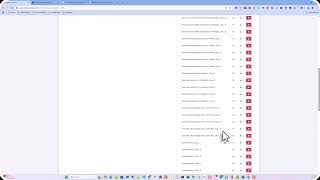
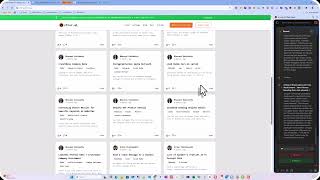
I thought it'd be a good idea to give you a quick overview of the Chatbot Suite AI product that I've got and show you just how I set up the forensic accounting test that we're running. So first of all, you just set up a campaign. I've set up a campaign called forensic accounting, and you'll notice that first I'm going to actually show you the databank. So you can actually load up, to a specific campaign. And you'll notice that I've loaded up 69 data sources, 69 files. You can see what those are. They are the PDFs for each of these sections for MAFF, and for each day I have the transcript. Of what was said. And the reason I thought it would be a good idea to have the transcript is to hopefully have some additional clarification of some of the data that's inside the PDFs. A lot of PDFs are just bullet points, and it can't— it has a tough time learning from bullet points. And so I still don't know if there's enough data here, but we're going to give it a shot. So anyway, there's all the individual text files. That have been converted from the actual transcripts. And then I did load up these last, uh, PowerPoints from the Essentials of Financial Litigation course. And these aren't red yet, or these are not green yet, because they're in queue and they're being converted. But that's how they get loaded. You just simply load those up. Pretty simple to do. You just click on Add Data and you can upload pretty much anything you want. The next thing you do is you go to your campaign, and let's edit this Forensic Accounting campaign. I've given it a name. Normally we'll put it on a specific domain, uh, or someplace, you know, where you want it, probably a NACFA domain. And then you can choose the model. I'm gonna up, up this model to the latest, uh, 4.1 mini, so it'll be a little bit fast. And hopefully that temperature is good. And then we're just enabling it to look to the database when it, uh, it's also looking to ChatGPT, but it's going to look at the database that we've loaded up. And then we assign the databank, and it's our forensic accounting. And we're— I've got it set to enhanced right now. We may want to change it to precise or even creative Creative usually will create hallucinations, but we could experiment with this. I chose Enhanced for right now, so let's give it a shot and see what happens. And we can force the topic to only talk about forensic accounting, and then we're going to keep track of the history. And we could put in some predefined questions to start the chat off. That's not a bad idea and something we should probably consider doing. I just don't know what those questions would be. In any way, I'm gonna go— in any case, I'm going to click Save and Close, and it is ready to go. So you just go to that link that I shared earlier. Where is that? AI chatbot right there. You go to the aidatauniversity.com/ai-chatbot and then go ahead and ask away, ask any questions, and click send. And it will— it's going to keep track of the questions that are asked and the responses we get back. So we'll be able to analyze that and after it's been used for a little bit, see if that gives us some ideas about maybe making some changes. So anyway, there you go.