Compass LangChain is a toolkit that lets AI agents interact with decentralized finance apps. Install the Python package, add your OpenAI key, and build an agent that can query on-chain data like wallet balances. The video walks through a demo that checks Vitalik's balance by routing the request to the right DeFi tool.
Chapters
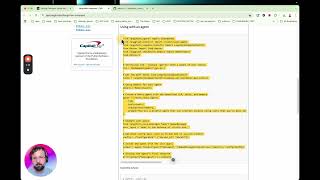
Compass LangChain is a set of tools that allows a large language model to interact with the world of decentralized finance. And DeFi, or decentralized finance, is a new planetary financial system that is peer-to-peer, decentralized. There's no intermediary authorities that are controlling it. It's accessible to everyone with an internet connection, but it's still in its early days. And it's been compared to the internet in the early '90s before the web browser was invented. Only real developers and nerds could access the internet when it first came out. And no one thought that it was useful until the first web browser was invented. Now, so decentralized finance is still not that accessible to non-technical people. Like my parents have never been able to access it, even though there's UIs like Uniswap UI. But in recent years, LLMs have been invented and LLM applications have been built on top of LLMs, most famously ChatGPT. Millions of people every day can interact with ChatGPT and describe their intentions, and ChatGPT will do what they want it to. Then last year, in about October, GPT-4 was fine-tuned to be able to use tools. This allows people to talk to their computer, and then an LLM application will execute deterministic programs on their behalf. The intention of Compass LangChain is to allow builders and developers to make new chat interfaces and agents that can interact with the, the, with this new financial system, decentralized finance, making it more accessible to everyone. So let's get up and running with this Python package. So if you go to pypi.org/projects/langchain-compass, and you will find this little quick start guide here, and installation is very straightforward. The -u flag just pulls the latest version of our package.
So I've opened up a new GitHub Codespace here, a fresh Linux machine. I'm installing the package and you've got to create a.env file.
That's what we recommend.
And, and I'm just going to pause the video and create that. Actually, I can start it off here,.env.
And then you need to paste your OpenAI API key here.
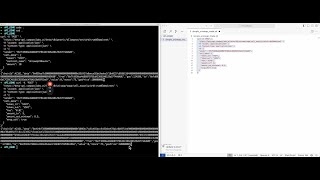
Okay, I've created this and I've hidden it. And let's now, um, just create a Python file. And let's see if we can execute some of the code, um, in this little guide here. So from langchaincompass.toolkits import LangChainCompassToolkit. So let's just import the module and then we can define the toolkit, um, using the.get_tools method, and let's print some of these tools. For tool in tools, print tool.name, and let's run it. And there we have a list of all the tools currently in the package. Now we're adding more tools every day, so this, this is rapidly going to go out of date, But if you build an agent in LangChain with this toolkit and you describe your intent, the agent will select the appropriate tool. So let's, here we have a minimal example of an agent in LangChain and we give the agent all the tools. So let's copy and paste this into the same file and let's run it. Now in this script, I've hardcoded the the prompt for the agent and we ask the agent, "What's Vitalik's balance?" And it returns a string containing Vitalik's portfolio at this wallet address, vitalik.eth, and it calls the appropriate tools behind the scenes. And if you set up this project with Langsmith, you'll be able to see all the different tools it calls to do this prompt. And let's see what else we can do. So to run the agent interactively on the command line, you can add this little while loop to the bottom of the agent script, and you'll need to comment out these two lines here. Let's clear the terminal, let's run it. Oh, I didn't copy and paste it correctly. Okay, let's go. Let's just clear it. Okay, um, please list all the tools in your toolkit.
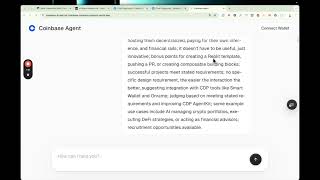
And you see it opens up a little chat interface here.
And it'll actually list all the tools that the agent is aware of and describe them all. And, um, please tell me the wallet address associated with Vitalik.eth. And which tool did you use? Yeah, so it used the generic ens_get_tool, and you see it prints out Markdown because we've imported console.