Conor Cosnett builds a LangChain agent using the Compass toolkit to interact with DeFi protocols. The agent queries Vitalik's balance via ENS, connects MetaMask to sign transactions on Arbitrum, and executes token swaps like buying USDT with USDC through natural language.
Chapters
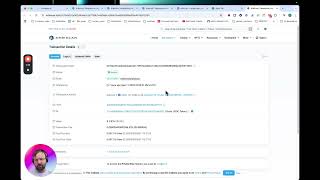
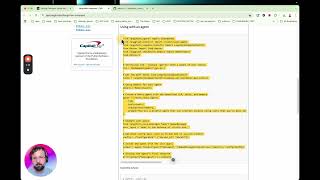
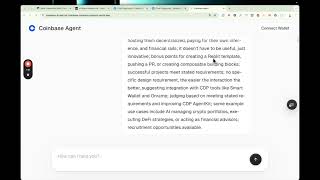
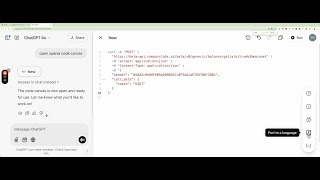
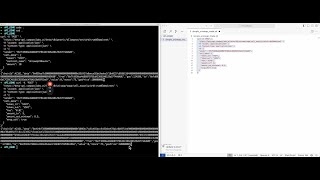
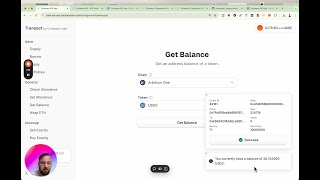
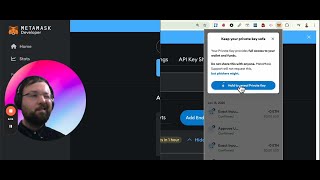
How's it going, folks? In this video, we're going to build an agent using LangChain Compass, which is a toolkit for LangChain agents that gives them access to the Compass API, which is a universal API for decentralized finance. And so using this toolkit, agents can interact with major DeFi protocols like Uniswap, Aave, Aerodrome on different blockchains. And, um, in this article, um, I've listed some of the things they can do: transferring funds, querying balances, swapping tokens. So how do we use the toolkit? We just pip install LangChain Compass. And I've set up a new cloud machine here. So let's, uh, pip install this. Um, I've just cloned the repository here, which is Compass Labs LangChain Compass Introduction. And let's create a new Python file. And, and let's go back to the article. So we need to import LangChainCompassToolkit, which is the toolkit. Then we can define our tools using the get_tools method. And let's see, for tool in tools, print tool.name. So let's run this, and we get a list of all the tools. So you can see some are specific to Aave, some are generic to all protocols, and some are specific to Uniswap and Aerodrome at the moment, but we're expanding them every day. So, um, to see an overview of the tools, you can click here. We're going to keep things concrete and we're going to build a minimal React agent in LangChain quickly. Now first we need to set up a.env file as it's a best practice. So you can just copy this.env.example file. So copy.env.example to.env. And then you'll need to paste your OpenAI API key here. And I'm going to pause the video and just quickly do this. Okay, I've created my.env file. Now we're going to just run this script which just sets up a, a very simple LangChain React agent that can use the toolkit. So that's just pasted in here. Now you see the user input, um, for this is hardcoded into a user input variable, and it just asks, uh, what's Vitalik's balance using his ENS, um, address. Then we'll just run it and just run it. And as expected, it shows Vitalik's portfolio at this address. And so this is just an agent and everything's sort of been hard-coded. But to make a very simple interactive agent, and that you can have a conversation with, you need to add a little while loop at the end of this script. I think we need to comment out these two lines. What can you do? And as you can see, it can do a lot of different things. So to see the Compass LangChain toolkit in action, you can try out our full-stack Compass AI application here. And I'm just going to open this in a different Chrome profile where I've set up a developer wallet. Now you can connect your MetaMask wallet to it such that you can sign transactions that the agent returns to you. So let's try something. Um, my wallet is this. Um, please, um, set an allowance of 1 USDC on Uniswap V3 router on Arbitrum chain, please. And if we go to MetaMask and click Activity, and you can see that this transaction actually goes— is broadcast to the blockchain because it's signed by MetaMask. See, 7 seconds ago. So let's see if we can swap some tokens now. And please execute a swap on Uniswap on the Arbitrum blockchain to buy exact 0.1 USDT using up, up to 1.1 USDC, which is 0.01% fee. Use, use the address for all fields that require an address. So Now let's try and do a swap on Uniswap, and I've just typed in this: "Please execute a swap on Uniswap on the Arbitrum blockchain to buy exactly 10 cents of USDC," and I give it some parameters, and I tell it to use the address for all fields that require an address. Let's see if it can do this. And it did the swap, and it gave me back 10 cents of USDT. So in this final section, um, we've made a full implementation of the examples above, and with types, doing it properly in Python, and to show you what's possible. And you can install it with pip install -r requirements. So let's just install it quickly. Oops, wrong thing. And while that's installing, we can run it by going python cli.py. So please list all your generic tools and please use your generic AllowanceSet tool to set me an allowance on the Uniswap v3 router of 10 USDT. Um, to set an allowance of 10 USDT, I need the following information: the address of your wallet and the chain you're operating on. So let's give it my wallet address. Is my wallet. I'd like to use Arbitrum. And then it'll send me an unsigned transaction. Now you can sign these unsigned transactions using the Web3 Python library. And, but I think this is enough to give you an idea of what's possible with the LangChain Compass toolkit. Thank you very much.