In this tutorial, the presenter demonstrates how to perform a complete Uniswap V3 transaction on the Arbitrum network using the Compass API. The walkthrough begins by setting a token allowance for USDT via the API's allowance endpoint, editing the generated Swagger/curl payload to replace the AaveV3Pool contract with the Uniswap V3 router, and inserting the user's wallet address. The modified payload is executed from the command line to obtain a transaction payload, which is then signed and sent through MetaMask, with the resulting transaction hash verified on the RBScan explorer. The tutorial then proceeds to execute a USDT‑to‑USDC swap: the presenter configures the trade parameters (amount in, minimum amount out, pool fee of 1%) using the Transact UI, generates a new payload, signs it, and sends the transaction. The transaction hash is again checked on RBScan, and the final token balances are confirmed via the balance endpoint. Throughout, the presenter emphasizes the step‑by‑step “nuts‑and‑bolts” process, noting that the same flow can be automated in Python.
Chapters
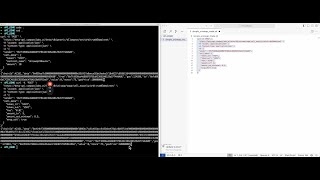
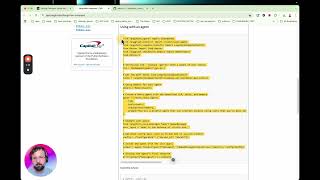
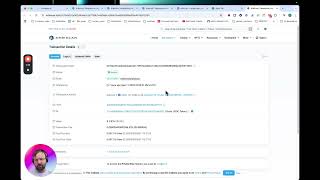
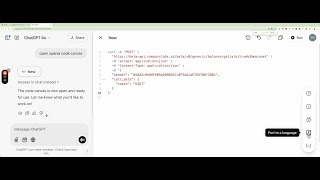
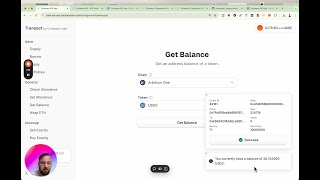
So in this demonstration, we're going to do a simple transaction on Uniswap using the Compass API. Now we have to set an allowance on Uniswap first, so let's do this. So we, we will use the allowance endpoint and we'll click try it out. Let's select Arbitrum as our network. Let's select execute. And then now the Swagger will give us the required curl to talk to our API correctly. So let's get this structure and we want to edit this a little bit. So let's put it into cursor. And now we're going to go to the schema to find out how to replace AaveV3Pool with contract. So let's go to contract. And let me go here. Contract name. And for this one, we need the Uniswap V3 router. So let's go to Cursor and, um, let's replace AAVEV3 pool with Uniswap V3 router. And let's replace the sender with my wallet address. And let's select the token. And so I want to trade some USDT today, so let's change wrapped ETH to USDT. And let's set an allowance of $10 worth of USDT. And now that we've got all this together, and let's execute using the command line. So here's my command line, and we'll just paste it in here and then press enter, and this will give us the transaction payload which we need to sign. So let's grab this payload and let's sign it. Now transactions can be signed using our signer up here, which interfaces with a MetaMask wallet, and these links will be provided in the description of this video. So let's sign and send via MetaMask. So MetaMask will display nicely what's happening. And we're setting a spending cap of $10. The network fee is 1 cent. Let's sign it. Now we've got our transaction hash. So now we can, and we can actually search this transaction hash in RBScan for curious. And let's just type it in here. And it happened 19 seconds ago. Great, okay, we're in business. Let's now go back to the API and do a trade on Uniswap. So let's just, um, minimize some of these things, and we want to do a sell. So let's click Try It Out again, click Arbitrum, click Execute. And let's put this command into our favorite editor. Now I want to sell, um, USDT for some USDC, and let's do it in the, the cheapest pool, which is 1%. Now you can find all of these parameters by going to our API user interface, which is called Transact. So we want to do it in this pool, and we want to put USDT for USDC. So this user interface really shows you what the API is capable of. So amount in, let's do, let's do $9 or something. Let's do amount out. So this is the minimum amount of USDC we want out, so let's go 8.5. If it's, if it's higher than 8.5, let's have our transaction be automatically rejected. And let's set our wallet address and let's send it into our command line. And we guess our transaction payload, which we can then copy and paste into our signer. Now this can all be done programmatically in a Python program, but this is just to show you the nuts and bolts of it step by step. So let's sign the transaction. So we want to sell $9 of USDT, and we're going to get $8.99.6 of USDC. Let's confirm this transaction and let's, um, let's check the transaction in RBSCAN. So we'll put the transaction hash in here and now we'll go back to our balance, our app, to check our balance. Get balance. Arbitrum USDC. Yeah, so if you look at our last video, this has gone up by $9.