A short tutorial (YouTube) showing how to add an introduction chapter to a community event guide. The speaker walks through existing posts to include (welcome post, schedule/overview, terminology cheat sheet, ‘introducing your host’ with emojis, community cheerleader prize), demonstrates enabling Guides in group settings, creating and ordering guide posts, and recommends using emojis (e.g., trophy) to improve visibility and engagement.
Chapters
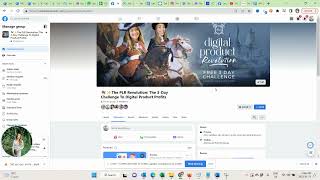
Hello, my lovely members. So now I am here and it's one day before the event and I just want to show you how to add the introduction chapter to the guide. So just want to walk you through what we have already posted in here.
So in here.
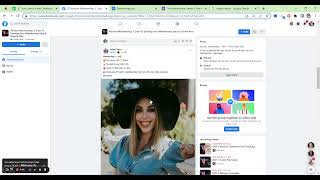
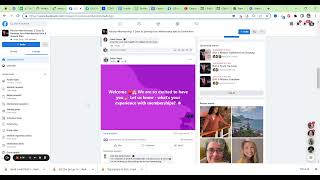
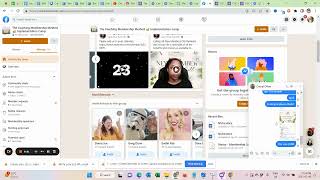
We have posted a welcome post to introduce yourself. And I will link that of course in the doc with the template. Then we have the schedule, the overview. This is posted so you can see people see what happens on each day. Also linking this for you with the schedule. Then we have the community cheerleader. And I'll add it a little bit separately. Basically you can see based on the group activity, who was the most active participants person in the group. And this person will win $100Amazon gift voucher. This really helps with the group engagement. So we already have this added here. Then we have introducing your host in emojis, Evelyn and beautiful Jessa.
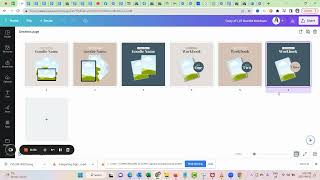
And we also have the terminology cheat sheet here linking to the queen and here linking to the cheat sheet. So just double checking the links here. So this is. These are kind of the first things people should see when they join the group.
This is a little bit longer.
Okay, so now I need to create a guide. So for this we need to go to the group setting.
Let me see, add features. This one learning. So now I need to add the set that the group features guides.
And now that we have guides, let me go back to the community home. I can come here and I can create a guide. So start guide.
Welcome.
To the mission.
Membership.
Please make sure to complete all guides to get the most out of this free, free day life learning.
Experience.
Okay, so now I have my first guide. And now I'm going back to the discussion and I'm adding things to the guide.
So this is the.
In.
Terminology.
Cheat sheet and quiz.
Making sure that I have no typo. Okay. And then trophy emoji. Whenever we can win something, I want to have the trophy emoji there. It's just when we work with emojis like that, it's easier for people to digest the content for things to stick out. So just name that and add that to the guide. Now going back to the posts.
Add it to the guide.
Your hosts in emojis.
Meet Jessa.
Evelyn.
Now I'm also adding this.
Community cheerleader win.
100.
And that again should be the trophy emoji.
And now we have.
Event schedule.
I know there is. I know there is some sort of emoji keyboard somewhere.
I haven't figured it out yet. My brain refuses to.
And then.
We have the last one.
Say hi.
And then we have.
Say.
Hi.
Welcome.
And introduction. Okay, perfect. So now I'm in the guide. And here you can see. I think it's already flowing the way I want to.
I accept. I want the.
Cheat sheet. I want this up. So now I can say reorder posts. Then you can see. Win, wins.