Walk through designing launch ads in Canva using challenge templates. Try photo-of-you, tangible deliverables, or movie-poster style visuals, or generate images with MidJourney. Use 3:2 aspect ratio, create multiple variations, get group feedback, and finish 2-3 weeks before your challenge starts.
Questions this video answers
Preferably two to three weeks prior; 9–10 days prior is the maximum.
3:2 (three-to-two).
Free challenge starts 15th of October.
Chapters
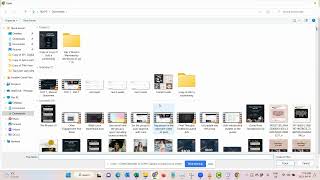
Okay, so in this video we talk about designing our lounge ads and I would love for you to click on the templates.
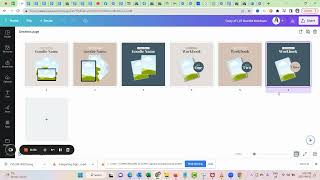
And then here you can see we have our challenge ad templates.
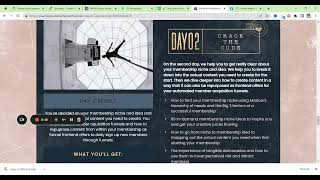
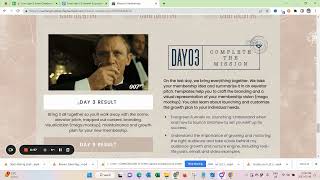
So here we can work with either an image of you and then what they learn on the days. We can work with the tangible deliverables, we can work with a combination of that.
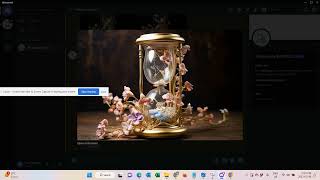
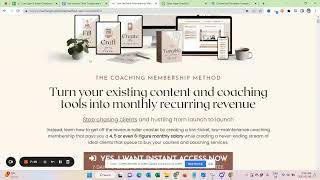
Or if you followed the Mid Journey training, we can also go with something like, you know, really fancy like we had for the mission membership where you would just use Mid Journey. So here, for example, I just created for a client of mine around collapsing time. So I think this is a really beautiful kind of visual. And of course you can also go with something that is more like a movie poster kind of approach and you can use those templates as well to kind of.
Marry the best of both worlds. Sorry, which ones are these now?
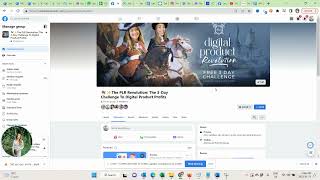
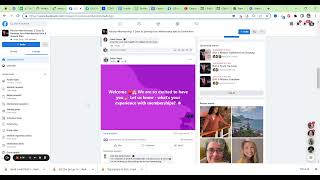
So, yeah, please make sure to design at least a couple of challenge ads. That was a mistake that I did the last time that I didn't have enough templates. Again, if you're unsure if the design really hits home, make sure to post it in a group before ask the group for the opinion. Start with those things early enough, as you can see, two to three weeks prior, we will run lounge ads, as you can see in the lounge debrief board, 9 days prior, 10 days prior max to your challenge. So if you can be done with them two weeks prior to the challenge, you still have enough time to collect some feedback and post it organically maybe and see how people react before you put some money behind it. So really take some time to, to make those very, very pretty. And I can quickly show you the ones that we had.
I actually, I can show you in the debrief you see the winning ad.
So.
Winning.
You can see this was my winning visual free challenge starts 15th of October mission membership. That was my winning ad.
So here you would want to, if you, if you would want to work with Mid Journey, you'd probably just want to come with the templates here.
Like this.
Upload.
Did I just save this or no? Yeah.
Free challenge. And then, you know, it had like here I think curving is collapsing time.
And tracking.
But I also think is maybe really good for you to know is to work here with the aspect ratio. So we have collapsing time flowers magical. So imagine.
Prompt.
And then we have those two lines aspect three to two because that gives you just a much easier time.
And if you don't know what I'm doing here or what I'm using, please go to the lounge dashboard in here.
Mid journey challenge theme training to kind of get the idea of what's happening. So now this is AI image generator. Generates images.
And you can, for example, also in canva, when you look at the.
Ad here, we also have like a logo here. So while this loads, we can also come here and we can say.
Time logo.
Templates.
So, you know, maybe something like this.
Collapsing time. That's how you write it now.
Two times the outcome in half the time or reach the same outcome within half time.
So I think this could be.
All white. This could also be white. And I'm grouping this. And now we have the other template here.
So this gives us a little bit more way. And I would want to upscale the first one variations and then upscaling it as well.
This will take a little bit, so. Oh, there you go.
Save image.
Beautiful. I can upload this image.
And the reason why I did that with the aspect ratios is just that it gives me a little bit more time or space to move things around. So when I now want to do something here, like adding the logo.
Copy it over into this document.
I feel like this doesn't work well.
I feel like it needs to be a more like closed kind of logo.
Maybe something like this.
Time.
Challenge.
See? Let's see.
All right. We can also look for something in a shield, maybe.
Collapsing Time challenge.
Time.
Challenge.
This is very sweet. I like this a lot. Can I make this white? I can't.
Block.
Okay. Can I make all of this a little bit?
It. This is just like a quick draft. I hope you guys forgive me, but I just want to give you the idea.
Collection time productivity challenge.
Free challenge.
And then I would very likely add some gold line or something.
Gold block, maybe even.
So, you know, instead of this thing here.
Adding this here, and then coming in and taking the colors.
From the image as well.
You know, you can play around with this, but the. The goal is to have it to add just a little bit dynamic and.
Trying to make it a little bit more.
Ultimately more cohesive and.
Yeah. So just to try, you can use those with AI as well. You don't have to. You can also just use it with an image of yourself.
But I mean, obviously that those stand out at the moment. Right. So please make sure to have a couple of visuals. I made the mistake that I only had one. Please make sure to do this early enough so you can ask in a group for feedback. And if you're unsure, you know, maybe ask someone for help. And.
Other than that, you should be good to go with your ads.