A tutorial-style walkthrough (speaker-led) explaining how to integrate a website sign-up page with an email marketing tool (ActiveCampaign). The speaker demonstrates creating a list, building an automation triggered by list subscription, selecting/repurposing a past campaign email as an immediate thank-you message, linking the sign-up form’s integration to ActiveCampaign, testing the flow, and recommending a 365-day sequence retention. The guidance is shown using WordPress and references other page builders (ClickFunnels) as analogous.
Chapters
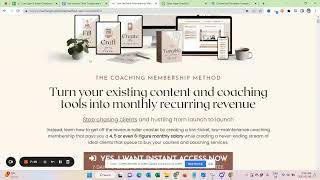
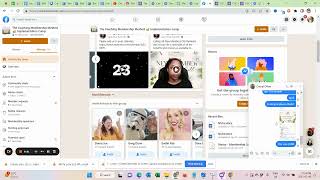
Our next goal is to integrate our sign up page with our email tool. So we now have our own solution on WordPress. And we just did a beta run with 100 people and in there it's explained how we link up emails. But for many of you, you might still use clickfunnels or another solution. And this is where I've also built this signup page. So I'm just showing you how I do it based on the system that I used to use for this. But the same principle, you know, a very similar principle will be true for no matter what page builder you use. So what we need to do basically is we need to make sure that everybody who enters their email address.
Ultimately also gets added to our email marketing tool. So I personally use still Active Campaign.
And the first step I need to do is to create a list in activecampaign. So just let me come here.
Add list and I like to name it according to my life launch. So mission membership and because I might do it, you know, more than one time, the same theme in the future, I'm just going to make sure that this messes up. And then I say you receive.
This email because you signed up.
Okay, so.
And then the next step here is we need to set up an automation. So no matter how you set it up in your system, if you use tagging or if you use a separate list, I just like working with lists. This when somebody subscribes to the list or gets tagged, this needs to trigger an automation. So I'm starting one from scratch here. So you can kind of see the moving parts again. Just figure out what the same logical step means in whatever builder you use. So I'm just naming the sequence here. So this is mission membership sign up.
And my trigger is when somebody subscribes to the list.
Now I can just look for it.
See that's the thing with Active Campaign, it's sometimes so slow.
So I'll just select one that I know won't be used right now to just finish the setup and then I can refresh it and go back. So we want to send an email.
And this is.
Just our thank you email for joining the challenge that should be sent out immediately. And now I'm just going to my past campaigns to set it up.
Active Campaign, we need to click Classic Designer to get to our past campaigns. And now I can just look for my email from the last challenge and then I still show you how signup works. So.
Here.
Must be somewhere here.
I think it was still. Welcome to Wonderland. Okay, so we could put in.
Your email.
You just want to say for the subject and welcome and then your challenge name.
And now the next thing I'm going to need while this loads is the banner, so.
Or actually I'd prefer almost using the square image that I also use for the ad.
Okay, so next, thank you so much for signing up for our.
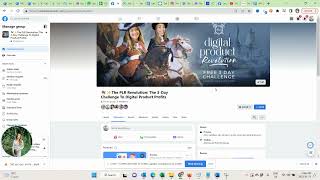
Mission membership challenge request to join the challenge group here. So I just need to match the color here a little bit to the challenge theme. Holika.
Little bit darker. Okay, I think this works. Now linking the challenge group.
Here's what we'll be covering during the three days.
A 1, 2, 3. So now I can just use my challenge page for reference.
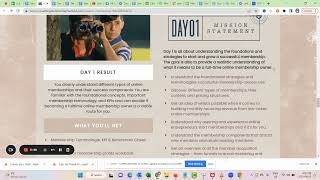
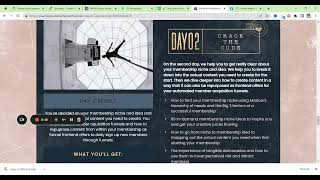
Day one is all about the foundations. The goal is to provide a realistic understanding. Then second day is all about getting clear on the mop ship.
And I found that, you know, we don't want to overdo it, but it makes sense to include more.
Information.
And then I will just.
Structure it a little bit better in a sense of mission statement.
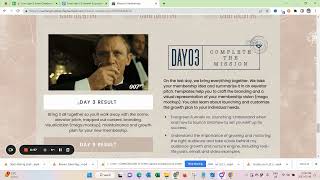
Code. And then we have mission complete.
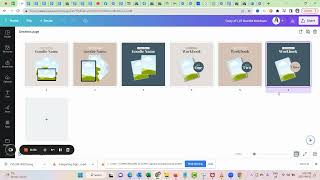
Okay. And then we just need our tangible resources. So see, because I invested this time in the beginning to make sure I'm mapping out everything now I'm so fast creating all my marketing materials. Right.
I think we have creating new goodies in here. I have them.
And as you can see, those goodies in themselves, they kind of already handle objection and they already address things just by how they named.
I wouldn't even know what membership to do. Well, here is choosing the right one for you. Right. So all of these things there, they also.
Handle objections.
Okay, so.
Let me see if I can.
Oh yeah. So.
I just want this nicer.
And it's probably easier if I just do it quickly here.
You can forward this part if you don't want to see me formatting. I just think it's important. You know, I tend to make typos sometimes, but giving people structure is really important. Okay, so.
Six figure, we are also six figure membership owners.
That's all low ticket.
If you want to learn from Tresemme through multiple six figure low ticket membership owners. I'm actually seven figures now.
So not sure I get access to all our resources. Then join the group and secure a seat and wait to see in the challenge. Okay, so I think this my.
Undo kind of thing here.
Can't wait to see inside the challenge. I'm also copying this email for you guys.
Of course.
So you have it. And then.
We need to finish this.
While this loads. We can already come in here.
And we need to say.
Integrations.
Now I need to select ActiveCampaign.
Add to list and then I hope the list pops up here now.
Perfect. Okay, that's connected. Now.
We also need to kind of link people back.
So what we're gonna do is we're gonna anchor those but.
Okay, so let me see if that was the right one.
Okay, so now.
You can also do that here.
Those are just anchor links on the page. Trying to challenge. Join the challenge.
And this one here again. Okay.
Always double check mobile as well.
But now we can.
Just quickly see here if it does everything we need it to do and then go back and finish our active campaign setup. Okay, so if somebody says join the challenge. Yep. They can enter the email and then join the wait list. Okay, that's perfect. Now this is done as well. We can click on finish.
And we can set that to active. And I just have the personal preference that might just be me. And really weird. I like to keep people in the sequence for 365 days in case I want to add something or.
This is basically how I set it up. Okay, so now we actually need to test it. So if I now with my.
Email address sign up for it.
I wouldn't get it because we have not.
Updated this yet. So now it's here on ActiveCampaign. Okay, now we can try it again.
Okay.
Let me see if. Okay, does this one work? Yes. Sign up for the wait list, join the free challenge group. Yes. That's all great. And then sometimes it can take a little bit, but I just check my Gmail if I received the email within 5 to 10 minutes and then this is done and we have integrated.