Saleh Amiralai walks through setting up a Facebook lead-gen campaign from scratch. You'll pick the Leads objective, create an Instant Form, build a named audience like "journaling audience", set your daily budget, choose countries and interests, and upload creative and a lead form that connects to email via Make.
Questions this video answers
Leads (Lead Generation).
Instant Forms.
€10–€15 (speaker lists currencies: euros, dollars, pounds, CAD, AUD); lowest suggested is 5; recommends testing at $10 minimum for the first 3 days or the first week.
Canada, United States, United Kingdom, Australia.
Advantage Placements.
Chapters
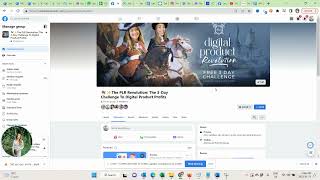
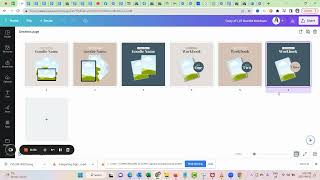
In this video I want to show you how to set up a lead generation campaign so you can promote your strategic freebie and grow your Facebook group or Instagram account at the same time. So you need to be in your ads manager. Click on the green create button and then you want to select leads. Continue.
Name your campaign.
Level one because this goes to code traffic lead gen. This is our campaign objective and then.
I always give it the strategic freebie name. So if that was templates, I would say freebie templates. Right?
So just so you can identify what that campaign was in the future. Now scroll down. We don't need to do anything else here.
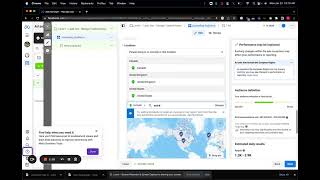
Now here on the ad set level where we enter our targeting, we want to have that instant forms selected and here we want to give the ad set the name of our targeting. So for this example I will select my audience that works really well for selling journals and personal development. So I will call it journaling audience.
You need to select your Facebook page here. You need to accept the terms and conditions here.
You want to set your daily budget here. I recommend for lead generation campaign to go with 10 to €15, dollars, pounds, Canadian dollars, Australian dollars. These are just the kind of good amounts and Facebook adjusts a little bit to the currency of the country. So in this case I'm setting €15 a day just to give it a little bit more traction. The lowest you would want to go is 5, but I would still recommend to test with $10 at least for the first 3 days or the first week so you have some data faster. And often if you have more data faster, you actually get cheaper leads. Your estimated daily results and leads, you can completely ignore that these numbers usually never are accurate. So once we have that, we want to select our locations. I like to go with Canada, United States.
United Kingdom.
And Australia.
These are just the countries that I found by coaching digital products very, very well. Age, gender, I typically leave it open. If you say, for example, I only work with female entrepreneurs, you would want to adjust the age, you would want to adjust the gender. If you say I'm working with women in menopause, you would want to adjust the gender and the age. Right now we click here on detailed targeting. And except if I have niches that are really, really hard to target. Very narrow, let's say I can only target based on job titles. I would want to have that advanced detailed targeting toggled on. Otherwise I want to toggle it off and now I can enter my audience.
So for every kind of self development, Louis Host typically is very, very good. You can add Brendan Burchard, Brini Brown, other inspirational figures, but I'll just leave it with Lewis. Now.
It'S actually making it too small. So let's add Brini Brown, Louis Hay, Elizabeth Gilbert. Now it's already better. They must also be interested in writing.
Creative writing is very, very good to select. And they must also be interested in coaching.
And is a really, really good audience to target. So this is my journaling audience now for the placements, please select Advantage Placements. And now we can go to the ads level. This is where we will dial in our ads.
Add one.
We need to select our page, our Instagram account and then here in the ad setup create ad. This is where we will upload our creative in. Here is also where we will create our form which we later connect to our with our make account. This is a free or freemium tool. We can start for free and if we have really more transaction, it's very affordable, much more affordable than sapier. And we use this tool to connect Facebook lead ads with our email tool like ActiveCampaign or MailerLite or Get Response. Whatever tool you use and how that works exactly is something that I show you in the next video. So we will come back to this section, fill it up, create our form and then connect it.