A creator describes how they prepare content for a multi-day challenge: first listing tangible deliverables, then structuring the workbook by day, linking existing assets, and filling gaps to produce one cohesive workbook. They also explain using a pre-made challenge bundle (lead magnet and workbook templates) and adapting visual templates (images, colors, graphics), sometimes with help from an assistant/designer named Jessa (or Chester).
Chapters
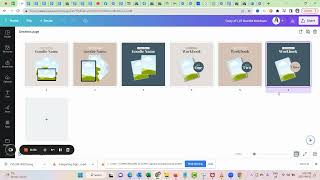
Okay, so the next steps are to create your actual life launch content and the goodies. And I have linked for you kind of the current status quo. So this is the workbook that I'm working on, and then also just a list of the tangible deliverables. So as you saw, in my process, I like to have that list first. Then I start my workbook by structuring the days. So first I'm like, day one, they do the free, okay, what tangible deliverables do I have? And. And what kind of content did I promise? So then I will just lay it out. You can see I already have, like, the whole outline for everything. Then I plug in what I already have in one form or the other, and then I just make sure to rewrite it to create one cohesive workbook. So I'm basically compiling things that I've already done, but I make sure they. It's like in. In the context of the new challenge, filling in the gaps. Right. So this is how I do it. I first structured by the days how I have laid it out. I put in the tangible deliverables on the day, I link what I already have, and then I kind of just work through everything until it's like one cohesive workbook. And then I'm really lucky because Chester lays it out for me. If you don't have a Chessa, then what we have for you in Secret Weapon is we have a challenge bundle, and there's, for example, lead magnet.
Lead magnet template in there. But in Secret Urban, you have so many different types of.
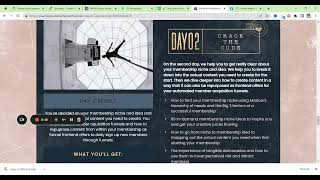
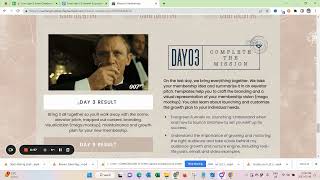
Workbook templates, ebook workbook. So I'm sure you find. And when Jessa actually creates things for me, she always uses those things as a basis. Right. They can be adapted super easily. So, you know, let's say for our challenge, we would now want to use this image. Mission membership.
I want to show you. And you could very easily just, you know, pick what is in the graphic already, and then you can just change all. So here you can see or, you know.
It kind of pulled the whole thing through. Now, let's say we also want to change this. So I'm not sure. Is this too dark? Probably maybe like this. Okay. And then I would just have to go kind of through, make sure.
I'm changing this to be more readable on the pages. But I think you get the idea. You can fairly fast customize these.
And then.
You know, add whichever graphics you have.
For your challenge.
My goodness.
Here.
I think you get the point. It's like you can super easily customize those templates and really create an outstanding look and feel. And that can be done for your challenge workbook, but you can also save separate pages if you work with separate, tangible deliverables. The visual presentation is really key, and you'll see that now when we go for graphic resources. I really highly encourage you to spend some time here and also ask for feedback here and, you know, maybe even higher out if you don't feel confident. But it's critical. It's crucial that you have a consistent, professional look and feel to your materials. It will just immediately harm or improve trust, you know, depending on if it's great and professional and inspiring or. Or if it's sloppy or it doesn't. It just doesn't look well done. Okay, so this is where I will just work through over the next week. And I can be a little bit tight on time because I have Jessa helping me with this, and it's not my. The first time that I'm doing this, but typically, you would want to be actually ready with the content two weeks prior to your challenge. So I'm running a little bit late, but as I said, like, two, the more experience you have, the more you know how fast you can get things done. Last minute, but this is kind of what I'm working on right now. Okay.