New PlayStation Pulse Explore EarBuds: My Not So Good Experience
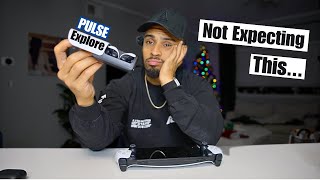
In this video, the creator revisits the PlayStation Portal audio setup after earlier unboxing, describing ongoing volume problems with wired Beats Solo 3 headphones and AirPods Max, which led him to try Sony's Pulse Explore earbuds. He walks through the unboxing, highlighting the dongle, case, ear tip options, and the earbuds' lightweight, PlayStation‑styled design. The bulk of the video focuses on the cumbersome pairing process with the Portal, requiring multiple button presses, power‑cycling, and Reddit troubleshooting, which he finds far from the seamless experience Sony advertises. Once paired, he evaluates audio performance across several games (Call of Duty, Spider‑Man, Persona), noting decent soundstage and immersive 3D audio but limited volume and occasional disconnects. He also comments on comfort, ear‑fatigue, silicone tip fit, battery life (5 h earbuds, 10 h case, ~15 h total), and the lack of a charge indicator. Finally, he compares the Pulse Explore to his existing Sony Enzones, Beats, and AirPods, questioning whether the $200 price is justified for portable PlayStation gaming, and invites viewer feedback while urging subscriptions.
Chapters
So last time we talked, we talked about this PlayStation Portal, and I did an unboxing and I did just a first few minute impression. I didn't really go in depth with it. I feel like I needed to have a lot more time with this to really see what this is capable of doing, especially for my needs personally. And I have to admit that I've been loving this thing. I have been trying it at work. I had my hotspot going. Again, I work in an ER. I lay in bed, I'm playing my game, I'm just chilling with the Mrs. She's sleeping. I don't— we don't have the big screen brightness on her. We have a 65-inch in the bedroom and it's not bright on her. I'm just in bed playing. My only issue that I've been having is the volume. Now you can use wired headphones with this because this does not have Bluetooth capabilities. So I tried to use my wired headphones. We're using my old Beats Solos. I think these are the 3 if I remember correctly. Got these with my iMac. Solo 3. I was using these and I was having issues with the volume. The volume wasn't getting loud enough. It was just like subpar. Because of these, I was tempted to get an upgrade and upgrade with AirPods. Since you can't use regular AirPods, I decided to go with the next step of wired AirPod Maxes. And I didn't get this for this. I got this for the gym and other reasons. But these actually caused a big deal because apparently these were supposed to be a Christmas gift that, um, You couldn't just let me have it this one time? What's wrong?
This motherfucker. 2 weeks before Christmas. 2 weeks and he already got his Christmas gift himself. Every freaking time.
We both got a pair.
No, I don't want that color.
What color did you want?
I don't. It's too big for my head. Oh, it's a gift for you. Just please.
Yeah, I might have ruined it. So I tried plugging these in, having to use the Lightning, which, ugh, I hope they upgrade this because everything I have is USB-C and Lightning, this is the last to go. When I plug these in, it registers that there's a headphone connected to it, but with the audio, there's absolutely nothing playing. And I, for the life of me, have searched Reddit, I cannot find any reason on why these are not working with this. Since these won't work, I guess the next option would only be to try Sony's new Pulse Explore headphones. Let's take a look. So these are Sony's Pulse Elite Explore headphones, and I'm kind of excited about this. Planar magnetic drivers for lifelike sound. PlayStation Link, which is what we're gonna be using since it doesn't have Bluetooth. And you have mobile Bluetooth support, which requires a dongle. I don't like damaging the boxes, but There's got to be an easy way to take this out. Push and flap? Oh, that's ripping. Oh, there's a tab. Little slip box here. Explore, dongle, PlayStation, plug-in, receiver, headphones, step 2, and then the link button. And there you go. Need help? QR code. Oh, since we threw everything else out the box. Cable, USB-C to USB-A. I think this is— oh, this is pretty sweet. So here you have the dongle, which you'll plug into the PlayStation, or you can plug into your computers. There's different ear tip sizes for people with different ears. Finally, at the main thing, which— oh, it's pretty intense to get out there. All right, it's almost like baking wax paper. Not a fan of that. Case is It's got a little— it's not heavy at all, really. It's pretty light. Awkward shape though, but it's got the PlayStation 5 aesthetic. If you guys are curious, this is my AirPod Pros. This is the size difference here between the two. Obviously you can slip this in a little pocket. This is pretty elongated, so I don't know, maybe it's like if you vape, this is like a vape pen size. I don't vape, but just first thing that came to my mind when I saw this right now. I think you slide it out here. All right, slide it out, and here's your earbuds. This is pretty interesting design here. Got the wing, got a button there that I don't know what the button is. It's got the Link logo on it, so I'm gonna assume that that's the Link button there. And this top button is a plus there, so maybe it's volume control. That's a plus, so this must have a minus. And oh, they both have pluses and minuses. I'm getting old, I can't believe I didn't see that. Let's take a look at how this fits in the ear. Oh, that slips in there, that sits in there pretty interesting. Oh, actually, it's fit pretty nice. Oh, all right, yeah, this fit actually pretty good. I will say that the silicone is a little finicky, so when you pull it out, they immediately just reverse back. But I mean, I've been using AirPod Pros for such a long time that The silicone on this is a lot thicker than this one here. This is pretty, like, thin. But, eh, apples and oranges, I guess. So with these, I believe you get 5 hours of battery life, and then with the case, you get up to 10 hours. I don't know how many charges you get off of this or how many full cycles. I'm assuming if you get 5 with them charged and you get an additional 10, you get 2 full charges of this to equal 10. So 15 hours total, if my math is mathin'. These studio-inspired drivers reproduce sound with near-perfect accuracy. Along with the entire audible spectrum so you can hear games exactly how the developers intended. Immerse yourself in soundscapes packed full of rich, subtle details and deep bass, letting you feel each epic in-game encounter. Enhance your perception in 3D audio supported PS5 games as audio cues are positioned with an incredible degree of accuracy across all three dimensions. Well, all this talking, let me see what they sound like. So back on here, we'll turn this bad boy on. Fuck it. It's connecting to my PlayStation. For you guys that have the Portal, when you hit the settings or any buttons up here, does it sometimes work for you and sometimes it doesn't? Because I feel like it's very finicky. Whenever I touch this, sometimes these setting buttons— see, look, it just worked automatically and I'm sitting there hitting it. I don't know, it's weird. Press the link button for 8 seconds to begin pairing. Alright, so we're gonna hold this for 8 seconds. Alright, it's flashing blue. That's different. Here we go with this again. I'm telling you, I push this button and sometimes it just doesn't work. I don't get it. Alright, so it must be paramode. This cannot be this hard. Ain't no way. So your headset's first. Does that mean it's done? I got nothing. Bro, what? This is not making sense. Why am I so stupid right now? Alright, close this. Open this back up. I know I'm not this crazy. Just hold down the link button with the included charging case, then press the link button on the top of the Portal itself. Each earbud comes with its own— flashing blue. Maybe that means disconnected then, if it's blue like this. It says it's disconnected now. Why is it disconnected? It's not connected. Oh my gosh, what the— okay, opening them up, pushing and holding this button, it's flashing blue. Pushing the look button here, then it changes, it does that. That means it must be paired. That has to mean because it stopped blinking. Bro, how am I not understanding this? Let's see what Reddit says. I've done them both. This is going to sound dumb, but some folks yesterday were saying they had to completely power cycle the Portal before it could work for some reason. So try to turn it off and turn it back on routine and see if that does the trick. Unbelievable. This did the trick. So this is clearly not being a seamless experience as it was presented with Sony. This is nothing like popping AirPods out and then it showing up on your phone automatically and then hit pair and boom. I've sat here for like over 10 minutes, which was probably a minute and some change for you guys just to get this to pair. It's 2 AM right now in the morning. I'm recording this. I have a flight to Seattle at 7 AM. Yeah, we're back. I don't think the button works now when I touch it the first time. Hitting button, flashing blue. Blink button on here. It stops blinking. Bruh, bruh. Reddit, if you guys don't use Reddit, Reddit solves everything. I mean, Google's great and all, but type in what you want in Google and then put Reddit and you'll find somebody having something about something to help you out, guaranteed. Sony, if you're watching this, fix this. Okay. This thing powers off real quick. Okay, so, wait, so every time this turns off, does this unpair? Oh no, what in the world? No, that wouldn't make sense. Okay, so I waited for a while, it idled off, I turned it back on, it's not paired again. This is solid blue yet again. There's no way I'm having this much problems with this. This just, this can't be. I'm pretty tech savvy. Gonna stop turning blue and it should pair. There's no way. Do I have to turn this off again? There's no way. There's no way, bro. I can't. I can't right now. Hell, I already think I know what my thumbnail is gonna be. Turn this back on. Third time. Guess this is a good time to say now, if you guys haven't subscribed to my channel, do that. I'm almost at 1,000 subscribers and it's a pretty big milestone for me. Paired. Okay, it paired again. It paired. I had to reset it again for it to pair. Okay, before this times out or whatever, we're gonna put these in the air. Why are these— these are not loud at all. Wait a minute. Oh, okay. I was turning it on here and it was absolutely no volume change at all. Wait. Oh, the volume changes, but it's limited, which means you have to turn the volume up more on these. So there's volume buttons on this and it does a sound effect where— so depending on if you're going up, it's "dur dur dur dur dur." If you're going down, it's "dur dur dur dur dur." Yeah, I mean, it's not bad. It's not— not bad. Not bad. See if Call of Duty is working or if there's another update. Every time I open up Call of Duty, there's another update that's like over 100 gigs. Maybe it's because I'm used to blaring my music so much in the gym that I don't know, I thought these would be just a tad bit louder. I don't know. I don't know why I'm just feeling not impressed. Like this whole pairing process, that just— I really was expecting to slide this out, hit a button, boom, it works. I shouldn't have to turn this off multiple times for it to work. I don't know. That just really— that set the tone for this video. Okay, I have to wash this. We're sounding better now. I can't even hear myself talk right now. It's as if I have to— Noise canceling is on. Oh yeah. Okay. I don't know what happened, what changed, but while this video was playing, I couldn't hear nothing. This was just like, this was actually immersive. I'm just going to jump into a quick match with Call of Duty here. The sound sounds really good. The fire is on my left side. Oh well, I died. Fire's on my left side. That sounds really good. I wonder what the volume difference will be handheld versus the console on if you can max out the volume more or let me make sure that it stays connected while I turn. Okay, so it says it's disconnected. I turned it off. I'm gonna turn it back on. So right now it's not connected. It's connected again. All right. I might mess around with different ear tips just to see if they sound different, but that was actually really good. At first I wasn't impressed, but maybe it's different games. I'm not sure, but Persona was pretty weak as far as volume goes, but Call of Duty, it was pretty rich. I wish there was like an indicator with how much charge is on the case. All right, let's give Spider-Man a try here. So it's still not connected to these since this is turned on. I'm wondering, these have to be back in the case. That's one thing I'm feeling would be an issue right now. Every time you turn it off and then you turn it back on, it's not syncing right away. It's not connecting, and I'm not sure why it's not doing that. Seems to be some type of connection issue happening. Maybe it needs a firmware update. I'm not sure. If I take these out after putting them in, okay, they connected. This seems too finicky. I just wanna grab and go. I mean, just swinging around New York, it sounds really good. The footsteps sound good, the swinging, the web sounds, the little intricate little, whoosh, sounds. It sounds, it sounds good. But I will say one thing about these is that this plastic right here sits right against my ear. And I haven't been playing that long, but I do feel some ear fatigue, I guess you could say. The pressure just sits just enough on there. Now it might be because maybe different tips. Let me see here. Which tips are these? Do they get smaller or is this just like a medium? This is the smallest and it gets larger. Let's try this tip. Okay, these feel a little bit better. I feel like I need to have way more time with these. I don't know, I'm just, I'm really, is this worth $200 just to be able to use headphones for this? And would you be able to game with these for a long session with your PlayStation? I need to hook this up to the PlayStation, see how this works. My go-to headphones when I use my PlayStation are these right here, the Sony Enzones. I think these are the H9s. I will say that I don't like how bulky they are. I mean, they feel like you're directing planes coming in with your cone and letting them know where to come in at. That's what I feel like, an aviator type thing. But the noise canceling, the ear cups, they're nice and soft. I like these. I don't have a problem. USB-C. Also, the mic here is off, and when you put it down, the mic turns on. It goes right back off. It bends so you can put it directly how you want it. I don't know how the mic sounds with this. I mean, I don't play a lot of games where they use mic chat, but I don't know. Now with the whole AI voice enhancing and getting rid of the background noise with bag crunches or people chewing in the headphones, you might— it might sound like I'm eating while I'm talking, but you shouldn't be able to hear the chips. I mean, that's pretty dope and cool, but is this worth $200 just for this? I don't know. I think I need to sit down with this more and play with this Like I said, I'm going on a plane trip to Seattle, so I'm going to take this with me and I'm going to game from across the country as I'm in Florida right now. Sony Explore earbuds. I don't know. This unboxing and this whole experience wasn't really what I thought I was going to be experiencing. If you guys have these or had any similar experience to what I did, or if you had a better one, let me know down below. Thank you guys for watching. Remember to subscribe. I'm almost at 1,000. Hope you guys get some good stuff for Christmas. Take care, guys. Peace. I am one person with all these headphones, but man, these things were just not what I was expecting.
More from Justin










How Women Are Taking Back Control of Their Sourdough Bread (And Saving Hundreds).