Learn to build a Pardot Engagement Studio program from setup through testing. You'll add actions like sending emails or creating tasks, set triggers based on prospect behavior like email clicks, and use rules to control the flow. The Test section lets you simulate how prospects move through the program without actually sending anything.
Chapters
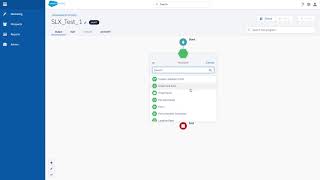
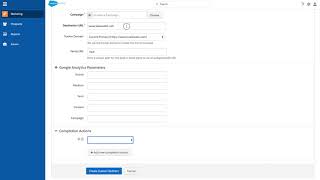
First go to Marketing Engagement Studio. Click Add Engagement Program. You can name your email here with your internal naming convention. Select your folder and your recipient list. All Engagement studios must have a recipient list associated with it. Select the days and the times you would like your emails to be sent out by default. You do not want to allow prospects to enter a program more than once. Then click Save and then you can select your journey. Here you have three main categories to add to your journey Actions, Triggers, and Rules. Actions are things like sending an email, removing a tag, or creating a Salesforce task. All email sends must be a template already in Pardot and published. If you don't see a template you've created in Pardot, please verify that it was published. Then you can select when you want the email to go out. This is all going to be referenced. All times are referenced from when a prospect is added onto your list. If you wanted to go out immediately, wait a few days, or on a specific date, you can also do triggers. Triggers are going to be based off of events like email link clicks, email opens, landing page submissions, file downloads, etc. Your last option is going to be for rules, rules or valuation periods. For example, check if they're a part of a particular list. You can also, with the latest update, have multiple criterias for a rule like being part of a specific list and also having a par grade of A plus. And once again, you can set up your time criteria here. Check immediately or wait. Now you can continue by grouping all three categories, rules, Triggers and Actions. By going to the Test section right here. Remember, the testing section does not actually send any emails, but it's primarily used to test out the logic and timings you can click on the date you would like your test to begin. So let's say a prospect enters on the 25th, click begin test and you can see it's going through your Engagement Studio and showing you how long it'll take to go through the whole program. And that's how you create an Engagement Studio and test it.