This is a YouTube video titled "Pardot Tutorial : Page Actions" containing a tutorial explanation about setting up page actions in Pardot to trigger Salesforce tasks and other activities based on prospect behavior, specifically visiting the pricing page. The content is instructional and focuses on marketing automation and sales follow-up processes. The video was created in May 2019.
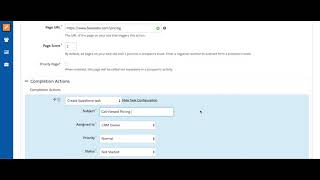
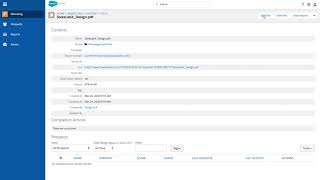
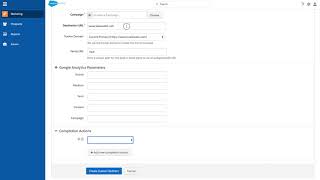
We're going to have a page action deploy based on a prospect visiting our pricing page. So we're going to simply type in our name of the page action and the URL you want the page action to be triggered on Here you'll see every time a prospect visits our pricing page, they're going to have a list of actions that happens. You can add them to any preordained list inside of Pardot and you can also create a whole host of other activities. The one we're going to do is create Salesforce Task because this is a high purchase intent action, we believe visiting the pricing page, we're going to go ahead and create a Salesforce task for the sales rep that's assigned in Salesforce to call this prospect. This is huge because now your customer will be able to get just in time information about pricing sensitive matters because they viewed the pricing page. You can use page actions for all sorts of things, triggering auto reply emails, creating Salesforce tasks, or even just tracking and adding to a campaign in Salesforce. Imagine being able to know is more likely to convert when visiting the prospect pricing page within 30 days of filling out a form submission. That's now possible with the page action. Sam.